What You Need to Know About Call Recording Without Announcement
Call recording without announcement is possible — but how you do it depends on your device, your location, and how much technical effort you’re willing to put in.
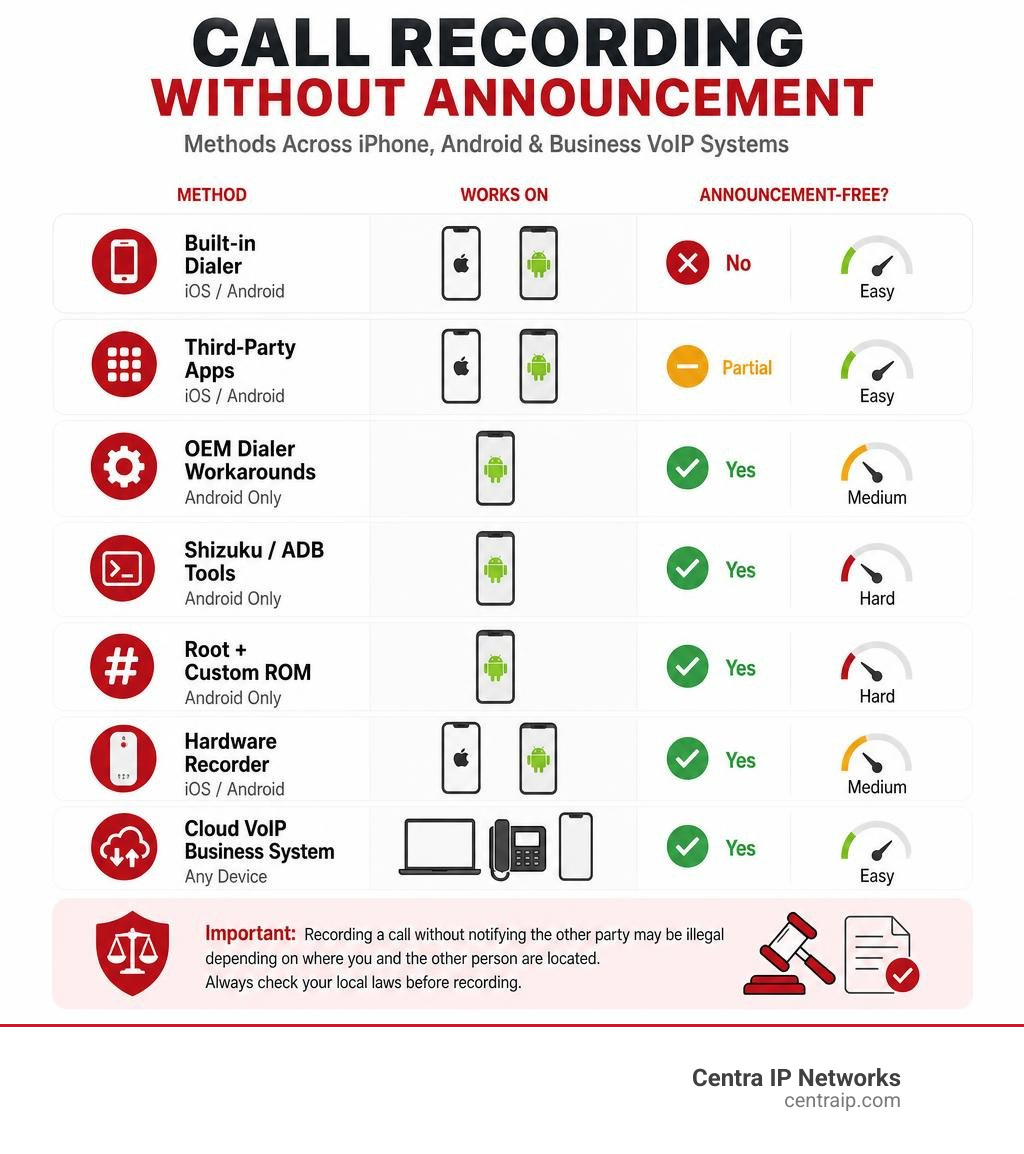
Here’s a quick overview of your main options:
| Method | Works On | Announcement-Free? | Difficulty |
|---|---|---|---|
| Built-in iOS/Android dialer | iPhone & Android | No | Easy |
| Third-party apps (TapeACall, Cube ACR) | iPhone & Android | Partial | Easy |
| OEM dialer workarounds (TTSLexx, ODialer) | Android only | Yes | Medium |
| Shizuku/ADB tools (cally, ShizuCallRecorder) | Android only | Yes | Hard |
| Root + custom ROM (BCR) | Android only | Yes | Hard |
| Hardware recorder (e.g. Plaud Note Pro) | iPhone & Android | Yes | Medium |
| Cloud VoIP business phone system | Any device | Configurable | Easy |
Important: Recording a call without notifying the other party may be illegal depending on where you and the other person are located. Always check your local laws before recording.
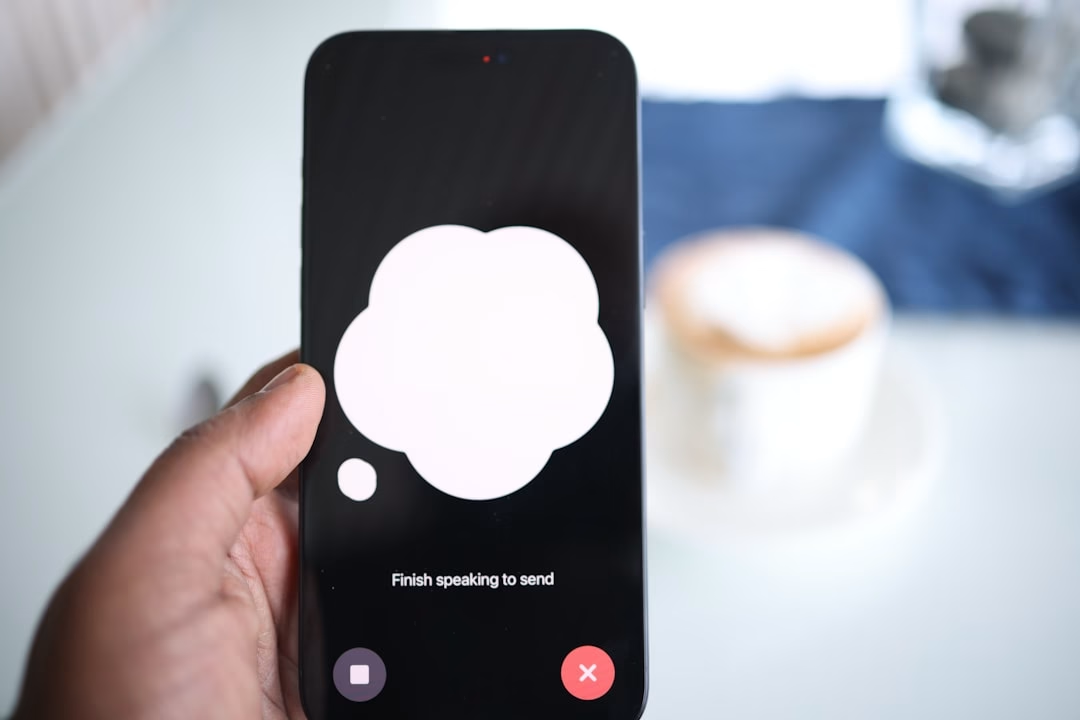
Most people discover the problem the hard way. You hit record on your iPhone or Android phone, and immediately a voice announces to everyone on the call that they’re being recorded. There’s no mute button. There’s no setting to turn it off. And if you’re recording for a legitimate reason — documenting a threatening caller, capturing a client agreement, or reviewing a medical conversation — that announcement can completely change the dynamic.
The frustration is real. And it’s growing, as both Apple and Google have tightened their grip on call audio access in recent years.
This guide breaks down exactly why the announcement exists, what actually works to bypass it (and what doesn’t), and what the safest, most reliable options are — especially for businesses that need a scalable solution.
I’m Patrick Brangan, and with over 20 years of experience in business technology and unified communications, I’ve helped hundreds of small and mid-sized businesses find the right call recording without announcement setup for their specific needs. Let’s get into it.
Easy call recording without announcement glossary:
Understanding the Call Recording Announcement: Why It Exists
To understand how to bypass the warning, we first have to understand why it’s there. The automated voice that says “This call is now being recorded” isn’t a technical limitation; it is a deliberate design choice forced by privacy regulations.
For years, Android users could install lightweight apps that quietly recorded both sides of a conversation. However, starting around 2020, Google began a massive crackdown. They made it mandatory for hardware manufacturers (OEMs) to preinstall the Google Dialer and Google Messages apps on many devices, effectively killing off the stock dialers that allowed silent call recording.
Apple followed a similar path of strict denial. For over a decade, iOS blocked third-party apps from directly accessing the phone’s microphone during a cellular call. When Apple finally introduced native call recording in iOS 18 (and carried it through to today in iOS 26), they built in a mandatory, un-bypassable audio announcement.
According to discussions on the Google Support Thread, users worldwide have expressed deep frustration over this lack of control. Google and Apple implemented these features to shield themselves from legal liability. By forcing a loud, clear announcement on both sides of the line, tech giants ensure that no one can use their native software to record a conversation without the other party’s explicit knowledge.
Legal Implications of Recording Calls Without Consent
Before you try to disable these warnings, you must understand the legal landscape. The laws governing call recording generally fall into two categories:
- One-Party Consent: Only one person on the call (which can be you) needs to know the call is being recorded. If you consent to record your own conversation, you do not need to notify the other party.
- Two-Party (or All-Party) Consent: Every single participant on the call must agree to the recording. Recording without their consent is a wiretapping violation.
Because Centra IP Networks serves clients in specific regions, let’s look at how these laws apply directly to our local service areas in Texas and Florida:
- Texas (Dallas, Fort Worth): Texas is a one-party consent state. If you are a participant in the conversation, you can legally record the call without telling the other person.
- Florida (Orlando, Tampa, St. Petersburg, Clearwater, Sarasota): Florida is strictly a two-party (all-party) consent state. Under Florida recording laws, recording a phone call without the explicit consent of all participants is a third-degree felony.
If you are calling from Dallas to Orlando, the stricter law (Florida’s all-party consent) usually applies. Violating these statutes can lead to civil lawsuits, criminal charges, and the total inadmissibility of your recorded audio in court. For a deeper dive into balancing these rules on a tight budget, check out our guide on How to Record Phone Calls on a Budget.
How to Achieve Call Recording Without Announcement on Android
Android’s open architecture means there are several technical loopholes you can exploit to record calls silently. Depending on your phone’s manufacturer and your comfort level with developer settings, you have a few options.
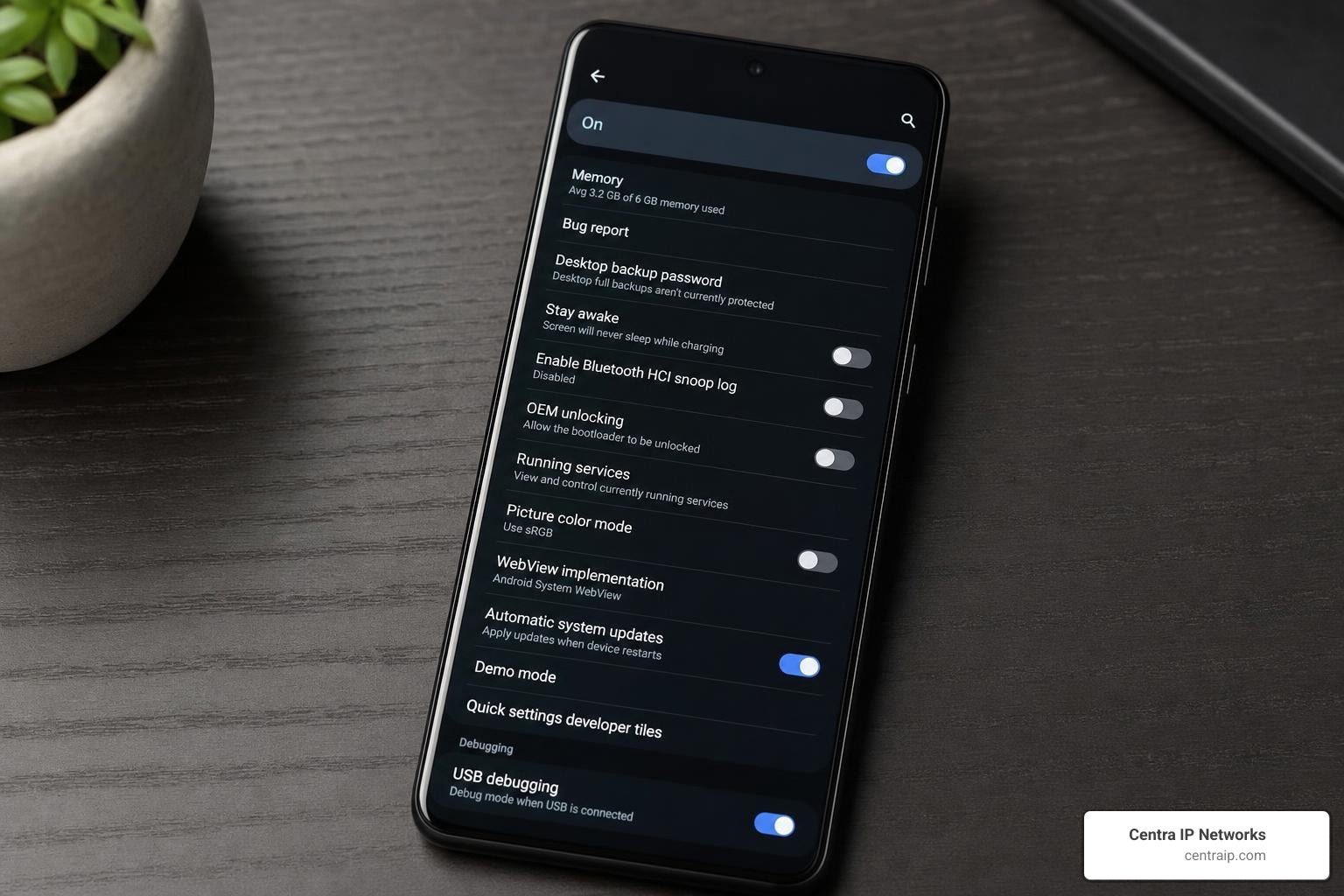
On modern Android versions, Google Dialer enforces the warning. However, many major manufacturers like OnePlus, Oppo, Vivo, iQOO, Xiaomi, and Realme have regional dialers that do not play the warning. You can find detailed steps on switching to these stock dialers in the comprehensive guide on How to Disable Call Recording Announcements on Android.
Here is a summary of the most popular OEM workarounds:
- OnePlus & Oppo: You can install the official “ODialer” app from the Google Play Store or sideload it. Once set as your default dialer, it records calls natively without any warning beep or announcement.
- Vivo & iQOO: These devices often have a hidden stock dialer built into the system. By entering the USSD code
*#*#556688#*#*in your dialpad, you can toggle on the alternative phone app and set it as your default. - Google Dialer (TTSLexx Workaround): If you are stuck using the standard Google Dialer on a phone like a Motorola or Xiaomi, you can trick the system. By installing a free app called TTSLexx from the Play Store, you can change your phone’s preferred Text-to-Speech (TTS) engine. Because TTSLexx processes text faster than Google’s engine, it forces the Google Dialer to play the “This call is being recorded” message before the call is actually connected to the other party. The announcement plays into a void, and the other person never hears it.
Root and Custom ROM Solutions: BCR
For users with rooted Android devices or those running custom firmware, the absolute gold standard for silent, automated recording is BCR (Basic Call Recorder).
Unlike standard apps, Basic Call Recorder (BCR) functions as a system-level tool. Because it operates with root privileges (usually via Magisk), it can bypass the API blocks Google introduced in Android 10 and later.
BCR binds directly to Android’s telephony service and accesses the internal VOICE_CALL audio stream. It works entirely in the background, has zero network access (meaning your recordings never leave your device), and saves clear two-way audio in formats like FLAC, AAC, or WAV. Best of all, because it operates at the system level, it never triggers the Google Dialer’s announcement engine.
Non-Root Workarounds: Shizuku and ADB
If you do not want to root your phone or unlock your bootloader, you can use advanced developer workarounds that leverage Shizuku and ADB (Android Debug Bridge). Shizuku is an utility that allows third-party apps to use system-level permissions by authenticating through wireless debugging.
Two open-source projects have successfully used this method to bypass Google’s recording blocks:
- cally (Pixel Call Recorder): Specifically designed for Google Pixel devices with Tensor chips, cally Pixel Recorder runs in a special shell context (
com.android.shell). By running inside this high-privilege shell UID, the app can access the restrictedVOICE_UPLINKandVOICE_DOWNLINKaudio channels. It features a fallback ladder to ensure that even if one recording method fails, it will silently capture the call without ever triggering an announcement. - ShizuCallRecorder: Touted as one of the first non-root, fully open-source call recorders for Android 11 through Android 16, ShizuCallRecorder uses Shizuku and helper files from the
scrcpy-serverproject. It runs only when the phone state changes (preventing battery drain) and captures clean, two-way audio without any notifications or beeps.
Bypassing the Announcement on iPhone: Myths vs. Reality
If you are an iPhone user, the technical workarounds available on Android simply do not exist. Apple’s sandboxed security model prevents any app from running system-level exploits like Shizuku, and jailbreaking has become virtually obsolete in iOS 26 due to extreme security patches.
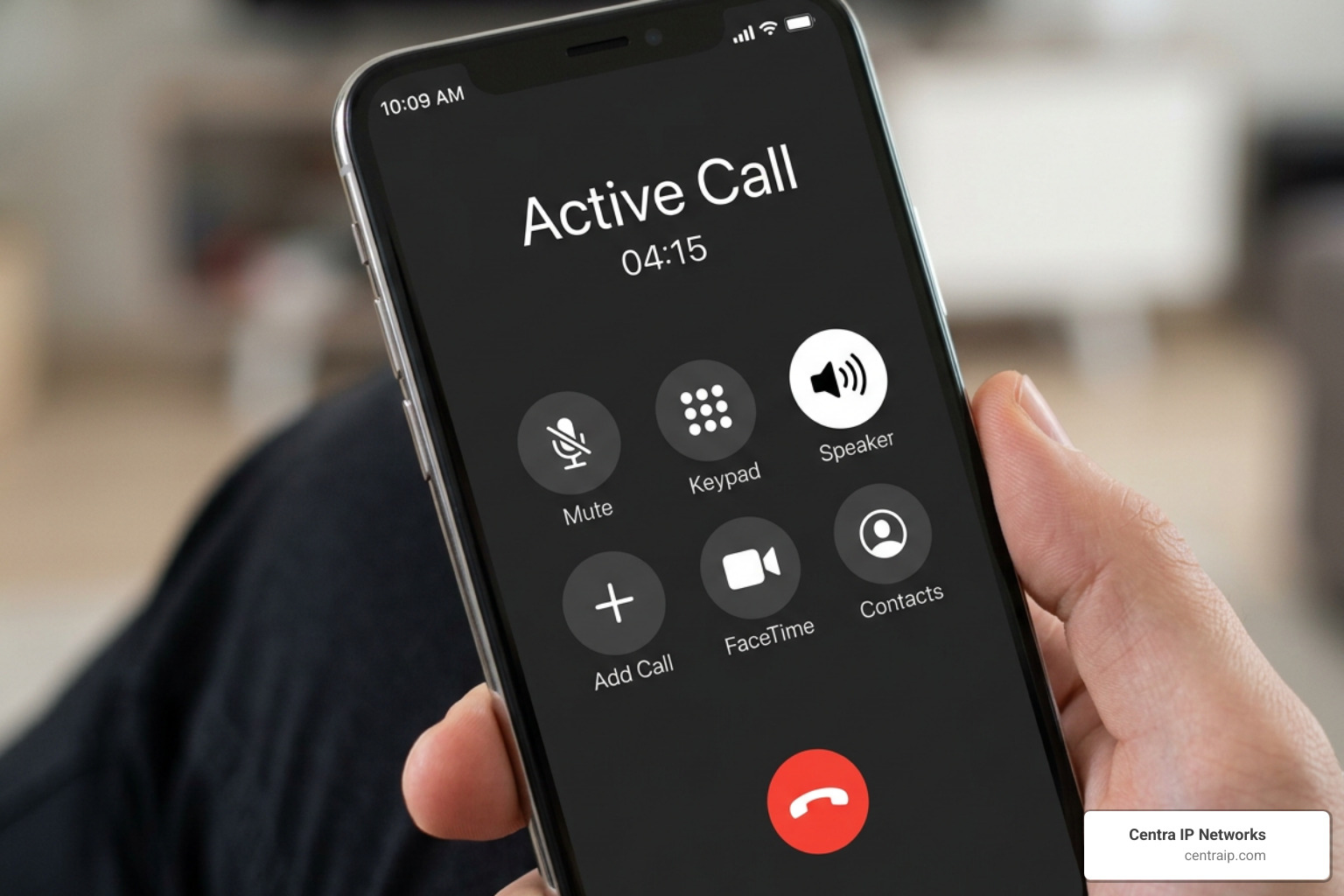
Many myths circulate online about how to record calls on an iPhone without an announcement. Let’s clear those up:
- The Screen Recording Myth: Many blogs claim you can simply turn on iOS Screen Recording during a call. This does not work. Since iOS 11, Apple has hardcoded a block that cuts off microphone and call audio from being captured by the screen recorder the moment a cellular or VoIP call connects.
- The Voice Memos Myth: You cannot open the native Voice Memos app to record a live phone call. The OS will pause the recording or show an error stating the microphone is in use by the active call.
To see how iPhone software options stack up against hardware and cloud-based systems, review this comparison:
| Feature | Software Apps (App Store) | Hardware Recorders | Cloud VoIP Systems |
|---|---|---|---|
| Announcement-Free? | No (plays warning or requires manual merge) | Yes (100% silent) | Yes (fully configurable) |
| Audio Quality | Average (often relies on speakerphone/VoIP) | Crystal Clear | HD Digital Audio |
| Setup Effort | Low (download app) | Medium (requires physical device) | Low (cloud configuration) |
| Ongoing Costs | High ($8–$15/month subscriptions) | One-time purchase | Part of business phone service |
Hardware Solutions for Call Recording Without Announcement
The only 100% reliable way to record a call on an iPhone without an announcement is to step outside of the iOS software environment entirely. This is where hardware recorders come in.
Devices like the Plaud Note Pro or specialized Bluetooth call recording earpieces do not interact with Apple’s operating system code. Instead, they capture audio physically or magnetically. Many of these devices use vibration/bone conduction sensors that attach to the back of your iPhone. When you make a call, the sensor picks up the physical vibrations of the phone’s internal speaker (capturing the other party) and uses its built-in microphone to capture your voice.
As demonstrated in this YouTube Guide, these hardware tools record call audio directly to their own onboard storage. Because the phone itself doesn’t know it is being recorded, iOS never triggers the warning announcement. The audio can then be synced to your phone via Bluetooth and transcribed using AI tools.
Third-Party Apps and the Three-Way Call Method
If you prefer not to carry extra hardware, some third-party iOS apps like TapeACall and Cube ACR offer workarounds, though they come with major trade-offs.
Because Apple blocks direct microphone recording, these apps use the Three-Way Call Method. When you start a call, the app prompts you to dial their local service number. You then merge the two calls into a three-way conference call. The service number acts as a silent participant, recording the entire conversation on their remote servers.
While this bypasses Apple’s built-in iOS announcement, it is not always completely silent. Depending on your carrier, a brief beep may play when calls are merged, and the other party will see “Conference” or a merged line on their screen. For a look at how this compares to traditional recording methods, read our article on How to Record Landline Calls Without Sounding Like a Spy.
Enterprise Alternatives: Cloud-Based Business Phone Systems
For businesses operating in Dallas, Fort Worth, or throughout Florida (Tampa, Orlando, Sarasota, etc.), relying on individual employee workarounds, hardware dongles, or sketchy third-party apps is a recipe for disaster. It leads to fragmented data, poor audio quality, and massive compliance risks.
The professional solution is a unified, cloud-based business VoIP system.
At Centra IP Networks, we provide comprehensive Managed IT and Cloud Communications services on a single platform with a single bill. Our systems allow businesses to manage call recording centrally, ensuring total consistency and security.
With a cloud-based phone system, call recording happens at the network level, not on the physical handset. This means:
- Total Configuration Control: You can set recordings to be completely silent (perfect for internal training or in one-party consent regions like Texas) or configure custom, professional verbal disclosures (essential for compliance in two-party consent regions like Florida).
- No App Workarounds Needed: Employees can use any device—their desk phone, a computer softphone, or a mobile app—and the call is recorded seamlessly in the cloud without any system-level warning beeps.
- Secure Storage: Recordings are saved directly to secure cloud servers, protecting sensitive client data.
To understand why this infrastructure is vital for modern operations, read our deep dive on Cloud-Based Call Recording: Why It’s Essential for Modern Businesses and explore The Ultimate Guide to Hosted VoIP for Your Business.
Best Practices for Call Recording Without Announcement in Business
If your business decides to record calls, doing so correctly protects you from both legal liability and damaged customer relationships. We recommend following these best practices:
- Define Your Purpose: Only record calls for legitimate business needs, such as Quality Assurance (QA) monitoring, employee training, or documenting verbal agreements.
- Match Your Geography: If your business is located in Tampa or Orlando, ensure your system is configured to play a brief, polite disclosure (e.g., “This call may be recorded for quality purposes”) to comply with Florida’s strict all-party consent laws. If you operate strictly within Dallas or Fort Worth, you can legally record silently, but you should still establish an internal company policy regarding data usage.
- Secure Your Data: Never let recordings sit on employees’ personal cell phones. Use a centralized platform where access is restricted to authorized managers.
- Keep Clean Records: Maintain an archive of your recordings for at least one to two years to resolve disputes and protect your business from liability.
For more tips on optimizing your business communications and avoiding unwanted interruptions, read our guide on how to Stop Robocalls with a Cloud-Based Phone System.
Frequently Asked Questions About Silent Call Recording
Can you turn off the iPhone call recording announcement in iOS 26?
No. Apple does not provide any toggle, switch, or accessibility setting to disable the call recording announcement in iOS 26. The announcement is hardcoded into the operating system to prevent legal liability. The only way to record without it on an iPhone is to use an external hardware recorder or a cloud-based VoIP system.
Does screen recording capture phone call audio on iOS or Android?
No. On both iOS and modern Android versions, the operating system’s security framework automatically blocks screen recording tools from capturing audio from the phone’s microphone or speaker during an active cellular or VoIP call.
Is Cube ACR able to record calls without an announcement?
Yes, but it requires workarounds. On Android, Cube ACR can record calls silently, but due to Google Play Store restrictions, users must download a separate helper app from an external source (like the Galaxy Store or the developer’s website) and grant it Accessibility services permissions to capture both sides of the call.
Conclusion
Achieving call recording without announcement is a technical challenge on modern smartphones, but it is entirely possible if you use the right tools. Whether you choose to use developer workarounds on Android, hardware vibration sensors on an iPhone, or a professional cloud system, you must always stay mindful of your local consent laws.
For businesses in Texas and Florida, managing these recordings manually across scattered employee devices is a compliance nightmare.
At Centra IP Networks, we simplify your business communications. We deliver robust, cloud-based phone systems that handle call recording, security, and compliance seamlessly—all on one platform, with a single provider and one clear bill.
Ready to upgrade your business communications and secure your voice data? Explore Centra IP Voice Recordings today and let us build the perfect, custom solution for your team.