Why Business Video Surveillance Is No Longer Optional in 2026
Business video surveillance is a system of cameras, storage, and software that helps businesses monitor their facilities, deter crime, and gain operational insights — all in real time.
Here is what you need to know at a glance:
| What It Does | Why It Matters |
|---|---|
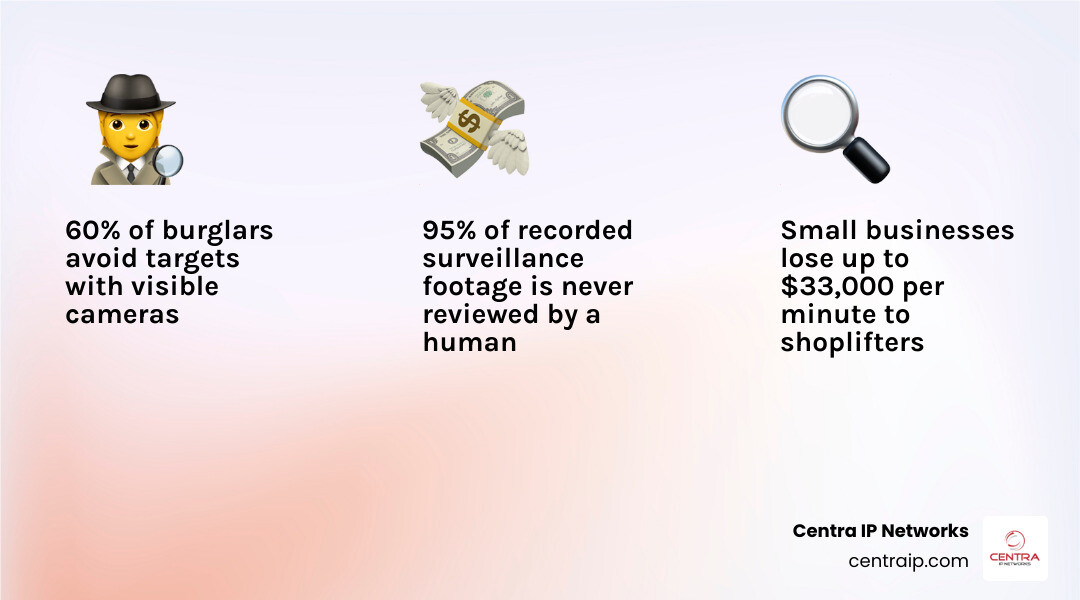
| Deters burglary and theft | 60% of burglars avoid targets with visible cameras |
| Reduces retail shrinkage | Small businesses lose up to $33,000 per minute to shoplifters |
| Improves operations | Heat mapping, people counting, and queue analytics optimize layouts |
| Protects against liability | Video evidence resolves fraud and insurance disputes |
| Enables remote monitoring | Watch any location from any device, anytime |
| Integrates with other systems | Connects to POS, access control, and alarms |
Most business owners think of security cameras as a simple crime deterrent. And yes, they do that well. But modern systems go much further. Today’s cameras analyze foot traffic, flag safety violations, verify employee incidents, and feed data directly into your business tools.
The technology has moved fast. 95% of recorded surveillance footage is never reviewed by a human. AI changes that — automatically surfacing the moments that matter, so nothing slips through the cracks.
Whether you run a single retail location or manage multiple sites, this guide breaks down everything you need to make a smart decision about your surveillance setup.
I’m Patrick Brangan, and over the past 20+ years helping SMBs across Dallas, Tampa, and Orlando with technology solutions, business video surveillance has been one of the most impactful upgrades I’ve helped clients implement — often as part of a fully managed, single-vendor security and communications package. Let’s walk through exactly what your options are.
The Core Benefits of Business Video Surveillance
In 2026, deploying a robust commercial security camera system is no longer just a defensive measure against after-hours break-ins. It has evolved into a foundational piece of business intelligence. When we design security systems for our clients in Texas and Florida, we focus on three main areas: protecting physical assets, minimizing legal liability, and maximizing operational productivity. To explore these advantages in depth, take a look at our guide on the Benefits of Security Cameras for Businesses.
For physical stores, warehouses, and offices, the mere presence of high-definition cameras changes behavioral dynamics. Employees work with greater accountability, customers behave more honestly, and external threats look for easier targets.
Deterring Crime and Reducing Retail Shrinkage
The numbers speak for themselves: visible security cameras are highly effective at preventing crime. According to a landmark study by the University of North Carolina, the display and active use of business security cameras help deter 60% of burglaries. When bad actors see clean, professionally installed dome or bullet cameras, they typically move on to a softer target.
For retail operations, the stakes are incredibly high. The University of Florida National Retail Security Survey reveals that small businesses lose between $25,000 and $33,000 every single minute to shoplifters. This loss directly eats into your bottom line. By implementing a modern business video surveillance system, you can actively track suspicious behavior in real time, coordinate with floor staff, and capture crystal-clear evidence to share with law enforcement.
Improving Operational Efficiency and Safety Compliance
Beyond theft prevention, high-quality video surveillance is an outstanding tool for operational oversight. In manufacturing facilities, distribution hubs, and commercial kitchens across Dallas and Tampa, managers use live feeds to monitor safety compliance. We can easily review footage to ensure employees are wearing proper personal protective equipment (PPE), using machine guards correctly, and following OSHA guidelines.
When an accident does occur, having a clear video record is invaluable. False slip-and-fall claims or fraudulent workers’ compensation lawsuits can cost your business hundreds of thousands of dollars. Having a 4K, time-stamped video of the incident provides indisputable proof of what actually happened, saving you from devastating legal fees and rising insurance premiums.
Commercial Camera Types and Placement Strategies

Every commercial space has unique architectural layouts and security vulnerabilities. A retail boutique in Fort Worth requires a very different camera setup than a massive logistics warehouse in Orlando. To build a system with zero blind spots, you must select the right camera form factors and position them strategically. Learn more about your options in our detailed breakdown of the 10 Different Types of Security Cameras for Business.
Choosing the Right Business Video Surveillance Cameras
Commercial security cameras come in several primary form factors, each engineered for specific environments:
- Dome Cameras: These are the gold standard for indoor retail and office environments. Their low-profile, ceiling-mounted design blends seamlessly into the background. Many dome cameras feature IK10 vandal-resistant ratings, meaning they can withstand direct physical impacts. Their dome casing also makes it difficult for onlookers to tell exactly where the lens is pointing.
- Bullet Cameras: Highly visible and easily recognizable, bullet cameras are excellent visual deterrents. They are typically installed along building exteriors, fence lines, and parking lots. Because they have larger housings, they often accommodate powerful infrared sensors for long-range night vision.
- Pan-Tilt-Zoom (PTZ) Cameras: These dynamic cameras can rotate horizontally, tilt vertically, and zoom in on distant objects. They are ideal for active monitoring in large open areas like auto dealerships or shipping yards. Modern PTZ cameras can even use AI to automatically track moving subjects across a property.
- Fisheye and Multi-Lens Cameras: While a 360-degree fisheye camera can cover a wide room from a single central point, multi-lens cameras are often preferred in larger industrial settings. Multi-lens systems combine several high-resolution sensors into one housing, providing dewarped, ultra-wide coverage without the distortion of a traditional fisheye lens.
Determining Camera Count and Optimal Placement
To find the right balance between comprehensive coverage and your budget, you need to conduct a professional site survey. We recommend focusing on high-risk zones first:
- Entrances and Exits: Place high-resolution cameras at all public and employee entry points. Ensure they are positioned to capture clear, eye-level facial details.
- Point of Sale (POS) and Cash Wraps: Position cameras directly above cash registers and safes to document every transaction and cash-handling event.
- Loading Docks and Warehouses: Monitor inventory arrival and departure points to prevent employee theft and verify shipping discrepancies.
- Perimeters and Parking Lots: Use weather-resistant bullet or PTZ cameras to watch gates, dark alleys, and parking areas where employee vehicles are parked.
By mapping your facility’s layout beforehand, you can eliminate blind spots and ensure complete protection. For expert advice on designing your layout, read our guide on Surveillance Cameras for Business.
Storage and Connectivity: Cloud vs. On-Premise and Wired vs. Wireless
Once you select your cameras, you must decide how they will communicate with your network and where the video data will live. This is where physical security meets IT infrastructure. To weigh your options, read our guide on Cloud Surveillance Solutions Transforming modern businesses.
| Feature | Cloud Storage (VSaaS) | On-Premise Storage (NVR/DVR) |
|---|---|---|
| Upfront Cost | Low (minimal hardware required) | High (must purchase local recorders) |
| Ongoing Cost | Monthly/annual subscription fees | Low (no recurring storage fees) |
| Physical Security | High (data is safe from local theft/fire) | Low (recorder can be stolen or damaged) |
| Bandwidth Use | High (continuous upload to the cloud) | Low (data stays on the local network) |
| Scalability | Instant (add cameras with a click) | Limited (constrained by NVR channel limits) |
| Remote Access | Native, fast, and secure | Requires network configuration/port forwarding |
Cloud-Based VSaaS vs. On-Premise NVR/DVR Storage
Traditional surveillance systems rely on a local Network Video Recorder (NVR) or Digital Video Recorder (DVR) to store footage on physical hard drives. The benefit of an NVR is that you own the hardware, there are no monthly cloud storage fees, and the system continues to record even if your internet connection drops.
However, local storage has a major vulnerability: if a burglar breaks into your office and steals or destroys the NVR, your video evidence is gone forever.
Cloud-based Video Surveillance as a Service (VSaaS) solves this problem by streaming encrypted footage directly to secure offsite servers. This ensures your data is safe from physical tampering and allows you to easily scale your storage retention from 30 days to a year. Many businesses choose a hybrid model, storing high-resolution footage locally on-device while backing up critical event clips to the cloud. For a detailed comparison, check out How Cloud-Based Video Surveillance Adds Security.
Wired PoE vs. Wireless Camera Systems
How your cameras connect to power and data is another critical decision:
- Wired (PoE): Power over Ethernet (PoE) is the gold standard for commercial installations. A single category cable (Cat5e or Cat6) delivers both electrical power and high-speed data to the camera. It is incredibly reliable, secure from wireless jamming, and supports continuous 24/7 high-definition streaming.
- Wireless (Wi-Fi): Wireless cameras are easier and cheaper to install initially because you do not have to run data cables through walls. However, they still require local power (either batteries or an AC outlet). More importantly, they are prone to signal interference, dropouts, and can easily saturate your business’s Wi-Fi network, causing slow internet speeds for your employees.
For businesses in Florida and Texas, we almost always recommend wired PoE systems for their unmatched reliability and uptime. To learn more, read our deep dive on the Wireless Video Surveillance System.
Advanced AI Analytics and System Integrations
We have come a long way from the days of grainy, black-and-white analog tapes. Today’s business video surveillance systems act as active, intelligent sensors. By combining advanced AI processing with smart integrations, your security system can actively help you run your business.
Leveraging AI, Heat Mapping, and License Plate Recognition
Modern commercial cameras use on-device or cloud-based AI to analyze video frames in real time, converting unstructured video into structured, searchable data. This opens up incredible capabilities:
- People Counting and Occupancy Tracking: Track exactly how many customers enter your store, what hours are the busiest, and optimize your employee staffing schedules accordingly.
- Heat Mapping: Visualize customer foot traffic to see which aisles and product displays attract the most attention, allowing you to optimize your retail layout.
- License Plate Recognition (LPR): Automatically capture and log license plates at parking entrances. This is highly useful for logistics hubs, hotels, and secure corporate parks in Dallas and Tampa.
- Active Threat Detection: Instead of just recording a break-in, AI cameras can detect human loitering after hours, flash red/blue strobe lights, and sound sirens to scare off trespassers before they enter your building.
These AI-driven capabilities allow businesses to transform raw video footage into actionable operational intelligence in real time.
Integrating Surveillance with POS and Access Control
Your security system shouldn’t operate in a silo. By integrating your video cameras with other business systems, you create a unified operational platform:
- POS Integration: Link your cash register transactions directly to video clips. If a cashier processes a suspicious refund, void, or discount, the system flags the event and lets you watch the exact video frame of the transaction with a single click.
- Access Control Integration: Connect your door card readers or smart locks to your camera system. When an employee badges into a restricted area, the camera can capture a snapshot to visually verify that the person using the badge is actually the authorized employee.
- Mass Notifications: Integrate cameras with your office communication and alarm systems to send instant alerts to your team’s mobile devices in the event of a security breach.
For a comprehensive look at building a unified workspace environment, check out The Ultimate Guide to Office Video Surveillance Systems for Modern Workspaces.
Compliance, Cybersecurity, and Cost Considerations
Deploying a business surveillance system comes with important legal, security, and financial responsibilities. Before purchasing any hardware, you must ensure your system complies with federal regulations, is secured against hackers, and fits your long-term budget. To get a complete overview of modern standards, read our Surveillance Systems Complete Guide 2026.
Ensuring Compliance with Privacy Laws and NDAA Regulations
When installing cameras, you must respect both federal laws and local state regulations in Texas and Florida.
- NDAA Compliance: If your business has, or hopes to win, US government contracts, your surveillance equipment must be compliant with the National Defense Authorization Act (NDAA). This law bans the use of telecommunications and video equipment from certain Chinese manufacturers (such as Hikvision and Dahua) due to national security risks.
- Privacy and Consent: Cameras should never be placed in areas where individuals have a reasonable expectation of privacy, such as bathrooms, locker rooms, or employee break rooms. Additionally, if your cameras record audio, you must navigate strict state wiretapping laws. For instance, Florida is a “two-party consent” state, meaning it is illegal to record audio conversations without the consent of everyone involved.
- Privacy Masking: Modern systems allow you to apply digital privacy masks — permanently blurring out specific regions of a camera’s view (like neighboring properties or employee desks) to protect privacy.
To learn more about deploying compliant, professional-grade systems, check out Small Business Security Cameras | PoE NVR, 24/7 Recording – eufy US .
Securing Your Business Video Surveillance Network Against Cyber Threats
Because modern security cameras are IP devices connected to the internet, they are potential targets for cybercriminals. An unsecured camera network can give hackers a backdoor into your company’s sensitive financial data. We recommend implementing these core cybersecurity practices:
- Network Isolation: Never connect your cameras directly to your main business network. Isolate them on a dedicated Virtual Local Area Network (VLAN) with strict firewall rules.
- Strong Passwords and MFA: Change all default manufacturer passwords immediately upon installation and enable Multi-Factor Authentication (MFA) for all remote access portals.
- Regular Firmware Updates: Keep camera and recorder firmware updated to patch newly discovered security vulnerabilities.
- End-to-End Encryption: Ensure your video streams are encrypted both in transit (using TLS 1.3) and at rest (using AES-256).
For more detailed strategies on protecting your physical security devices from cyber threats, review our Commercial Video Surveillance System Guide.
Understanding the Total Cost of Ownership
When budgeting for a business video surveillance system, look beyond the initial price tag of the cameras. The total cost of ownership (TCO) includes:
- Hardware: Cameras, NVRs, network switches, and hard drives.
- Installation: Professional cabling (running Cat6 lines), mounting, and system configuration.
- Licensing and Subscriptions: Ongoing software licenses or monthly cloud storage fees.
- Maintenance: Occasional lens cleaning, firmware updates, and hard drive replacements.
While DIY consumer kits look cheap, they often lack the durability, cybersecurity, and scalability required for commercial use. Investing in professional-grade hardware and expert installation saves you money in the long run by reducing downtime and avoiding costly security failures. To estimate your specific system costs, check out our Video Surveillance Pricing Calculator.
Frequently Asked Questions about Business Video Surveillance
How long do commercial security cameras keep footage?
On average, most commercial systems store video footage for 30 to 90 days. The exact duration depends on your storage capacity, camera resolutions, and industry regulations. For instance, businesses in highly regulated industries (like healthcare or financial services) may be legally required to archive footage for six months to a year. By utilizing modern H.265 compression codecs and cloud archiving, you can easily scale your storage retention to meet your specific business needs.
Do commercial security cameras record audio?
Yes, many modern commercial security cameras come equipped with built-in microphones or external audio inputs. However, recording audio is heavily regulated by local privacy laws. In Florida, which is a strict “two-party consent” state, you must obtain explicit consent from individuals before recording their conversations. Because of these legal risks, many businesses choose to completely disable audio recording on their cameras and rely strictly on video footage.
Can I upgrade my legacy cameras to a cloud-based system?
Absolutely. You do not always need to undergo an expensive “rip-and-replace” process to get the benefits of modern cloud technology. Using open-platform cloud video management software (VMS), we can often connect your existing IP cameras, NVRs, or even older analog systems (using hybrid encoders) to a secure cloud dashboard. This effectively puts “new brains” into your legacy hardware, giving you access to remote viewing and advanced AI analytics without the high upfront cost of buying all new cameras.
Conclusion
A modern business video surveillance system is far more than a simple security camera on the wall. It is a powerful tool that deters crime, reduces retail shrinkage, ensures safety compliance, and delivers valuable operational insights to help your business grow.
At Centra IP Networks, we believe that managing your business technology should be simple and seamless. That is why we offer comprehensive Managed IT, Cloud Communications, and Cloud Surveillance services all on one single platform, with a single bill, from a single trusted provider.
Whether you are looking to secure a retail storefront in Fort Worth, an office building in Orlando, or a multi-site operation across Tampa and Sarasota, we leverage our 35+ industry partnerships to design a tailored, cost-effective security solution that perfectly matches your business needs.
Ready to protect your assets and streamline your operations? Secure your assets with Centra IP Networks Cloud Surveillance Services and let our expert team design the perfect unified system for your business today.