Why the Best Device for Recording Landline Telephone Conversations Is Harder to Find Than You Think
Finding the best device for recording landline telephone conversations is not as simple as grabbing the first gadget you see on Amazon. The right choice depends on your phone type, how much storage you need, and whether you want automatic or manual recording.
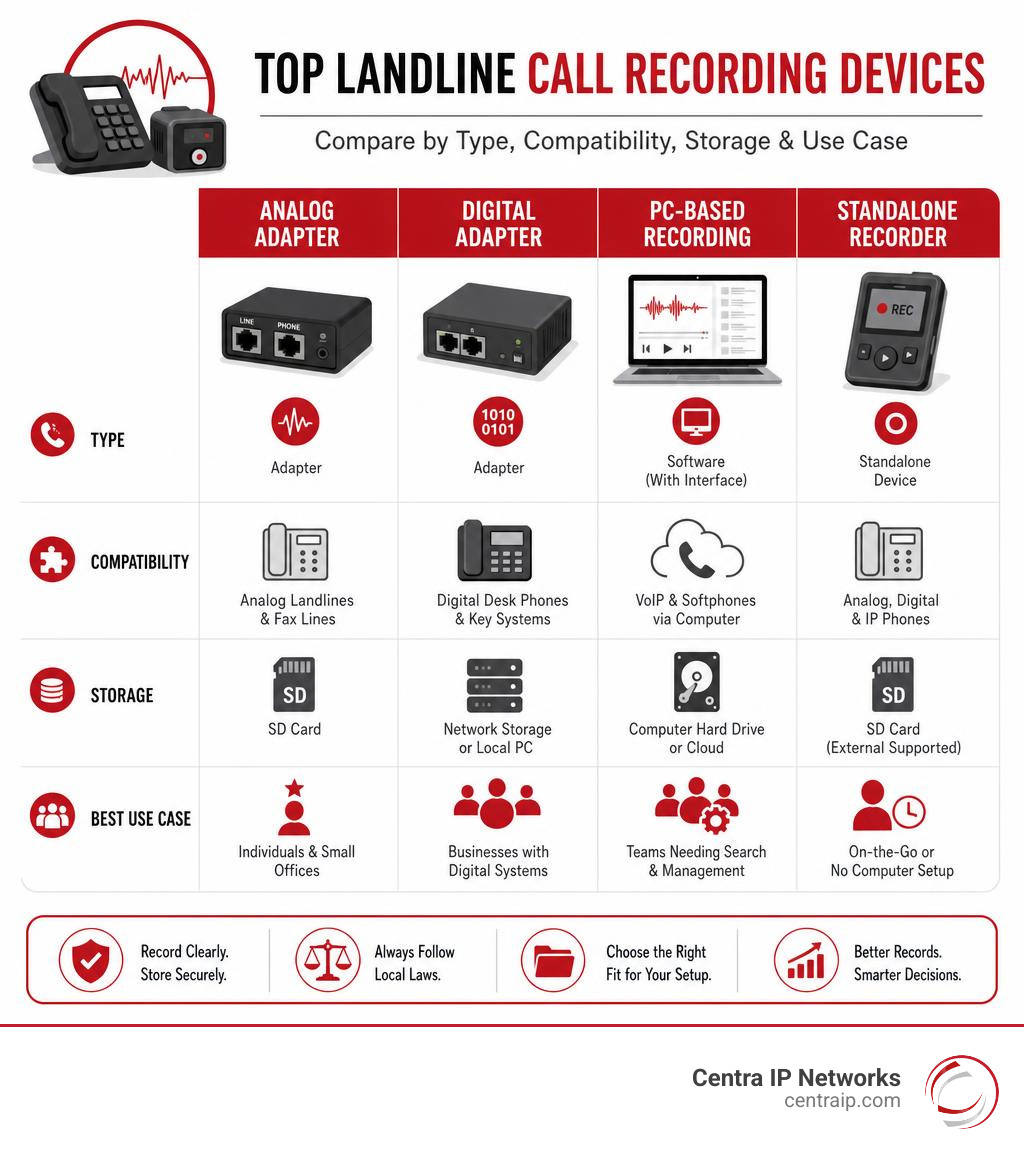
Here is a quick look at the top options to help you decide fast:
| Device | Best For | Phone Type | Price Range |
|---|---|---|---|
| RecorderGear TR600 | Standalone, zero-setup use | Analog, Digital, IP | ~$60-$80 |
| V-Tap Analog 2 | Growing businesses, network recording | Analog, Handset | ~€469 |
| Deluxe Handset Adapter KIT9O | Balanced audio, PC recording | Analog, Digital, VoIP | ~$37 |
| Call Recorder Pico | PC-based, searchable database | Analog, Digital, VoIP | Mid-range |
Most people assume any cheap adapter will do the job. But the reality is that analog lines, digital desk phones, and VoIP systems each require a different recording approach — and a device that works on one may fail completely on another.
That gap between expectation and reality is exactly what this guide addresses.
I’m Patrick Brangan, a business technology specialist with over 20 years of experience helping SMBs find the right communication and IT solutions — including helping companies identify the best device for recording landline telephone conversations for compliance, quality assurance, and legal protection. In the sections below, we’ll walk through each top-rated device so you can make a confident, informed choice.
Why You Need the Best Device for Recording Landline Telephone Conversations
As we navigate May 2026, traditional analog copper lines are becoming rarer, yet millions of businesses and households still rely on landlines or hybrid desk phone networks. Whether you are using traditional PSTN (Public Switched Telephone Network) lines, digital systems, or modern Voice over IP (VoIP) setups, keeping a clear, accurate log of your conversations is critical.
Businesses across our service locations—from Dallas and Fort Worth in Texas to Orlando, Tampa, St. Petersburg, Clearwater, and Sarasota in Florida—rely on call recording for three main reasons:
- Dispute Resolution and Verbal Agreements: A verbal commitment over the phone holds weight, but only if you can prove what was actually said. Accurate recordings protect your business from “he-said, she-said” scenarios with contractors, clients, or vendors.
- Quality Assurance and Training: Reviewing actual conversations is the most effective way to train customer service agents and sales representatives.
- Legal Compliance: Certain industries are legally mandated to document transactions and client interactions.
While software-based options or mobile apps exist, they are increasingly restricted by modern mobile operating systems. For traditional office setups, physical hardware remains the most reliable option. However, if your business is moving away from physical lines altogether, migrating to modern cloud solutions can eliminate the need for physical taps entirely. You can learn more about this transition in our guide on Cloud-Based Call Recording: Why It’s Essential for Modern Businesses.
Top Landline Call Recording Devices Reviewed
To help you find the best device for recording landline telephone conversations, we have reviewed the leading physical hardware options on the market. These devices range from simple standalone recorders to advanced network-integrated solutions.
RecorderGear TR600: The Best Device for Recording Landline Telephone Conversations for Standalone Use
If you want a device that works straight out of the box without needing to be connected to a computer, the RecorderGear TR600 is widely considered the best device for recording landline telephone conversations for standalone use.

The TR600 boasts a 3.9 out of 5-star rating on Amazon across 424 customer reviews. It is a highly versatile, compact unit designed to work with analog, digital, and IP phone lines without requiring complex middleware.
- How It Works: The TR600 connects directly between your telephone and the wall jack (or between the phone base and the handset). It records audio directly to an SD card.
- Storage Capacity: It comes with a 16GB SD card capable of storing up to 1024 hours of calls (recording in WAV format at 32 kbps). If you need more room, the memory is expandable up to 32GB, which doubles your storage capacity to 2048 hours.
- Key Features: It features automatic loop recording (which automatically overwrites the oldest files when the card is full to prevent missed calls), time and date stamping, caller ID display, a built-in speaker, and a headphone jack for quick on-device playback.
For more details or to purchase, you can check out the TR600 Landline Phone Call Recorder – Automatic Call Recording Device | RecorderGear or view the product listing directly on Amazon via the TR600 Landline Phone Call Recorder for Analog/IP/Digital Lines … .
V-Tap Analog 2: The Best Device for Recording Landline Telephone Conversations for Business Growth
For small-to-medium businesses that expect to scale their operations, the V-Tap Analog 2 is an exceptional, enterprise-grade hardware solution.
- How It Works: The V-Tap Analog 2 can be placed directly between the telephone handset and the telephone base. This “handset-intercept” method allows it to work with almost any fixed telephone, regardless of whether the underlying line is analog, digital, or VoIP.
- Flexible Storage Pathways: Unlike basic consumer models, the V-Tap Analog 2 supports multiple storage options simultaneously. You can save recordings locally to an SD card, stream them to a local PC, or route them securely to a private server or cloud-based storage.
- Advanced Security: The device features a built-in web server for easy browser-based configuration and can securely transmit audio data over a VPN channel to protect sensitive customer data.
- Storage Efficiency: It compresses audio efficiently, using roughly 1 GB of storage per 180 hours of recorded calls.
Priced around €469 (excluding VAT), it is a premium investment, but its ability to scale from a single local unit to a multi-device network managed by a central server makes it a top choice for professional environments. You can view the full specifications here: V-Tap Analog 2 – Callrecordingstore .
Deluxe Handset Recording Adapter (KIT9O): Best for Balanced Handset Audio
A common issue with line-based telephone recorders is unbalanced audio: your own voice sounds incredibly loud, while the person on the other end sounds quiet or muffled. The Deluxe Handset Recording Adapter (KIT9O) solves this by intercepting the audio directly at the handset cord.
- Balanced Audio Capture: Because it records directly from the handset receiver, it captures both sides of the conversation at a perfectly balanced volume mix.
- Transformer Isolation: It features built-in transformer isolation, which prevents annoying electrical hums or ground loops from ruining your audio.
- Compatibility: It works with analog, digital, or VoIP desk phones, provided the phone has a corded handset and the dial pad is located on the base (it is not compatible with cordless phones or Trimline-style phones where the keypad is in the handset).
- Setup: You simply plug the adapter between your phone base and your handset cord, then run the included 3.5mm audio cable to your PC’s microphone jack or a standalone digital voice recorder.
Retailing for $36.95, it is a highly reliable, budget-friendly hardware adapter. You can read more about it here: #KIT9O – Deluxe Handset Recording Adapter .
Call Recorder Pico: Best PC-Connected Software Integration
If your team works at their computers while making calls, the Call Recorder Pico by Vidicode offers a seamless hardware-to-software bridge.
- PC-Based Database: The Pico connects your telephone line (or handset) directly to your PC via USB. All recordings are saved directly to your computer’s hard drive, where the included software logs them in a secure, searchable database complete with metadata (date, time, phone numbers, and call duration).
- Multi-Device Support: The software is powerful enough to support simultaneous recording from up to four Pico devices connected to a single PC, making it great for small local support desks.
- Flexible Recording Modes: You can set the software to record automatically (using off-hook detection), semi-automatically, or manually via on-screen controls or a button on the physical device.
The Call Recorder Pico is powered entirely via USB and requires no external power adapter. Learn more about this PC-integrated tool here: Call Recorder Pico – Vidicode .
Key Features to Look For in a Landline Recorder
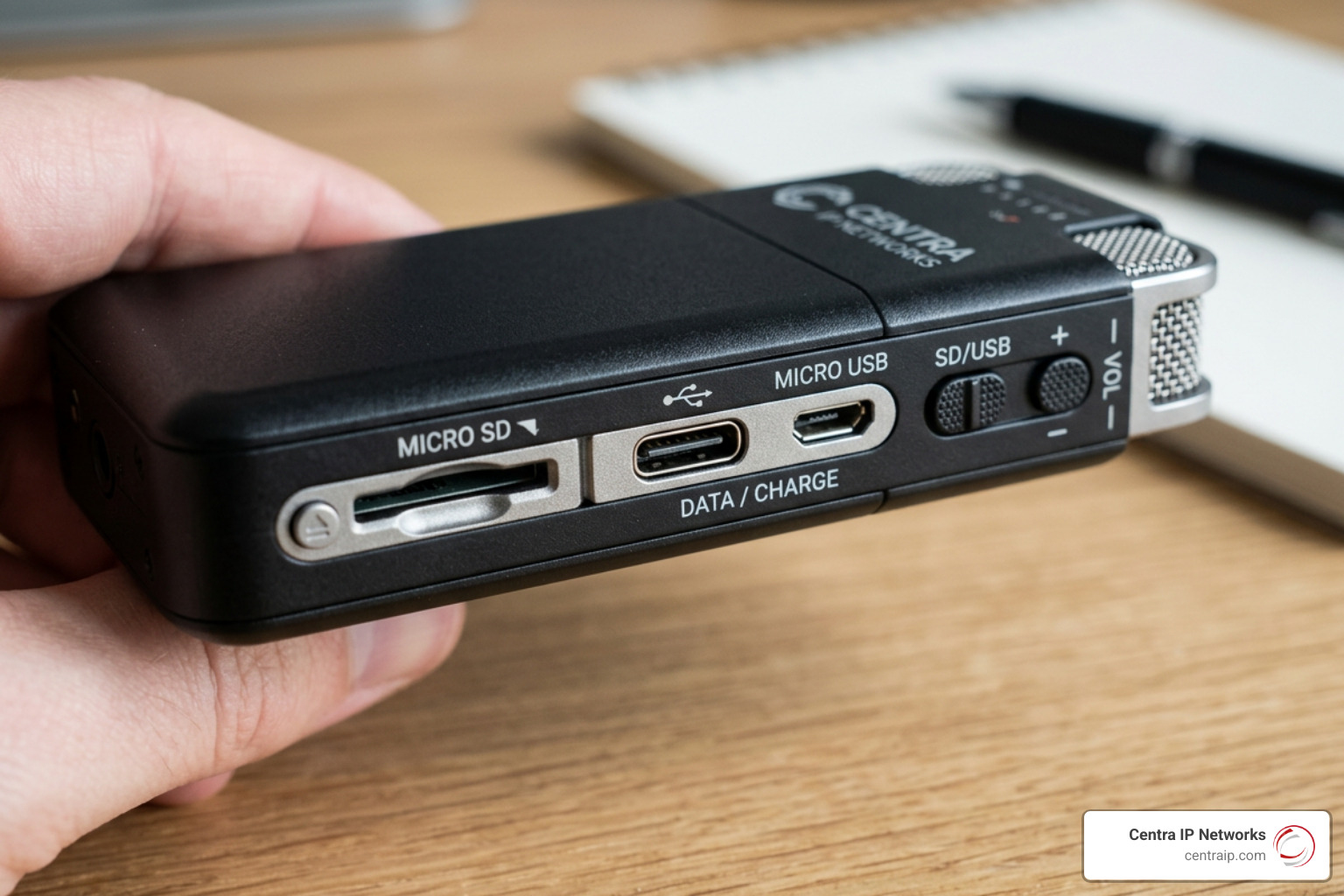
When shopping for the best device for recording landline telephone conversations, keep these key features in mind to ensure you choose a device that fits your workflow:
1. Storage Capacity and Audio Compression
Call audio is generally lightweight, but storage needs add up quickly. Standard phone recordings at 128 kbps use about 1MB of space per minute (60MB per hour). Highly compressed formats, like the 32 kbps WAV files used by the RecorderGear TR600, allow you to store over 1,000 hours of calls on a modest 16GB card. Look for devices that support “loop recording,” which automatically overwrites the oldest files to ensure your system never stops recording due to a full card.
2. Automatic Recording vs. Voice Activation (VOR)
- Automatic Recording: The recorder automatically triggers the moment the handset is lifted (off-hook detection) or when electrical current is detected on the line. This is the most reliable option for businesses, as it leaves no room for human error.
- Voice Activation (VOR/VOX): The device only records when it detects sound above a certain decibel threshold. This is excellent for saving storage space, but it can sometimes clip the first second of a conversation or create fragmented files during quiet pauses.
3. Line and System Compatibility
Before buying, verify whether your phone system is analog, digital, or VoIP. Traditional line recorders tap directly into the RJ11 wall jack, which works perfectly for analog PSTN lines. However, if you are using a digital system or VoIP desk phones, a standard line tap will only record static. For these systems, you must use a handset-intercept recorder (like the Deluxe Handset Recording Adapter or the V-Tap Analog 2), which captures the analog signal from the handset cord after the phone base has decoded it.
If your organization is looking to simplify its infrastructure, transitioning to a fully digital system can eliminate these physical hardware headaches entirely. Discover more about modern communication infrastructures in our article on The Positives of VoIP.
Legal Considerations and Consent Requirements
Before you plug in any recording equipment, you must understand the legal landscape surrounding telephone recording. Recording a telephone conversation without proper consent can carry severe civil and criminal penalties.
In the United States, recording laws are generally split into two categories:
- One-Party Consent: Under federal law and the laws of the majority of states (including Texas, covering our Dallas and Fort Worth locations), you can record a phone call as long as at least one party to the conversation consents. If you are a active participant in the call, you are that one party, and you can legally record it.
- All-Party (Two-Party) Consent: In several states—including Florida, where our Orlando, Tampa, St. Petersburg, Clearwater, and Sarasota offices are located—all participants on the call must consent to being recorded.
Because we serve businesses across both Texas (one-party) and Florida (all-party), we strongly advise our clients to implement a standard verbal disclosure—such as “This call may be monitored or recorded for quality assurance”—at the beginning of every inbound and outbound call. This simple step ensures complete legal compliance regardless of where your caller is located.
For a deeper look into compliance, data security, and managing audio logs legally, review our resource on Voice Recordings.
Frequently Asked Questions About Landline Call Recording
Do landline call recorders work on digital or VoIP lines?
Standard analog line recorders (which plug into the RJ11 wall jack) will not work on digital or VoIP lines. However, you can easily record these systems by using a handset adapter (like the KIT9O Deluxe Handset Adapter). These adapters plug into the handset jack (RJ10) of your desk phone, capturing the analog audio signal sent to the earpiece and microphone.
If you want to bypass physical hardware entirely, modern cloud-hosted phone systems support native, server-side call recording. To explore how upgrading your phone system can simplify your workflow, check out the VoIP Phone Service Benefits.
Is it legal to record landline telephone conversations automatically?
Yes, automatic recording is legal, provided you comply with local consent laws. If you are operating in an all-party consent state like Florida, you must ensure that your system plays an automated warning or that your staff immediately notifies the caller before any conversation occurs.
Do I need a computer to use a landline call recorder?
No. Standalone recorders like the RecorderGear TR600 or the V-Tap Analog 2 (configured for local SD storage) operate completely independently of a computer. They save audio files directly to removable memory cards, which you can later plug into a computer if you need to archive or share the files.
Conclusion
Finding the best device for recording landline telephone conversations comes down to understanding your phone system’s architecture and your business’s operational goals. For simple, standalone recording, the RecorderGear TR600 is hard to beat. For growing businesses requiring advanced network integration, the V-Tap Analog 2 offers unmatched scalability.
However, managing physical recording hardware—dealing with SD cards, wiring adapters, and troubleshooting local storage—can quickly become an administrative burden.
At Centra IP Networks, we help businesses in Dallas, Fort Worth, Orlando, Tampa, St. Petersburg, Clearwater, and Sarasota streamline their communications. We offer comprehensive Managed IT and Cloud Communications services on a single platform, with a single bill, and tailored specifically to your business. By migrating to our modern, cloud-hosted VoIP platforms, you can record calls securely in the cloud, manage compliance effortlessly, and eliminate clunky desk hardware forever.
Ready to upgrade your business communications and simplify your call recording? Get Professional Voice Recordings and Cloud Solutions with Centra IP Networks today.