Why Phone Recording Matters More Than You Think
Phone recording is something millions of people and businesses rely on every day — but most don’t know the cheapest or most reliable way to do it.
Here’s a quick answer based on your situation:
| Your Situation | Best Budget Option | Estimated Cost |
|---|---|---|
| Android user (Pixel 6+, Android 14+) | Built-in Google Phone app | Free |
| Android user (non-Pixel, Android 9+) | Built-in Google Phone app | Free |
| iPhone user | Conference-call recording app | $6–$50/year |
| Business calls (any device) | Cloud VoIP with built-in recording | Varies by plan |
| Journalist, lawyer, or researcher | Hardware recording device | ~$99 one-time |
| VoIP/WhatsApp/Zoom calls | Wired hardware recorder | ~$99 one-time |
The right method depends on your device, your region, and whether you need recordings for personal use or business compliance.
One thing catches most people off guard: the method that looks free often isn’t. Apps break when your OS updates. Built-in tools only work in certain countries. And a cheap app that records only one side of the call is worse than useless when it matters most.
This guide covers every budget-friendly option available in June 2026 — what works, what doesn’t, and what’s legal where you are.
I’m Patrick Brangan, and over 20+ years of experience in unified communications and business technology, I’ve helped hundreds of small and mid-sized businesses set up phone recording as part of a reliable, cost-effective communication stack. I’ll walk you through what actually works — without the guesswork.
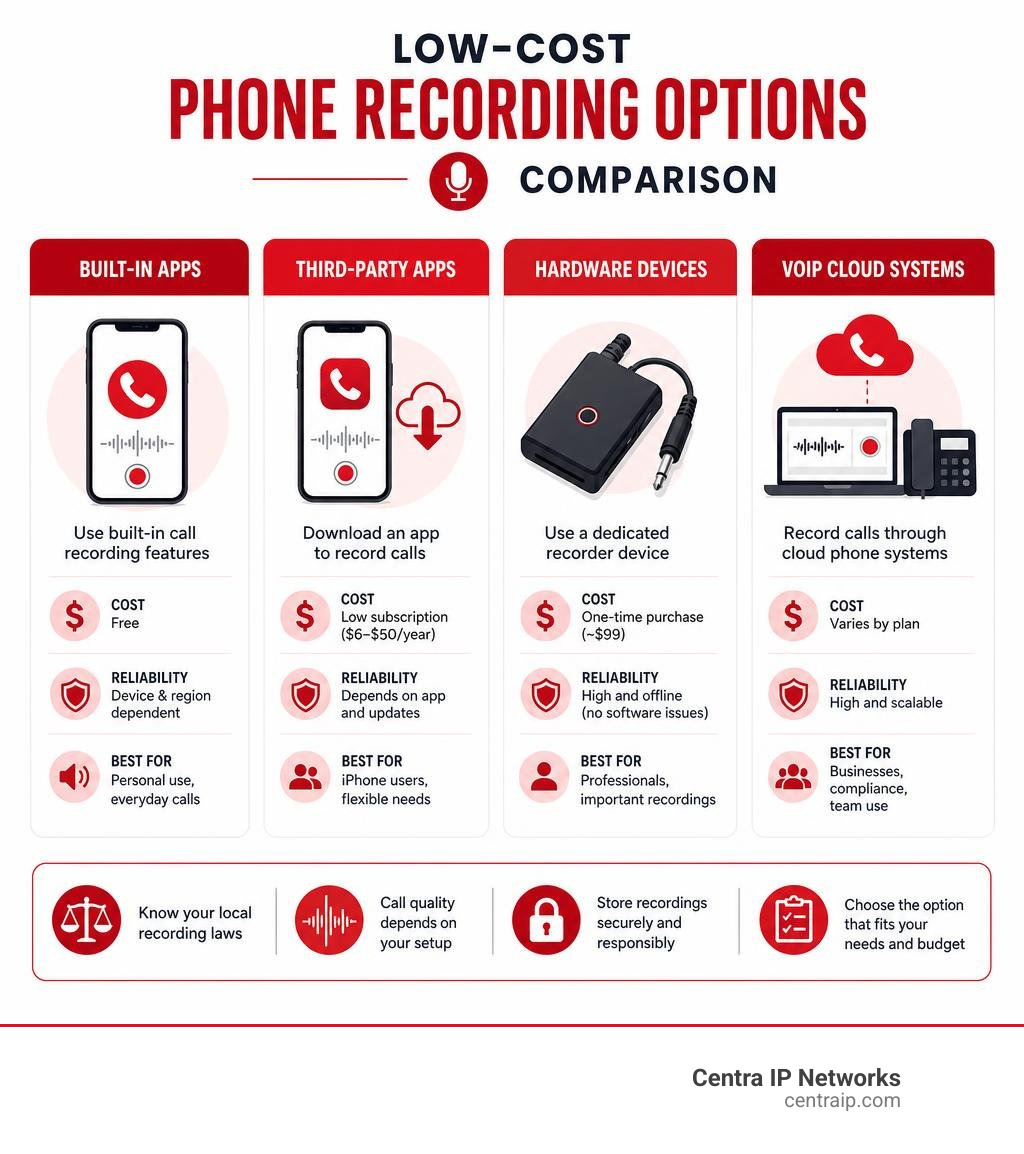
Budget Phone Recording Options: What Works in 2026
When choosing a phone recording method, you are balancing cost, reliability, audio quality, and legality. Let’s look at how the primary budget methods stack up in 2026:
| Recording Method | Cost Range | Reliability | Audio Quality | Consent Alerts | Storage Location | Best Use Case |
|---|---|---|---|---|---|---|
| Built-in OS Tools | Free | High | Good | Automatic (Android) | Local device | Personal reference, quick notes |
| Third-Party Apps | Free to $50/yr | Medium-Low | Variable | Manual / Beep | App servers or local | Casual users, interviews |
| VoIP / Cloud Systems | Included in plan | Very High | Excellent | Custom disclosure | Secure Cloud | Businesses, QA, compliance |
| Speakerphone Method | Free | High | Poor | Manual | Second device | Last-resort emergency |
| Hardware Devices | ~$99 (one-time) | Extremely High | Broadcast | None (Manual) | External recorder | Journalists, lawyers, VoIP apps |
Phone recording on iPhone without expensive gear
Apple has historically prioritized user privacy, which makes recording calls on an iPhone notoriously difficult. Apple blocks third-party apps from directly accessing the microphone and cellular audio stream during a call.
To bypass this restriction on a budget, most iOS apps use a workaround known as three-way calling or conference-call recording. When you make or receive a call, the app dials a recording service line. You then merge the calls using your carrier’s conference-call feature.
While this method works, it relies entirely on your cellular carrier supporting three-way calling. If you are on a plan or in an area where carrier conference calling is restricted, these apps will fail. Furthermore, many of these apps charge recurring subscription fees ranging from $5.99 weekly to $49.99 annually.
For a completely free option, the “speakerphone workaround” remains popular. You place your iPhone on speakerphone and use a second device (like an iPad, computer, or cheap voice recorder) to record the room’s audio. While it costs nothing, the sound quality is often poor and echoes.
If you are using a modern iOS version (iOS 16, 17, or later), some specialized apps like Call Recorder for Phone App – App Store offer built-in transcription and translation services, making it easier to manage recordings, though they still use the carrier conference call mechanism.
Phone recording on Android with built-in tools
Android has traditionally been more open to call recording, though Google has steadily tightened restrictions in recent OS versions to protect user privacy.
If you own a Google Pixel 6 or newer running Android 14+, or a non-Pixel device running Android 9 or up, you can often use the built-in Google Phone app to record calls for free. This tool is highly reliable because it is integrated directly into the operating system, bypassing the microphone blocks that plague third-party apps.
However, availability is strictly bound by regional laws and carrier policies. In supported regions, you can set the app to “Always record” calls from unknown numbers or selected contacts. The recordings are stored locally on your device and can be managed or set to automatically delete after a certain period (e.g., 14 or 30 days).
For step-by-step instructions on setting this up, consult the official Google Phone call recording guide or the alternative Use the Phone app to record calls – Phone app Help .
Low-cost hardware call recording devices
If software workarounds sound too frustrating, hardware recording devices offer a permanent, subscription-free solution. Because these devices intercept the analog audio signal before it reaches your ears, they bypass all OS blocks, carrier restrictions, and regional limitations.
A popular budget setup involves using a specialized hardware adapter (such as the RECAP S2, which costs around $99) connected between your phone and a wired headset.
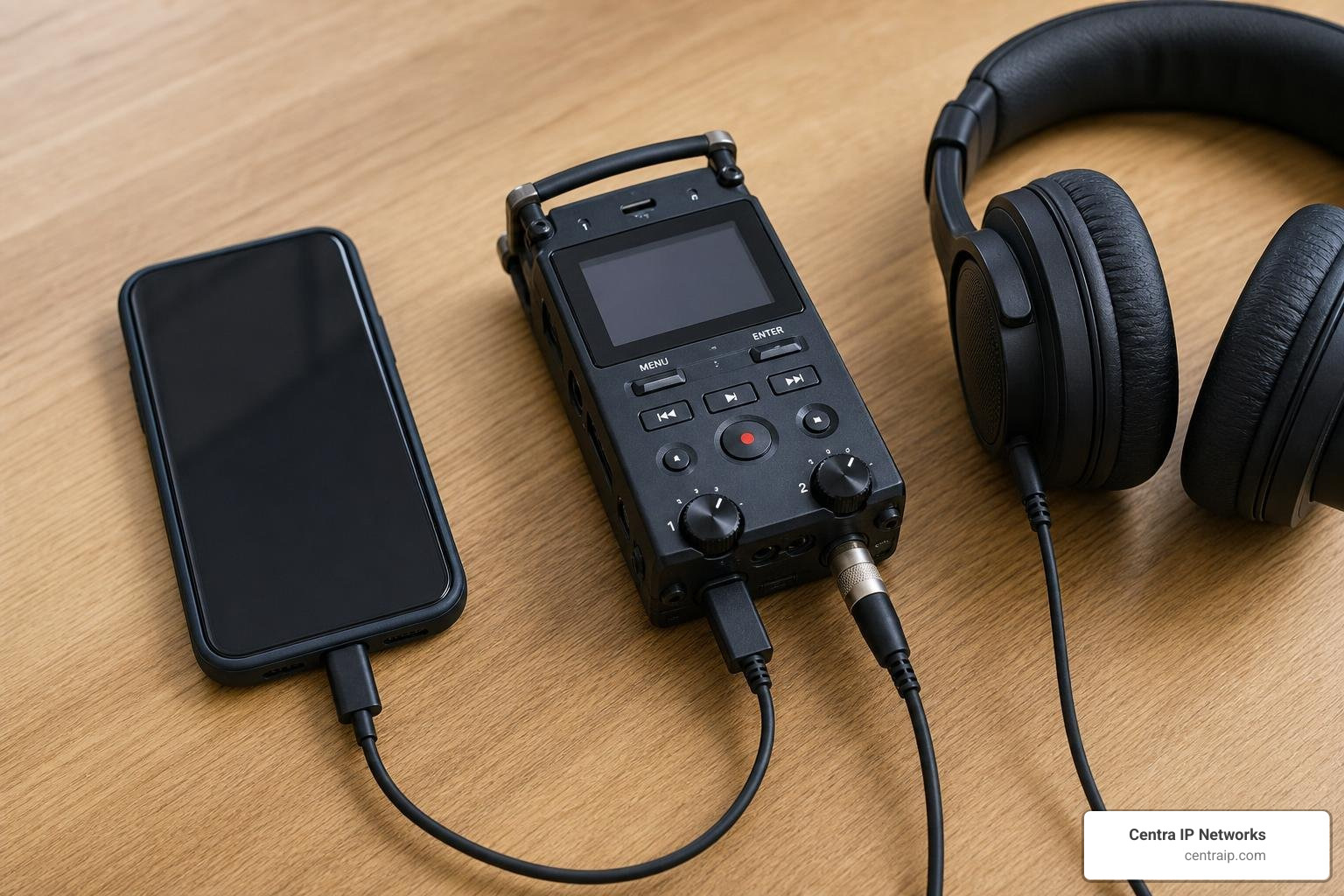
How it works:
- You connect a Lightning, USB-C, or 3.5mm headphone adapter to your smartphone.
- You plug the hardware recording device into the adapter.
- You plug your wired headset into the recording device.
- You connect the recording device’s output port to a computer, digital voice recorder, or second phone.
This setup captures both sides of the conversation on separate channels with crystal-clear audio quality. It works perfectly for standard cellular calls as well as VoIP apps like WhatsApp, Zoom, Signal, and Microsoft Teams. It is a one-time investment with no recurring fees, making it a favorite for journalists, legal researchers, and healthcare professionals. For more details on hardware options, check out Call Recording Devices — What Actually Works for iPhone & Android .
Apps, Services, and Built-In Tools for Call Recording
If you prefer a software-based approach, there are several consumer apps, built-in system tools, and business cloud services available. Let’s break down the most popular budget-friendly options.
Consumer call recording apps for iPhone and Android
For individual users, app stores are filled with options, though user satisfaction varies wildly.
- Call Recorder for iPhone: This highly rated app (averaging 4.6 out of 5 stars across 78,000 ratings) uses the carrier conference workaround. It allows unlimited incoming and outgoing call recordings and offers automatic voice-to-text transcription. However, it requires a subscription (ranging from $5.99/week to $49.99/year) to unlock unlimited recording access.
- Call Recorder for Phone: Another iOS option, this app offers a 7-day free trial and uses a distinct “beep” sound to notify parties that recording has commenced, assisting with legal compliance.
- Call Recorder Automatic (Android): Boasting over 50 million downloads and 504,000 reviews on Google Play, this app automatically records incoming and outgoing calls. Despite its popularity, it holds a lower 2.5-star rating due to Android’s strict security updates, which often result in the app recording only one side of the conversation (your voice) unless speakerphone is active. It does, however, feature a helpful “ignore list” and built-in backup and sharing options.
Built-in phone and recorder apps
If you want to avoid third-party subscriptions and privacy concerns, stick to built-in system apps.
On Android, the Google Phone app handles call recording directly. For Google Pixel users, the native Recorder app is an incredibly powerful tool. It provides real-time transcription, speaker labels (on Pixel 6 and later), and local file backup. To learn how to manage these features, you can refer to the Pixel Recorder help documentation.
That native tools have strict operational limitations:
- They cannot record conference calls or calls placed on hold.
- Recording can only begin after the call is answered.
- If your carrier or regional firmware has disabled the feature, the record button simply won’t appear.
Cloud phone systems for business recording
For businesses, relying on consumer apps or hardware adapters is impractical. Instead, modern cloud-based business phone systems offer integrated phone recording built directly into the service.
With a hosted VoIP system, call recording occurs in the cloud, completely bypassing the limitations of physical smartphones. Administrators can configure automatic (always-on) recording for specific departments or manual (on-demand) recording for individual users.
These recordings are stored securely in the cloud, often integrated with your CRM, and accompanied by automated AI transcriptions and call analytics.
To understand why this is the gold standard for modern operations, read our deep dive into Cloud-Based Call Recording: Why It’s Essential for Modern Businesses. If you are new to this technology, you can also learn the basics in our article, What Is a VoIP Phone?. Additionally, if your office still relies on older setups, you might want to learn How to Record Landline Calls Without Sounding Like a Spy.
Legal, Privacy, and Security Rules Before You Press Record
Before you record a single second of audio, you must understand the legal landscape. Recording a telephone call without proper consent can lead to severe civil liability and even criminal charges.
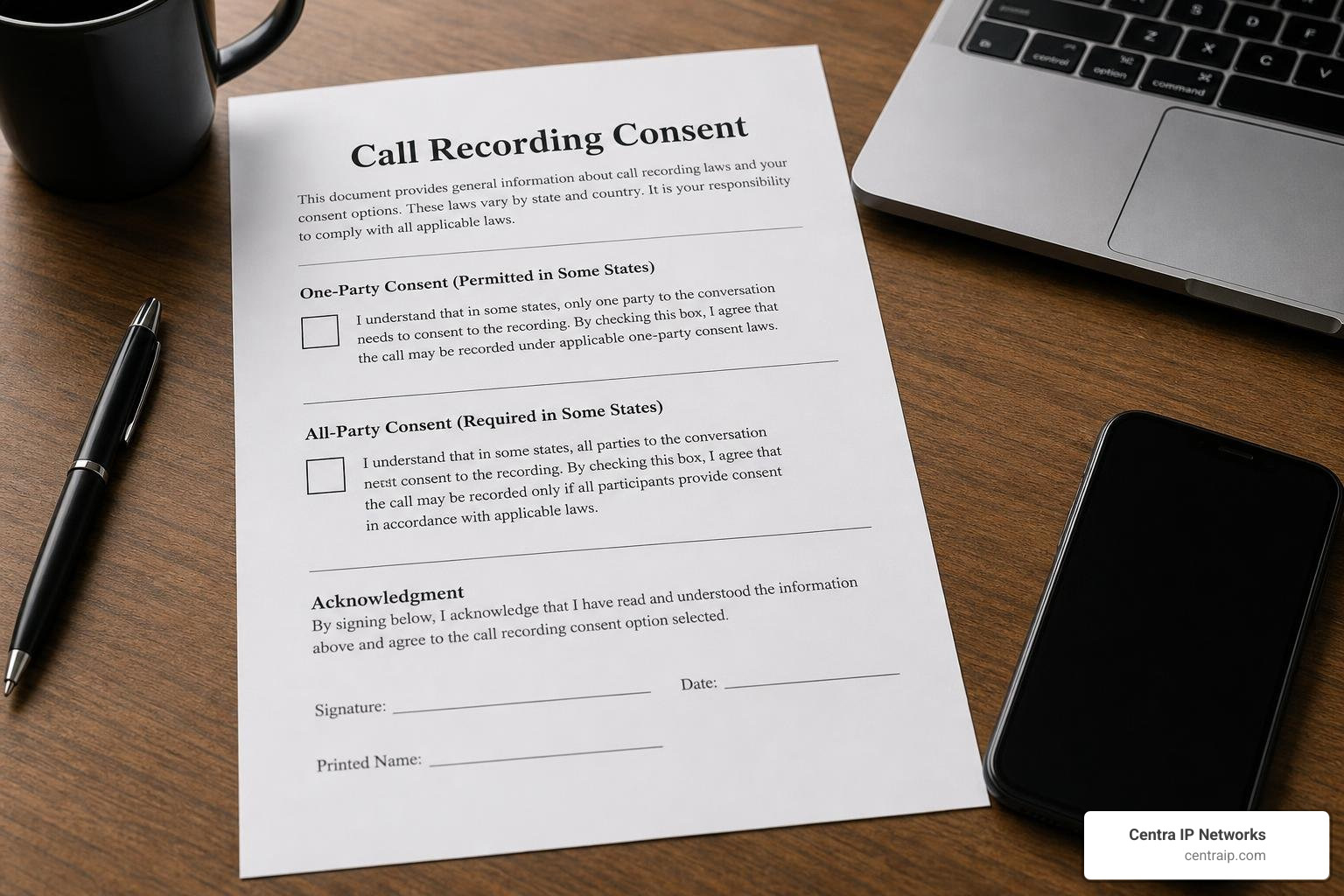
Consent requirements by region
In the United States, call recording laws are governed by both federal and state statutes.
- One-Party Consent: Under federal law and the laws of approximately 38 states, you can record a phone call as long as one party to the conversation consents. If you are a participant in the call, you are that consenting party.
- All-Party (Two-Party) Consent: In 12 states, everyone on the call must consent to being recorded. If even one person does not agree, the recording is illegal.
Because Centra IP Networks serves businesses across Texas and Florida, this distinction is incredibly important:
- Texas (Dallas, Fort Worth): Texas is a one-party consent state. If you are on the call, you can legally record it without telling the other party.
- Florida (Orlando, Tampa, St. Petersburg, Clearwater, Sarasota): Florida is a strict all-party consent state. You must obtain explicit consent from everyone on the line before recording.
For local government and public records compliance in our Florida service areas, you can check resources like the Recording Services page for Pinellas County or the Public Record Requests – Sarasota County Sheriff’s Office site. In Texas, you can reference the Recording Division – Dallas County Clerk for regional documentation rules.
If you are making cross-border calls, the safest rule of thumb is to always use a disclosure script: “This call is being recorded for quality and training purposes.”
App privacy vs hardware privacy
When you use a free or cheap call recording app, you are often paying with your data. Many apps upload your audio files and call metadata to third-party servers. Reviewing the app’s privacy policy is critical to ensure they aren’t tracking your location, contact lists, or sharing your audio files with advertisers.
Hardware recording devices, by contrast, offer total privacy isolation. Because they record directly to an offline digital voice recorder or a local computer drive, there are no cloud accounts to hack, no developer servers storing your confidential calls, and no background tracking. The only risk is physical theft of the recording device or SD card.
Business compliance and retention
For industries like healthcare, legal, and finance, call recordings must be stored securely to comply with regulations like HIPAA or PCI-DSS. This means:
- Encryption: Audio files must be encrypted both in transit and at rest.
- Access Controls: Only authorized personnel should have access to playback or download files.
- Retention Policies: Recordings should be kept only as long as necessary. For example, Ooma Office Pro retains recordings for up to 90 days, while some dedicated compliance platforms keep archives for 1 to 2 years.
To learn more about secure storage, read our guide on managing Voice Recordings.
How Businesses Can Use Call Recording on a Budget
Many small businesses think professional call recording is out of their budget. However, modern cloud communications have made enterprise-grade recording tools accessible to businesses of any size.
Quality assurance and training
Recording calls allows you to build a “coaching library” of your team’s best and worst customer interactions. Supervisors can review calls to check for script adherence, tone, and customer satisfaction.
If you want to produce high-quality, professional-sounding training materials or record pristine voice prompts for your phone system’s auto-attendant, you can even partner with local sound studios.
For businesses in our service areas, we recommend checking out:
- Fort Worth: Fort Worth Sound DFW Texas Recording Studios
- Orlando: Phantom City Studio | Recording Studios | Orlando | Florida – Voted …
- Tampa: Grand Bay Recording Studios | Professional Recording Studio …
- St. Petersburg: Loud Studios | Rehearsal Space and Music Studio in St. Petersburg …
Compliance and dispute resolution
“He-said, she-said” disputes can cost businesses thousands of dollars. Having a recorded archive of verbal commitments, order confirmations, and billing agreements provides indisputable evidence that can resolve customer complaints before they escalate into costly legal battles.
Small business VoIP recording setup
The most cost-effective way to implement this is through a hosted VoIP system. Instead of buying individual hardware recorders or managing separate app subscriptions for every employee, a cloud PBX platform includes call recording as a built-in feature.
This allows remote and in-office teams to operate under a single dashboard, with automatic recording rules, secure cloud archives, and integrated call logs.
To explore how to set this up for your company, check out The Ultimate Guide to Hosted VoIP for Your Business and the Benefits of a Cloud-Based Phone System for Your Business.
Best Practices for High-Quality Phone Recordings
To get clean, professional-sounding audio without spending a fortune, follow these best practices:
Audio quality tips that cost little or nothing
- Control Your Environment: Record in a carpeted room with soft furnishings (like a bedroom or closet) to absorb echo. Avoid rooms with hard tile or wood floors. Turn off fans, air conditioners, and close windows to eliminate traffic noise.
- Microphone Placement: If using speakerphone, keep the phone 5 to 6 inches away from your mouth. Do not cover the built-in microphone with your hand.
- Use a Wired Headset: A simple wired headset with an inline microphone will always sound better than speakerphone or Bluetooth earbuds.
- Optimize Settings: Go into your recording app’s settings and select the highest quality format available (such as Lossless on iOS or a bitrate of 128 kbps or higher on Android).
Recording management and storage
- Establish a Naming Convention: Immediately rename files to include the date, caller name, and topic (e.g.,
2026-06-15_JohnDoe_ProjectUpdate.wav). - Organize with Folders: Group recordings by client, department, or date.
- Regular Backups: Never keep critical recordings solely on your phone. Set up automatic cloud backups or copy them to an external drive.
Avoiding common phone recording failures
- Enable Do Not Disturb: A sudden notification or incoming call can interrupt and stop your recording mid-conversation.
- Check Your Battery: Call recording apps and hardware adapters can drain your battery rapidly. Ensure you have a full charge before starting.
- Test Before the Call: Always run a 10-second test call with a colleague to verify that both sides of the conversation are being captured clearly.
Frequently Asked Questions About Phone Recording
Is phone recording legal?
Yes, but it depends heavily on your location. Federal law requires one-party consent, but state laws vary. For example, in Texas (Dallas, Fort Worth), only one party needs to consent. In Florida (Orlando, Tampa, St. Petersburg, Clearwater, Sarasota), everyone on the call must agree to be recorded.
Why do some call recording apps only record one side?
To protect user privacy, Apple and Google block third-party apps from accessing the call audio stream directly. Apps that do not use the carrier conference call workaround can only record sound from your phone’s microphone, which captures your voice but fails to record the caller on the other end unless you use speakerphone.
What is the cheapest reliable way to record business calls?
The most cost-effective and reliable method is using a hosted VoIP business phone system. It eliminates the need for expensive hardware or individual app subscriptions, storing all recordings securely in the cloud with built-in compliance and admin controls. You can learn more about how this works by reading Unlock Seamless Communication: A Deep Dive into Cloud PBX Platforms and Ring in Success: Picking the Perfect Virtual Phone for Your Small Business in 2026.
Conclusion
Recording phone calls on a budget doesn’t have to mean dealing with unreliable apps or poor audio quality. For individuals, built-in OS tools or a one-time investment in a hardware adapter like the RECAP S2 offer great reliability. For businesses, the most cost-effective and legally compliant path is integrating recording directly into your cloud communications.
At Centra IP Networks, we provide comprehensive Managed IT and Cloud Communications services across Texas and Florida. We deliver your phone systems, high-speed internet, cloud solutions, and call recording capabilities on a single platform with one clear bill. By leveraging our 35+ industry partnerships, we design tailored, cost-effective communication systems that scale with your business.
Ready to upgrade your business communication with reliable, compliant cloud recording? Explore voice recording solutions with Centra IP Networks today.