How to Choose a Business VoIP Provider
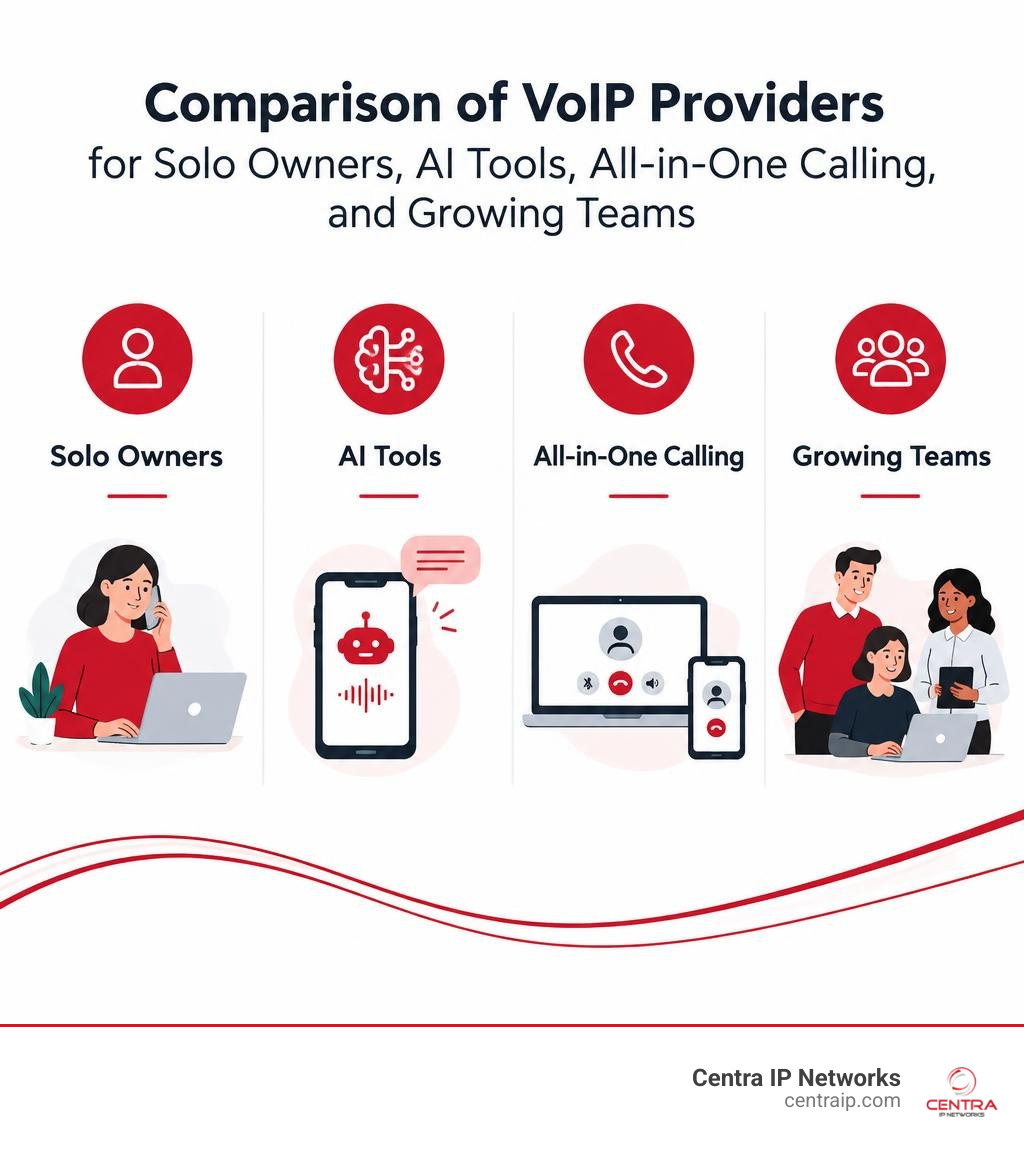
The right business VoIP provider depends on how your team works. Grasshopper is a simple choice for a solo owner. Nextiva offers an all-in-one system, Dialpad stands out for AI call tools, and RingCentral offers more options for a growing team.
Before comparing prices, check three things: Can you manage the system yourself? Can you reach tech support when you need it? Can your team make calls easily from a mobile app or web phone? Those answers matter more than a long feature list, especially if you want fewer vendors and less day-to-day IT work.
I’m Patrick Brangan. For more than 20 years, I’ve helped businesses with 200 or fewer users compare business voip provider options and set up unified communications, IP phones, and managed IT.
Discover more about business voip provider:
3 Essential Factors for Choosing an Easy-to-Use Business VoIP Provider
When evaluating cloud telephony, flashy features look great on paper, but everyday usability determines whether your team actually succeeds with the platform. To help narrow down the options, we recommend focusing on three core operational pillars before signing any contract.

1. Intuitive Admin Portal and Self-Service Management
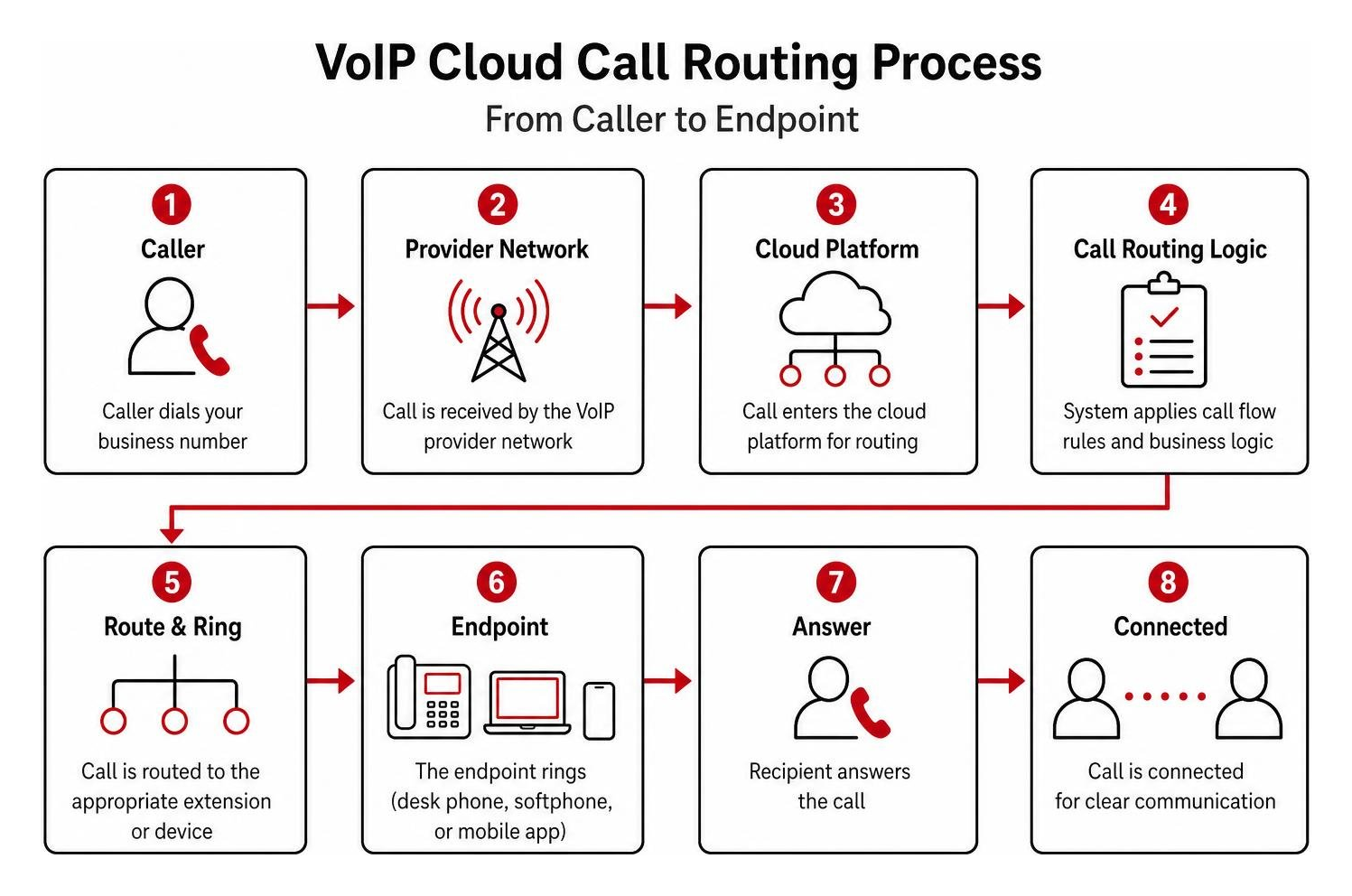
A modern cloud phone system should never require a computer science degree or an expensive technician visit just to reassign an extension. An intuitive administrator dashboard allows you to add or remove users, purchase new local numbers, adjust business hours, and update interactive voice response (IVR) call routing in a few clicks. If setting up a holiday auto attendant takes an entire afternoon of digging through nested menus, that platform will drain your operational efficiency. Exploring our ultimate guide to comparing cloud phone systems can provide additional framework for evaluating backend usability.
2. Fast, Accessible Tech Support and Rock-Solid SLAs
Telecommunications is the lifeblood of customer acquisition and client retention. When a phone line acts up, you cannot wait 48 hours for an email ticket response. Evaluate each vendor on:
- Availability of live support: Look for 24/7/365 phone, chat, and ticket support.
- Onboarding assistance: Ensure the vendor or managed provider assists with call flow architecture, device provisioning, and network readiness.
- Service Level Agreements (SLAs): Top-tier providers offer a 99.999% uptime SLA (“five nines”), meaning less than six minutes of unscheduled downtime per year.
3. A Polished Web Phone and Mobile Softphone App
Modern workforces shift between offices, home desks, and client sites across Dallas, Fort Worth, Orlando, Tampa, St. Petersburg, Clearwater, and Sarasota. Your team needs a seamless softphone app on desktop and mobile devices. Essential mobile capabilities include:
- Visual voicemail with accurate automated transcription.
- Dedicated business SMS and MMS messaging using your business number.
- Instant call flipping, allowing staff to move an active call from a mobile phone to a desk phone without disconnecting.
Top Business VoIP Phone Systems Reviewed and Compared
Below is a side-by-side comparison of the leading cloud phone systems available in 2026.
| Provider | Starting Price (Billed Annually) | G2 / Trustpilot Ratings | Ease of Use Focus | Standout Strengths |
|---|---|---|---|---|
| Nextiva | $15 / seat / mo | 4.5 / 5 (G2) 4.6 / 5 (Trustpilot) |
Intuitive NextivaONE app | 99.999% uptime, built-in CRM tools, 24/7 Amazing Service® |
| Dialpad | $15 / user / mo | 4.4 / 5 (G2) 4.3 / 5 (Trustpilot) |
Modern web & desktop apps | Real-time AI transcription, live sentiment analysis |
| RingCentral | $20 / user / mo | 4.0 / 5 (G2) 2.4 / 5 (Trustpilot) |
Deep feature-rich backend | Deep third-party app ecosystem, advanced call center routing |
| Vonage | $13.99 / line / mo | 4.3 / 5 (G2) 4.3 / 5 (Trustpilot) |
Modular admin console | A la carte feature add-ons, flexible API capabilities |
| Ooma Office | $19.95 / user / mo | 4.6 / 5 (G2) 4.4 / 5 (GetVoIP) |
Plug-and-play simplicity | No contracts, straightforward desk phone deployment |
| Grasshopper | $14 / mo (account) | 4.0 / 5 (G2) 3.5 / 5 (Trustpilot) |
Mobile forwarding app | Solopreneur calling over existing cellular networks |
Nextiva: Best All-in-One Business VoIP Provider for Customer Support
Nextiva is trusted by over 100,000 businesses worldwide and serves more than one million active users. Backed by a 4.6 out of 5 Trustpilot score from over 8,000 reviews and a 92% customer recommendation rate on GetVoIP, Nextiva excels at combining enterprise reliability with easy administration.
The cornerstone of the platform is the NextivaONE desktop and mobile application, which unifies business calling, SMS, team chat, video conferencing, and contact management into a single window. Businesses switching to Nextiva report an average telecom cost savings of up to 83% compared to legacy systems.
Pricing Tiers:
- NEXT Core: Starts at $15/seat/month (billed annually) with unlimited voice calling in the US/Canada, auto attendant, and mobile apps.
- NEXT Engage: Starts at $25/seat/month, introducing business texting, advanced call routing, and CRM integrations.
- NEXT Scale: Starts at $75/seat/month, unlocking enterprise contact center management, advanced analytics, and AI receptionist features.
Nextiva offers full compatibility with standard SIP desk hardware, making it a reliable foundation for companies adopting hosted VoIP solutions.
Dialpad: Leading Business VoIP Provider for AI Intelligence and Mobility
Dialpad delivers native artificial intelligence directly into standard voice calls. Using a proprietary dual-cloud architecture, Dialpad captures call audio with low latency and converts speech to text in real time.
During live calls, Dialpad’s AI displays running transcripts, flags action items, notes customer sentiment, and triggers live coaching cards when reps mention specific competitor or product keywords.
Pricing Tiers:
- Standard: $15/user/month (billed annually), featuring unlimited domestic calls, SMS/MMS, real-time transcription, and Google Workspace/Microsoft 365 integrations.
- Pro: $25/user/month, adding CRM integrations (Salesforce, HubSpot), multi-location support, and round-the-clock live phone support.
For organizations looking to deploy flexible VoIP business lines without hardware clutter, Dialpad’s web-first interface is a strong contender.
RingCentral: Advanced Unified Communications for Scaling Teams
RingCentral remains an industry heavyweight with an extensive cloud communication footprint. Its platform combines voice, multi-party HD video conferencing, team messaging, and enterprise-grade call queuing into a unified interface.
RingCentral’s main advantage is its developer ecosystem and pre-built integration marketplace, connecting with over 300 business applications including Salesforce, Microsoft Teams, Zendesk, and Google Workspace.
Pricing Tiers:
- Core: $20/user/month (billed annually), includes domestic calling, business SMS, and IVR routing.
- Advanced: $25/user/month, providing automatic call recording, multi-site management, and advanced analytics dashboards.
- Ultra: $35/user/month, adding enterprise video meeting capabilities and unlimited cloud storage.
For complex operations requiring deep routing rules, exploring dedicated cloud communication platforms like RingCentral helps connect multiple offices under a single system.
Vonage: Modular Customizability and Mobile-First Calling
Vonage offers a modular “build-your-own” approach to business telephony. Rather than forcing you into a top-tier package for a single feature, Vonage lets you start with a base voice plan and attach specific tools as needed.
Pricing Tiers:
- Mobile: $13.99/line/month (billed annually), designed for smartphone and softphone calling without physical hardware.
- Premium: $20.99/line/month, adding auto attendants, IP desk phone compatibility, and video meetings.
- Advanced: $27.99/line/month, unlocking on-demand call recording, visual voicemail, and call group management.
With over 50 built-in call features and flexible virtual phone number configurations, Vonage suits mobile-first teams that want flexible feature licensing.
Ooma Office & Grasshopper: Simplified Solutions for Solopreneurs and Micro Teams
For micro-businesses, solo operators, and small shops, full enterprise platforms can introduce unnecessary complexity. Ooma Office and Grasshopper provide streamlined alternatives:
- Ooma Office: Starts at $19.95/user/month for its Essentials plan (unlimited US/Canada calling, virtual receptionist), rising to $24.95 for Pro (call recording, desktop app) and $29.95 for Pro Plus. Ooma requires zero technical knowledge and offers pre-configured desk phones that connect right out of the box.
- Grasshopper: Targets solopreneurs who want a dedicated business line forwarded directly to their personal mobile device without extra hardware. Plans start at $14/month for True Solo (1 number, 1 extension), $25/month for Solo Plus (1 number, 3 extensions), and $55/month for Small Business (5 numbers, unlimited extensions).
If you are launching a lean venture, checking out dedicated startup phone systems will help you find the right fit for your early growth stages.
Business VoIP vs. Traditional Landlines: Cost Savings, Hardware, and Limitations
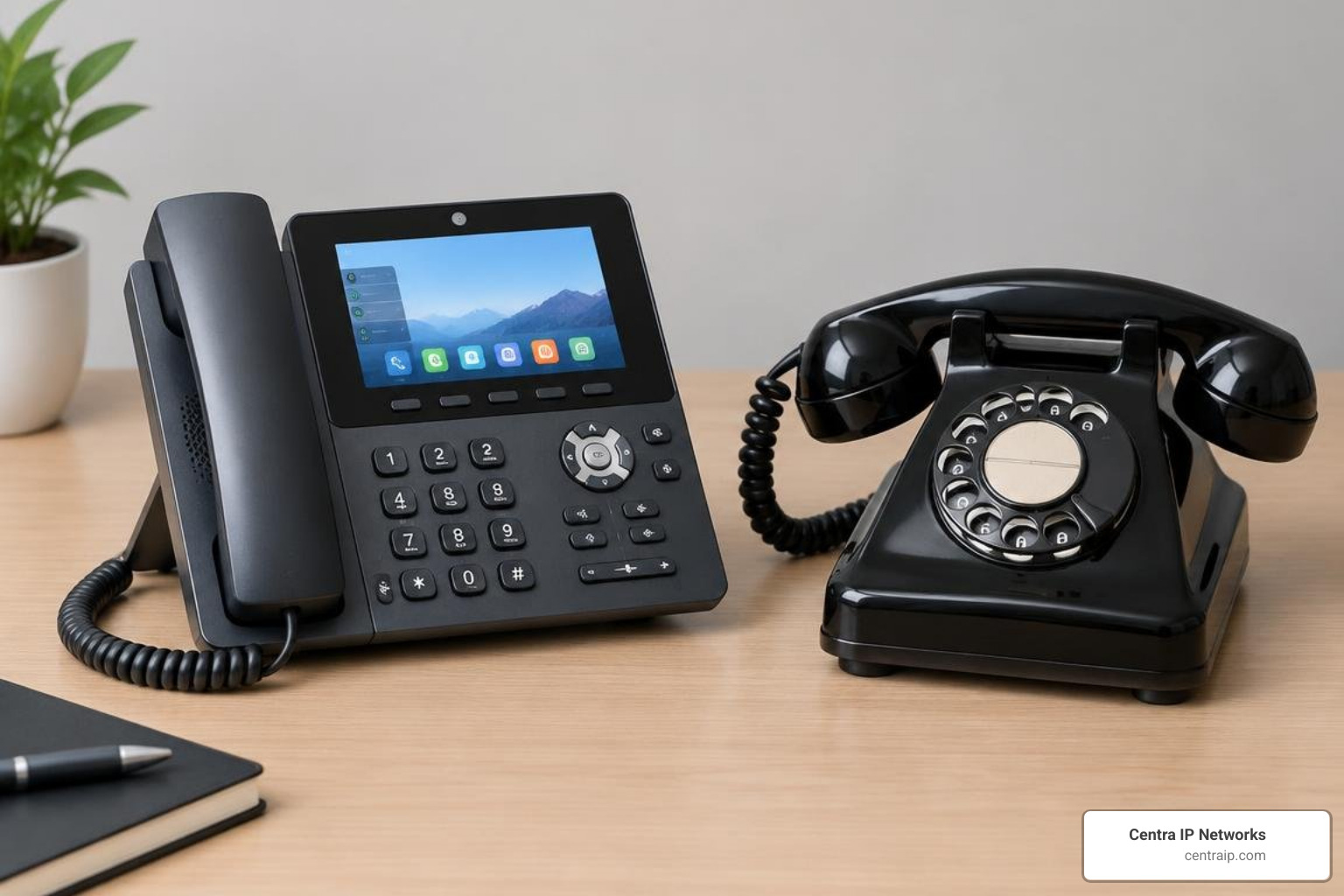
Switching from legacy analog landlines (PSTN/copper) to cloud VoIP transforms both your monthly telecom expenses and day-to-day call management.
Tangible Cost Reductions
Traditional analog setups require expensive physical PBX switchboard cabinets, dedicated copper wiring, and recurring per-line maintenance fees. Because VoIP routes voice packets over your existing broadband connection, businesses typically cut their overall communications overhead by 30% to 70%. Long-distance and international calling rates are also significantly lower than legacy carrier rates.
Zero Hardware Lock-In and Flexible Endpoints
With cloud VoIP, you are no longer tied to proprietary handsets. You can use:
- Softphones: Lightweight desktop applications for Windows and macOS.
- Mobile Apps: Dedicated calling apps for iOS and Android.
- IP Phones: Modern Ethernet-connected desk phones from brands like Poly, Yealink, Cisco, and Grandstream. Learn more in our overview of IP phones for business needs.
- Analog Telephone Adapters (ATAs): Small hardware bridges that connect legacy analog phones or fax machines directly to your VoIP network.
Underlying Infrastructure and Network Quality
Because VoIP shares your internet connection, voice quality depends directly on your local network health and the upstream carrier routing. Enterprise-grade setups leverage reliable telecom and voice infrastructure to maintain carrier-grade termination and low latency. For small business offices, configuring Quality of Service (QoS) on your router prioritizes voice packets over large downloads, preventing jitter and dropped audio.
To understand standard consumer protections and technical definitions, consult the Federal Communications Commission VoIP guide.
Frequently Asked Questions About Business VoIP Systems
How much money can a small business save by switching to VoIP?
Most businesses reduce their monthly telecommunications costs by 30% to 70% after migrating from analog phone lines to cloud VoIP. Savings come from eliminating analog line rentals, avoiding expensive PBX maintenance contracts, leveraging free domestic calling, and utilizing softphones on existing laptops and mobile devices instead of buying dedicated hardware.
How does number porting work when migrating to a cloud phone system?
Under FCC regulations, businesses retain the legal right to keep their existing phone numbers when changing service providers. During setup, you submit a Letter of Authorization (LOA) along with a recent phone bill from your current carrier. The new provider schedules the transfer date, and the cutover occurs seamlessly in the cloud with zero downtime for incoming callers.
What equipment and hardware are needed for a cloud VoIP phone system?
To run a business VoIP system, you only need:
- Reliable high-speed broadband: A stable internet connection allocating at least 100 kbps of bandwidth per concurrent voice call.
- Endpoints: Laptops, desktop computers, or smartphones equipped with softphone apps, or standard IP desk phones.
- Audio accessories: A quality USB or Bluetooth headset equipped with noise-canceling microphones to ensure clear voice pickup.
- Network switch (Optional): A Power over Ethernet (PoE) network switch if you choose to deploy hardwired physical IP desk phones without separate AC wall adapters.
Conclusion
Migrating to a modern cloud phone system simplifies daily communications, cuts legacy telephone bills, and provides the mobility today’s hybrid teams require. By prioritizing an easy-to-use admin portal, accessible tech support, and reliable mobile softphones, you can deploy a communication platform that supports your business without unnecessary IT headaches.
At Centra IP Networks, we eliminate vendor clutter by providing managed IT, business broadband, and cloud communications under one unified platform with a single monthly bill. Serving businesses across Dallas, Fort Worth, Orlando, Tampa, St. Petersburg, Clearwater, and Sarasota, our team leverages over 35 elite technology partnerships to design, deploy, and manage tailored VoIP systems.
Ready to upgrade your business communications? Explore our managed business phone systems today and speak with our communications experts.