Why a VoIP Business Line Is Now the Standard for Small Business Communication
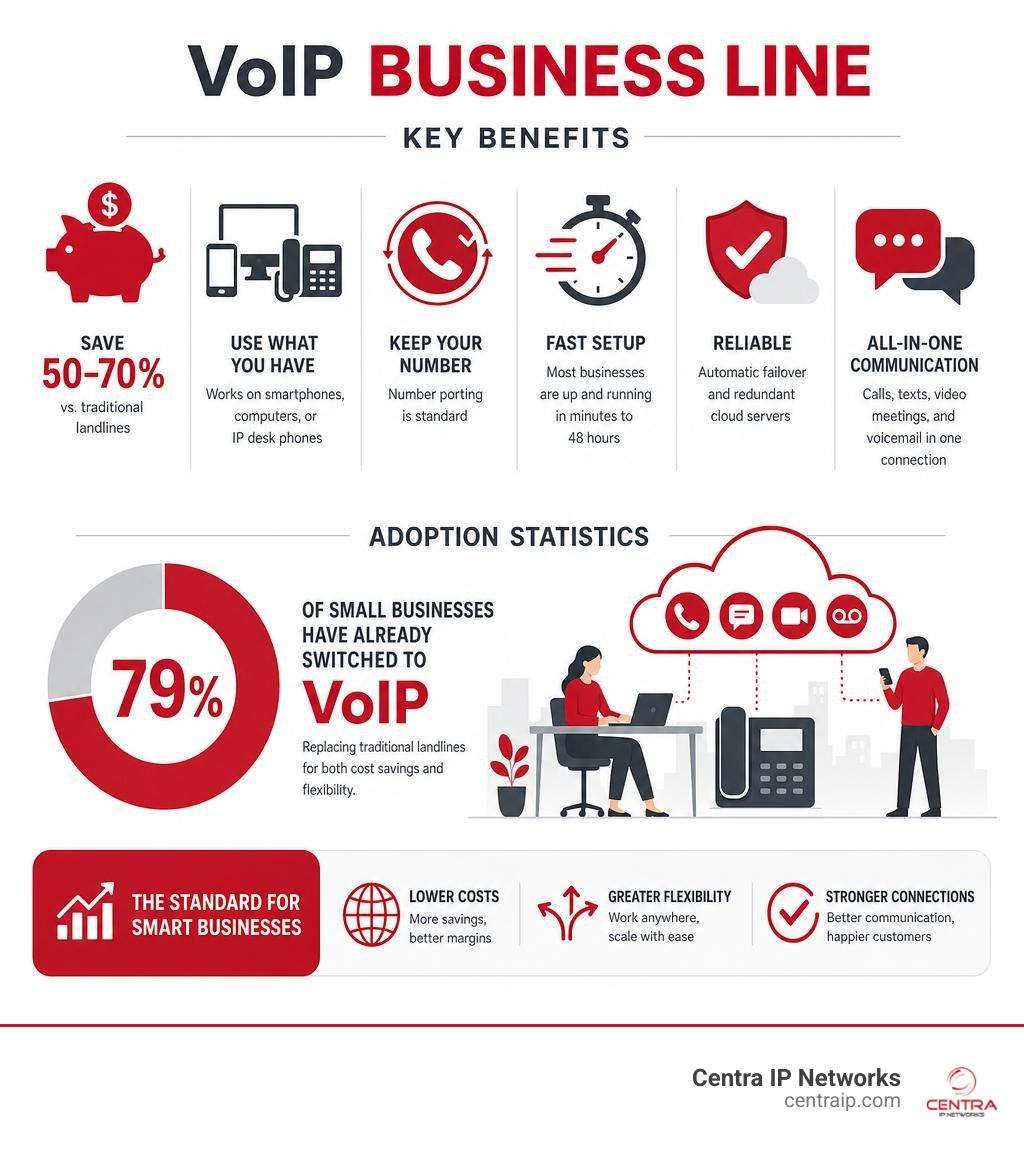
A voip business line is a phone service that runs over the internet instead of traditional copper telephone wires — and as of 2026, it has become the default choice for small businesses looking to cut costs and stay flexible.
Here’s what you need to know at a glance:
| Question | Quick Answer |
|---|---|
| What is it? | A business phone line that uses the internet to make and receive calls |
| How much can I save? | 50-70% compared to a traditional landline |
| Do I need new hardware? | No — works on smartphones, computers, or IP desk phones |
| Can I keep my number? | Yes — number porting is standard |
| How fast is setup? | Most businesses are up and running in minutes to 48 hours |
| Is it reliable? | Yes — with automatic failover and redundant cloud servers |
More than 79% of small businesses have already switched to VoIP, replacing traditional landlines for both cost and flexibility reasons. It’s not hard to see why. A single internet connection can now handle all your calls, texts, video meetings, and voicemail — no phone closet full of equipment required.
If you’re still paying a legacy carrier for copper-wire phone lines, you’re likely overpaying and under-served.
I’m Patrick Brangan, founder of Centra IP Networks and a business technology specialist with over 20 years of experience helping SMBs across Dallas, Tampa, and Orlando modernize their communications — including deploying voip business line for teams ranging from solo operators to 400-line enterprises. In the sections below, I’ll walk you through everything you need to know to make a confident decision.
Simple voip business line glossary:
What is a VoIP Business Line and How Does It Work?
At its core, Voice over Internet Protocol (VoIP) is a method of transmitting phone calls over a data network—like your office fiber, cable, or Wi-Fi internet connection—instead of the legacy Public Switched Telephone Network (PSTN). When you speak into a VoIP-enabled device, your voice is instantly digitized, broken down into tiny packets of data, zipped across the internet, and reassembled as crystal-clear audio on the other end.
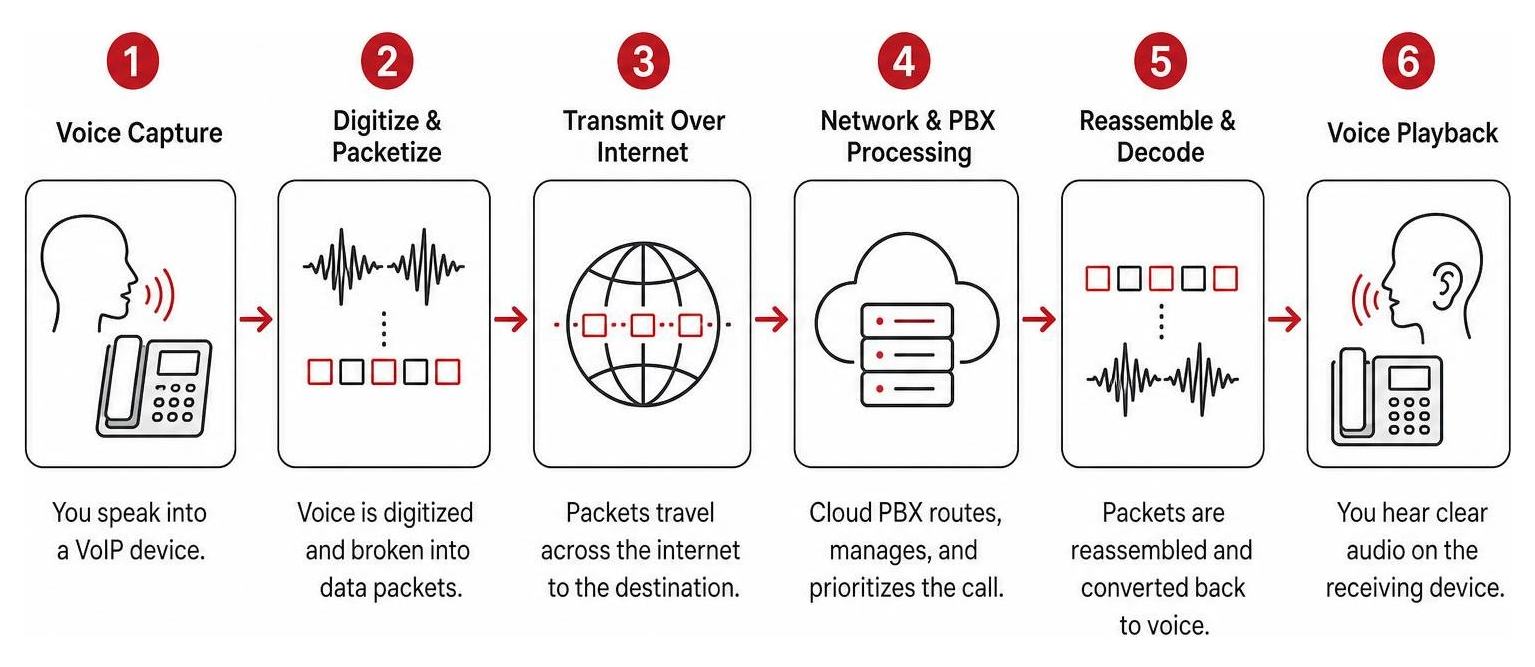
Behind the scenes of a modern voip business line is a cloud-hosted PBX (Private Branch Exchange). In the old days, a PBX was a massive, expensive physical box bolted to a wall in your office’s utility closet. It required specialized IT technicians to maintain, and if you wanted to add a new employee, someone had to physically run a new copper wire to their desk.
With a cloud-hosted PBX, all the routing, switching, and advanced logic happen in secure, remote data centers. Your service provider manages the infrastructure, while you control the settings through a simple web dashboard. Whether your team is working from an office in downtown Dallas, a home in Fort Worth, or a coffee shop in Orlando, they connect to the exact same cloud-hosted system.
To dive deeper into the fundamentals of how these cloud networks handle your day-to-day communications, check out The Ultimate Guide to VoIP Phone Service.
VoIP vs. Landline: Key Differences
To understand why traditional analog lines represent a false economy for modern businesses, we have to look at the structural differences between them. Legacy landlines rely on physical copper wires running from the street into your building. Because they are tied to physical infrastructure, they are notoriously rigid, expensive to scale, and lacking in modern features.
Here is a direct comparison of how a modern voip business line stacks up against legacy PSTN lines:
| Feature / Factor | Modern VoIP Business Line | Traditional Analog Landline |
|---|---|---|
| Primary Infrastructure | High-speed internet connection (Fiber, Cable, Wi-Fi) | Physical copper wires (PSTN) |
| Upfront Hardware Costs | Very low (uses existing computers, mobile apps, or affordable IP phones) | High (requires on-premises PBX installation and dedicated wiring) |
| Scalability | Instant (add or remove users in seconds via an online portal) | Slow (requires physical technician visits and wiring installations) |
| Mobility & Remote Work | Seamless (apps run on smartphones, tablets, and laptops anywhere) | Non-existent (tied directly to a physical desk jack) |
| Included Features | 40+ advanced features (Auto-attendants, SMS, video, call recording) | Extremely basic (caller ID, call waiting, basic voicemail) |
| Maintenance & Upgrades | Automatic and free (handled in the cloud by the provider) | Expensive (requires paid service calls and manual hardware upgrades) |
Because traditional landlines require physical maintenance and dedicated copper circuits, legacy carriers pass those massive overhead costs down to you. By transitioning to a virtual system, you eliminate the middleman and the physical copper entirely. For a more detailed breakdown of these structural differences, see our comparison on VoIP vs Landline for Business: Key Differences Explained.
The Technology Behind VoIP: PBX, Ethernet, and Wi-Fi
How does a voip business line maintain high audio quality while sharing the same internet connection you use to download large files, stream videos, and send emails? It all comes down to local network optimization and smart routing.
When a call is initiated, the voice data packets are routed through your local area network (LAN). For office environments, we highly recommend connecting physical desk phones via Ethernet cables. A wired Ethernet connection provides the most stable, low-latency path for voice packets, minimizing the risk of “jitter” (choppy audio) or dropped packets.
However, modern systems are equally capable of running over Wi-Fi or cellular data networks. This is especially useful for mobile extensions, remote workers, or retail environments where running physical cables is impractical.
To ensure that your voice calls remain perfectly clear even during heavy internet usage, your office router can be configured with Quality of Service (QoS) rules. QoS acts like an HOV lane on a highway, prioritizing voice data packets over standard web-browsing traffic. If an employee starts downloading a massive file, the router will automatically slow down that download by a fraction of a percent to ensure your phone calls have 100% of the bandwidth they need. To learn more about the physical hardware options available, read What Is a VoIP Phone?.
Why Small Businesses are Switching to VoIP
The shift toward VoIP isn’t just about saving money on your monthly bill—it’s about fundamentally transforming how your business operates. When flexibility is everything, being tethered to a physical office desk is a major competitive disadvantage.

With a voip business line, your business phone system goes wherever you go. If you or your team members need to work from home in St. Petersburg, meet a client in Clearwater, or travel out of state, you can make and receive calls from your laptop or smartphone while presenting your professional business number to caller ID.
This mobility dramatically improves the customer experience. Instead of forcing customers to call multiple mobile numbers or leaving them stranded in a voicemail box when you are away from your desk, a cloud system ensures they are routed to the right person instantly.
Furthermore, scaling your business becomes incredibly simple. If you open a new retail location in Sarasota or hire a group of remote agents, you don’t need to purchase expensive new hardware or sign long-term contracts. You simply log into your portal, add the new lines, and configure their routing rules in minutes. For a deeper look at the strategic advantages, check out Why VoIP? and The Positives of VoIP.
Key Features of a Modern VoIP Business Line
One of the greatest benefits of a cloud-based phone system is that features that used to cost enterprise-level corporations thousands of dollars are now included right out of the box for small businesses. These features are designed to make your small team sound like a highly polished, professional organization.
- Virtual Receptionist / Auto-Attendant: Welcome callers with a professional, customized greeting and direct them to the correct department (e.g., “Press 1 for Sales, 2 for Support”). You can also set different routing rules for business hours, holidays, and after-hours.
- Custom Call Routing & Ring Groups: Ensure no call goes unanswered. You can set up “ring groups” so that an incoming call rings multiple phones simultaneously (such as everyone in customer service) or sequentially (routing from agent to agent until someone answers).
- Voicemail-to-Email & Transcription: Instead of dialing in to check your messages, your voicemails are automatically transcribed into text and sent directly to your email inbox as an audio file. You can read your messages in line at your local coffee shop without missing a beat.
- Business SMS & Texting: Today’s customers often prefer text messaging over phone calls. A modern system allows you to send and receive text messages using your main business phone number, keeping your personal cell phone number completely private.
- Integrated Video Conferencing: Easily transition a voice call into a face-to-face video meeting with screen sharing, all within the same unified application.
By consolidating these tools, you eliminate the need to pay for separate video conferencing software, business texting apps, and third-party voicemail services. Discover how these features can streamline your workflows in VoIP Phone Systems for Business.
Cost Savings and Pricing Models
Let’s talk numbers. The financial case for switching to a voip business line is incredibly compelling. On average, small businesses that transition from traditional legacy landlines to a cloud-hosted system achieve cost savings of 50-70% on their monthly communications bills.
How is this possible?
- Elimination of Maintenance Fees: You no longer have to pay for expensive on-site technician visits, hardware upgrades, or maintenance contracts.
- Consolidated Infrastructure: Because VoIP utilizes your existing internet connection, you eliminate the need to pay for separate, dedicated analog phone lines.
- Predictable Subscription Pricing: Instead of unpredictable bills with hidden carrier fees, VoIP operates on a simple, flat-rate monthly subscription model per user.
For example, a business running five traditional analog lines with a legacy carrier might easily pay upwards of $180 to $200 per month once taxes, long-distance charges, and hardware fees are added. Switching to a modern cloud-hosted system can easily cut that monthly overhead in half while delivering dozens of advanced features.
If you are operating in North Texas, you can explore tailored local options through Dallas Business VoIP & Hosted Phone Service . To read more about how these savings directly impact your bottom line, see Great Benefits to Business VoIP.
Setting Up and Managing Your VoIP System
One of the biggest misconceptions about switching to a modern business phone system is that it requires a complicated, disruptive installation process. In reality, setting up a cloud-hosted system is incredibly straightforward and can often be completed in less than an hour without any dedicated IT staff.
Because all of the complex routing logic is managed in the cloud, there is no physical server equipment to install in your office. The entire administration of your phone system—from adding new extensions to changing your holiday greetings—is handled through an intuitive online dashboard. To understand how this cloud management model simplifies your daily operations, read Benefits of a Cloud-Based Phone System for Your Business.
How to Set Up Your First VoIP Business Line
Getting your new system up and running involves a few simple, logical steps:
- Assess Your Bandwidth: A single high-quality VoIP call typically requires only about 100 Kbps of upload and download speed. Most modern business broadband connections (such as Fiber, Cable, or high-speed DSL) have more than enough bandwidth to support dozens of concurrent calls without any performance issues.
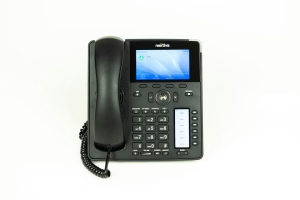
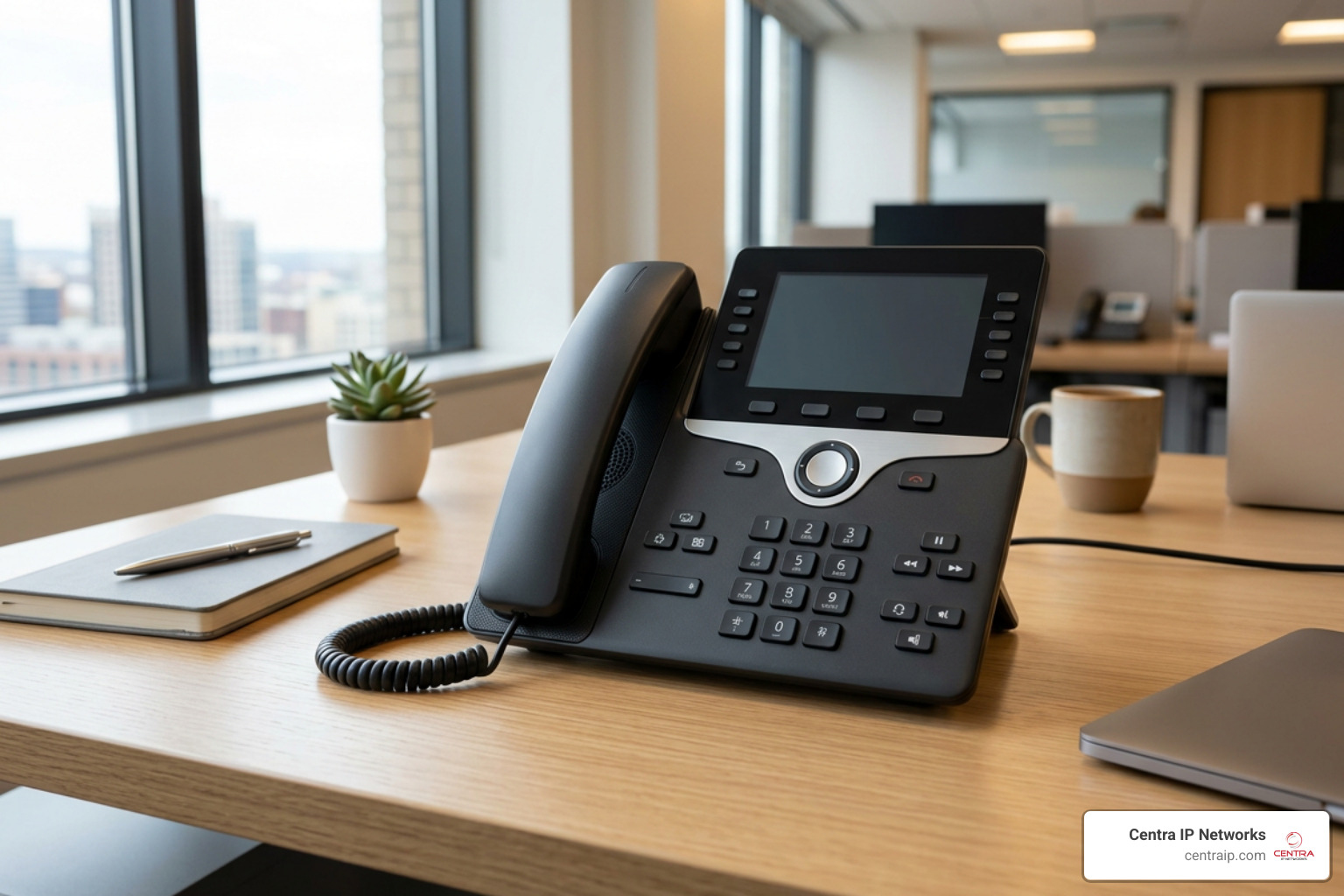
- Choose Your Devices: Decide how your team wants to make calls. You can use softphones (free applications installed on your existing smartphones, tablets, or computers) or purchase physical IP desk phones that plug directly into your internet router or network switch.
- Configure Your Router: For larger offices, we recommend enabling Quality of Service (QoS) or “traffic shaping” rules on your office router. This ensures that voice traffic is always prioritized over regular internet data, guaranteeing crystal-clear call quality even during peak internet usage.
- Design Your Workflows: Log into your web administration portal to set up your virtual receptionist, define your business hours, create your ring groups, and assign extensions to your team members.
By using softphones, you can completely eliminate upfront hardware costs and have your team making professional calls almost instantly. For a deeper dive into deployment strategies, see Cloud-Based Business Phone Systems.
Keeping Your Existing Number: Porting Explained
A common concern for established businesses is the fear of losing their phone numbers. Your business number is on your website, your business cards, and in the contacts list of all your loyal customers.
The good news? You can absolutely keep your existing phone numbers.
The process of transferring an active phone number from one carrier to another is called number porting. Under Federal Communications Commission (FCC) regulations, legacy phone companies are legally required to release your numbers to your new provider.
To port your numbers successfully, you simply need to provide your new VoIP provider with a copy of your recent phone bill and sign a Letter of Authorization (LOA). Your new provider will handle the heavy lifting and coordinate the transfer with your old carrier. The actual transition usually takes between 1 to 5 business days, and it occurs seamlessly behind the scenes with zero downtime—meaning you won’t miss a single incoming customer call during the transfer.
If you are operating in the Tarrant County area, you can learn more about local porting and deployment options by visiting Fort Worth Business VoIP & Hosted Phone Service – SimpleFiber .
Security, Reliability, and Choosing the Right Provider
As business communications have transitioned to the cloud, security and reliability have naturally become top priorities for business owners. After all, your phone system is your business’s lifeline to its customers.
Modern cloud-hosted networks are built with enterprise-grade security protocols. To prevent eavesdropping or data interception, reputable providers protect your voice traffic using Transport Layer Security (TLS) and Secure Real-time Transport Protocol (SRTP). This end-to-end encryption ensures that your conversations remain completely private and secure.
For businesses utilizing existing on-premises PBX equipment, SIP trunking can also be used to securely bridge legacy systems with cloud networks. To learn more about this underlying technology, read The Many Benefits of SIP Trunking for Your Business.
Security and Disaster Recovery
What happens to your business phone system if your local office experiences a sudden power outage, a severe Florida storm, or a localized internet disruption?
With a traditional landline system, a physical line cut or a local power outage means your phones go dead instantly, leaving your customers stranded.
With a cloud-hosted system, your phone lines never go down. Because your PBX lives in a secure, redundant data center rather than your physical office, the system remains 100% operational even if your building is completely in the dark.
If your office internet goes offline, the cloud system will automatically trigger pre-configured failover routing rules. Calls can be automatically rerouted to:
- Your employees’ mobile apps using cellular data networks.
- Alternative backup phone numbers or physical branch locations.
- Your cloud-hosted voicemail-to-email system.
This built-in disaster recovery ensures complete call continuity under any circumstances. Furthermore, for medical offices or professional services firms that must comply with strict federal regulations, top-tier VoIP systems are fully HIPAA and SOC 2 compliant, protecting sensitive patient and client information.
For businesses in Central Florida looking to secure their communication infrastructure, you can explore specialized regional security and redundancy solutions through Orlando VoIP Phone Services – Dytech Group .
What to Look For in a Managed VoIP Partner
When selecting a provider for your voip business line, it is easy to get overwhelmed by the sheer number of options on the market. However, not all providers are created equal. Many national, big-name carriers offer self-service platforms where you are entirely on your own when it comes to setup, troubleshooting, and support. If something goes wrong, you may find yourself stuck in a long support queue waiting to speak with a tier-one agent who doesn’t understand your business.
For small businesses, we strongly recommend partnering with a managed service provider that offers a personalized, high-touch approach. Here is what you should look for when evaluating potential partners:
- A Single-Platform Provider: Look for a partner that can consolidate your managed IT, cybersecurity, high-speed internet connectivity, and cloud communications onto a single platform. This eliminates the headache of dealing with multiple vendors and “finger-pointing” when technical issues arise.
- Consolidated Billing: Managing multiple technology bills is a waste of administrative time. A great partner will provide all of your services on a single, easy-to-read monthly invoice.
- Robust Service Level Agreements (SLAs): Ensure your partner guarantees high uptime (such as 99.99%) and clearly defines their response times for technical support.
- Local, 24/7 Technical Support: When you have a question or an urgent issue, you should be able to reach a live, local technician who can resolve your problem immediately.
If you are operating in the Tampa Bay region, you can find excellent examples of comprehensive, local business phone support through these trusted regional partners:
- Top Business Phone Systems Tampa FL – Data-Tech
- Business Phone Service in Saint Petersburg, FL – Cebod Telecom
- MetroConnect LLC
- VoIP Business Phone Service in Sarasota, FL
Frequently Asked Questions about VoIP
Can I use my existing analog phones with VoIP?
Yes, you can. If you have high-quality analog desk phones or a legacy fax machine that you aren’t ready to replace, you can connect them to your new network using an Analog Telephone Adapter (ATA). An ATA is an affordable hardware device that plugs into your internet router on one end and your analog phone on the other, converting the analog signals into digital data packets. However, to access the full suite of modern features (such as on-screen directories, visual voicemail, and HD audio), we generally recommend upgrading to native IP desk phones or utilizing softphone apps on your existing computers and mobile devices.
What happens to my VoIP line if the internet goes down?
If your local office internet connection drops, you will not lose your incoming calls. Because your phone system is hosted in the cloud, calls will continue to be received by the system and will automatically reroute based on your disaster recovery rules. For example, calls can be instantly forwarded to your team’s smartphones via their mobile apps (using cellular LTE/5G networks) or sent directly to voicemail-to-email so your customers are always taken care of.
Does VoIP support emergency 911 calls?
Yes, modern systems fully support emergency 911 dialing, often referred to as Enhanced 911 (E911). When you dial 911 from a VoIP phone, the system automatically transmits your registered physical address to the local emergency dispatch center. It is critical to keep your physical address updated in your administration portal, especially if you relocate a physical desk phone to a new office or home location, to ensure emergency services are sent to the correct address. Because VoIP relies on your internet connection and local network hardware, E911 services will not function during a local power or internet outage unless your office is equipped with backup power (such as an Uninterruptible Power Supply or UPS) and backup internet connectivity.
Conclusion
Transitioning your small business to a modern voip business line is no longer just a way to shave a few dollars off your monthly utility bills—it is a strategic upgrade that enhances your team’s mobility, improves your customer service, and ensures your business remains resilient in the face of unexpected disruptions.
At Centra IP Networks, we specialize in taking the complexity out of business technology. We offer comprehensive Managed IT and Cloud Communications services designed specifically for small and midsize businesses across Dallas, Fort Worth, Orlando, Tampa, St. Petersburg, Clearwater, and Sarasota.
Our unique value proposition is simple: we provide your phone systems, high-speed internet connectivity, cloud solutions, and IT support on one unified platform, with a single provider and a single monthly bill. Leveraging our 35+ strategic partnerships, we tailor cost-effective communication solutions that match your specific operational workflows.
Ready to retire your legacy copper lines and step into the future of business communication? Get started with Centra IP Networks today, and let’s build a communication platform that helps your business thrive.