How to Compare Cloud Fax Services
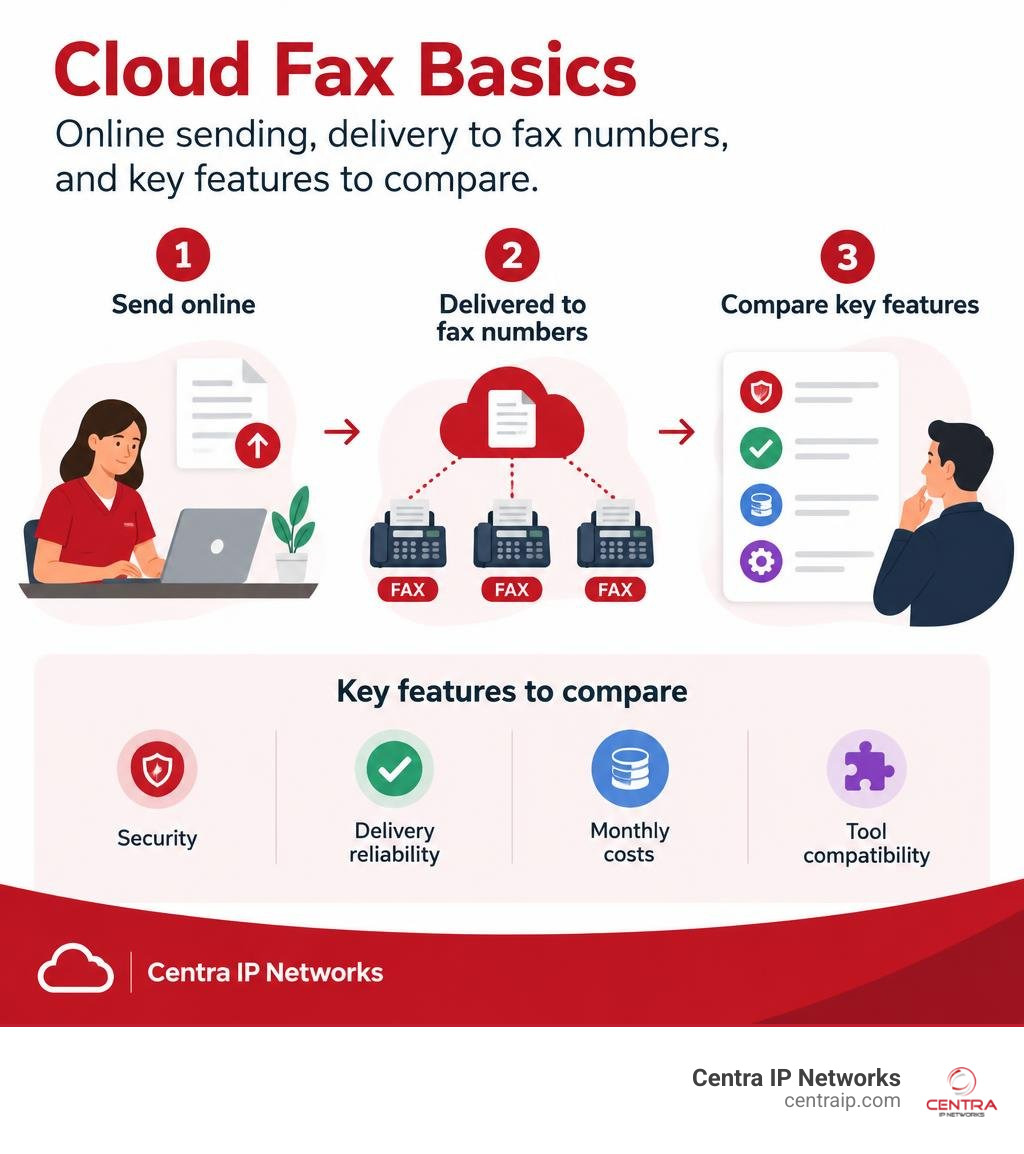
Cloud fax lets you send and receive faxes online, without relying on a fax machine or a dedicated phone line. When comparing services, start with security, delivery reliability, monthly costs, and how well each option fits your existing tools. If your team handles patient records, also check for a signed Business Associate Agreement (BAA), access controls, and audit logs.
The right service should make faxing easier to manage, not add another disconnected system. That matters when staff need to route documents across offices or into an electronic health record.
I’m Patrick Brangan, and I’ve spent more than 20 years helping small and midsize businesses choose technology and unified communications solutions. In this guide, I’ll show you how to evaluate cloud fax alongside the tools your team already uses.
What Is Cloud Fax and How Does It Compare to Legacy Hardware?
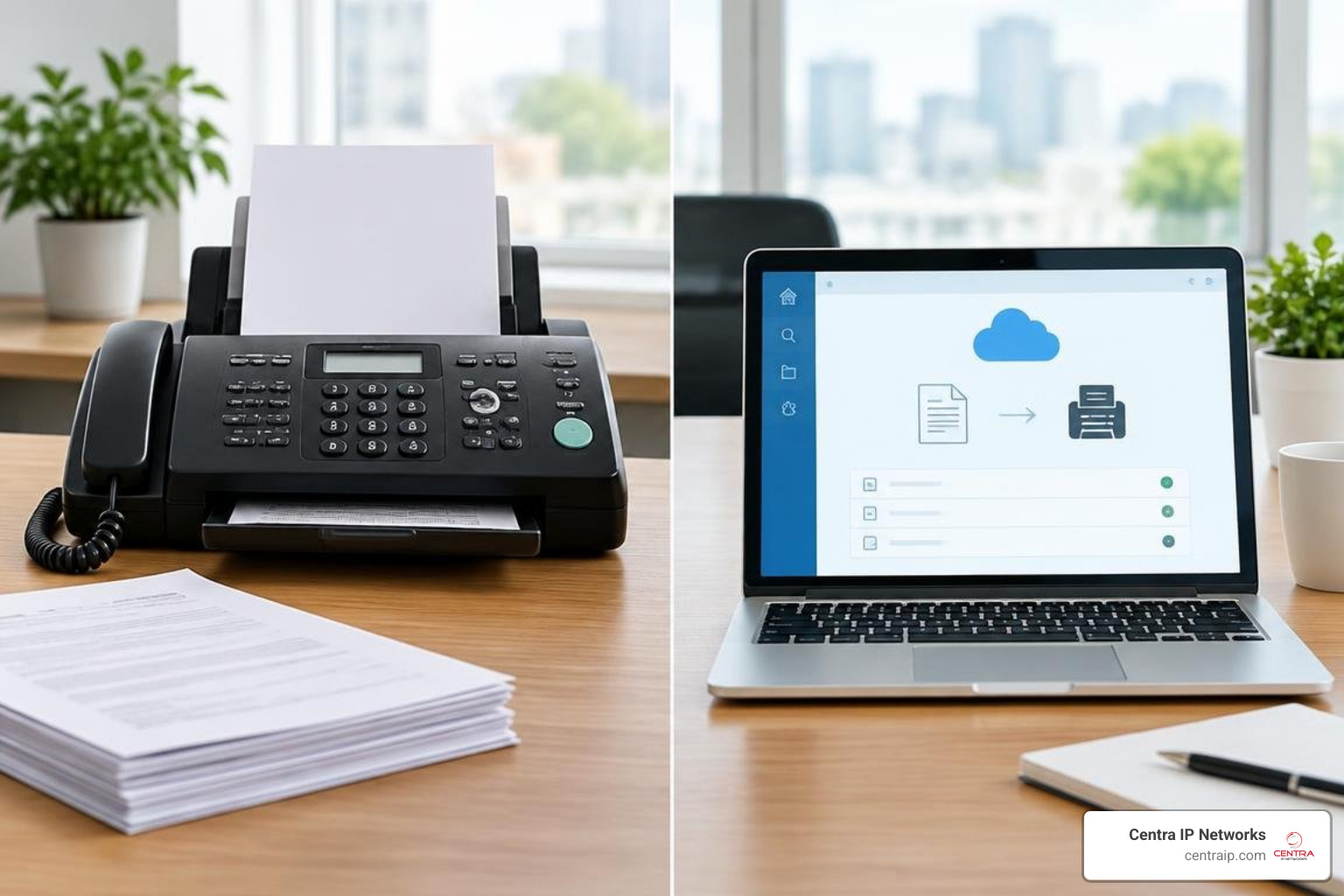
Virtual faxing—frequently referred to as Fax over IP (FoIP) or internet fax—replaces copper public switched telephone network (PSTN) circuits with secure, multi-tenant cloud infrastructure. Instead of paper feeding through a noisy desktop machine, incoming and outgoing transmissions travel as encrypted digital files over the internet.
For decades, organizations maintained physical hardware, dedicated analog lines, paper supplies, and on-premises server racks. Moving to a modern platform allows businesses to shed those maintenance burdens entirely. In fact, research shows that healthcare organizations and enterprise businesses can save up to 70% on fax infrastructure costs simply by retiring physical lines, hardware leases, toner cartridges, and dedicated server licensing.
To understand how operational workflows change after a migration, consider how the three primary models compare:
| Operational Feature | Traditional Fax Machines | On-Premise Fax Servers | Cloud Fax Services |
|---|---|---|---|
| Physical Infrastructure | Dedicated desktop hardware, analog lines, paper, toner | On-premise server chassis, telephony boards, PRI/T1 lines | 100% cloud-hosted; zero local hardware required |
| Scalability & Capacity | Single-page bottleneck; busy signals during peak hours | Limited by server board channels and hardware capacity | Elastic multi-tenant scale; handles millions of pages monthly |
| Remote Accessibility | Physical office presence required | Accessible only via complex VPN or on-site networks | Browser, email, mobile app, and API access anywhere |
| Security & PHI Exposure | Unattended paper trays in open hallways | Unencrypted local storage unless manually patched | End-to-end encryption (TLS 1.2+, AES-256) at rest and in transit |
| Maintenance Burden | Constant paper jams, line failures, mechanical repairs | Regular OS patching, hardware refreshes, telecom contracts | Fully managed provider uptime with carrier-grade redundancy |
When evaluating your workplace requirements, reviewing a digital fax service for business comparison helps clarify whether your volume demands simple email integration or complete enterprise-grade API connectivity.
Why Healthcare and Regulated Sectors Continue to Rely on Fax Communications
It is common to wonder why high-tech medical practices, legal firms, and financial institutions continue to use faxing in an era dominated by email and instant messaging. The answer comes down to legal precedent, regulatory compliance, and system compatibility.
Transmitting Protected Health Information (PHI) over standard email presents significant risks. Standard email passes through multiple intermediate mail exchange servers across the open internet, often unencrypted. In contrast, fax architectures establish direct point-to-point sessions that deliver verifiable, legally binding transmission logs and delivery confirmation receipts. These delivery timestamps satisfy strict legal chain-of-custody rules in courtrooms and regulatory audits.
Furthermore, Electronic Health Record (EHR) interoperability gaps remain a major challenge across modern medicine. When an independent orthopedic clinic in Fort Worth needs to share surgical notes with a hospital network in Dallas, their proprietary EHR databases might not communicate natively. The universal fax protocol bridges this gap instantly. Any healthcare provider can exchange documents with any other provider without configuring custom network tunnels or sharing database credentials. Choosing one of the best digital fax services for paperless workflows ensures that your organization retains this universal interoperability while modernizing everyday administrative operations.
Security, Compliance, and Encryption Standards for Regulated Workflows
Deploying a cloud-based communications system in a regulated sector requires rigorous technical safeguards. The Health Insurance Portability and Accountability Act (HIPAA) mandates strict administrative, physical, and technical protections for all electronic PHI (ePHI).
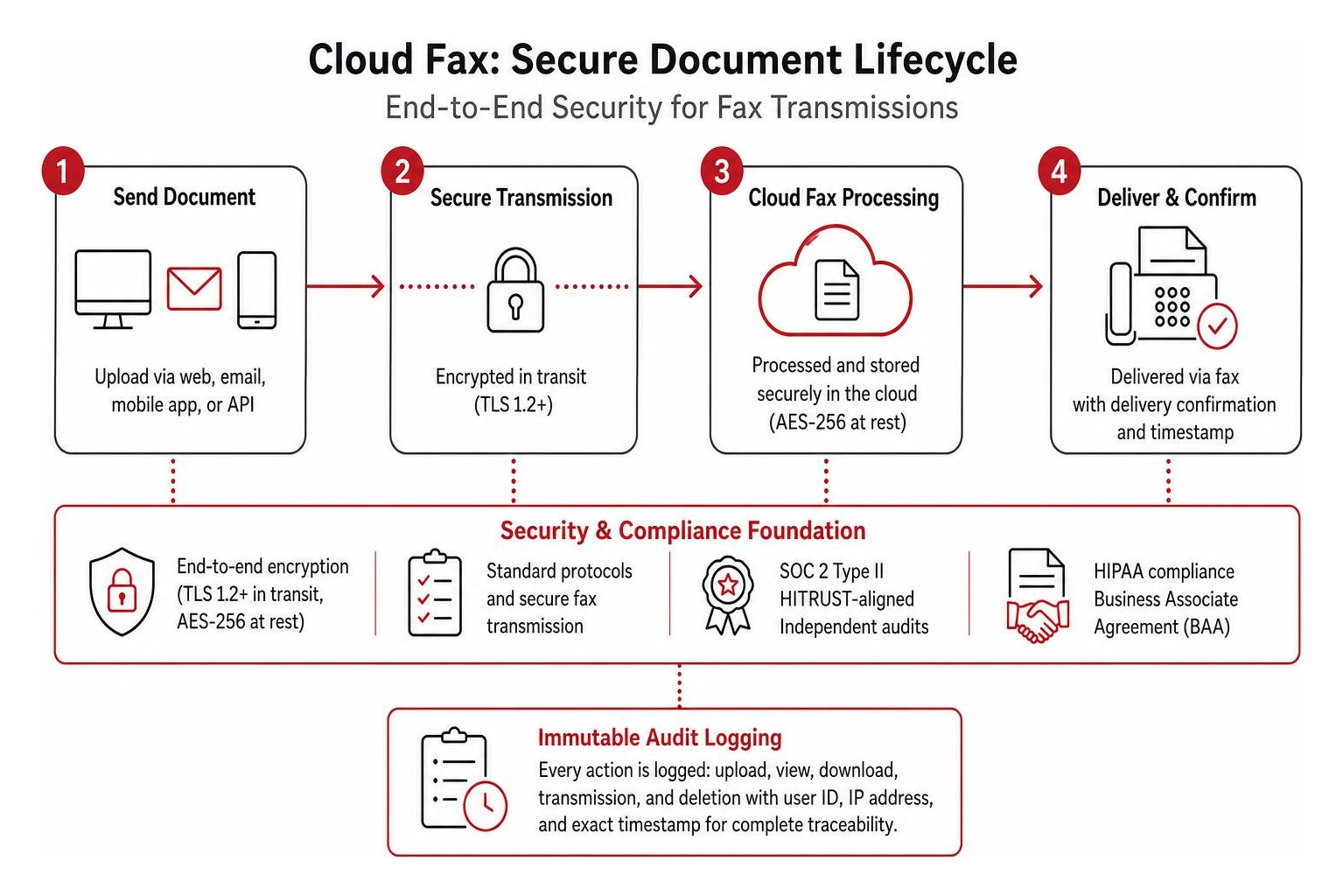
Leading cloud platforms rely on high-grade security protocols:
- Encryption in Transit: All web, API, and email connections utilize Transport Layer Security (TLS 1.2 or higher) with modern cipher suites to prevent interception during transmission.
- Encryption at Rest: Stored documents, audit logs, and metadata are protected using NIST FIPS 140-2 validated Advanced Encryption Standard (AES) 256-bit encryption.
- Independent Attestations: Top-tier providers undergo regular third-party audits to earn SOC 2 Type II certifications and maintain alignment with HITRUST frameworks.
- Immutable Audit Logging: Every document upload, view, download, transmission attempt, and deletion generates an unalterable log tracking the user ID, IP address, and exact timestamp.
Enterprise organizations often deploy these solutions within highly resilient, compliant cloud foundations like Google Cloud secure infrastructure to guarantee data protection.
A critical requirement for any HIPAA-regulated entity is the Business Associate Agreement (BAA). A BAA is a legally binding contract that establishes a vendor’s accountability for protecting ePHI according to federal guidelines. If a cloud vendor refuses to execute a signed BAA on your specific service tier, that platform cannot be legally used to transmit patient health information. To dive deeper into compliance safeguards, explore our guide to HIPAA-compliant cloud fax systems.
Evaluating Enterprise Cloud Fax Features, Reliability, and EHR Integration
Reliability separates consumer-grade internet tools from enterprise platforms. High-volume environments cannot tolerate busy signals, failed transmissions, or server downtime during critical operational hours.
Leading enterprise carriers offer guaranteed Service Level Agreements (SLAs) ranging from 99.9% to 99.999% uptime. Carrier-grade infrastructure provides first-attempt delivery success rates between 97% and 99.6% on valid numbers by utilizing dynamic carrier failover and intelligent retry routing.
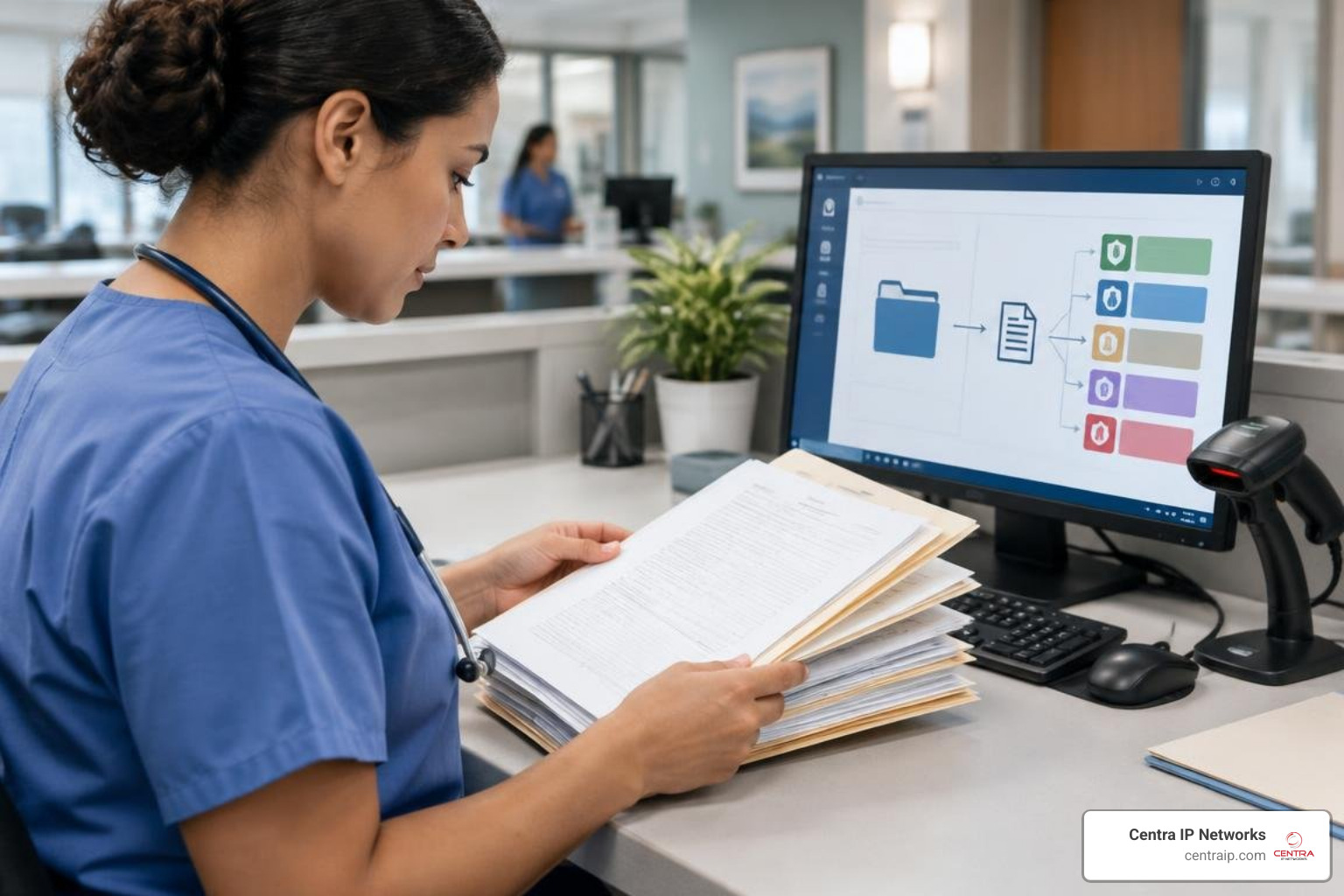
Modern solutions also incorporate Intelligent Document Processing (IDP) and Optical Character Recognition (OCR). Instead of requiring staff to open every incoming PDF to read the patient name and medical record number, advanced machine-learning models can auto-classify up to 94% of inbound documents. The system identifies whether a document is a prescription refill, lab order, or specialty referral and routes it immediately to the proper department queue.
Exploring secure online fax platforms for growing operations provides practical insights into configuring these automated features for your workflow.
Integrating Cloud Fax with EHR and Enterprise Systems
Modern cloud platforms feature developer-friendly RESTful APIs and pre-built connectors that embed faxing directly into daily applications. Rather than toggling between disconnected software tabs, staff can dispatch records straight from clinical applications like Epic, Cerner, or athenahealth, as well as enterprise productivity suites like Microsoft 365.
By leveraging healthcare messaging standards like HL7 and modern FHIR APIs, incoming faxes convert into structured data payloads that attach automatically to the appropriate patient chart. Reviewing robust cloud fax providers will help your IT team select an architecture that aligns cleanly with your existing practice management software.
Measuring ROI and Efficiency Gains from Cloud Fax
The return on investment when modernizing communications infrastructure appears in both direct cost savings and operational labor recovery. Administrative staff spend countless hours standing beside paper machines, manually scanning packets, sorting incoming pages, and hand-dialing phone numbers.
Modern digital workflows deliver measurable performance improvements:
- Time Savings: Automated routing can reduce manual document handling time by up to 14 hours per staff member each week.
- Accelerated Referrals: Clinical teams reduce the time required to assemble and dispatch incoming patient referral packets by up to 85%.
- Rapid Delivery: Cloud networks achieve average delivery confirmation speeds of approximately 12 seconds per page.
- Reduced Error Rates: Moving from manual paper feeding to integrated digital queues helps organizations dramatically drop weekly transmission errors.
By eliminating manual maintenance with cloud-based fax servers, operations across multi-site networks gain reliable performance without hardware downtime.
Migration Roadmaps and Deployment Timelines for Multi-Site Organizations
Migrating an enterprise network from legacy telephony to the cloud follows a structured, risk-free implementation roadmap designed to prevent service interruptions.
- Inventory & Telecom Audit: Document all active Direct Inward Dialing (DID) numbers, analog physical lines, multifunction printers (MFPs), and departmental routing workflows.
- Number Porting & Parallel Routing: Your existing fax numbers are ported directly to the cloud platform. During the porting window, call-forwarding rules ensure zero dropped pages or transmission downtime.
- EHR & Workflow Integration: Configure API webhooks, print-to-fax desktop drivers, and secure email-to-fax routes.
- Access Control & Provisioning: Implement Single Sign-On (SSO) and Role-Based Access Control (RBAC) across departments to maintain strict document visibility.
- Hybrid Bridging (Optional): If certain remote facilities must retain physical multi-function copiers, secure HTTPS Analog Telephone Adapters (ATAs) bridge those physical machines directly to your encrypted cloud tenant without requiring dedicated analog phone lines.
Single-facility offices in Tampa or St Petersburg can complete this transition within a few business days, while larger regional healthcare networks operating 20 to 50 locations across Orlando, Sarasota, and Clearwater typically complete a phased rollout in 4 to 8 weeks. For a comprehensive vendor breakdown, read our guide on evaluating eFax solutions.
Frequently Asked Questions About Cloud Fax Services
How reliable is cloud fax for high-volume, multi-site healthcare networks?
Cloud platforms are built specifically for elastic scale, processing millions of pages every month across geographically distributed data center clusters. If an upstream telecom carrier experiences localized outages, cloud architectures automatically route outbound traffic through alternative carrier channels. This carrier failover maintains first-attempt delivery rates above 99% and ensures continuous operation for hospital networks and high-volume billing centers.
What is a Business Associate Agreement and why is it mandatory for cloud fax?
A Business Associate Agreement (BAA) is a formal contract mandated by the HIPAA Privacy and Security Rules between a covered entity (such as a clinic or hospital) and a business associate (such as a cloud communications vendor). The BAA legally binds the service provider to maintain administrative, physical, and technical safeguards for all protected health information. Without an executed BAA, sending medical records through a third-party digital service violates federal HIPAA regulations.
Can existing analog fax machines connect to a cloud fax environment?
Yes. Organizations that want to keep physical multi-function copiers on-site can deploy secure Analog Telephone Adapters (ATAs) or HTTPS fax bridge hardware. These compact devices connect directly to your local area network (LAN), converting analog signals into encrypted TLS digital streams before routing them to the cloud. This allows teams to eliminate expensive analog PSTN lines while keeping familiar office machines operational.
Modernizing Your Communications Infrastructure
Transitioning from outdated copper wiring and mechanical hardware to a resilient cloud framework protects sensitive data, lowers operating overhead, and frees your administrative staff from tedious manual filing.
At Centra IP Networks, we help growing businesses and healthcare systems streamline operations by combining voice, high-speed Internet connectivity, managed IT, and cloud solutions into one cohesive platform with a single monthly bill. From more than 35 strategic technology partnerships, our teams across Dallas, Fort Worth, Orlando, Tampa, St Petersburg, Clearwater, and Sarasota design cost-effective architectures tailored to your operational demands.
Explore our full suite of Centra IP enterprise faxing solutions to schedule an infrastructure assessment and modernize your workflows today.