Is a VoIP WiFi Phone Right for Your Office?
A VoIP WiFi phone lets you make and receive business calls over your wireless internet connection — no desk cable, no landline required. Here’s a quick snapshot of what that means for your office:
| Question | Quick Answer |
|---|---|
| What is it? | A phone that uses your Wi-Fi network to send voice calls over the internet |
| How is it different from a desk phone? | No ethernet cable needed — works anywhere your Wi-Fi reaches |
| Who is it for? | Offices, warehouses, hospitals, retail floors, remote workers |
| Key benefit | Cut communication costs by up to 50% vs. traditional landlines |
| Popular brands | Grandstream, Yealink, Poly |
| What standard does it use? | SIP over Wi-Fi (802.11 a/b/g/n/ac/ax) |
Most offices today run on multiple vendors — one for phones, one for internet, one for IT support. It’s expensive and hard to manage. Wireless VoIP changes that equation.
The global VoIP market is on track to hit $102.76 billion by 2028, and wireless handsets are one of the fastest-growing segments. Why? Because teams need to move around. A nurse can’t be tied to a desk. Neither can a warehouse manager or a retail floor supervisor.
Wi-Fi VoIP phones solve that problem by combining internet-based calling with the freedom of a cordless handset — using the Wi-Fi infrastructure you likely already have in place.
But there’s a catch: not all Wi-Fi networks are ready for voice traffic, and not all VoIP phones perform equally. This guide cuts through the noise so you can make a confident decision.
I’m Patrick Brangan, founder of Centra IP Networks and a business technology specialist with over 20 years of experience helping SMBs in Dallas, Tampa, and Orlando deploy the right communication tools — including VoIP WiFi phone systems as part of fully managed unified communications solutions. In the sections below, I’ll walk you through everything you need to know to decide if Wi-Fi VoIP is the right fit for your office.
Important voip wifi phone terms:
What is a VoIP WiFi Phone and How Does It Work?
To understand how a wireless IP handset works, we first have to answer a more basic question: What is a VoIP Phone?
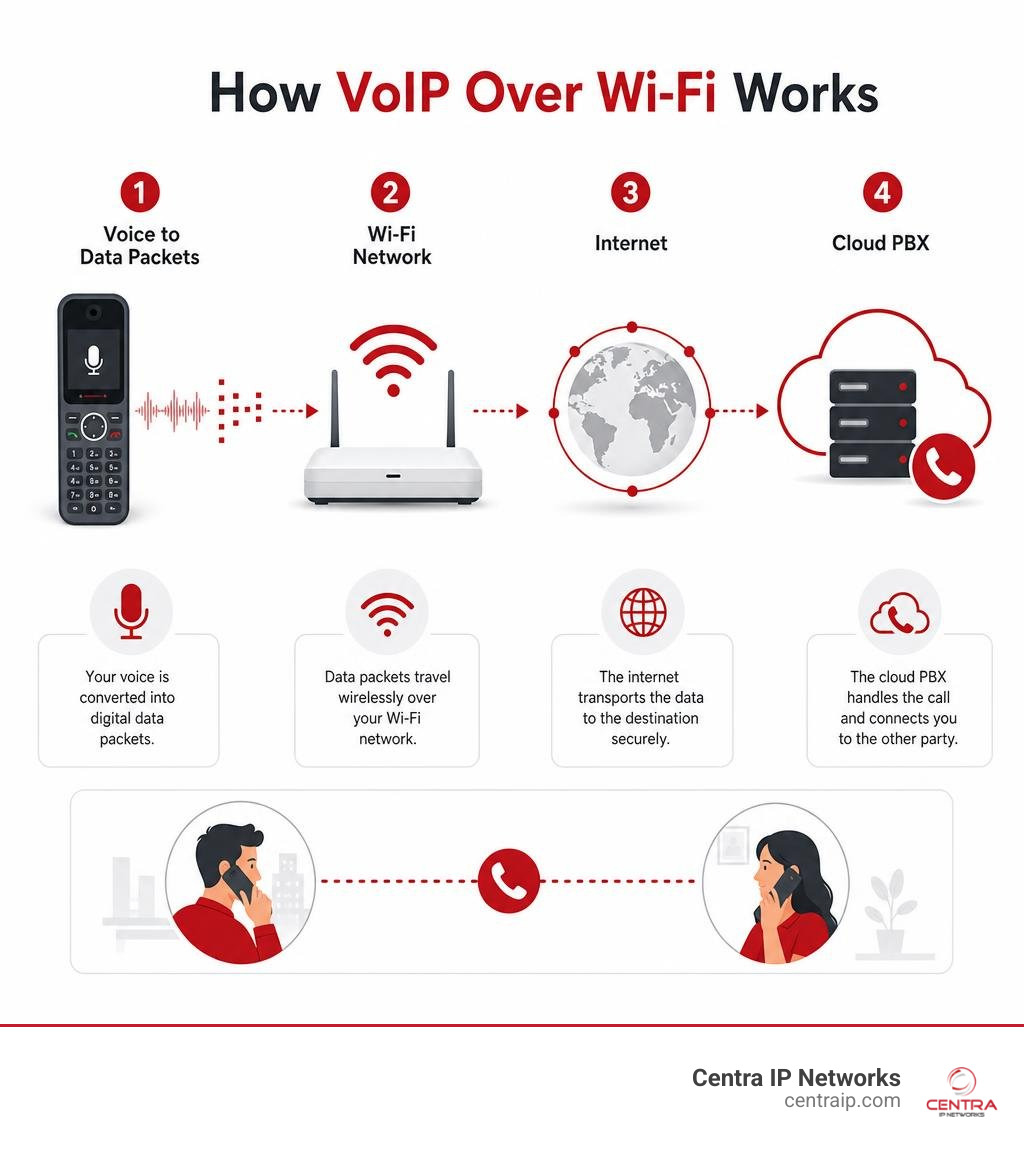
At its core, a Voice over Internet Protocol (VoIP) phone is a device that converts your voice into digital data packets. Instead of sending those packets over old copper telephone wires, it transmits them over the internet.
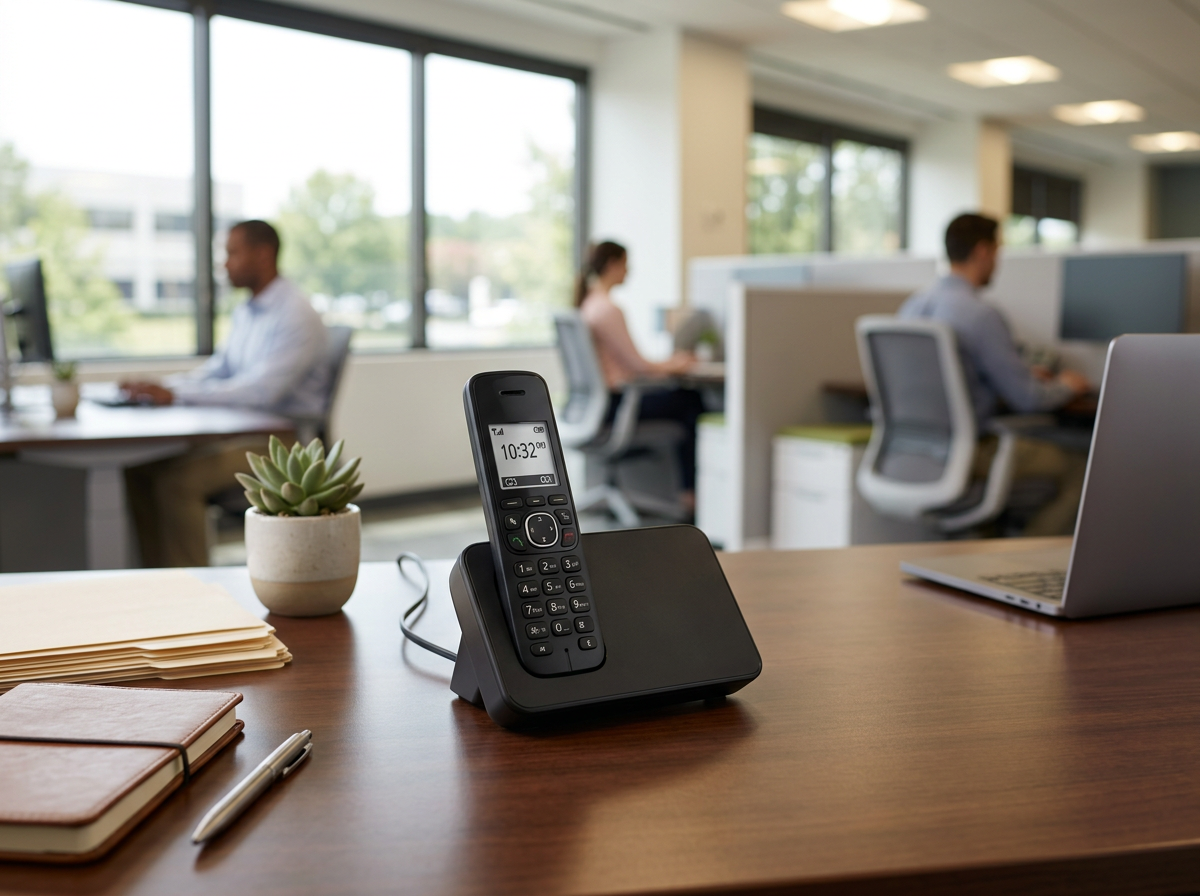
A traditional desktop IP phone does this by plugging directly into your office’s local area network (LAN) via a physical Ethernet cable. A voip wifi phone, on the other hand, cuts that cord entirely. It features a built-in wireless transceiver that allows it to communicate directly with your office’s wireless access points (APs).
For a complete breakdown of how these internet-based calling systems operate under the hood, check out The Ultimate Guide to VoIP Phone Service.
How a VoIP WiFi Phone Connects to Your Network
The technology behind wireless VoIP has evolved rapidly. In the early days, making a voice call over Wi-Fi was a recipe for dropped calls, static, and frustration. Today, modern wireless networks utilize Wi-Fi 6 (802.11ax), which is designed to handle high-density environments and prioritize real-time traffic like voice and video.
When you dial a number on a Wi-Fi-enabled handset, the device connects to your wireless network using standard security protocols (like WPA3 or 802.1X). It then registers with your cloud-based PBX or on-premise IP phone system using the Session Initiation Protocol (SIP).
To keep your call active as you walk down a long hallway or move between floors, these phones support advanced roaming standards:
- 802.11k (Radio Resource Measurement): Helps the phone quickly identify nearby access points that are candidates for roaming.
- 802.11r (Fast Transition): Minimizes the authentication delay when handshaking with a new access point, reducing the transition time to milliseconds so your call doesn’t drop.
- 802.11v (Wireless Network Management): Allows the network infrastructure to guide the phone to the best possible access point for a balanced load.
Key Features of a Modern VoIP WiFi Phone
These devices are no longer just basic cordless phones. They are highly sophisticated mobile computers designed to boost workplace efficiency. Some of the most valuable VoIP Phone Features Today include:
- HD Voice Quality: Support for high-fidelity audio codecs like Opus and G.722, paired with Acoustic Echo Cancellation (AEC) and AI-driven background noise suppression.
- Dual-Band Connectivity: The ability to operate on both the 2.4GHz and 5GHz bands (and increasingly 6GHz with Wi-Fi 6E/7), letting you place voice traffic on less congested frequencies.
- Push-to-Talk (PTT): Instant, walkie-talkie-style communication for teams in retail, medical, or warehouse environments.
- Dedicated Emergency Buttons: Customizable panic buttons that can immediately send alerts or dial security teams in healthcare or campus settings.
Wi-Fi vs. DECT: Choosing the Right Cordless Technology
If you are looking to cut the cord in your office, you will inevitably run into two competing technologies: Wi-Fi and DECT (Digital Enhanced Cordless Telecommunications).
Before choosing, it helps to understand the foundational differences between on-premise hardware and cloud infrastructure, which we cover in VoIP vs Cloud Based Phone System What’s the Difference and our guide to Cloud Based Business Phone Systems.
Here is a quick head-to-head comparison to help you choose:
| Feature | Wi-Fi VoIP Phones | DECT Cordless Systems |
|---|---|---|
| Infrastructure | Uses existing Wi-Fi access points | Requires dedicated DECT base stations |
| Frequency Band | 2.4GHz, 5GHz, 6GHz (shared with data) | 1.9GHz (dedicated, interference-free) |
| Range | Limited to your Wi-Fi footprint | Up to 150-300 feet from base station |
| Scaling | Add phones easily to existing Wi-Fi | Requires adding base stations/repeaters |
| Device Features | Android OS, color touchscreens, apps | Simple, text-based screens, basic calling |
| Battery Life | Moderate (6 to 12 hours talk time) | Excellent (15 to 20+ hours talk time) |
DECT remains a fantastic, highly secure choice for businesses that want a separate, dedicated network solely for voice. However, because DECT requires you to purchase and install proprietary base stations and repeaters throughout your facility, it can be expensive to scale.
A voip wifi phone system leverages the wireless infrastructure you already own. If you have great Wi-Fi coverage across your office, you can deploy wireless handsets instantly without running a single new wire.
Top-Rated Wireless VoIP Handsets for 2026
When designing a wireless communication system, choosing the right hardware brand is critical. Our team often evaluates a wide variety of equipment, as detailed in our overview of Business Phone Systems and Brands Offered Through Advanced Communications.
For businesses deploying dedicated Wi-Fi handsets, Grandstream’s WP series is currently leading the market in versatility and performance.
Grandstream WP856
The WP856 | Grandstream Networks is a high-end enterprise smart wireless IP phone. It runs Android 13 and is certified with Google Mobile Services (GMS), giving users access to the Google Play Store.
- Who it’s for: Retail managers, logistics supervisors, and healthcare professionals who need a phone that doubles as a data collection tool.
- Key Specs: 5.5-inch HD touchscreen, integrated 1D/2D barcode scanner, 13MP rear camera, dual-band Wi-Fi 6, NFC, and a massive 5000mAh battery offering up to 20 hours of talk time.
Grandstream WP826
For a more traditional handset feel with cutting-edge wireless capabilities, the WP826 | Grandstream Networks is an exceptional choice. You can view the full technical specifications in the Cordless Wi-Fi IP Phone Datasheet.
- Who it’s for: Office workers, hospitality staff, and security teams who need reliable, lightweight mobility.
- Key Specs: 2.4-inch color LCD, dual-band Wi-Fi 6 with advanced roaming (802.11k/r/v), 3 SIP accounts, integrated Bluetooth, a dedicated push-to-talk button, and a 3000mAh battery providing up to 12 hours of talk time.
Grandstream WP816
If you are looking for an affordable, compact, yet highly capable option, the WP816 | Grandstream Networks fits the bill perfectly.
- Who it’s for: Small businesses, clinics, and school administrative staff.
- Key Specs: 1.77-inch color display, dual-band Wi-Fi 6, 2 SIP accounts, push-to-talk, and a 1500mAh battery with 6 hours of talk time.
Ruggedized Models for Industrial Environments
Standard office phones don’t last long on a concrete warehouse floor or in an auto repair shop. For harsh environments, you need a device built to take a beating.
The Grandstream WP836 is a ruggedized cordless Wi-Fi IP phone designed specifically for the elements. You can read its full capabilities in the Cordless Wi-Fi IP Phone Datasheet.
- Durability: Rated IP67 dustproof and waterproof, drop-safe from up to 2.0 meters, and featuring an antibacterial casing with chemical resistance.
- Audio Power: Equipped with AI-based noise cancellation and dual microphones to ensure crystal-clear audio even in noisy manufacturing plants or transit depots.
- Safety Features: Includes customizable emergency buttons and integrated accelerometer-based “man-down” alarms.
Key Factors to Consider When Choosing Wireless Hardware
Selecting a voip wifi phone isn’t just about picking the prettiest model. To ensure long-term success, you must evaluate how the hardware fits into your broader business ecosystem. For more context on choosing hardware, see our guide on VoIP Phone Systems for Business.
If you are a local business owner, you should also read up on How to Choose the Best Small Business Phone System Tampa Has to Offer to align your hardware choice with local support capabilities. Your choice of hardware directly impacts your team’s output; learn more about this connection in our article on How Reliable Connectivity Can Boost Team Productivity.
Consider these three technical pillars before purchasing:
- Battery Life and Charging Infrastructure: Will your handsets survive an entire 8-hour or 12-hour shift? Look for models with fast USB-C charging or multi-bay drop-in chargers for multi-shift environments.
- Network Density and Capacity: Voice packets are incredibly sensitive to latency and jitter. If your current office Wi-Fi struggles when someone downloads a large file, it will drop VoIP calls.
- Roaming and Handoff Speeds: Ensure your wireless access points and your chosen handsets support the exact same roaming protocols (802.11k/r/v).
Setup and Installation Requirements
To get the most out of your wireless VoIP handsets, your IT team or managed service provider must configure your network correctly:
- Dedicated Voice SSID: It is best practice to set up a separate wireless network (SSID) exclusively for your VoIP phones. This keeps voice traffic isolated from employee laptops and guest devices.
- Quality of Service (QoS): Enable WMM (Wi-Fi Multimedia) on your access points to prioritize voice packets over standard data packets.
- Bandwidth Allocation: While voice calls use very little bandwidth (typically less than 100 Kbps per call), they require low latency (under 150ms) and minimal jitter.
- Security Protocols: Use enterprise-grade security (WPA2/WPA3 Enterprise) with 802.1X authentication to protect your voice network from unauthorized access.
Pricing and Purchasing Options
A quality business-grade Wi-Fi VoIP handset typically ranges from $150 to $450 depending on features like ruggedization, barcode scanners, and battery capacity.
While you can purchase these devices outright from online retailers, most businesses find it far more cost-effective to acquire them through a managed IT and cloud communications provider. This route bundles the hardware, cloud service plan, and ongoing technical support into a single, predictable monthly payment.
For businesses operating in our service regions, here are several helpful local resources to explore:
- If you are in North Texas, you can compare local platforms using the 7 Best VoIP phone services Dallas (2026 Guide) to see how different providers stack up.
- For Florida businesses, residential and small office users can explore local connectivity options in Orlando, Tampa, or St. Petersburg to ensure their network infrastructure is ready for wireless voice.
- For comprehensive commercial deployments in the Tampa Bay area and Sarasota, working with a certified local managed service provider ensures your Wi-Fi network is fully optimized for seamless roaming and crystal-clear call quality.
Frequently Asked Questions about Wireless VoIP
Can I use a VoIP WiFi phone at home?
Absolutely. A voip wifi phone is an excellent tool for remote workers and home offices. As long as the handset can connect to your home router’s Wi-Fi network and has an active internet connection, it will register back to your company’s cloud PBX. You can make and receive calls using your business number just as if you were sitting at your desk in the main office.
How does battery life compare to traditional cordless phones?
Because Wi-Fi chips require more power to transmit data than DECT chips, Wi-Fi VoIP phones generally have shorter battery lives than traditional DECT cordless phones. However, modern lithium-ion battery technology has bridged the gap. High-quality handsets like the Grandstream WP826 offer a highly respectable 12 hours of active talk time and up to 240 hours of standby time, which easily covers a standard workday.
Do WiFi VoIP phones support emergency 911 calls?
Yes, but with an important caveat. Traditional landlines are tied to a physical copper wire connected to a specific address. Because a Wi-Fi VoIP phone is mobile, you must register your current physical location (Enhanced 911 or E911) with your VoIP service provider. If you move the phone to a different office or take it home, you must update your location registration so emergency services know where to send help.
Conclusion
A voip wifi phone system offers unparalleled mobility, flexibility, and cost savings for modern businesses. Whether you are running a bustling medical clinic in St. Petersburg, a massive logistics warehouse in Fort Worth, or a creative agency in downtown Orlando, cutting the physical phone cord can transform how your team collaborates.
At Centra IP Networks, we believe that business technology should be simple. We eliminate the headache of dealing with multiple vendors by providing your phone systems, internet connectivity, and managed IT services on a single, unified platform with one clear bill. By leveraging our 35+ strategic partnerships, we design custom, cost-effective communication solutions tailored exactly to your business footprint.
Ready to upgrade your office communication and free your team from their desks? Get started with Cloud-Based Phone Systems today, and let us show you how easy wireless business calling can be.