Why Surveillance Systems for Business Are No Longer Optional
Surveillance systems for business have moved well beyond simple recording devices. Today, they are active tools for crime prevention, operational oversight, and liability protection — all in one.
If you want a quick answer, here’s what you need to know:
| What You Need | Best Fit Option |
|---|---|
| Simple small business coverage | 4–8 camera NVR or cloud system |
| Retail theft deterrence | Dome + AI analytics cameras |
| Large facility or warehouse | Wired PoE NVR, 16+ channels |
| Multi-location management | Cloud-based VMS with remote access |
| No monthly fees | On-premise NVR with local storage |
| Maximum AI-powered protection | Cloud system with edge analytics |
The numbers tell a clear story. According to research from the University of North Carolina, 60% of burglaries are deterred simply by the visible presence of security cameras. And with small businesses losing between $25,000 and $33,000 every minute to shoplifters, the cost of not having a system adds up fast.
But theft is only part of the picture. The average commercial facility runs 84 cameras recording 24 hours a day — yet fewer than 3% of those feeds have a human watching at any given moment. That gap between recording and actually monitoring is where most businesses are exposed.
Modern business surveillance fills that gap with smarter technology: AI-powered detection, cloud storage, real-time alerts, and seamless integration with access control and alarm systems.
I’m Patrick Brangan, founder of Centra IP Networks, and with over 20 years of experience delivering surveillance systems for business across industries — from preschools to manufacturing facilities — I’ve seen how the right system transforms both security and day-to-day operations. In this guide, I’ll walk you through everything you need to make a confident, informed decision.
Handy surveillance systems for business terms:
Core Types of Surveillance Systems for Business
The first big decision is not usually “Which camera should I buy?” It is “What kind of system architecture fits our business?”
Most commercial systems fall into a few major categories:
| System Type | Best For | Main Advantage | Main Tradeoff |
|---|---|---|---|
| Wired PoE IP system | Warehouses, offices, retail, multi-camera sites | Reliable power and data through one cable | More installation work |
| Wireless system | Small sites, temporary areas, hard-to-wire spaces | Flexible placement | Depends on Wi-Fi quality and power |
| NVR system | IP cameras and modern commercial installs | High resolution, smart features, remote access | Needs proper network design |
| DVR system | Existing analog camera upgrades | Can reuse coaxial cable | Less flexible than IP systems |
| On-premise storage | Businesses wanting local control | No required cloud storage fee | Hardware maintenance required |
| Cloud storage | Multi-location and remote management | Easy access from anywhere | Ongoing subscription costs |
If you are still comparing basic options, our Video Surveillance Systems for Business guide is a good next read.
Wired vs. Wireless Security Architectures
Wired systems are the commercial standard for a reason: they are stable. Most modern wired camera systems use Power over Ethernet, or PoE. A single Ethernet cable carries both power and video data from the camera to the network switch or NVR. That means fewer power adapters, cleaner wiring, and less “Why is camera seven offline again?” drama.
Wired systems are best for:
- Warehouses
- Manufacturing facilities
- Offices
- Restaurants
- Retail stores
- Parking lots
- Schools and childcare facilities
- Multi-camera buildings
DVR systems, by contrast, usually use analog cameras connected by coaxial cable. They can still be useful when a business already has coax in place and wants a budget-conscious upgrade. However, NVR systems with IP cameras usually offer better image quality, easier scalability, and more advanced analytics.
Wireless systems can work well too, especially when trenching cable or opening walls is impractical. They are popular for smaller offices, temporary construction areas, or detached spaces. But “wireless” does not always mean wire-free. Many wireless cameras still need electrical power.
For a deeper look at this topic, see our Guide to Wireless Video Surveillance.
On-Premise vs. Cloud Storage for Business Video Surveillance
Storage is where many businesses get surprised. Video eats data like a teenager eats pizza.
On-premise storage means footage is saved locally, usually on an NVR, DVR, server, or edge storage device. It gives businesses strong local control and can reduce monthly costs. This is often attractive for companies that want predictable expenses and do not need heavy remote access.
Cloud storage sends footage, clips, or event-based recordings to secure off-site servers. It is especially useful for businesses with multiple locations in Dallas, Fort Worth, Orlando, Tampa, St Petersburg, Clearwater, or Sarasota because managers can view footage from one dashboard instead of driving across town to pull video.
Cloud advantages include:
- Remote access from phone, tablet, or desktop
- Easier multi-location management
- Off-site backup if hardware is stolen or damaged
- Faster sharing of evidence
- Easier software updates
Cloud tradeoffs include:
- Monthly subscription fees
- Bandwidth planning
- Data retention limits by plan
- Vendor dependency
A hybrid model is often the sweet spot: store continuous video locally, send important clips or alerts to the cloud, and manage everything remotely. For planning help, read Cloud Video Surveillance Tips and How Cloud Storage Adds Security.
Key Components of Commercial Video Security

A business surveillance system is not just cameras on the wall. It is a connected ecosystem of hardware, software, networking, storage, and policies.
Key Components of Surveillance Systems for Business
The main components include:
- Cameras: Dome, bullet, turret, PTZ, fisheye, doorbell, thermal, license plate, and specialty cameras.
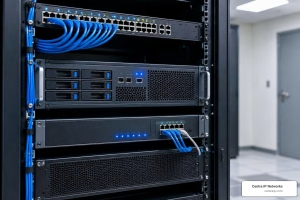
- Recorder or storage: NVR, DVR, cloud storage, local server, SD card, or edge appliance.
- Video management software: The VMS lets users view live feeds, search recordings, manage permissions, and configure alerts.
- Network equipment: PoE switches, routers, firewalls, cabling, UPS battery backup, and secure remote access.
- Analytics: Motion detection, person and vehicle detection, loitering alerts, line crossing, heat mapping, people counting, and more.
- Integrations: Access control, alarms, intrusion detection, POS systems, intercoms, and emergency notification tools.
- Cybersecurity controls: Strong passwords, firmware updates, network segmentation, encryption, and role-based access.
A platform like VIGIL Video Solution shows how modern VMS platforms combine live viewing, remote access, analytics, and business intelligence. For a broader planning framework, see our Commercial Video Surveillance Guide.
The network side matters more than many people realize. A beautiful 4K camera on a weak network is just an expensive decoration. At Centra IP Networks, we also handle Internet connectivity, managed IT, phone systems, and cloud solutions, so we look at surveillance as part of the entire technology environment, not as a disconnected gadget project.
Popular Business Camera Types and Form Factors
Different cameras solve different problems. Here is the practical version:
| Camera Type | Best Use | Notes |
|---|---|---|
| Dome camera | Indoor retail, offices, restaurants | Discreet, vandal-resistant, hard to tell direction |
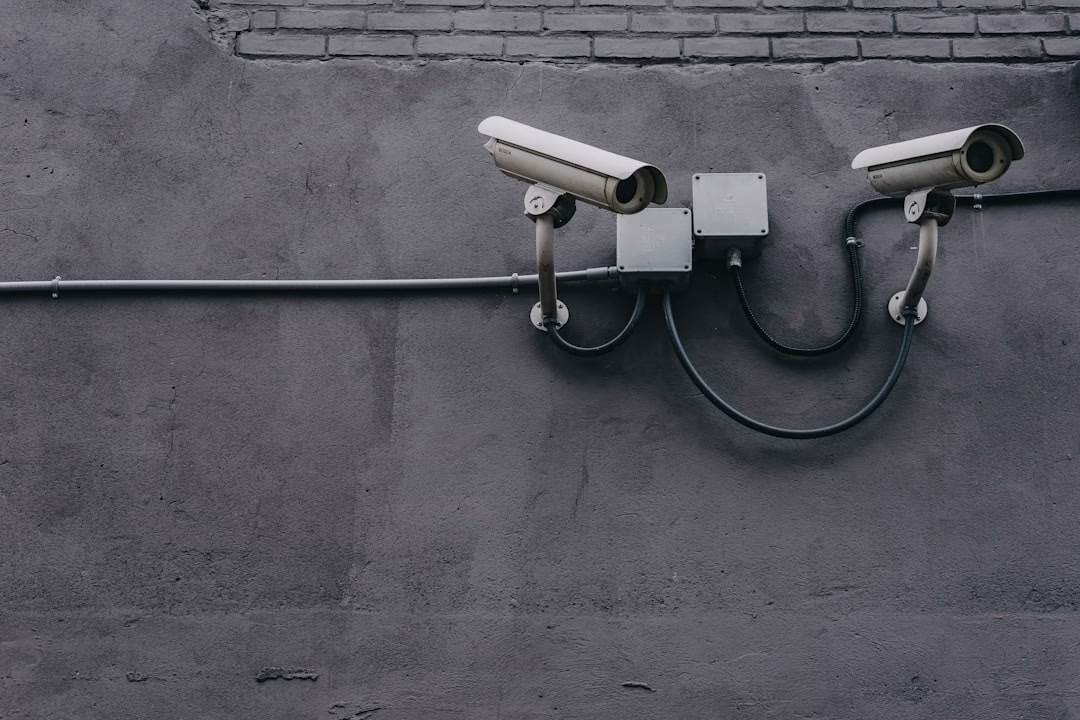
| Bullet camera | Outdoor walls, parking lots, loading docks | Visible deterrent, longer range |
| Turret camera | General indoor/outdoor use | Easy to aim, less glare than domes |
| PTZ camera | Large lots, warehouses, campuses | Pan, tilt, and zoom for active monitoring |
| Fisheye camera | Wide open spaces | 180-degree or 360-degree coverage |
| Video doorbell | Small offices, entrances | Simple visitor monitoring |
| License plate camera | Gates, driveways, lots | Designed for vehicle identification |
| Thermal camera | Dark, smoky, or harsh environments | Detects heat signatures, not regular detail |
Dome cameras are common in retail because they look clean and discourage tampering. Bullet cameras are obvious, which is good when deterrence is the point. Turret cameras are versatile and increasingly popular. PTZ cameras are powerful, but they should not be used as a substitute for fixed coverage because they can only look in one direction at a time. Cameras are talented, but not magical.
For more examples, read 10 Types of Business Security Cameras and Surveillance Cameras for Business.
The Business Value: Theft Reduction, Safety, and Efficiency
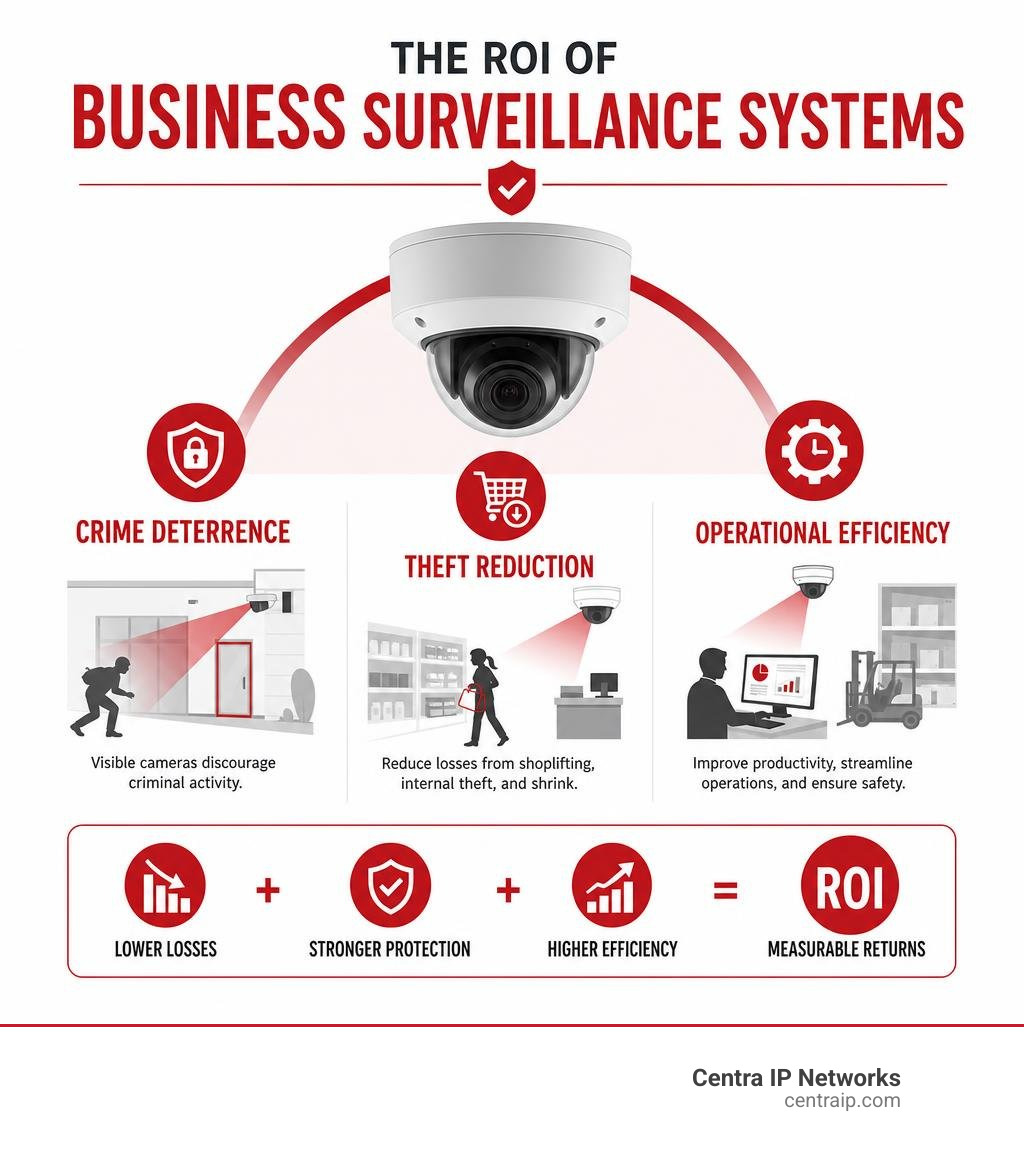
Security cameras deter crime, but the best systems also help businesses run better. They support safety, productivity, training, customer service, and liability protection.
A well-designed system can help:
- Reduce burglary and vandalism
- Discourage shoplifting and employee theft
- Document slip-and-fall incidents
- Improve emergency response
- Monitor restricted areas
- Support workplace safety programs
- Verify deliveries and vendor activity
- Track customer flow and wait times
- Improve process compliance
For a deeper look at ROI, see Benefits of Security Cameras for Businesses and Business Security Video Surveillance.
Preventing Loss and Shoplifting in Retail
Retail surveillance is about more than catching someone after they walk out the door with a cart full of unpaid merchandise and suspicious confidence.
Good retail camera placement covers:
- Entrances and exits
- Cash registers
- Self-checkout areas
- High-value merchandise
- Stockrooms
- Loading areas
- Parking lots
- Employee-only zones
AI analytics can flag unusual behavior, crowding, loitering, or after-hours movement. Some systems also support people counting and heat mapping, which can help retailers improve staffing and store layout.
Retailers should avoid blind spots around endcaps, seasonal displays, and checkout lanes. The best camera in the world cannot record through a cardboard promotional display for chips. Ask us how we know.
For retail-specific planning, see Retail Security Camera Tips and Top Surveillance for Retail.
Improving Operational Efficiency and Safety Compliance
In offices, warehouses, restaurants, and manufacturing environments, cameras can support safety and efficiency.
Examples include:
- Verifying whether employees are following safety procedures
- Reviewing accidents for root-cause analysis
- Monitoring machinery areas without sending staff into dangerous zones
- Checking deliveries and shipping disputes
- Investigating customer incidents
- Confirming cleaning, opening, and closing procedures
- Supporting OSHA-related documentation when needed
Remote access is especially valuable for owners and managers who travel between locations. Instead of calling five people to ask “Is the delivery truck there yet?” you can check the camera feed. That is not just security. That is sanity.
Learn more in our guide to the Benefits of Remote Video Surveillance.
AI-Powered Analytics and Smart Integrations

AI is quickly becoming one of the biggest differentiators in commercial security. Traditional cameras record what happened. AI-enabled systems help identify what is happening now.
Why Modern Surveillance Systems for Business Require AI
Human monitoring has limits. Research cited in the industry shows that attention drops significantly after about 20 minutes of continuous observation. That matters when a facility has dozens of cameras running 24/7.
AI can help by detecting:
- People after hours
- Vehicles in restricted areas
- Loitering
- Line crossing
- Tailgating
- Falls
- Weapons
- Smoke or fire indicators
- Crowding
- Slip-risk conditions
- License plates
- Missing safety gear
Solutions such as Commercial AI Surveillance and AI Video Analytics demonstrate a major industry shift: businesses can often add intelligence to existing cameras through ONVIF, RTSP, NVR, DVR, or edge-processing integrations instead of replacing every camera.
AI also helps reduce false alarms. Basic motion detection can trigger on shadows, headlights, insects, rain, and the occasional overly ambitious tree branch. AI classification can distinguish between a person, vehicle, animal, or irrelevant motion.
Enterprise platforms such as Zygal Professional focus on customized AI, IoT integrations, and scalable deployments for larger organizations. Other platforms, such as AI Camera System & Video Surveillance Platform | Spot AI, position video AI as an operational tool as much as a security tool.
Smart Alerts and Third-Party Integrations
The real power comes when video connects with other systems.
Common integrations include:
- Access control: Match badge activity with video footage.
- Intrusion detection: Trigger camera recording when an alarm activates.
- POS systems: Tie register transactions to video for retail investigations.
- License plate recognition: Capture vehicle data at gates or parking lots.
- Intercoms and door entry: Verify visitors visually before unlocking doors.
- Emergency notifications: Send alerts to managers, guards, or first responders.
- Business analytics: Monitor queues, occupancy, and customer movement.
For example, a business can receive an alert when someone enters a restricted area after hours, automatically pull up the nearest camera, and notify the right person. That is much better than discovering the problem on Monday morning with a cup of coffee and a sinking feeling.
Strategic Considerations When Buying a Commercial System
Buying a business surveillance system is not just a camera count exercise. It is a planning exercise.
Key questions to ask:
- What are we trying to protect?
- Do we need live monitoring, recorded evidence, or both?
- How many entrances, exits, and high-risk areas do we have?
- Do we need indoor, outdoor, or weather-rated cameras?
- How long must we keep footage?
- Do we need cloud access?
- Will this system expand later?
- Are there compliance requirements?
- Who will manage users and permissions?
- What is the total cost over three to five years?
Budget should include:
- Cameras
- Recorders or cloud licenses
- Storage drives
- Cabling and PoE switches
- Mounts and enclosures
- Network upgrades
- Installation labor
- Monitoring fees, if any
- Maintenance and support
- Software subscriptions
You can start planning with our Video Surveillance Pricing Calculator.
Professional installation matters for commercial sites. Camera height, angle, lighting, lens choice, network design, and retention settings all affect performance. A camera pointed at bright glass doors may capture only silhouettes. A camera mounted too high may record excellent footage of hats. Neither is ideal.
Compliance, Privacy, and Regulatory Standards
Surveillance should protect people without creating unnecessary privacy risk.
Businesses should consider:
- Where cameras are legally and ethically appropriate
- Whether audio recording is allowed
- How employees and customers are notified
- Who can access footage
- How long recordings are retained
- Whether biometric analytics are being used
- How data is encrypted
- Whether hardware is NDAA compliant
NDAA compliance matters for many government contractors, public-sector environments, and businesses that want to avoid restricted equipment. The FCC has also restricted certain camera manufacturers due to national security concerns, so hardware sourcing should not be an afterthought.
Privacy laws vary by jurisdiction and use case. BIPA is commonly discussed around biometric identifiers such as facial recognition. GDPR can apply when handling data related to people in the European Union. Even if your business is based in Texas or Florida, it is smart to choose systems that minimize biometric data collection unless there is a clear, lawful reason to use it.
Best practices include:
- Avoid cameras in restrooms, changing areas, and private spaces.
- Post clear signage where appropriate.
- Limit access by role.
- Use strong passwords and MFA where available.
- Keep firmware updated.
- Segment cameras from guest Wi-Fi and general networks.
- Document retention and access policies.
Comparing Leading Providers and Subscription Costs
Different providers take different approaches.
ADT often emphasizes professionally monitored business security packages, intrusion integration, and flexible storage. Lorex is known for business-grade camera kits, NVR and DVR options, and analytics features in some product lines. Avigilon focuses on enterprise-grade video security, VMS, analytics, and large-scale deployments. Swann often appeals to businesses that want local NVR storage and fewer monthly fees.
Other providers specialize in cloud or AI-first deployments. Some cloud platforms charge per camera per month. Some on-premise systems cost more upfront but less monthly. Some hybrid systems combine both.
Here is a simple cost comparison:
| Cost Category | On-Premise NVR | Cloud VMS | Hybrid |
|---|---|---|---|
| Upfront cost | Higher | Lower to moderate | Moderate |
| Monthly cost | Lower | Higher | Moderate |
| Remote access | Available, may need setup | Built in | Built in |
| Maintenance | Business/provider managed | Vendor-managed software | Shared |
| Scalability | Depends on hardware channels | Easier | Flexible |
| Best fit | Single-site cost control | Multi-site visibility | Balanced needs |
For help thinking through camera selection without losing your mind, read Finding the Best Company CCTV Camera.
Frequently Asked Questions about Business Security
Here are the questions we hear most often from business owners and IT teams.
How long do commercial security cameras keep footage?
Most commercial systems retain footage for 30 to 90 days, depending on camera count, resolution, frame rate, motion settings, compression, and storage capacity.
A small business with 4 to 8 cameras may store video much longer than a warehouse with 64 high-resolution cameras recording continuously. Some industries may need six months or more for legal, insurance, or compliance reasons.
Storage is affected by:
- Number of cameras
- Resolution, such as 1080p, 4MP, or 4K
- Frames per second
- Continuous vs motion recording
- Compression type
- Hard drive size
- Cloud plan limits
- Audio recording, if used
The right retention policy balances risk, cost, and compliance.
Can I integrate my existing cameras into a cloud-based system?
Often, yes.
Many modern platforms support ONVIF-compatible cameras or RTSP streams. That means existing IP cameras may be connected to a cloud VMS, AI analytics platform, or hybrid recorder without replacing every device.
However, compatibility depends on:
- Camera brand and firmware
- Network configuration
- Resolution and stream settings
- Cybersecurity requirements
- Licensing model
- Whether the camera supports open standards
This is where an assessment helps. Sometimes existing cameras are perfectly usable. Sometimes they are old enough to deserve a respectful retirement party.
To learn more, see Cloud Surveillance Solutions Transforming and our Cloud Surveillance Services.
What is the difference between residential and commercial security cameras?
Commercial cameras are designed for heavier use, larger spaces, longer retention, more users, and more complex environments.
Key differences include:
| Feature | Residential | Commercial |
|---|---|---|
| Durability | Basic to moderate | Higher vandal, weather, and temperature ratings |
| Scalability | Few cameras | Dozens or hundreds of cameras |
| Management | One user or family | Role-based access for teams |
| Storage | Shorter retention | Longer retention and redundancy |
| Integration | Limited | Access control, alarms, POS, analytics |
| Cybersecurity | Consumer-grade | Business network controls |
| Support | DIY-focused | Professional design and maintenance |
Residential-style cameras can work for very small offices, but most businesses quickly outgrow them. Commercial systems are built for uptime, evidence quality, and centralized management.
Conclusion
The best surveillance systems for business do more than record video. They deter crime, reduce losses, improve safety, support operations, and give owners better visibility across one or many locations.
The right system depends on your environment:
- Retail businesses need theft deterrence, register coverage, and customer flow visibility.
- Offices need entrance monitoring, access control integration, and clean indoor coverage.
- Warehouses need wide-area visibility, loading dock coverage, and reliable PoE infrastructure.
- Restaurants need cash handling, delivery, kitchen, and customer safety coverage.
- Manufacturing sites need safety monitoring, restricted area alerts, and durable cameras.
- Multi-location businesses need cloud access and centralized management.
At Centra IP Networks, we design surveillance around the full technology picture: cameras, cloud, Internet connectivity, managed IT, phone systems, and ongoing support. Because we work through 35+ partnerships, we are not locked into one-size-fits-all hardware. We help businesses in Dallas, Fort Worth, Orlando, Tampa, St Petersburg, Clearwater, and Sarasota build practical, cost-effective systems that fit how they actually operate.
If you want one provider, one platform, and one clear path forward, explore our Cloud Surveillance Services or contact us to start planning a customized business surveillance solution.