

What Is a Cloud Based Platform? (And Why It Matters for Your Business)
A cloud based platform is a system that delivers computing resources — servers, storage, databases, networking, and software — over the internet, on demand, instead of running everything on hardware you own and manage yourself.
Here’s a quick-reference breakdown:
| What It Is | What It Does | Who It’s For |
|---|---|---|
| Internet-delivered computing | Replaces physical servers and data centers | Startups, SMBs, enterprises |
| Pay-as-you-go infrastructure | Scales up or down instantly | Any team managing IT costs |
| Hosted by a third-party provider | Handles maintenance and uptime | Businesses without large IT teams |
| Public, private, or hybrid | Balances security and flexibility | Regulated and non-regulated industries |
Think of it this way: instead of buying and maintaining your own server room, you rent exactly what you need — and only pay for what you use.
This shift is already mainstream. By 2028, Gartner predicts cloud will move from being an industry disruptor to simply how business gets done. And more than 97% of enterprises already operate on more than one cloud platform today.
For small and mid-sized businesses especially, the appeal is obvious. No massive upfront hardware costs. No dedicated server room. No scrambling at 2 a.m. when something crashes. You get enterprise-grade infrastructure managed by someone else, while your team stays focused on running the business.
I’m Patrick Brangan, founder of Centra IP Networks, with over 20 years of experience helping SMBs in Dallas, Tampa, and Orlando navigate technology decisions — including the move to a cloud based platform. Our work with businesses under 200 users has shown us how the right cloud setup can cut costs, simplify IT, and unlock capabilities that used to be out of reach for smaller teams.
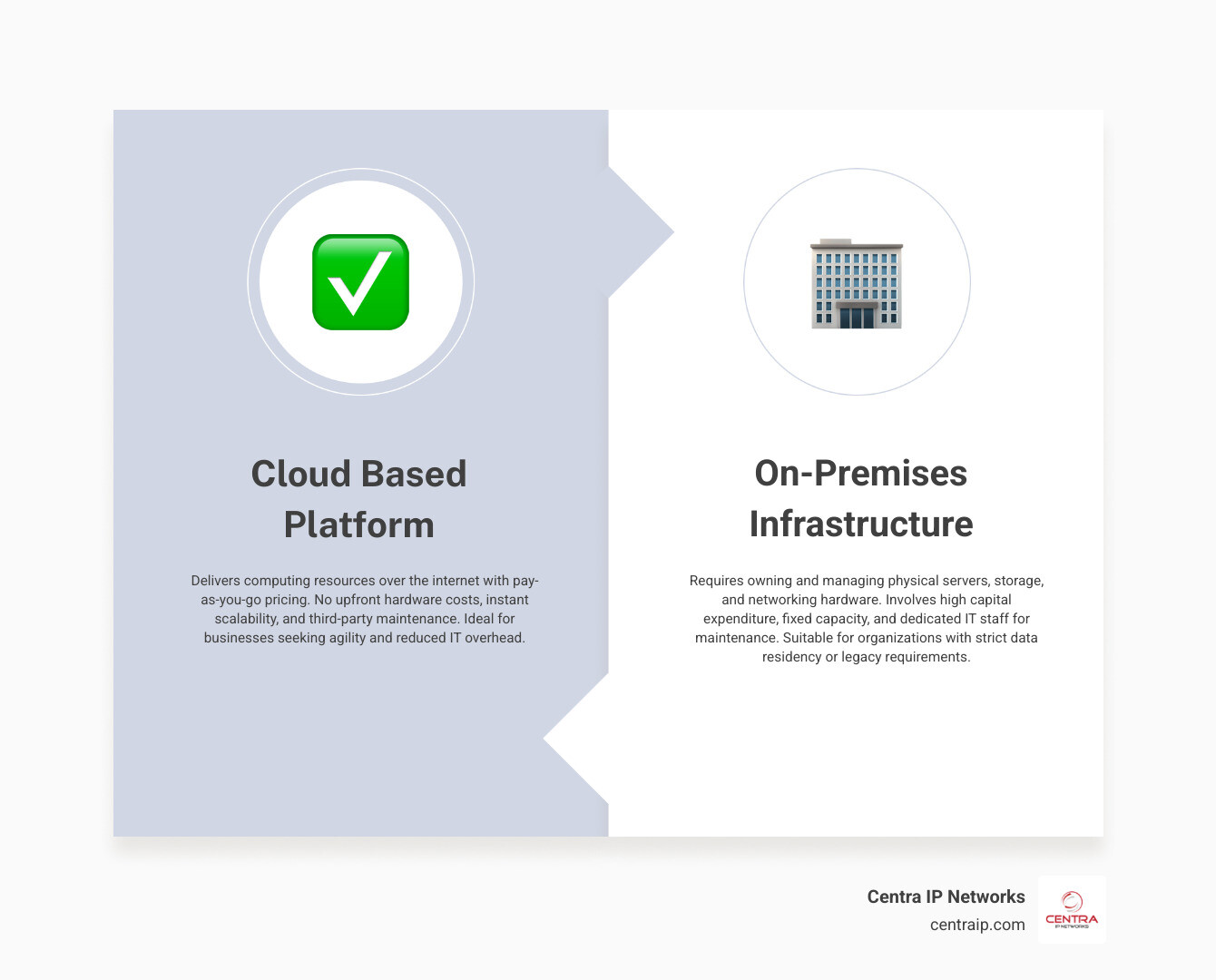
Quick look at cloud based platform:
Understanding the Cloud Based Platform: Definition and Core Concepts
To truly understand what a cloud based platform is, we have to look under the hood. At its core, a cloud platform refers to the operating system and hardware of servers housed in an internet-accessible data center. This setup allows software, databases, and hardware products to co-exist remotely and scale seamlessly.
How does this remote magic happen? The answer lies in virtualization.
Virtualization is the core technology that makes cloud computing possible. It uses software (called a hypervisor) to create simulated, digital-only “virtual machines” (VMs) on top of a single physical host server. This means one massive physical computer in a secure data center can run dozens of completely isolated virtual environments simultaneously. Each tenant’s virtual machine is securely sandboxed from the others, meaning they cannot see or access each other’s data, ensuring complete privacy even on shared hardware.
By leveraging virtualization, cloud platforms create a massive, flexible pool of shared computing, storage, and networking resources. If you want to dive deeper into how these physical components stack up to deliver digital services, check out our guide on what is a cloud infrastructure.
A cloud based platform is designed to shift the burden of maintaining physical infrastructure away from your business. Instead of spending your days managing hardware lifecycles, you rent access to these virtualized resources over the internet. For a broader look at how these systems integrate into a complete organizational strategy, explore the definitive guide to cloud solutions.
How a Cloud Based Platform Differs from On-Premises Infrastructure
To understand why businesses across Texas and Florida are ditching their physical servers, it helps to compare a cloud based platform directly to traditional on-premises IT infrastructure.
Historically, running business software meant buying physical servers, installing them in a dedicated closet, configuring cooling systems, and hiring an IT team to keep them running. This traditional on-premises model relies heavily on Capital Expenditure (CapEx). You have to pay massive upfront costs for hardware that you might not fully utilize for years.
In contrast, a cloud platform operates on an Operational Expenditure (OpEx) model. You pay a predictable, pay-as-you-go monthly fee for only the computing power, storage, and memory you actually use.
Let’s break down the core differences:
- Upfront Costs: On-premises requires purchasing physical servers, licenses, and backup power supplies. Cloud hosting requires zero physical hardware purchases.
- Scalability: If your business experiences a sudden surge in traffic, scaling on-premises means buying, shipping, and installing new physical RAM or hard drives. In the cloud, scaling is instantaneous—often automated—allowing you to handle a 100x traffic burst without breaking a sweat.
- Maintenance & Control: With on-premises, your internal team is responsible for physical security, hardware failures, patches, and power outages. With a cloud platform, the provider guarantees physical upkeep and high-availability SLAs, freeing your team to focus on growth.
- Disaster Recovery: If a hurricane rolls through Tampa or Sarasota, an on-premises server room is vulnerable to physical damage and power loss. Cloud platforms store your data across geographically redundant data centers, keeping your business online even if your local office is closed.
If you are weighing these two approaches for your own business, we highly recommend reading our breakdown of 5 reasons to switch to cloud hosting to see how the financial and operational benefits stack up.
Cloud Deployment Models and Service Architectures
Not all clouds are built the same way. When setting up a cloud based platform, organizations can choose from several deployment models and service architectures depending on their budget, regulatory requirements, and technical needs.
Cloud Deployment Models
Let’s look at the four primary ways to deploy cloud resources:
- Public Cloud: A multi-tenant environment where resources (like servers and storage) are owned and run by a third-party provider (e.g., AWS, Google Cloud, or Microsoft Azure). Multiple companies share the same physical hardware, though their virtual environments are completely isolated.
- Private Cloud: A single-tenant environment dedicated entirely to your organization. Often referred to as “bare metal” environments, private clouds offer maximum control, customization, and security. They are frequently chosen by government agencies, healthcare providers, and financial institutions.
- Hybrid Cloud: This model connects public cloud, private cloud, and even on-premises legacy servers into a single, unified infrastructure. It allows businesses to keep highly sensitive data in a secure private cloud while utilizing the cheap, scalable public cloud for less sensitive workloads—a practice known as “cloud bursting” during high-traffic spikes.
- Multicloud: Operating on more than one public cloud platform (for instance, using AWS for database storage and Google Cloud for machine learning). Over 97% of enterprises now utilize a multicloud approach to avoid vendor lock-in and leverage the unique strengths of different providers.
Cloud Service Architectures: The “As-a-Service” Stack
To understand how you interact with a cloud platform, it helps to look at the different service models. Think of this as a spectrum of control, from renting bare land to buying a fully furnished home:
- Infrastructure as a Service (IaaS): The provider leases raw computing power, virtual servers, and storage. You are responsible for installing the operating system, databases, and security patches. The IaaS market is booming, projected to reach USD 212.34 billion by 2028 at a compound annual growth rate (CAGR) of 14.2%.
- Platform as a Service (PaaS): The provider delivers a pre-configured environment including operating systems, databases, middleware, and runtime tools. This allows developers to build, test, and deploy applications without worrying about managing the underlying operating system or hardware. If you want to know why developers consider this their secret weapon, read our article on how platform as a service is the developers cloud secret.
- Software as a Service (SaaS): Fully functional software applications delivered over the internet and accessed via a web browser or app. Examples include Microsoft 365, Salesforce, and cloud-based phone systems. The global SaaS market is massive, valued at USD 273.55 billion in 2023 and projected to reach USD 1,228.87 billion by 2032.
- Function as a Service (FaaS) / Serverless: A model where developers write single, modular pieces of code (functions) that execute in response to specific events (like a user clicking a button). You don’t manage servers at all, and you only pay for the exact milliseconds your code runs.
Choosing the Right Cloud Based Platform Deployment for Your Business
Choosing the right deployment model is not a one-size-fits-all decision. It requires a careful evaluation of your business requirements, budget, internal technical expertise, and regulatory compliance needs.
For example, a young startup in Dallas might opt entirely for a public cloud PaaS model because of its low upfront costs and rapid deployment speed. Meanwhile, a healthcare provider in Orlando or a financial firm in Fort Worth will likely lean toward a private or hybrid cloud approach to comply with strict data residency laws like HIPAA or PCI-DSS.
Indeed, more than 77% of businesses and IT professionals have adopted a hybrid cloud approach. Why? Because the modern hybrid multicloud model offers the ultimate balance of control, security, and cost-efficiency. Research shows that the value derived from a full hybrid multicloud platform technology and operating model at scale is two-and-a-half times the value derived from a single-platform, single-cloud vendor approach.
By keeping highly sensitive databases on a secure private cloud while deploying customer-facing web apps on a scalable public cloud, you get the best of both worlds. To explore how this balance impacts your data security and storage strategies, check out our guide on the advantages of cloud storage every business should know.
PaaS and FaaS in Action for Modern Developers
For software developers and engineering teams, modern cloud platforms have completely changed how software is built. Instead of spending weeks configuring server environments, developers can deploy code to production in minutes using specialized application hosting platforms.
Several popular PaaS and FaaS systems have emerged to simplify this workflow:
- Heroku: A pioneer in the PaaS space, Heroku provides a fully managed application platform supporting languages like Node.js, Python, Ruby, and Java. It abstracts away server management entirely, allowing developers to scale resources (called “dynos”) with a single click and utilize over 150 third-party add-ons.
- Render: A modern, developer-friendly alternative to complex public clouds. Render allows teams to deploy web services, databases, cron jobs, and static sites directly from their GitHub repositories. It features load-based autoscaling and built-in private networking, saving some companies over $60,000 a year compared to legacy cloud setups.
- Frappe Cloud: A specialized managed hosting platform designed specifically for open-source business applications like ERPNext and Frappe HR. It utilizes compute-based (resource-based) pricing instead of traditional per-user pricing, allowing businesses to scale their teams without their software costs skyrocketing.
- Firebase: Google’s mobile and web app development platform. Firebase provides developers with a suite of fully managed backend services—including real-time databases, user authentication, and cloud messaging—alongside pre-packaged open-source extensions to accelerate app development.
By leveraging these platforms, developers can focus entirely on writing great code, leaving infrastructure management, scaling, and security patching to the platform provider.
Comparing the Major Public Cloud Platforms: AWS, Azure, and Google Cloud
When businesses decide to build on a public cloud based platform, they usually end up evaluating the “Big Three” hyperscalers. Each of these platforms has its own unique strengths, weaknesses, and ecosystems.
1. Amazon Web Services (AWS)
AWS is the undisputed pioneer and market leader in cloud computing. With an unmatched portfolio of over 240 fully-featured services, AWS is the go-to choice for enterprises needing deep customization and global reach.
- Strengths: Unrivaled service breadth, massive global infrastructure (including 123 Availability Zones), and a highly mature ecosystem.
- Weaknesses: AWS has a notoriously steep learning curve. Its pricing structure can be incredibly complex, and it is easy for beginners to feel overwhelmed by the sheer volume of configuration options.
- Local Advantage: AWS features a dense network of localized Edge Locations in major metros like Dallas and Miami, ensuring ultra-low latency for businesses operating across Texas and Florida.
2. Microsoft Azure
Azure is Microsoft’s cloud platform, and it is the natural choice for enterprises that already rely heavily on the Microsoft ecosystem (such as Windows Server, Active Directory, SQL Server, and Microsoft 365).
- Strengths: Seamless integration with existing Microsoft enterprise agreements, strong hybrid cloud capabilities, and excellent support for enterprise-grade security.
- Weaknesses: Some users find the Azure management portal to be less intuitive than competitors, and technical support can sometimes be slow for lower-tier subscribers.
- Local Advantage: Azure’s hybrid cloud tools make it incredibly easy to sync local branch offices in Tampa or Orlando with centralized cloud resources.
3. Google Cloud Platform (GCP)
Google Cloud is known for its high-performance networking, cutting-edge data analytics, and industry-leading developer tools. Google is also the original creator and inventor of Kubernetes, making GCP the premier platform for containerized applications.
- Strengths: Best-in-class data analytics (BigQuery offers a 26%–34% lower three-year TCO compared to alternative cloud data warehouses), exceptional machine learning capabilities, and simplified developer workflows.
- Weaknesses: GCP has a smaller overall market share and fewer specialized enterprise services compared to AWS and Azure.
Security, Management, and AI Enablement in the Cloud
As cloud platforms have matured, they have evolved from simple hosting environments into advanced ecosystems that drive modern technologies like Artificial Intelligence (AI) and automated management.
The Shared Responsibility Security Model
One of the most critical concepts to understand when moving to a cloud based platform is the shared responsibility model. Many business owners mistakenly assume that because their data is in the cloud, the provider is solely responsible for securing it.
In reality, security is a partnership:
- The Provider Secures the Cloud: They are responsible for the physical security of data centers, the hardware, and the virtualization layer.
- You Secure What’s In the Cloud: You are responsible for configuring access controls, managing user passwords, encrypting sensitive data, and setting up firewalls.
Failing to understand this boundary is a leading cause of cloud security breaches. To protect your business, you must implement strong Identity and Access Management (IAM) policies, enforce multi-factor authentication (MFA), and encrypt data both in transit and at rest. For a deeper look at protecting your business, read our guide on navigating the clouds why cloud security is your businesss new best friend.
Cloud Management Platforms (CMPs)
As organizations adopt multicloud and hybrid environments, managing multiple platforms can quickly become chaotic. Each cloud platform uses its own distinct interface, billing system, and protocols.
This is where Cloud Management Platforms (CMPs) come in. A CMP provides a centralized dashboard that gives you complete visibility and control over all your connected cloud environments. It helps you monitor performance, automate routine maintenance, and optimize costs by identifying underutilized resources. To learn how to streamline your operations, explore our strategic advice on what is cloud management a strategic approach to efficiency.
Enabling AI, Machine Learning, and Agentic Workflows
The “new way to cloud” is fundamentally built around AI development, orchestration, and governance. Today’s cloud platforms do not just store your data—they help you make sense of it using generative AI and machine learning.
Hyperscalers now offer direct access to pre-trained foundation models (like Google’s Gemini or AWS’s Bedrock models) and specialized hardware (like GPU-accelerated virtual machines). This allows businesses to build autonomous AI agents that can handle complex workflows—such as analyzing real-time supply chain data, automating customer service check-ins, or translating languages on the fly—without needing a massive team of data scientists.
Frequently Asked Questions about Cloud Platforms
What is the difference between cloud computing and a cloud platform?
While these terms are often used interchangeably, they refer to slightly different things. Cloud computing is the overarching concept of delivering on-demand computing services over the internet. A cloud platform is the specific operating system, hardware, and software environment hosted in an internet-based data center that allows applications and services to run. In short, cloud computing is the service, while a cloud platform is the engine that powers it.
How do cloud platforms support AI and machine learning?
Cloud platforms provide the massive computational power, specialized hardware (like GPUs and TPUs), and high-speed storage required to train and run AI models. Additionally, they offer pre-built AI APIs, foundation models, and developer frameworks (like TensorFlow and PyTorch) that allow businesses of any size to integrate generative AI and agentic workflows into their applications without building the infrastructure from scratch.
What are the main limitations of migrating to a cloud platform?
The primary limitation is internet dependency; if your internet connection goes down, your access to cloud services is temporarily cut off. Other challenges include potential downtime risks (though major providers guarantee 99.9% uptime), upfront migration costs, and the complexity of integrating legacy local software with modern cloud environments. Partnering with a local Managed Service Provider (MSP) can help mitigate these risks through redundant backup connections and structured migration planning.
Conclusion
Navigating the transition to a cloud based platform can feel overwhelming, but you do not have to do it alone. For businesses throughout Dallas, Fort Worth, Orlando, Tampa, St. Petersburg, Clearwater, and Sarasota, having a local partner makes all the difference.
At Centra IP Networks, we specialize in simplifying technology for growing businesses. We offer comprehensive Managed IT and Cloud Communications services—including business phone systems, high-speed internet connectivity, and secure cloud storage.
Our unique value proposition is simple: we provide all of your essential technology services on one platform, with a single bill, from a single provider. Leveraging our 35+ strategic industry partnerships, we design custom, cost-effective cloud solutions tailored specifically to your business’s unique workflows.
Ready to take your business to the next level? Explore Centra IP Networks Cloud Services today and let us take the complexity out of your cloud journey.


