Why Finding a Working Secret Call Recorder Is Harder Than It Looks
If you need a secret call recorder that actually works in 2026, here are the top options at a glance:
| App | Requires Root? | Platform | Best For |
|---|---|---|---|
| Cube ACR | No | Android | VoIP + cellular, general use |
| BCR | Yes (Magisk/KernelSU) | Android | Privacy-focused, system-level |
| ShizuCallRecorder | No (Shizuku/ADB) | Android 12+ | Non-root, FOSS |
| Secret Call Recorder Pro | No | Android | Stealth + auto email delivery |
| Built-in Phone App | No | Android (select regions) | Simple, no install needed |
Call recording on Android used to be simple. Then Google started tightening restrictions — first in Android 9, then again in 2022 when it banned the accessibility permission workaround that most recording apps relied on. Today, getting both sides of a conversation captured cleanly, automatically, and discreetly requires understanding a patchwork of technical approaches, regional restrictions, and app-specific quirks.
The challenge isn’t just technical. Laws around recording calls vary dramatically by country and even by U.S. state. Some places allow one-party consent — meaning you can record your own calls. Others require everyone on the call to agree first. Getting this wrong can carry serious penalties.
Whether you’re trying to keep records of important business calls, capture evidence of harassment, or simply remember what was said in a key conversation, choosing the right tool matters.
I’m Patrick Brangan, and with over 20 years in business technology and unified communications, I’ve helped hundreds of SMBs navigate exactly these kinds of decisions — including when and how a secret call recorder fits into a compliant, secure communication setup. In the sections below, we’ll break down the tools that actually work, how they work, and how to stay on the right side of the law.
Secret call recorder basics:
- best device for recording landline telephone conversations
- call recording without announcement
- phone recording
The Evolution of the Secret Call Recorder: How They Work in 2026
To understand why so many apps in the Google Play Store fail to record the other side of your conversation, we have to look at how mobile operating systems have evolved. Years ago, any basic app could request permission to access your microphone and capture whatever audio was running through your device.
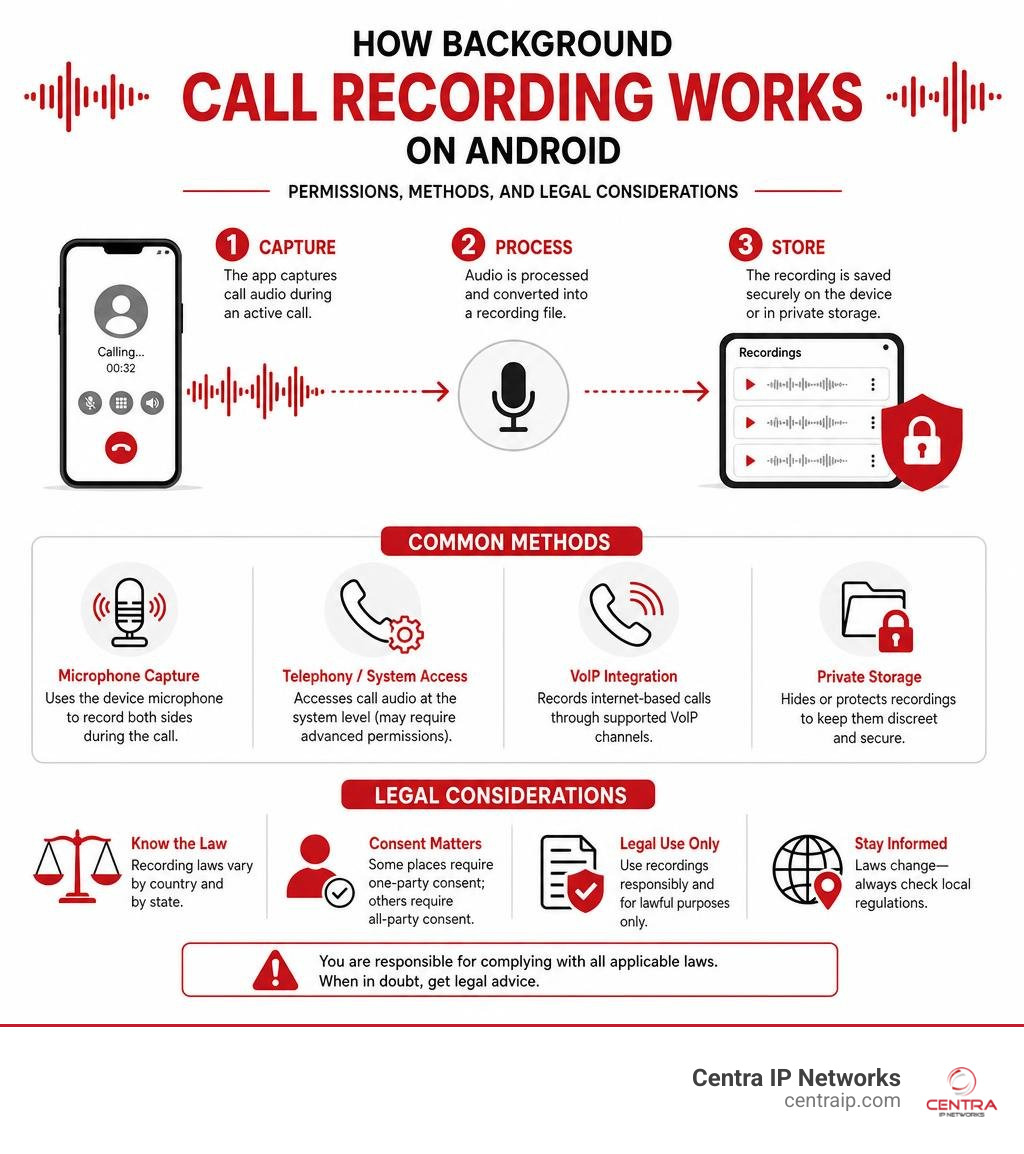
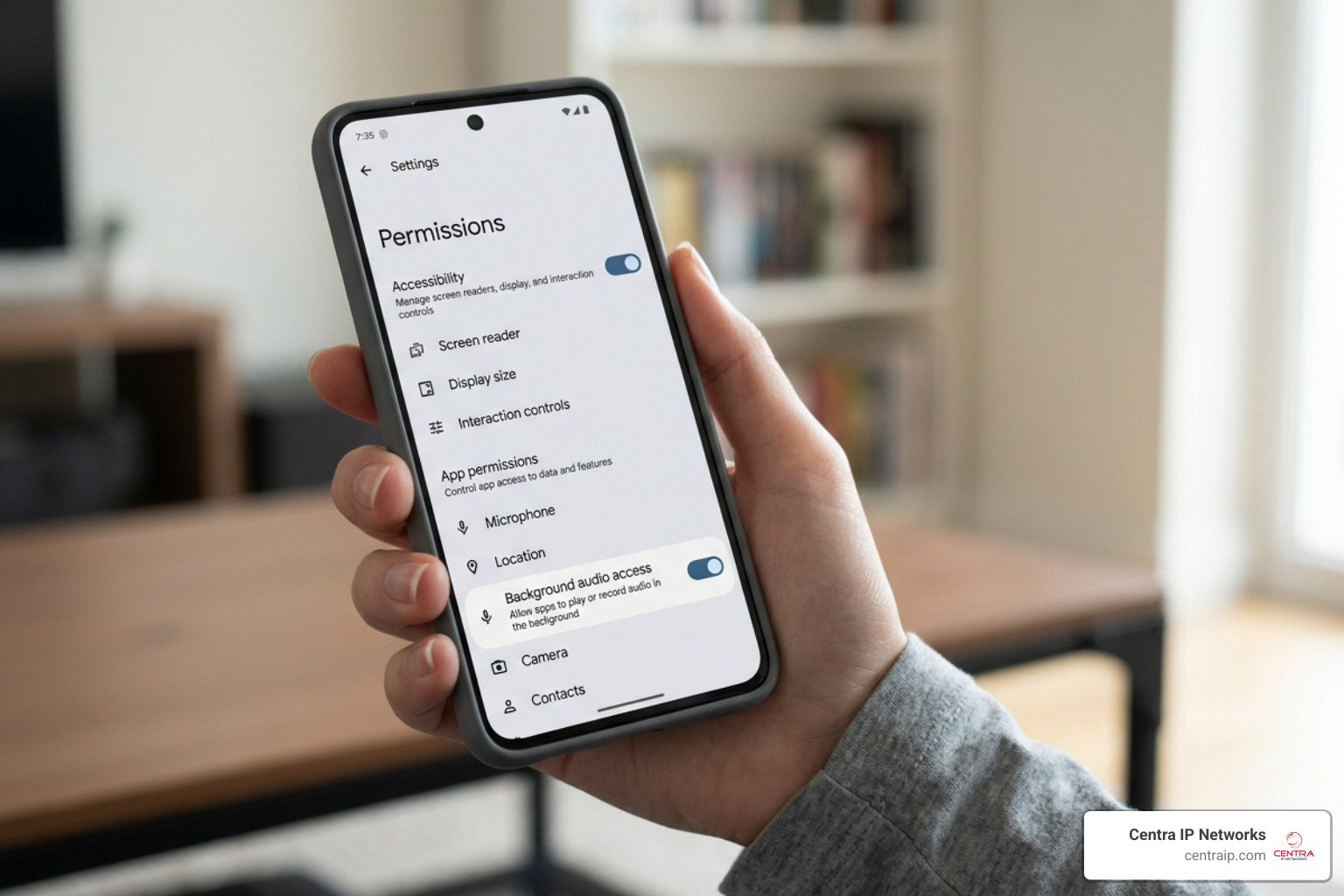
As privacy standards matured, Google systematically blocked these pathways. In Android 10, Google blocked the VOICE_CALL, UPLINK, and DOWNLINK audio streams for standard, non-privileged apps. Developers scrambled to use Accessibility Services as a backdoor to capture call audio. However, in May 2022, Google closed this loophole too, banning apps on the Play Store from using accessibility APIs for call recording.
Today in 2026, running a true background recorder requires navigating advanced permissions, third-party companion plugins, or system-level exploits. If you want to bypass the loud, automated “This call is now being recorded” warnings built into standard Google or Samsung dialers, you have to use specialized methods. For a deep dive into bypassing these built-in system prompts, check out The Ultimate Guide to Call Recording Without Announcement.
What is a Secret Call Recorder and How Does It Differ?
A standard call recorder is highly visible. It operates directly within your phone’s native dialer or displays a prominent widget on your screen. Crucially, modern stock dialers are legally programmed to play an audible announcement to both parties when recording begins.
A secret call recorder operates under the radar. It is designed to:
- Run silently in the background without launching a visible app window when a call starts.
- Bypass or suppress the native recording announcement, keeping the capture entirely silent.
- Hide its presence on the device, sometimes using “stealth modes” that disguise the app icon or require a secret dialer code to open.
- Save audio files securely in hidden directories, away from standard gallery or music player scans.
Technical Challenges: Root, Shizuku, and System-App Approaches
Because modern Android versions (especially Android 14, 15, and 16) strictly enforce sandbox security, third-party apps cannot simply “listen” to a phone call. Developers must use one of three advanced technical approaches to make a secret call recorder function:
- Root-Level Access (Magisk / KernelSU): By rooting your device, you grant an app superuser privileges. This allows the recording software to install itself as a system-app. It can directly access privileged system permissions like
CAPTURE_AUDIO_OUTPUT, allowing it to capture crystal-clear digital audio directly from the device’s audio hardware. - Shizuku-Based Solutions: For users who do not want to root their phones or unlock their bootloaders, Shizuku is a game-changer. Shizuku uses wireless debugging to run an on-device server with ADB (Android Debug Bridge) privileges. Apps utilizing Shizuku can execute commands under the shell-UID (UID 2000), which has elevated signature-level permissions. This allows them to bypass standard API blocks. To see this in action, you can explore the technical framework of README.md at main · kitsumed/ShizuCallRecorder.
- Accessibility Helper Plugins: Some consumer apps bypass Google Play Store restrictions by hosting a “helper” or “connector” APK on their official websites. Users download the main app from the Play Store and sideload the helper app to restore background recording capabilities.
Top Secret Call Recording Apps and Tools Compared
If you are looking to deploy a secret call recorder, the landscape in 2026 offers a few distinct paths depending on your technical comfort level and whether your device is modified. If you are operating on a tight budget, you can also read our guide on How to Record Phone Calls on a Budget.
Cube ACR: The Versatile VoIP and Cellular Recorder
With over 10 million downloads and a strong 4.3-star rating on Google Play, Cube ACR remains one of the most popular consumer options. It is highly regarded because it doesn’t just record standard cellular calls; it also supports VoIP recording across platforms like WhatsApp, Viber, and WeChat.
Because of Google’s restrictions, the Play Store version of Cube ACR may require you to install their companion App Connector plugin directly from their website to enable full automatic recording.
- How it works: It utilizes Accessibility services to detect when a call starts and automatically triggers the recording in the background.
- Pros: Excellent user interface, cloud backup options, and reliable VoIP support.
- Cons: Requires sideloading a helper app for full functionality on modern Android versions. If you experience one-sided audio, you must manually experiment with different audio sources in the settings or toggle auto-speaker mode.
- Link: Call Recorder – Cube ACR – Apps on Google Play
Basic Call Recorder (BCR): The Root-Level Powerhouse
For those with rooted Android devices, BCR (Basic Call Recorder) by developer chenxiaolong is the gold standard. It is a lightweight, open-source utility designed to do one thing: automatically record calls perfectly in the background with zero fuss.
- How it works: It installs as a system module via Magisk or KernelSU. Because it operates at the system level, it has direct access to the
CAPTURE_AUDIO_OUTPUTpermission. - Pros: Extremely lightweight, supports high-quality formats (OGG/Opus, FLAC, AAC), and has absolutely no network permissions, making it 100% private. It is also direct-boot aware, meaning it can record calls even before you unlock your phone after a reboot.
- Cons: Requires a rooted device or custom firmware.
- Link: chenxiaolong/BCR
ShizuCallRecorder and Cally: Non-Root Shizuku Solutions
If you want the reliability of a system-level recorder without the security risks of rooting your phone, Shizuku-based tools are your best bet.
- ShizuCallRecorder: A free, open-source app that leverages Shizuku to record both sides of a call on Android 12 through Android 16. It runs only when phone state changes are detected, meaning it doesn’t drain your battery in the background.
- Cally (Pixel Call Recorder): This is a specialized fork designed specifically to bypass restrictions on Google Pixel devices. It works by running in shell-UID via Shizuku, using reflective patches to trick the system into thinking the recording is initiated by the system shell itself.
- Pros: No root required, open-source, dual-track recording.
- Cons: Requires setting up Shizuku via wireless debugging, which must be re-enabled whenever you restart your phone.
- Link: spoofer8/cally
Secret Call Recorder Pro: Stealth and Email Integration
For those looking for classic “spy” features, Secret Call Recorder Pro offers built-in stealth mechanics that make the app virtually invisible on the device.
- How it works: Once installed, you can activate “Stealth Mode” by tapping the app name four times on the home screen. This hides the app icon. To open the interface again, you must dial a custom 4-digit key starting with a
*(e.g.,*1234) into your phone’s dialer. - Pros: Includes a feature that automatically emails recorded audio files to a pre-configured Gmail address immediately after a call ends.
- Cons: Closed-source, and recording quality can vary depending on your specific device’s hardware limits.
- Link: Secret Call Recorder Pro
Legal and Compliance Frameworks for Call Recording
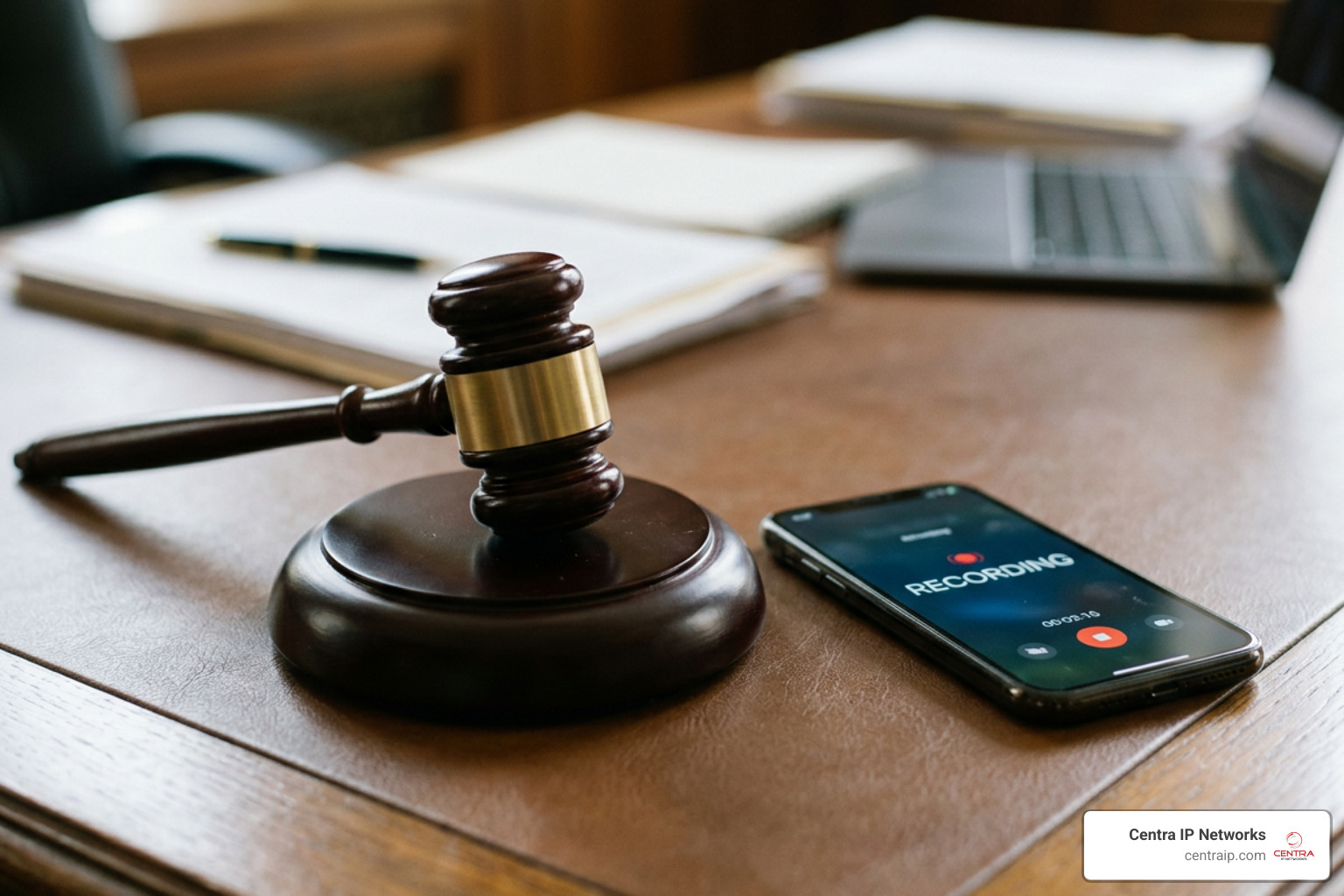
Before you install any secret call recorder, you must understand the legal landscape. Recording a telephone conversation without the proper consent can lead to severe civil and criminal penalties.
Because Centra IP Networks serves businesses across Texas and Florida, let’s look at how the laws differ in our primary service regions:
- Texas (Dallas, Fort Worth): Texas is a one-party consent state. This means as long as you are a participant in the conversation, you have the legal right to record it. You do not need to notify or get consent from the other party.
- Florida (Orlando, Tampa, St. Petersburg, Clearwater, Sarasota): Florida is a strict two-party (all-party) consent state. Under Florida Statute 934.03, it is a third-degree felony to record a wire, oral, or electronic communication unless all participants in the conversation have given prior consent. If you use a secret call recorder in Tampa or Orlando to record someone without their knowledge, you are committing a crime, and the recording will be entirely inadmissible in court.
If you are recording a call where one person is in Dallas (one-party) and the other is in Miami or Orlando (all-party), federal law and interstate commerce rules generally dictate that you must comply with the stricter law (all-party consent). To ensure your business stays compliant with these highly complex rules, read The Complete Guide to Contact Center Recording and Compliance.
Best Practices for Choosing a Secret Call Recorder Safely
If you decide to use a recording app, keep these safety practices in mind:
- Prioritize Open-Source Tools: Apps like BCR and ShizuCallRecorder are open-source. This means their code is publicly auditable. You can trust that they aren’t silently uploading your private conversations to offshore servers.
- Avoid Sketchy Permissions: If a basic call recorder downloaded from an untrusted third-party site asks for access to your contacts, SMS, and location, uninstall it immediately. It could be malware disguised as a recording tool.
- Test Your Audio Path: Many modern phones will only record your voice (the microphone stream) and fail to capture the other side. Always run a test call to ensure both sides are audible before relying on the tool. If you are trying to record landline calls for business, read How to Record Landline Calls Without Sounding Like a Spy to learn how hardware adapters can yield better results.
Frequently Asked Questions About Secret Call Recording
Is it legal to use a secret call recorder without consent?
It depends entirely on your location. In one-party consent jurisdictions like Texas, it is legal to record a conversation secretly as long as you are part of the call. In all-party consent states like Florida, doing so is illegal and constitutes a felony. Always consult with a legal professional regarding your specific situation before recording.
Why do some call recorders only record one side of the conversation?
This is caused by Android’s hardware virtualization and security policies. Since Android 10, non-privileged apps are blocked from accessing the in-call audio stream. As a result, the app can only capture audio from your physical microphone. If the other party’s voice isn’t loud enough to bleed into your microphone, their side of the conversation won’t be recorded. Switching your phone to speakerphone mode is a common manual workaround for this issue.
Can I record VoIP calls secretly on modern Android versions?
Yes, but it requires specialized software like Cube ACR. Because VoIP calls (WhatsApp, Skype, etc.) do not use standard cellular audio routing, traditional call recorders cannot capture them. Cube ACR uses Accessibility Services to capture the audio buffer directly from the VoIP app, though you may need to install their companion helper plugin to make this work on newer Android versions.
Conclusion
Finding a working secret call recorder in 2026 requires navigating a complex web of Android security restrictions, developer workarounds, and strict regional laws. While tools like Cube ACR, BCR, and ShizuCallRecorder offer powerful ways to keep accurate records, they come with technical and legal responsibilities that you cannot afford to ignore — especially in all-party consent states like Florida.
At Centra IP Networks, we believe that secure, reliable, and fully compliant communication is the backbone of every successful business. If your organization requires professional, secure, and legally compliant voice recording solutions integrated directly into your business phone systems, we are here to help.
We deliver comprehensive, unified cloud communications across our key locations in Texas (Dallas, Fort Worth) and Florida (Orlando, Tampa, St. Petersburg, Clearwater, and Sarasota) on a single platform with a single bill.
Ready to upgrade your business communications safely? Explore our Secure Voice Recording Solutions today or contact our team to build a tailored solution for your business.