
Why IP Phone Systems Matter for Growing Small Businesses
ip phone systems small business solutions are cloud-based communication platforms that use your internet connection instead of traditional phone lines to handle calls, texts, video meetings, and team collaboration—all from a single unified system.
Quick Answer: Best IP Phone Systems for Small Business
| What You Need | Best Choice | Why It Works |
|---|---|---|
| Basic calling & texting | Cloud VoIP with mobile apps | No hardware required, works anywhere |
| Professional receptionist | Auto-attendant with call routing | Sounds like a big company, costs $15-35/user/month |
| Remote teams | Unified platform with video | One system for calls, meetings, and messages |
| Cost savings | SIP-based VoIP | Cuts phone bills by up to 30% vs landlines |
| Reliable hardware | Yealink desk phones (T31G to T58W) | Easy setup, $89-489, proven reliability |
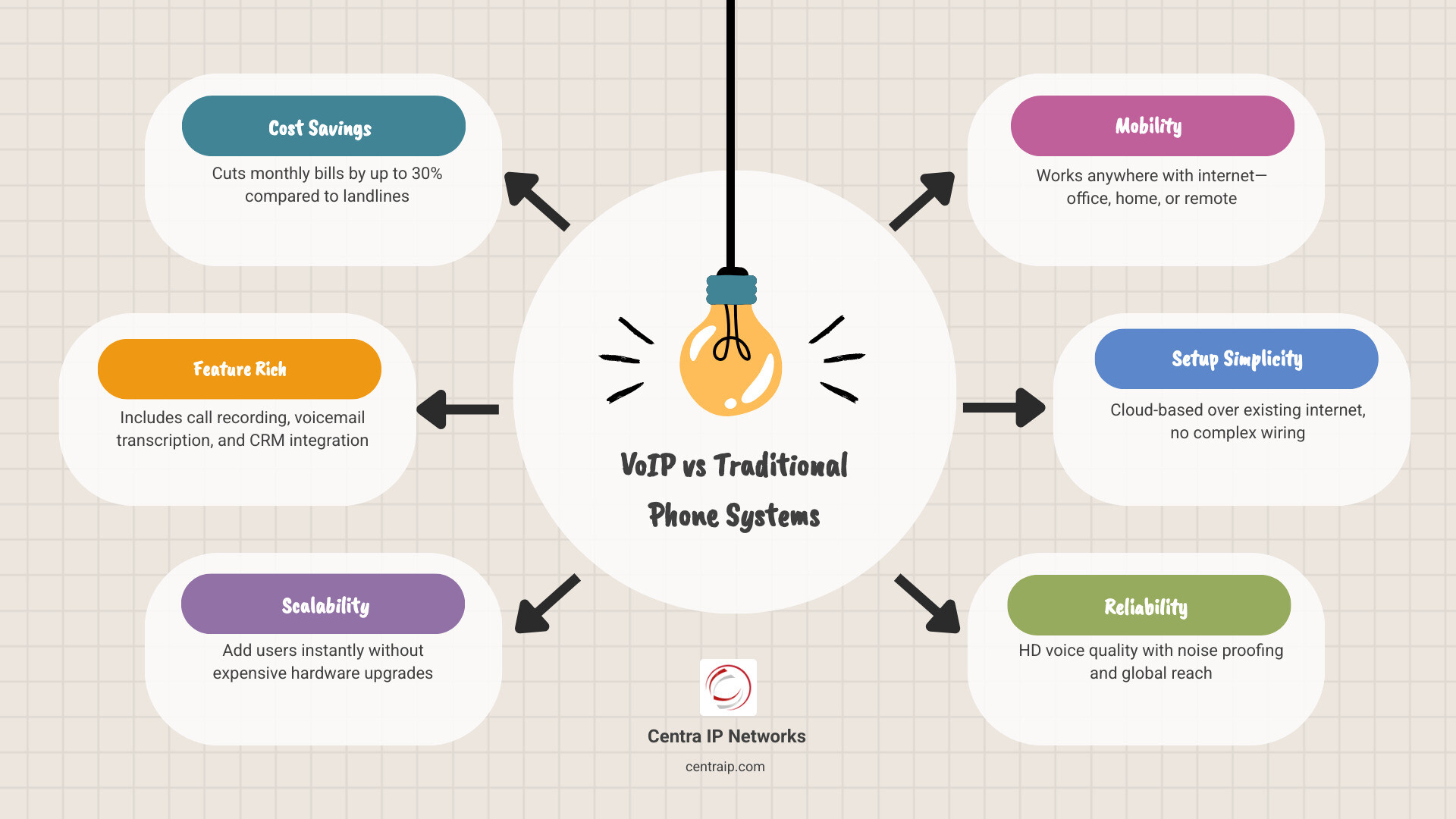
Traditional phone systems lock you into expensive hardware, separate vendors for internet and voice, and limited features. Modern IP phone systems run entirely over your existing internet connection, letting you add users instantly, work from anywhere, and integrate with the business tools you already use—without the complexity or price tag of old-school PBX equipment.
The typical small business setup costs $4,800-5,300 in hardware plus $250-500 monthly for a cloud system with 10 users, while on-premise solutions run $10,000-13,000 upfront. But beyond the numbers, these systems deliver features that used to require enterprise budgets: call recording, voicemail transcription, CRM integration, and professional auto-attendants that make a three-person shop sound like a 50-person operation.
As Patrick Brangan with 20+ years of experience in business technology, I’ve helped hundreds of small businesses across Dallas, Tampa, and Orlando switch to ip phone systems small business owners actually want to use—systems that work the first time, scale without drama, and consolidate communication under one vendor. My team recently deployed a complete voice, data, and security solution for a nationwide preschool chain in under 10 days, proving these systems handle real-world pressure without the usual vendor headaches.
The Benefits of ip phone systems small business Owners Should Know
If you are still using a Plain Old Telephone Service (POTS), you are likely paying for 19th-century technology at 21st-century prices. Transitioning to an ip phone systems small business setup isn’t just a tech upgrade; it’s a strategic move that directly impacts your bottom line and operational flexibility.
Drastic Cost Reductions
One of the most immediate VoIP Phone Service Benefits is the savings. Businesses that move to a phone system using SIP lines rather than analog phone lines often reduce their monthly phone bills by as much as 30%. In some cases, especially for businesses with high call volumes in cities like Fort Worth or Sarasota, we’ve seen savings reach up to 50%.
Unlike traditional lines that cost a fortune to install and maintain, cloud-based lines typically range from $20 to $50 per line per month. This allows you to reinvest those savings into marketing, hiring, or expanding your local presence.
Best Flexibility and Mobility
The modern workplace isn’t confined to a desk in Dallas. Whether your team is working from a home office in Clearwater or a job site in Orlando, user mobility is a game-changer. IP systems allow your employees to take their business extension with them via mobile apps and softphones. When a client calls your office number, it rings on your desk phone, your laptop, and your smartphone simultaneously. You never have to give out a personal cell phone number again, maintaining professional credibility at all times.
Scalability for Growth
Growing a business is hard enough; your phone system shouldn’t make it harder. With traditional systems, adding a new employee meant calling the phone company, waiting for a technician, and paying for new wiring. With an IP-based system, scaling is as simple as a few clicks in an admin portal. You can add users, departments, or even virtual local numbers for new markets (like expanding from Tampa to St. Petersburg) instantly.
Essential Features and Hardware for Modern Offices
When selecting an ip phone systems small business solution, it is easy to get distracted by “shiny object syndrome”—dozens of features you’ll never use. However, there are several “must-haves” that define The Small Business Phone System in today’s market.
Must-Have Features
- Auto-Attendant (Virtual Receptionist): Provides a professional greeting and directs callers to the right department without needing a full-time receptionist.
- Visual Voicemail: Transcribes voicemails into text and sends them to your email, allowing you to “read” your messages during meetings.
- Call Recording: Essential for training and quality assurance, ensuring your team in Clearwater provides the same level of service as your team in Fort Worth.
- CRM Integration: Automatically logs calls and displays customer data when the phone rings, saving your team minutes on every interaction.
Hardware Selection: Quality Matters
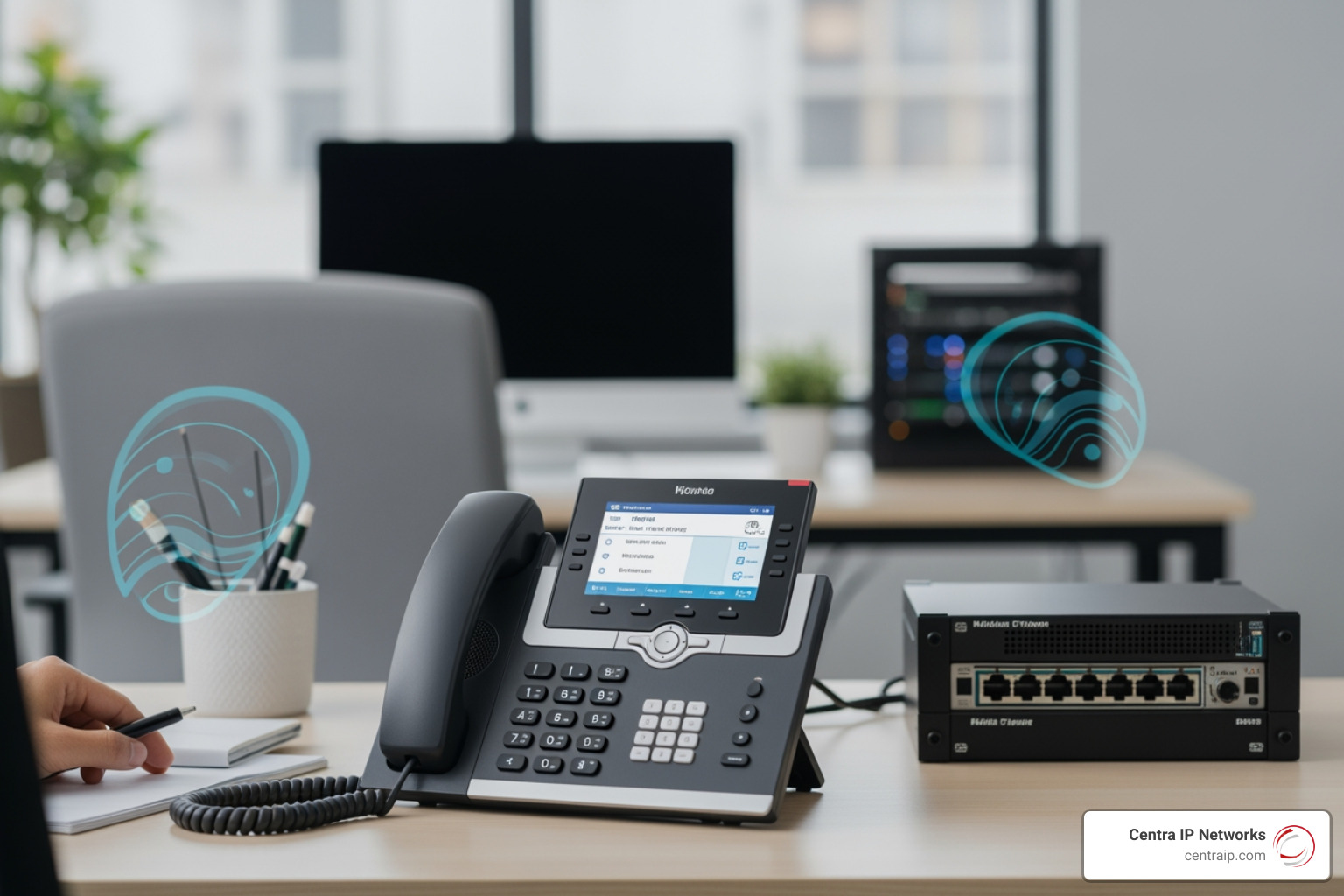
While many businesses opt for “softphones” (apps on a computer), many still prefer the tactile feel of a desk phone. On average, you should budget approximately $350 per desktop phone for a high-quality VoIP system.
When it comes to hardware, we prioritize Yealink for our clients. Why? Because they “just work.” They offer HD voice quality and noise-proof technology, which is vital if your office is in a busy part of downtown Orlando or a noisy retail environment.
Comparing the Best ip phone systems small business Solutions
Choosing a provider can feel like a maze. At Centra IP Networks, we believe in simplification. We leverage over 35 partnerships to find the best fit for your specific location and industry.
| Feature | Centra IP Managed Solutions | Standard DIY VoIP |
|---|---|---|
| Billing | Single consolidated bill | Multiple bills (Voice, Net, IT) |
| Setup | White-glove installation | Self-install (DIY) |
| Support | 24/7 Localized Expert Support | General Call Center |
| Reliability | 99.999% Uptime Guarantee | Varies by provider |
| Integrations | Native CRM & Microsoft 365 | Often requires 3rd party tools |
Whether you are looking for Cloud-Based Business Phone Systems or a hybrid approach, the Best Phone Systems for Small Businesses are those that integrate seamlessly with your existing workflow.
Top Hardware: Yealink and Beyond
Understanding What is a VoIP Phone? starts with the hardware that sits on your desk. Here are the top three models we recommend for small businesses:
- Yealink T58W ($489): The premium choice. It features a 7-inch color touchscreen, Android 9.0, and built-in Bluetooth and Wi-Fi. It’s essentially a tablet that makes phone calls.
- Yealink T54W ($170): The mid-range workhorse. Perfect for home offices or busy professionals, offering a 4.3-inch screen and adjustable display.
- Yealink T31G ($89): The budget-friendly, “bulletproof” starter phone. It supports two VoIP accounts and features Power over Ethernet (PoE) for a clutter-free desk.
Most of these models support expansion modules, allowing a receptionist to monitor dozens of lines at once without needing a massive, complicated switchboard.
Implementation, Management, and Avoiding Hidden Costs
Moving to an ip phone systems small business model is generally smooth, but there are pitfalls to avoid. One of the biggest shocks for business owners is the “hidden cost” of DIY systems. Some providers may add a 70% price increase in taxes and fees at checkout, turning a $20 plan into a $35 headache.
Understanding the Total Cost of Ownership
While the average on-premise PBX system typically costs approximately $4,500 upfront, the long-term maintenance can be higher. For an SME with ten employees, a cloud phone system might have a one-time hardware fee of $4,800–$5,300 plus $250–$500 per month for subscriptions. In contrast, an on-premise system could cost $10,000–$13,000 for hardware plus $120–$300 per month for SIP lines.
Compliance and Infrastructure
Don’t overlook the technical requirements. To ensure crystal-clear calls, your office needs a router with Quality of Service (QoS) settings to prioritize voice traffic over Netflix or large file downloads.
Furthermore, new regulations like TCR (The Campaign Registry) registration are now mandatory for business SMS. If you plan on texting clients from your business line, you must ensure your provider handles this compliance, or your messages will be blocked. There are also E911 charges and regulatory recovery fees that can add $1 to $10 per user monthly.
Small Business Phone Installation Advantages include having a professional team handle these complexities for you, ensuring your network is ready and your compliance is up to date.
How to Set Up ip phone systems small business Without an IT Team
You don’t need a degree in computer science to get started. Most modern systems use auto-provisioning. This means your phones arrive pre-configured. You simply plug them into your internet jack, and they automatically download their settings and register with the service.
Finding the Right Kind of Phone System for Your Small Business involves choosing a partner that provides a web-based portal. These portals put the “keys in your hands,” allowing you to change your call routing or update your holiday greetings in seconds without filing a support ticket.
Frequently Asked Questions about Small Business VoIP
How do 911 emergency services work with VoIP? VoIP providers use E911 (Improved 911). You must register your physical address with the provider. If you move a phone from your Dallas office to your home in Fort Worth, you must update that address in the portal so emergency services know exactly where you are.
Can I keep my existing phone number? Yes. This process is called “number porting.” While it can take a few days to a few weeks depending on your old carrier, you can keep your established business identity during the transition.
What happens if my internet goes down? This is a common fear, but IP systems are actually more resilient than landlines. If your office internet fails, calls can be automatically rerouted to mobile apps or a backup phone number (like a cell phone) instantly. Your customers will never know there was an issue.
Can I still use my old fax machine? Yes, though we recommend switching to e-fax (fax-to-email). If you must use a physical machine, you can use an Analog Telephone Adapter (ATA) to connect your legacy fax machine to your new IP network.
How much bandwidth do I need? Generally, a standard voice call uses very little data. A connection with 100 Mbps download and 10 Mbps upload can easily support dozens of concurrent voice calls without breaking a sweat.
Conclusion
Choosing the right ip phone systems small business solution doesn’t have to be a daunting task. By focusing on reliable hardware like Yealink, prioritizing essential features like auto-attendants and CRM integration, and understanding the true costs of implementation, you can set your business up for long-term communication success.
At Centra IP Networks, we specialize in taking the complexity out of the equation. We offer a single-platform solution that covers your phone systems, internet connectivity, and cloud needs—all on one bill. With over 35 industry partnerships, we don’t force you into a one-size-fits-all plan; we tailor a cost-effective solution specifically for your business in Dallas, Orlando, Tampa, or any of our service areas.
Ready to stop worrying about your phones and start focusing on your growth? Explore our Cloud-Based Phone Systems today and see how easy professional communication can be.