A Faster, Simpler Way to Run Business Calls
Small business internet phone systems use VoIP to make and receive business calls over your internet connection instead of copper phone lines. They give your team one professional number across desk phones, laptops, and mobile apps, while adding tools such as call routing, voicemail-to-email, business texting, and video meetings.
For most small businesses, the smart starting point is simple:
- Check that your internet connection can support your peak number of simultaneous calls.
- Choose a cloud-hosted system with reliable uptime, mobile apps, number porting, and support.
- Set up call routing, after-hours rules, and backup forwarding before switching over.
Compared with traditional landlines and on-site PBX hardware, cloud VoIP can lower communication costs, reduce the number of vendors to manage, and make it easier to add employees, offices, or remote workers. Your existing business number can usually move with you, so customers do not have to learn a new way to reach you.
I am Patrick Brangan, a business technology professional with more than 20 years of experience helping SMBs with small business internet phone systems, managed IT, networks, and security solutions. This guide will help you compare the options, understand the tradeoffs, and choose a system that fits your team without adding complexity.
How Small Business Internet Phone Systems Work and Save Money
Traditional telecommunications relied on the Public Switched Telephone Network (PSTN), carrying analog electrical signals across dedicated copper wires. Understanding VoIP vs Landline for Business: Key Differences Explained comes down to how data travels: legacy landlines dedicate an entire physical circuit to a single conversation, whereas Voice over IP relies on digital packet switching. When you speak, your voice is converted into digital data packets, transmitted across your standard broadband connection, and reassembled in real time for the listener.
As telecom carriers continue the phased retirement of legacy copper PSTN lines, upgrading to modern IP Phone Systems Explained: Why Your Business Needs This Upgrade has transitioned from a nice-to-have to an operational necessity.

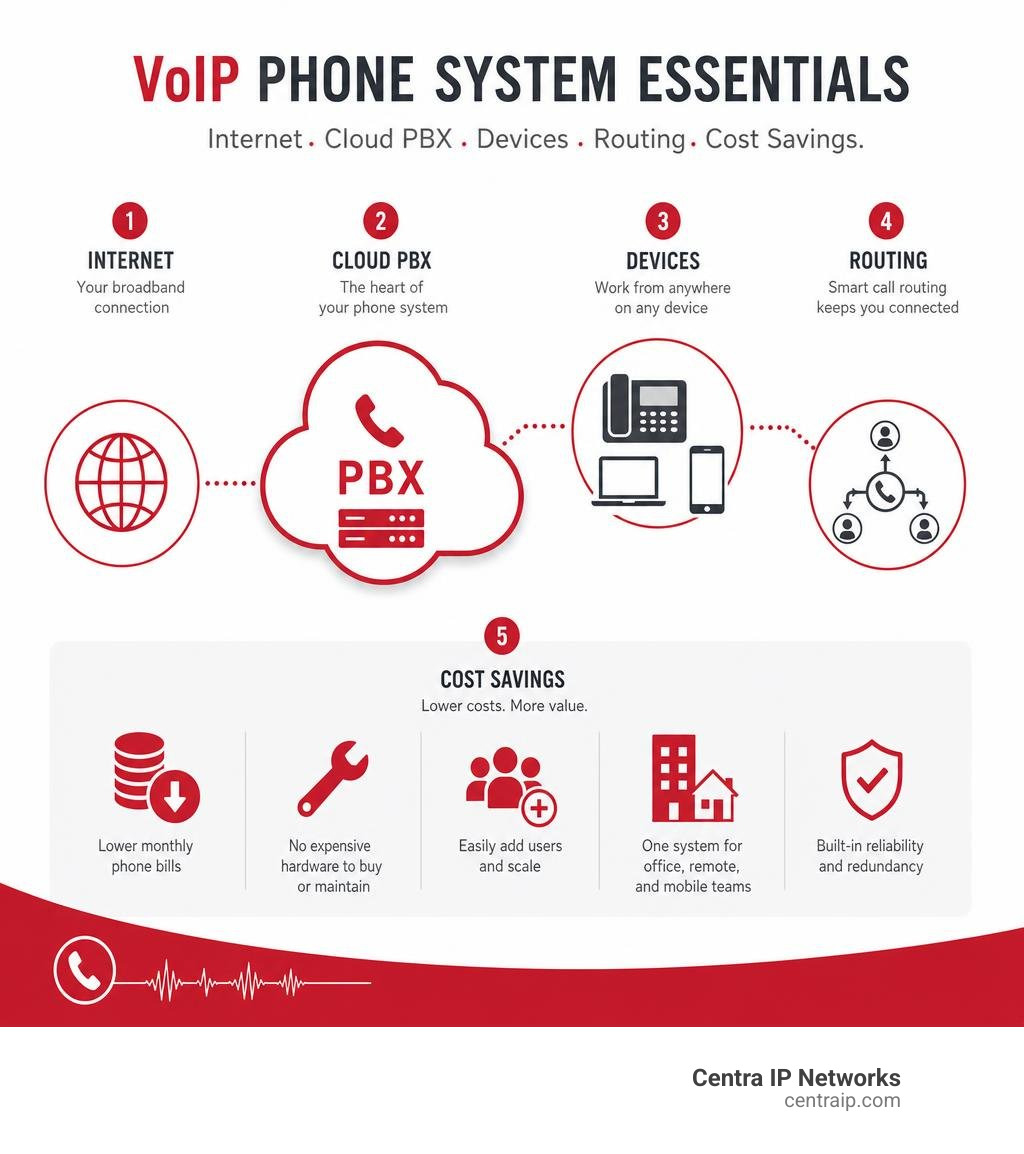
The primary reason companies migrate to internet phone systems is financial efficiency. Moving to cloud-based VoIP platforms typically reduces small business telecommunication expenses by 50% to 75%. These massive savings happen because VoIP:
- Eliminates expensive dedicated line rentals and copper infrastructure fees.
- Replaces bulky, on-premise PBX hardware that requires on-site technician maintenance.
- Bundles domestic long distance, business SMS, and web conferencing into predictable per-user monthly pricing.
- Consolidates multiple communication platforms into a single unified service.
Core Architecture of Small Business Internet Phone Systems
The modern internet phone system runs on a streamlined technical backbone. At its foundation, Session Initiation Protocol (SIP) trunking establishes, manages, and terminates voice and multimedia sessions over the internet. To explore the basics of these digital channels, check out our guide on VoIP Business Lines 101: Everything Your Small Business Needs.
Audio clarity in VoIP systems is powered by advanced digital audio codecs. While legacy systems relied on narrow-band codecs (like G.711), modern VoIP uses wideband audio standards like G.722. This captures a broader frequency spectrum of the human voice, producing HD audio quality that sounds far crisper than a traditional copper landline.
Operating these digital voice packets requires minimal internet resources: each active, uncompressed VoIP call requires roughly 100 kbps of symmetric upload and download bandwidth. With today’s standard business broadband connections, even a modest office network can effortlessly handle dozens of concurrent calls without degradation.
Cloud-Hosted PBX vs. On-Premises Systems
When modernizing your phone infrastructure, you will encounter two primary delivery models: on-premises PBX and cloud-hosted VoIP. We explore the architectural differences in our breakdown of Cloud-Based vs Premise-Based Phone Systems: Which One Is Right for Your Business?.
An on-premises PBX requires physical server equipment stored in your office closet, large upfront capital expenditures (CapEx), and dedicated IT staff or contractors to handle software patches, security upgrades, and line expansions.
In contrast, Cloud-Based Phone Systems shift all PBX routing, server maintenance, and infrastructure off-site to geo-redundant data centers. You pay an operational monthly subscription (OpEx) based on the exact number of users you have. Adding a new employee or opening a satellite branch requires just a few clicks in an online admin portal rather than running new copper cables through office walls.
Evaluating Top VoIP Providers and Service Plans
Choosing the right platform depends on your operational size, feature requirements, and growth projections. The leading VoIP providers in the industry provide various pricing models and service levels tailored to different business models.
| Provider | Starting Price (Per User/Mo) | Uptime Guarantee | Standout Features | Best Suited For |
|---|---|---|---|---|
| Nextiva | ~$15 – $25 | 99.999% | All-in-one productivity app, native CRM integration, advanced analytics | Fast-growing teams needing unified customer interactions |
| Ultatel | ~$16.95 – $24 | 99.999% | Built-in conversational AI, SMS/fax inclusion, high reliability | Small businesses seeking cost reduction with AI capabilities |
| net2phone | ~$17.99 – $27.99 | 99.99% | Free international calling to 40+ countries, omnichannel contact tools | Businesses with international clients and multi-channel support |
| VirtualPBX | ~$15 flat-rate | 99.99% | Simple pricing tiers, supervisor call controls, optional AI FrontDesk | Budget-conscious teams wanting simple call handling |
Comparing Leading Platforms for Growing Teams
Finding the perfect fit requires aligning system features with your daily workflow. For a deeper breakdown of system selection, review our resource on Finding the Right Business Phone System for Your Business alongside our guide to The Different Types of Business Phone Systems.
When evaluating providers:
- Evaluate Tier Structure: Review what features are included in base tiers versus premium packages. Providers like VirtualPBX offer simplified flat rates, while net2phone scales prices based on multi-seat brackets (e.g., 1–9, 10–24, 25–99 users).
- Assess Global Reach: If your team communicates abroad, providers offering unlimited calling to specific countries can save hundreds of dollars each month compared to standard metered rates.
- Check Scalability: Ensure your chosen system allows instant provisioning of virtual extensions and direct inward dialing (DID) numbers without contractual penalties.
Key Features and AI Capabilities for Modern Teams
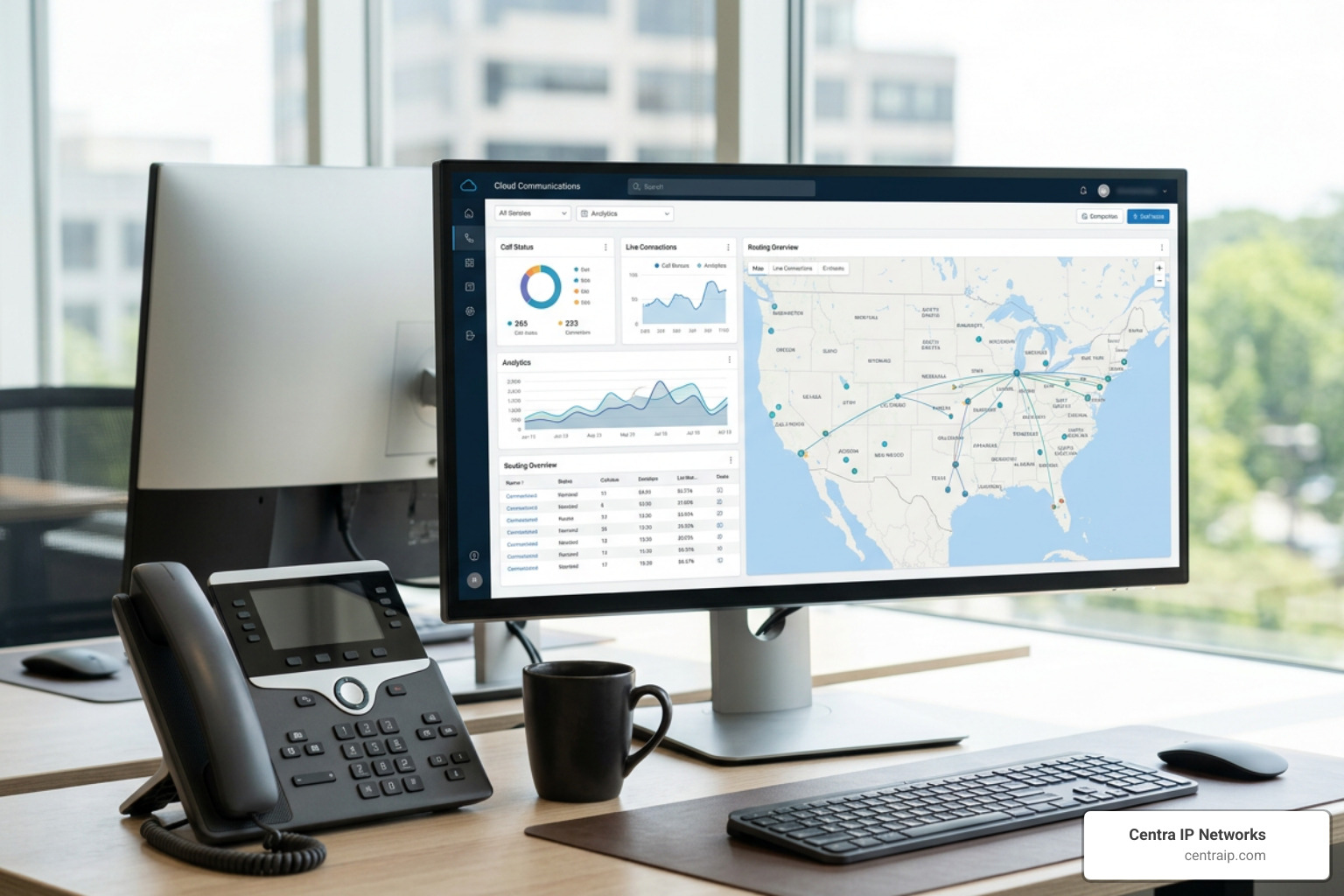
Modern business telecommunications extends far beyond placing standard voice calls. Cloud platforms turn your phone system into a unified communications hub that automates customer interactions and keeps distributed teams synchronized.
Essential Features in Small Business Internet Phone Systems
Every growing company should look for core call management tools. To explore essential configurations, see our articles on The Small Business Phone System and VoIP Phone Systems for Business.
Key features include:
- Auto-Attendants & Multi-Level IVR: Greet inbound callers professionally and direct them to the appropriate department (“Press 1 for Sales, Press 2 for Support”) without manual receptionist overhead.
- Ring Groups & Hunt Groups: Ring multiple team members simultaneously or sequentially to ensure customer calls are answered promptly during peak volume.
- Voicemail-to-Email & Transcription: Convert audio voicemails into MP3 attachments and text summaries delivered directly to your inbox for fast triage.
- Unified Communications (UCaaS): Manage voice calls, business SMS/MMS, video conferencing, and internet faxing (e-fax) under a single business identity.
- Business Software Integrations: Connect your phone directly with CRM platforms (Salesforce, HubSpot, Zoho) and collaboration tools like Microsoft Teams to trigger automated call logging and incoming caller ID screen pops.
AI Automation, Smart Receptionists, and Conversational Analytics
The newest generation of internet phone systems leverages Artificial Intelligence to automate administrative tasks:
- 24/7 AI Receptionists: Natural language processing allows AI agents to answer customer calls instantly, answer common FAQs, book appointments, and capture lead details after hours without rigid, frustrating phone trees.
- Live Transcription and Summaries: Automatically transcribe conversations in real time, extract action items, and log call recaps directly into your customer records.
- Sentiment Analysis: Monitor caller tone and language patterns to detect customer dissatisfaction, helping managers address service friction points quickly.
- Manager Coaching Tools: Supervisors can use live monitoring features such as Listen (silent observation), Whisper (coaching the agent without the caller hearing), and Barge (joining the call directly to assist with difficult situations).
Hardware, Network Reliability, and Security Considerations

Switching to an internet phone system gives your business complete flexibility regarding endpoint hardware:
- Softphones & Mobile Apps: Employees can install dedicated desktop applications on Windows/Mac or mobile apps on iOS/Android, turning their laptops and personal smartphones into fully functional office extensions without exposing personal phone numbers.
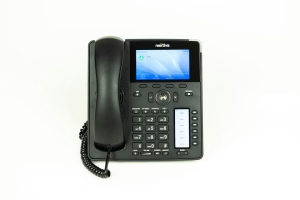
- IP Desk Phones: High-definition physical desktop phones from industry-standard manufacturers like Yealink, Poly, and Cisco connect directly to your local network via Ethernet or Wi-Fi.
- Headsets: Noise-canceling USB and Bluetooth headsets provide hands-free audio clarity for high-volume calling environments.
- PoE Network Switches: Power over Ethernet (PoE) switches supply both network data and electrical power to desk phones through a single cable, eliminating bulky power bricks.
Network Stability, Failover, and Data Security
Because VoIP operates over your local data network, maintaining call clarity requires proper network administration. We implement Quality of Service (QoS) and traffic-shaping rules on office routers, which prioritize voice data packets above general web browsing, file downloads, and video streaming. This prevents jitter, latency, and packet loss from affecting your conversations.
Security is equally vital. Top-tier VoIP platforms employ enterprise-grade protections:
- Voice Encryption: Transport Layer Security (TLS) and Secure Real-Time Transport Protocol (SRTP) encrypt signaling and voice streams to prevent eavesdropping.
- Spam & Vishing Defense: Automated filtering detects and blocks malicious robocalls, voice phishing (vishing), and call-spoofing attempts before they ring your extensions.
- Disaster Recovery & Outage Failover: If your local office loses internet or electrical power, cloud phone systems automatically reroute incoming calls to employee mobile devices, alternate branch offices, or backup external numbers.
- E911 Compliance: Modern cloud phone systems let remote and hybrid staff register dynamic physical addresses, ensuring emergency service dispatchers receive accurate location data if a 911 call is placed.
Step-by-Step Implementation and Number Porting Guide
Transitioning your communications to the cloud is straightforward when following a structured process. For a complete roadmap, check our Phone Systems for Small Business Guide.
- Conduct a Network Bandwidth Audit: Measure your active upload and download speeds and configure router QoS settings to support your peak concurrent call volume.
- Design Your Visual Call Flows: Map out greeting menus, department ring groups, business hours, and holiday schedules in your web portal.
- Port Existing Business Numbers: Submit a Letter of Agency (LOA) and recent billing statements to transfer your existing local and toll-free numbers from your old carrier with zero service downtime.
- Deploy Endpoints & Train Staff: Distribute softphone applications and plug-and-play IP desk phones to your team, configuring custom voicemail greetings and call forwarding rules.
Regional Deployment and Local Service Considerations
While cloud communications operate digitally, having direct access to local telecom and managed IT expertise ensures a smooth rollout and responsive on-site support.
Centra IP Networks delivers hands-on deployment, on-site network provisioning, and dedicated managed IT services across Florida and Texas:
- Florida: Business Phone Systems Orlando and Business Phone Systems Tampa, extending support through St. Petersburg, Clearwater, and Sarasota.
- Texas: Business Phone Systems Dallas and Business Phone Systems Plano, serving the broader Fort Worth region.
Combining cloud telephony with local network optimization ensures your business benefits from low latency, reliable carrier connections, and rapid support whenever you need assistance.
Frequently Asked Questions About Internet Phone Systems
Can my small business keep its existing phone numbers when switching to VoIP?
Yes. Under Federal Communications Commission (FCC) regulations, businesses have the legal right to port their existing landline, mobile, virtual, and toll-free numbers to any new VoIP carrier. The porting process requires submitting a standard Letter of Agency (LOA) along with a recent copy of your phone bill. Your existing carrier keeps the lines running until the transfer completes, ensuring seamless continuity without dropped calls or customer interruption.
What happens to incoming calls during an internet or power outage?
Because cloud PBX servers live off-site in redundant data centers rather than in your physical building, an on-site power or internet outage does not take your phone system offline. Cloud routing rules instantly engage failover protocols, forwarding calls to employee smartphones via mobile apps, routing traffic to secondary office locations, or delivering voicemails directly to email inboxes.
What internet speed is required to maintain crystal-clear call quality?
Each simultaneous uncompressed VoIP call requires approximately 100 kbps (0.1 Mbps) of upload and download bandwidth. For an office with 10 employees on the phone at the same time, a dedicated bandwidth allocation of just 1 Mbps is sufficient. Call quality depends far more on network stability (low latency and jitter under 30ms) than raw speed, which is easily achieved by enabling Quality of Service (QoS) prioritization on your business router.
Conclusion
Upgrading to a cloud-hosted internet phone system allows your small business to operate with enterprise-level professionalism, connect hybrid teams effortlessly, and cut recurring telecommunication expenses by up to 75%.
At Centra IP Networks, we simplify your entire technology environment by bringing your voice systems, managed IT services, cloud tools, and internet connectivity onto a single platform with one transparent bill and dedicated provider support. Leverage our 35+ industry partnerships to design a customized, cost-effective communication system built for your business.
Ready to modernize your company’s communications? Explore our complete range of Phone Systems to build a smarter, more reliable calling experience today.