Understanding Call Recorder iOS Free Options and How They Work
To understand why finding a call recorder ios free solution feels so complicated, we have to look at how Apple built the iPhone operating system. Apple enforces strict audio sandboxing. This security design isolates the native Phone app from third-party software, preventing any app downloaded from the App Store from tapping directly into your ongoing cellular call audio.
Because apps cannot directly capture line audio from the microphone and earpiece simultaneously during a standard call, developers must use clever workarounds. The primary method used by App Store apps is 3-way conference bridging.
When you want to capture a conversation, the recording app initiates a 3-way conference call behind the scenes:
- Outbound Call Capture: You open the recording app, which dials a special service recording line owned by the app developer. Once that line answers, you tap “Add Call” to dial your intended contact. When your recipient picks up, you press “Merge Calls” to combine the streams. The recording line captures the merged audio.
- Inbound Call Capture: When you receive an incoming call, you answer it, open your recording app, and tap the record button. The app dials its service recording line. Once connected, you tap “Merge Calls” to bridge the incoming caller with the recording line.
This workflow means any App Store recorder depends heavily on your mobile carrier’s cellular operator features. If your cellular plan does not support 3-way conference calling or call merging, standard App Store call recorders simply will not function on your device.
The table below breaks down the technical differences between the primary iPhone call recording frameworks:
| Feature / Aspect | 3-Way Conference Bridging | In-App VoIP Dialing | Root System Recording (TrollRecorder) |
|---|---|---|---|
| Primary Method | Merges call with carrier recording line | Dials calls via internet (VoIP) inside app | Hooks directly into iOS audio kernel |
| Carrier Requirement | Requires 3-way calling support | Requires stable cellular data or Wi-Fi | None (Bypasses carrier restrictions) |
| Incoming Call Support | Manual bridging required | Uses assigned virtual phone number | Automatic system-level capture |
| App Store Availability | Available on Apple App Store | Available on Apple App Store | Not allowed (Requires TrollStore/Jailbreak) |
| System Security | Preserves standard iOS sandbox | Preserves standard iOS sandbox | Requires root-level system access |
Top App Store Apps for iPhone Call Capture

When searching for a call recorder ios free on the App Store, you will find dozens of options boasting high user ratings. However, almost all of these applications operate on a freemium model. They are free to download, but core functionality like saving or playing back long call recordings usually requires a paid weekly, monthly, or yearly subscription.
If you want to review budget-friendly recording techniques, check out our guide on How to Record Phone Calls on a Budget.
App Store Options for Call Recorder iOS Free Functionality
Several prominent apps on the App Store provide free trials or limited free features:
- Cube ACR: Known for its strong cross-platform reputation, Cube ACR holds a 4.4 out of 5 rating from over 1.3K reviews. It provides voice memo recording for free, but capturing standard phone calls requires carrier 3-way conference support and a premium subscription.
- Phone Call Recorder Free of Ad: Sitting at a 4.4 out of 5 rating across 10K reviews, this app relies on 3-way conference bridging for both inbound and outbound calls. While listed under free search terms, ongoing access requires auto-renewable weekly or yearly subscriptions ranging from $4.99 to $59.99.
- **RecMyCalls:** Boasting over 42K ratings with a 4.4 out of 5 score, RecMyCalls offers a clean interface for managing bridged call recordings and voice memos. It provides a free trial period, after which users must pick a weekly, annual, or lifetime purchase plan.
- Call Recorder – Phone ACR: Developed by Profuse SRL, this app holds a 4.4 out of 5 rating from 1.5K users. It provides flexible options by offering both carrier-based 3-way conference bridging and internet-based VoIP calling lines within the app.
- Call Recorder For: iPhone: Featuring a 4.6 out of 5 rating from 156 reviews, this lightweight app focuses on simple call merging and cloud exports, backed by weekly ($6.99) or annual ($19.99) plans.
Core Features: Transcriptions, Cloud Sync, and Audio Quality
While basic audio capture is the core goal, modern iOS call recording apps differentiate themselves through high-value management tools:
- AI Transcription: Premium tiers often process captured voice files through Automated Speech Recognition (ASR) tools or third-party engines like Rev to output written transcripts of your meetings or phone interviews.
- Export Formats & Cloud Sync: High-rated apps allow users to export audio as standard MP3 or M4A files directly to cloud storage platforms such as Google Drive, Dropbox, or iCloud Drive.
- Privacy & Security Locks: Because call recordings frequently contain sensitive personal or commercial details, apps like Cube ACR incorporate TouchID, FaceID, and PIN code lock features to protect local voice files from unauthorized local access.
Sideloading and Completely Free Workarounds
If you want a call recorder ios free solution without monthly subscription paywalls, standard App Store options might leave you frustrated. Fortunately, a few clever workarounds exist using free cloud communications, specialized sideloading tools, or integrated business softphones. You can explore additional app options in our review of the Free Phone Recorder: Best Apps to Download Now.
Sideloading with TrollRecorder for Call Recorder iOS Free Features
For advanced iOS users running specific software versions, open-source solutions provide true automatic call recording without recurring costs. The most prominent example is Lessica/TrollRecorder , a popular utility hosted on GitHub with over 2,020 stars and 108 forks.
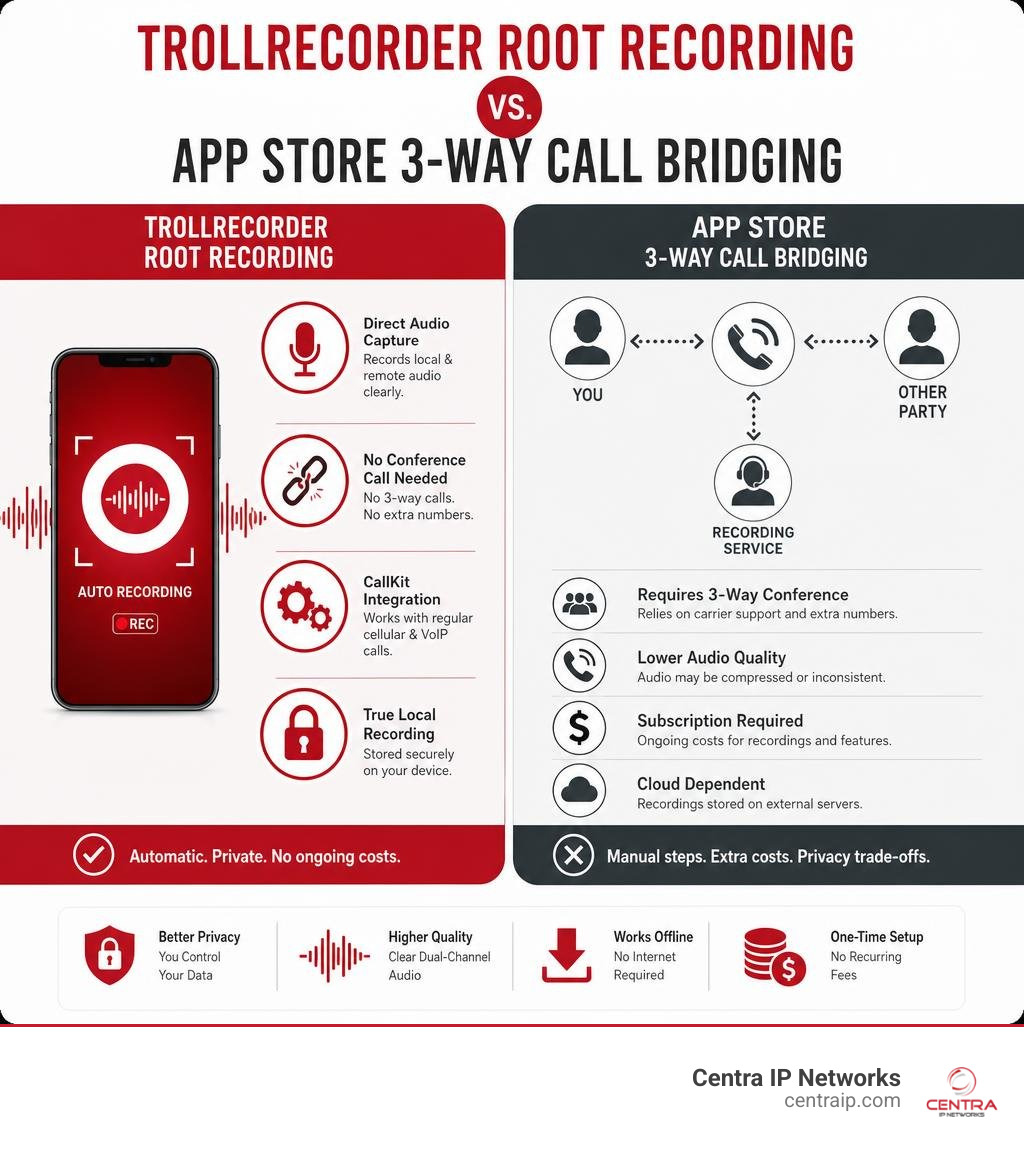
TrollRecorder operates within the TrollStore environment or on jailbroken devices running iOS 15.0 through iOS 17.0 (iOS 14 is not supported). Because it leverages elevated system privileges, it bypasses Apple’s sandbox limitations entirely:
- Direct Audio Capture: It hooks into the system audio driver, recording both local microphone input and remote speaker audio in clear dual-channel tracks.
- No Conference Call Needed: It does not rely on third-party service numbers or carrier 3-way call merging.
- CallKit Integration: It automatically detects and records standard cellular calls alongside VoIP calls made through CallKit-enabled apps.
- APFS Smart Archiving: It utilizes Apple File System (APFS) file cloning to archive recordings to cloud services without taking up duplicate local storage space.
While TrollRecorder provides a robust feature set, sideloading software requires technical know-how and running specific, unpatched iOS builds, which is generally not recommended for primary business devices.
Business Softphones and Cloud PBX Alternatives
For professionals and business owners, trying to record client calls using consumer app workarounds or 3-way merging can lead to dropped calls and awkward delays. A far more reliable approach is deploying an enterprise-grade VoIP softphone tied to a cloud PBX.
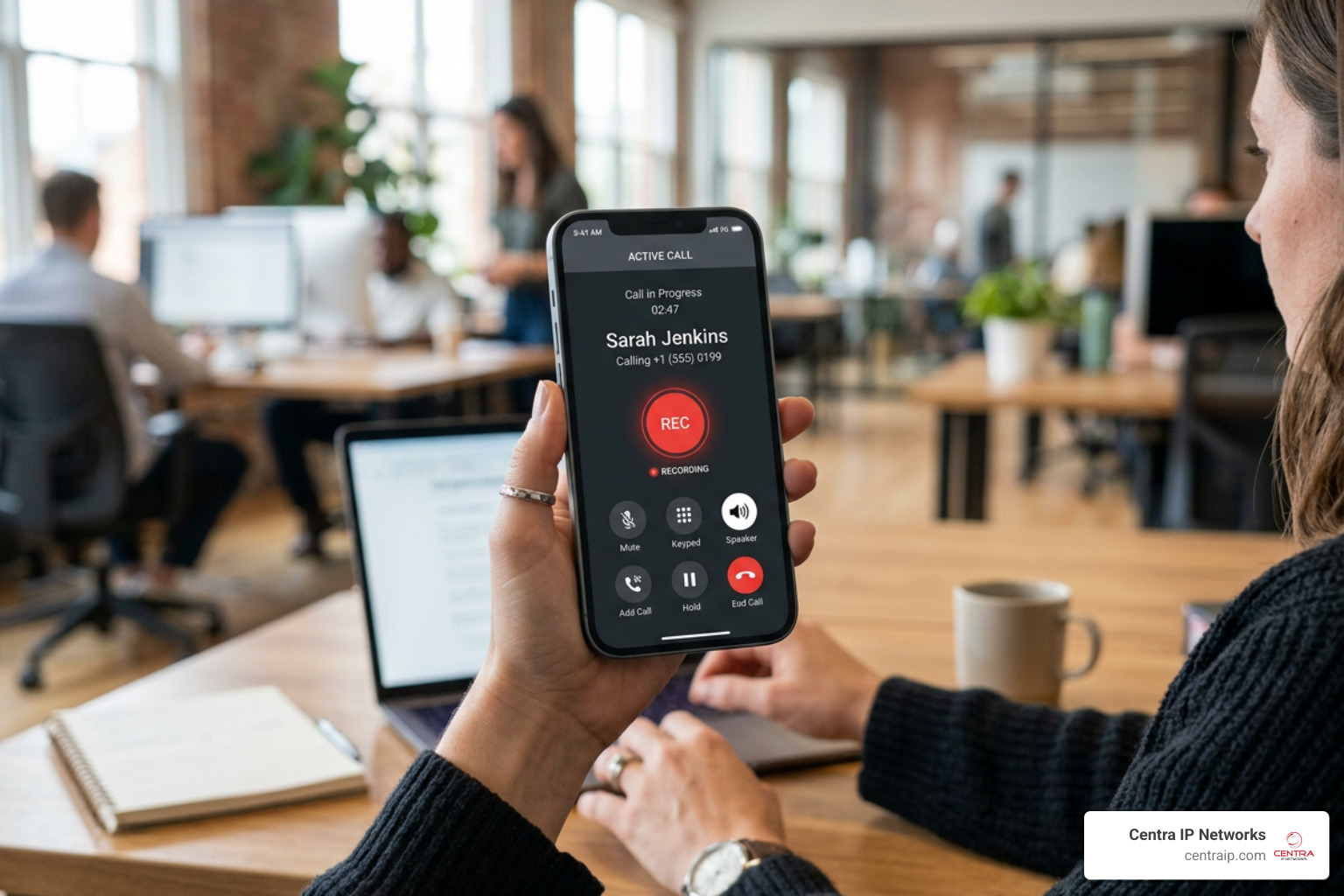
At Centra IP Networks, we supply businesses across Dallas, Fort Worth, Orlando, Tampa, St. Petersburg, Clearwater, and Sarasota with unified cloud phone systems. Enterprise platforms—such as the TeleVoIPs softphone app—solve the iOS recording puzzle at the network level rather than on the phone itself:
- Automatic Network Recording: Because calls route through the cloud PBX network, you can set the system to record all incoming and outgoing calls automatically without dialing a extra 3-way bridge line.
- Centralized Storage & Compliance: Voice files sync straight to secure cloud servers with customizable data retention schedules, making storage management hands-free.
- Seamless Cellular Failover: Features like “RingMe” allow mobile workers in poor data coverage areas to trigger a cellular callback that retains full business caller ID and recording capabilities.
To learn why cloud infrastructure makes a difference for growing teams, read our guide on Cloud-Based Call Recording: Why It’s Essential for Modern Businesses.
Legal Consent and Data Privacy Best Practices
Before installing any call recorder ios free app, you must understand the legal framework governing audio recordings. Violating wiretapping laws can expose you to severe civil penalties or criminal prosecution.
- One-Party Consent Laws: Under federal law and many state statutes, you may record a phone conversation as long as one party to the call (which can be you) consents to being recorded.
- Two-Party (All-Party) Consent Laws: In several states, every participant on the phone call must explicitly agree to be recorded before audio capture begins.
- Interstate Calls: If you are calling someone in another state (e.g., dialing from Tampa to a client in California), the strictest law generally applies. The safest business practice is always to inform all participants at the start of the call.
- Mandatory Beeps & Disclosures: Many App Store recorders automatically play a distinct beep tone or voice prompt before joining the call to inform both parties that recording is underway.
- App Privacy Practices: Pay close attention to the App Privacy disclosures on the App Store. Call recording apps collect voice audio, contact details, and device identifiers. Ensure your app developer does not sell your contact lists or voice data to third-party ad networks.
If you are evaluating hidden or unannounced recording tools, review our warning in The Ultimate Guide to Call Recording Without Announcement.
Frequently Asked Questions About iPhone Call Recording
Can you record WhatsApp or FaceTime calls on iPhone for free?
Standard call recorder ios free apps downloaded from the App Store cannot record WhatsApp audio calls or FaceTime calls. Apple isolates system audio during FaceTime, and third-party VoIP apps like WhatsApp encrypt their streams while blocking background audio access. While tools like TrollRecorder can capture CallKit audio on sideloaded devices, App Store 3-way conference apps will not work for WhatsApp or FaceTime.
Is there a completely free call recorder app on the iOS App Store?
There is no completely free, unlimited call recorder app for standard cellular calls on the App Store without restrictions. Most apps use a freemium model offering short free trial periods, after which you must pay a weekly or annual fee. Google Voice remains the best free workaround, allowing users to record incoming calls to their Google Voice number at no charge by pressing “4” on the keypad during a call.
Why do iPhone call recorder apps require 3-way conference calling?
Apple’s iOS operating system blocks third-party apps from accessing the microphone and speaker audio simultaneously during standard cellular phone calls to preserve user privacy and security. To work around this sandbox constraint, third-party apps create a 3-way conference call that merges your conversation with a dedicated recording server line operated by the app company.
Conclusion
Finding a reliable call recorder ios free option comes down to understanding the technical trade-offs. For occasional personal use, free cloud workarounds like Google Voice or short free trial periods on App Store apps may cover your needs. For technical users running older iOS releases, sideloaded options like TrollRecorder bypass operating system hurdles entirely.
However, for businesses in Dallas, Fort Worth, Orlando, Tampa, St. Petersburg, Clearwater, and Sarasota, consumer workarounds and 3-way merge lines often cause frustrating friction with clients.
At Centra IP Networks, we offer complete Managed IT and Cloud Communications platforms that bring phone systems, internet connectivity, and secure cloud storage under a single provider with a single bill. Our enterprise cloud PBX platforms provide crystal-clear, automatic call recording, cloud archiving, and compliance management built directly into our mobile softphone apps—giving your team professional voice tools without the hassle of consumer app subscriptions.
Ready to upgrade your company’s communication technology? Explore our Professional Cloud Voice Recording Solutions today to see how Centra IP Networks can streamline your business communications.