

Why Platform as a Service Is Changing How Businesses Build and Deploy Apps
Platform as a service is a cloud computing model that gives developers everything they need to build, deploy, and manage applications — without touching the underlying hardware or operating system.
Quick answer: What is Platform as a Service (PaaS)?
| What it is | A managed cloud environment for building and running apps |
| What the provider handles | Servers, OS, storage, networking, middleware, runtime |
| What you handle | Your application code and data |
| Who it’s for | Developers, DevOps teams, and businesses building software |
| Key benefit | Build and ship faster without managing infrastructure |
In 2024, the global PaaS market was estimated at over $176 billion — and that number keeps climbing. Why? Because businesses are tired of spending time and money on infrastructure that doesn’t directly move their product forward.
Think about it this way: every hour your team spends patching servers or configuring environments is an hour not spent building features your customers actually want.
PaaS solves that problem by handing off the operational complexity to a cloud provider, so your team can stay focused on code.
I’m Patrick Brangan, founder of Centra IP Networks, with over 20 years of experience helping small and mid-sized businesses cut through technology complexity. While my roots are in unified communications and managed IT, Platform as a Service is increasingly central to the conversations I have with business owners who want to simplify their vendor stack and scale without the overhead.
Explore more about Platform as service:
What Is Platform as service and Why It Matters
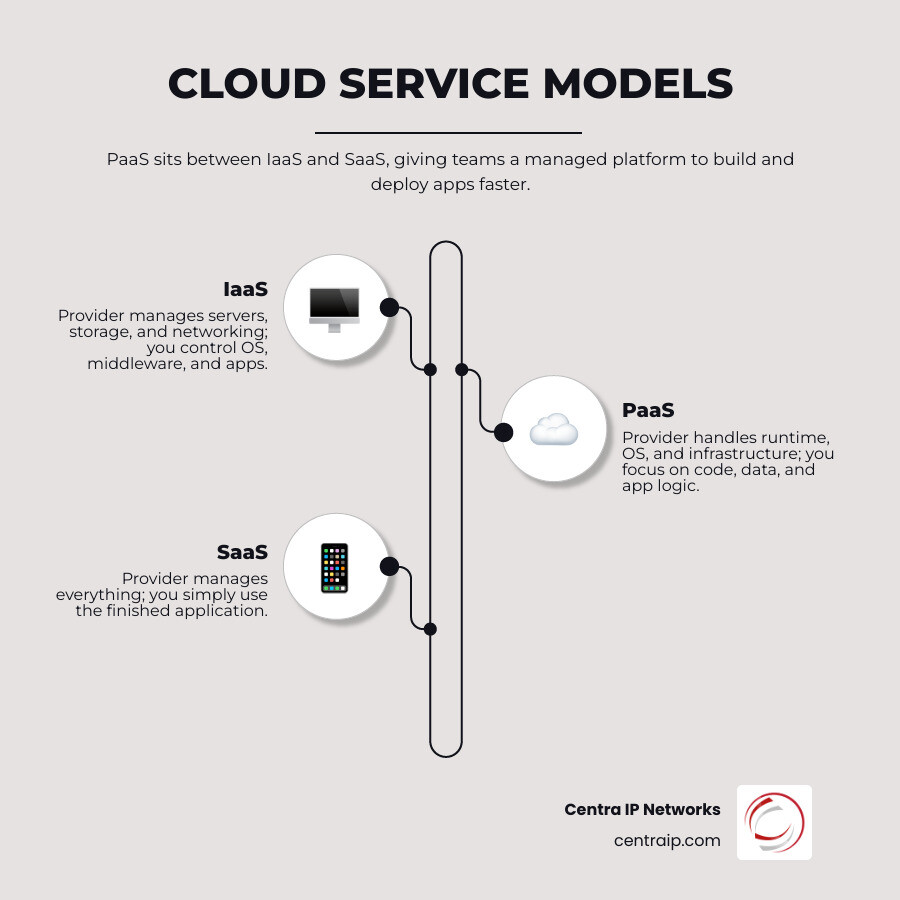
At its core, Platform as service (PaaS) is an on-demand environment where you can build, test, and deploy software. It sits in the “Goldilocks” zone of cloud computing: it offers more control than simple software-as-a-service (SaaS) but far less headache than raw infrastructure-as-a-service (IaaS).
In today’s May 2026 landscape, speed is the only currency that matters. The 2024 market valuation of $176 billion proves that organizations are moving away from the “do-it-yourself” infrastructure model. By using a managed platform, we can support the entire application lifecycle—from the first line of code to the final deployment and subsequent updates—without ever having to worry about buying physical hardware or managing software licenses.
Platform as service vs IaaS vs SaaS
Understanding where Platform as service fits requires looking at the “Shared Responsibility Model.” In the tech world, we often use the “Pizza as a Service” analogy, but let’s look at it through the lens of business control:
| Responsibility | IaaS | PaaS | SaaS |
|---|---|---|---|
| Applications | You Manage | You Manage | Provider Manages |
| Data | You Manage | You Manage | Provider Manages |
| Runtime / Middleware | You Manage | Provider Manages | Provider Manages |
| Operating System | You Manage | Provider Manages | Provider Manages |
| Virtualization / Servers | Provider Manages | Provider Manages | Provider Manages |
| Networking / Storage | Provider Manages | Provider Manages | Provider Manages |
With IaaS, you get the virtual “bricks and mortar.” You still have to build the house. With SaaS, you’re renting a fully furnished room. Platform as service gives you the foundation, plumbing, and electricity, letting you design the interior layout exactly how you want it.
Why developers choose Platform as service
We see developers flocking to PaaS because it eliminates “undifferentiated heavy lifting.” This is the boring, repetitive work like patching Linux kernels or configuring load balancers.
By choosing Platform as service, teams can:
- Reduce coding time: Many platforms offer pre-coded components like security features and directory services.
- Cut DevOps toil: Research shows that platforms like Heroku can lead to a 35% reduction in DevOps toil through operational efficiencies.
- Deploy rapidly: You can go from a local prototype to a global production environment in minutes, not weeks.
- Pay for what you use: The shift from Capital Expenditure (CapEx) to Operational Expenditure (OpEx) means you don’t need a massive budget to start innovating.
How PaaS Works: Core Components and Architecture

When you log into a PaaS, you aren’t just getting a server. You’re getting a sophisticated stack of integrated technologies. The provider manages the underlying cloud infrastructure, which includes the physical data centers, cooling, and power.
The building blocks inside a PaaS stack
A standard PaaS stack includes:
- Infrastructure: Virtual Machines (VMs), storage, and networking.
- Middleware: The software that bridges the gap between the OS and your applications (like web servers or message brokers).
- Operating Systems: The platform provides and maintains the OS (Windows, Linux, etc.).
- Development Tools: Frameworks (Node.js, Python, Java), libraries, and software development kits (SDKs).
- Database Management: Built-in systems for handling your data, often with automated backups.
From code to production: the full application lifecycle
The beauty of Platform as service is that it supports the entire journey.
- Build & Test: Developers use integrated tools to write and test code in environments that mimic production.
- Deploy: With a simple command (often just
git push), the code is packaged into containers and sent to the cloud. - Manage & Monitor: You get a Graphical User Interface (GUI) or dashboard to see how your app is performing in real-time.
- Scale & Update: If your app goes viral in Dallas or Orlando, the platform can automatically trigger “autoscaling” to handle the traffic surge.
Pricing models and what you actually pay for
Most PaaS providers offer two main ways to pay:
- Fixed Fee: A monthly subscription for a set amount of resources.
- Pay-as-you-go: You are billed based on compute hours, the amount of data transferred, or the number of “dynos” or containers running.
This flexibility is vital for businesses in our service areas like Fort Worth or Tampa, where seasonal demand might require scaling up quickly without committing to a permanent high cost. For a deeper dive into how these costs fit into a broader strategy, check out our Cloud Services page.
Benefits of Platform as a Service for Businesses and Dev Teams
The business case for Platform as service is hard to ignore. It isn’t just about making developers happy; it’s about the bottom line.
ROI, productivity, and operational efficiency
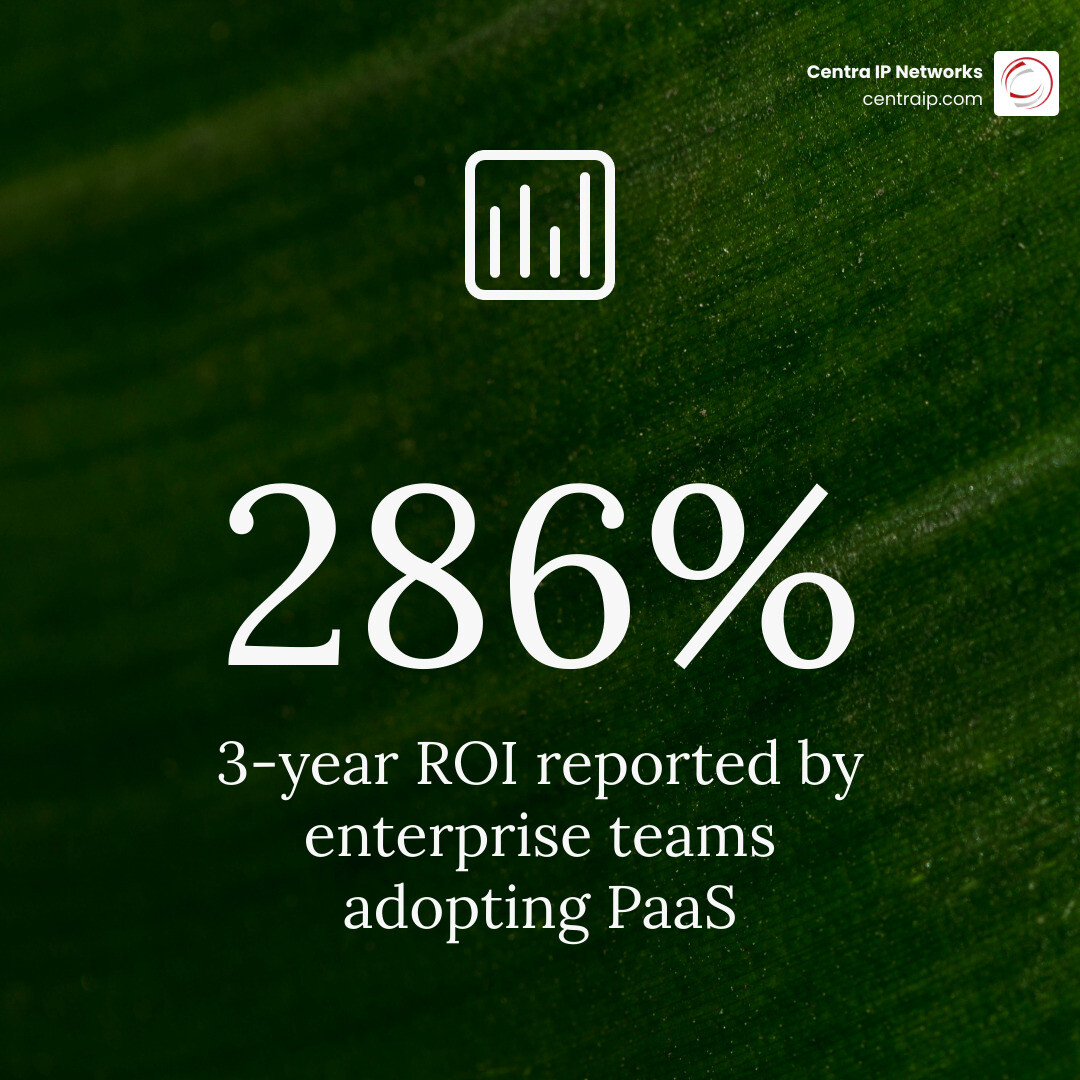
The numbers tell a compelling story. For instance, Heroku platform overview data indicates an ROI of 286% over three years for many enterprises. Furthermore, by reducing operational complexity, teams see a 40% improvement in developer productivity.
When your team isn’t bogged down by the “plumbing” of IT, they can focus on the “faucets”—the parts of the application that users actually interact with.
Scalability, flexibility, and support for distributed teams
Whether your team is working from a home office in Sarasota or a corporate hub in Plano, PaaS creates a unified environment.
- Distributed Teams: Everyone accesses the same platform, ensuring that “it works on my machine” is a phrase of the past.
- Multi-platform support: Build once and deploy to web, mobile, and tablet simultaneously.
- Resilience: Because the provider manages the infrastructure, they handle the failovers. If a server in a Tampa data center fails, your app is automatically moved to another healthy node.
Security and compliance advantages
Security is often the biggest hurdle for businesses moving to the cloud. However, PaaS can actually improve your security posture. Providers like Salesforce, IBM, and Microsoft invest billions in security that most small businesses simply couldn’t afford on their own.
PaaS offers:
- Automated Patching: The platform handles OS and middleware updates, closing security holes before you even know they exist.
- Compliance Guardrails: Many platforms come pre-certified for HIPAA, SOC 2, and PCI-DSS, which is essential for our medical and financial clients in the Florida and Texas regions.
- Identity Management: Built-in tools for Single Sign-On (SSO) and Active Directory sync.
To learn more about how we help secure these environments, visit our guide on navigating the clouds and cloud security.
Common PaaS Use Cases and the Main Types You Should Know
We see Platform as service used in everything from simple websites to complex AI models.
Best-fit use cases for modern organizations
- API Development: PaaS is the perfect place to build and manage APIs that allow different software systems to talk to each other.
- Business Intelligence (BI): Many platforms include tools to analyze data and find insights to help you make better business decisions.
- Cloud Migration: Instead of a simple “lift and shift,” PaaS allows for “replatforming,” where you move an app to the cloud and take advantage of cloud-native features.
- Internet of Things (IoT): PaaS can handle the massive amounts of data generated by smart devices in real-time.
Public, private, and hybrid PaaS
- Public PaaS: The most common type (like Heroku or Google Cloud Run). You share the underlying hardware with other customers, but your data is strictly isolated.
- Private PaaS: Delivered behind your company’s own firewall. This is popular for highly regulated industries that need total control.
- Hybrid PaaS: A mix of both, giving you the flexibility of the public cloud while keeping sensitive data on-premises.
Specialized PaaS models: AIPaaS, iPaaS, cPaaS, and mPaaS
As the market matures, we’re seeing specialized “flavors” of PaaS:
- AIPaaS (Artificial Intelligence): Platforms for building and deploying machine learning models.
- iPaaS (Integration): Tools designed specifically to connect disparate systems (like linking your CRM to your accounting software).
- cPaaS (Communications): Platforms that let you add voice, video, and messaging to your apps without building the backend.
- mPaaS (Mobile): Specialized environments for mobile app development that access device features like GPS and cameras.
Real-world examples and major providers
The landscape is dominated by heavy hitters, each with their own strengths:
- Heroku: Known for having the best developer experience and being the “fastest path from idea to production.”
- Firebase: Google’s mobile platform that is excellent for real-time data and intelligent apps.
- Microsoft Azure App Service: A powerhouse for enterprise apps, especially those already using the Microsoft ecosystem.
- IBM Cloud: A leader in Platform as a Service (PaaS) | IBM for enterprise AI and hybrid cloud strategies.
- Platform.sh: An all-in-one platform focused on fleet management and “carbon-conscious” computing.
Choosing a PaaS Platform: Security, Scalability, and Vendor Risks
Selecting a platform is a long-term commitment. You aren’t just buying software; you’re choosing a partner.
Security and compliance checklist before you buy
Before you sign on the dotted line, ask these questions:
- Does the provider host data in regions that meet your residency requirements (e.g., US-based servers)?
- What certifications (ISO, SOC, HIPAA) do they hold?
- How do they handle secrets management (passwords and API keys)?
- What is their disaster recovery plan?
For more on protecting your assets, see The Executive Guide to Secure Enterprise Cloud Storage.
Integration with existing systems and cloud environments
Your new Platform as service shouldn’t be an island. It needs to talk to your existing cloud infrastructure. Look for platforms that offer robust APIs and out-of-the-box integrations with CRMs like Salesforce or productivity suites like Microsoft 365.
Potential drawbacks and when PaaS is the wrong fit
PaaS isn’t a magic bullet. There are times when it might not be the right choice:
- Vendor Lock-in: Moving your code from one PaaS to another can be difficult if you use provider-specific features.
- Customization Limits: You can’t always tweak the underlying OS settings. If your app requires a very specific, non-standard server configuration, IaaS might be better.
- Cost at Scale: While PaaS is cheap to start, it can become more expensive than IaaS once your application reaches a massive scale.
The Future of PaaS in 2026 and Beyond
As we look toward the end of the decade, Platform as service is becoming even more invisible and even more powerful.
AI-powered development and intelligent app platforms
In 2026, the biggest trend is AIPaaS. Providers are integrating generative AI directly into the platform. For example, Heroku: The Cloud Application Platform now allows developers to build AI agents using “Managed Inference” with minimal setup. This means a small business in Fort Worth can build a custom AI chatbot that understands their specific customer data without needing a PhD in data science.
Serverless, container-based PaaS, and low-code convergence
The line between PaaS and “Serverless” is blurring. We are moving toward event-driven architectures where you don’t even think about “servers” at all—you just upload a function, and the platform runs it when needed. Additionally, “low-code” tools are being built on top of PaaS, allowing non-developers to build functional business apps using drag-and-drop interfaces.
What smart buyers should look for next
- Carbon Efficiency: Platforms like Platform.sh are focusing on “carbon-conscious computing,” helping businesses reduce their environmental footprint by using high-density computing.
- Portability: New open-source standards (like Kubernetes-based platforms) are making it easier to move apps between different cloud providers, reducing the risk of vendor lock-in.
Frequently Asked Questions about Platform as service
Is Platform as service the same as serverless?
Not quite. PaaS provides a managed environment where applications often run continuously. Serverless (or Function as a Service) is a subset of cloud computing where code only runs in response to specific events, and you are billed only for the milliseconds the code is executing.
Is Azure, Firebase, or Heroku a PaaS?
Yes, all three are primary examples of PaaS, though they offer different features. Heroku is famous for its simplicity, Firebase for its mobile-first features, and Azure for its deep enterprise integrations.
How is PaaS different from cloud hosting?
Standard cloud hosting usually just gives you a place to store your files and a web server. PaaS provides the entire development framework, including databases, middleware, and tools to manage the full software lifecycle. For more on the benefits of moving to the cloud, read our article on 5 reasons to switch to cloud hosting.
Conclusion
At Centra IP Networks, we believe that technology should be a multiplier for your business, not a source of stress. Platform as service is one of the most powerful tools in the modern business arsenal because it allows you to stop acting like an infrastructure company and start acting like an innovation company.
Whether you are looking to build your first mobile app or you’re ready to refactor a legacy system for the cloud, choosing the right platform is the first step toward a scalable, secure future. If you’re in Dallas, Tampa, or any of our service areas and want to discuss how cloud solutions can fit into your business strategy, we’re here to help.
Ready to take the next step? Explore our Cloud Services and let’s build something great together.


