Why Enterprise Cloud Based Storage Is Now a Core Business Decision
Enterprise cloud based storage is the use of remote, internet-connected servers — managed by a third-party provider — to store, manage, and access business data at scale, with security and reliability that goes far beyond what consumer tools offer.
Here is a quick breakdown of what it means and why it matters:
| Factor | Enterprise Cloud Storage | Consumer Cloud Storage |
|---|---|---|
| Scale | Petabytes, exabytes | Gigabytes, terabytes |
| Security | AES-256, MFA, RBAC, SOC 2 | Basic password protection |
| Uptime / Durability | Up to 11 nines (99.999999999%) | Best effort |
| Compliance | HIPAA, GDPR, PCI DSS | Not typically supported |
| Pricing model | Pay-as-you-go, tiered, predictable | Flat monthly fee |
| Support | 24/7 enterprise SLAs | Self-service |
Here is why this matters right now: 85% of enterprise data is unstructured — think emails, videos, documents, and logs. Without a proper storage strategy, that data becomes what analysts call dark data: stored but never used, costing money and creating risk.
At the same time, businesses are under pressure to cut IT costs, support remote teams, and adopt AI tools — all of which depend on having fast, reliable, and scalable storage in place. The latest FBI Internet Crime Report put total cybercrime losses at over $16 billion. Your storage infrastructure is part of your defense.
This guide walks you through everything you need to make a smart decision — from how enterprise cloud storage works, to which providers lead the market, to what it will actually cost you.
I’m Patrick Brangan, a business technology expert with over 20 years of experience helping SMBs navigate solutions like enterprise cloud based storage as part of a broader, simplified IT strategy. In the sections ahead, I’ll break down exactly what you need to know to choose the right solution for your organization.
The Evolution of Enterprise Cloud Based Storage
The way we store data has shifted from dusty server closets in Dallas or Orlando to massive, globally distributed digital warehouses. In the early days, “cloud” just meant someone else’s computer. Today, enterprise cloud based storage is a sophisticated ecosystem designed to handle the explosion of unstructured data.
One of the most significant shifts has been the move toward object storage. Unlike the traditional file structures we use on our laptops, object storage treats data as discrete units (objects) bundled with customizable metadata and a unique identifier. This makes it incredibly scalable—you can store billions of files without the system slowing down.
Another key evolution is the focus on durability. Major providers now offer “11 9s” of durability (99.999999999%). To put that in perspective, if you stored one million objects, you could expect to lose one every 650,000 years. This is a far cry from the consumer-grade external hard drives that might fail after a single drop.
When comparing The Advantages of Cloud Storage Every Business Should Know, the distinction between consumer and enterprise becomes clear. Enterprise systems offer immutable data options—essentially “write once, read many” (WORM) technology—which prevents data from being deleted or altered, a critical defense against ransomware.
Key Components of Modern Storage
To understand how this works under the hood, we have to look at the components that make it “enterprise-grade”:
- Data Servers and Redundancy: Your data isn’t just on one drive. It is stripped, parity-checked, and replicated across multiple data centers. If a hurricane hits a data center in Tampa, your data is already safe in a redundant facility in another region.
- Virtualization: This technology abstracts the physical hardware, allowing multiple “virtual” storage instances to run on the same physical equipment, maximizing efficiency and lowering costs.
- Access Methods and API Integration: Unlike consumer apps that use a simple drag-and-drop interface, enterprise storage uses APIs (Application Programming Interfaces). This allows your company’s software—like a CRM or an AI engine—to “talk” directly to the storage bucket to retrieve or save files automatically.
- Lifecycle Management: We can set policies that automatically move data. For example, a file created today stays in “Hot” storage for fast access. If it isn’t touched for 30 days, the system moves it to “Cold” storage to save you money.
Architecture and Deployment Models
Choosing the right architecture is like choosing the right office space in Fort Worth or Clearwater; it depends on how much control you need and how much you’re willing to manage yourself.
- Public Cloud: Services like AWS or Google Cloud where you share infrastructure with other tenants. It’s highly scalable and cost-effective.
- Private Cloud: Dedicated infrastructure used exclusively by your organization. This is often preferred by financial institutions or healthcare providers with extreme security requirements.
- Hybrid Cloud: This is the “best of both worlds” approach. You might keep sensitive customer records on a private server while using the public cloud for high-volume data like video archives.
- Community Cloud: Shared by organizations with similar requirements (e.g., government agencies or branches of the same large corporation).

Understanding What is a Cloud Infrastructure? is essential here. It’s the foundation of hardware and software—servers, storage, and networks—that makes all these models possible.
Hybrid and Multi-Cloud Strategies
Modern enterprises rarely stick to just one provider. In fact, 89% of enterprises now use multi-cloud strategies. Why? To avoid vendor lock-in. If one provider raises their prices or suffers a major outage, having data across multiple clouds ensures business continuity.
Edge computing is also changing the game. Instead of sending every bit of data back to a central hub, data is processed and stored closer to where it’s generated—like at a branch office in St. Petersburg. This reduces latency and improves performance for real-time applications. Managing all these moving parts requires a Strategic Approach to Efficiency through centralized cloud management tools.
Strategic Benefits and Business Use Cases
The move to enterprise cloud based storage isn’t just a technical upgrade; it’s a strategic one. IDC projects that cloud storage customers can realize average annual benefits worth $86,500 per petabyte.
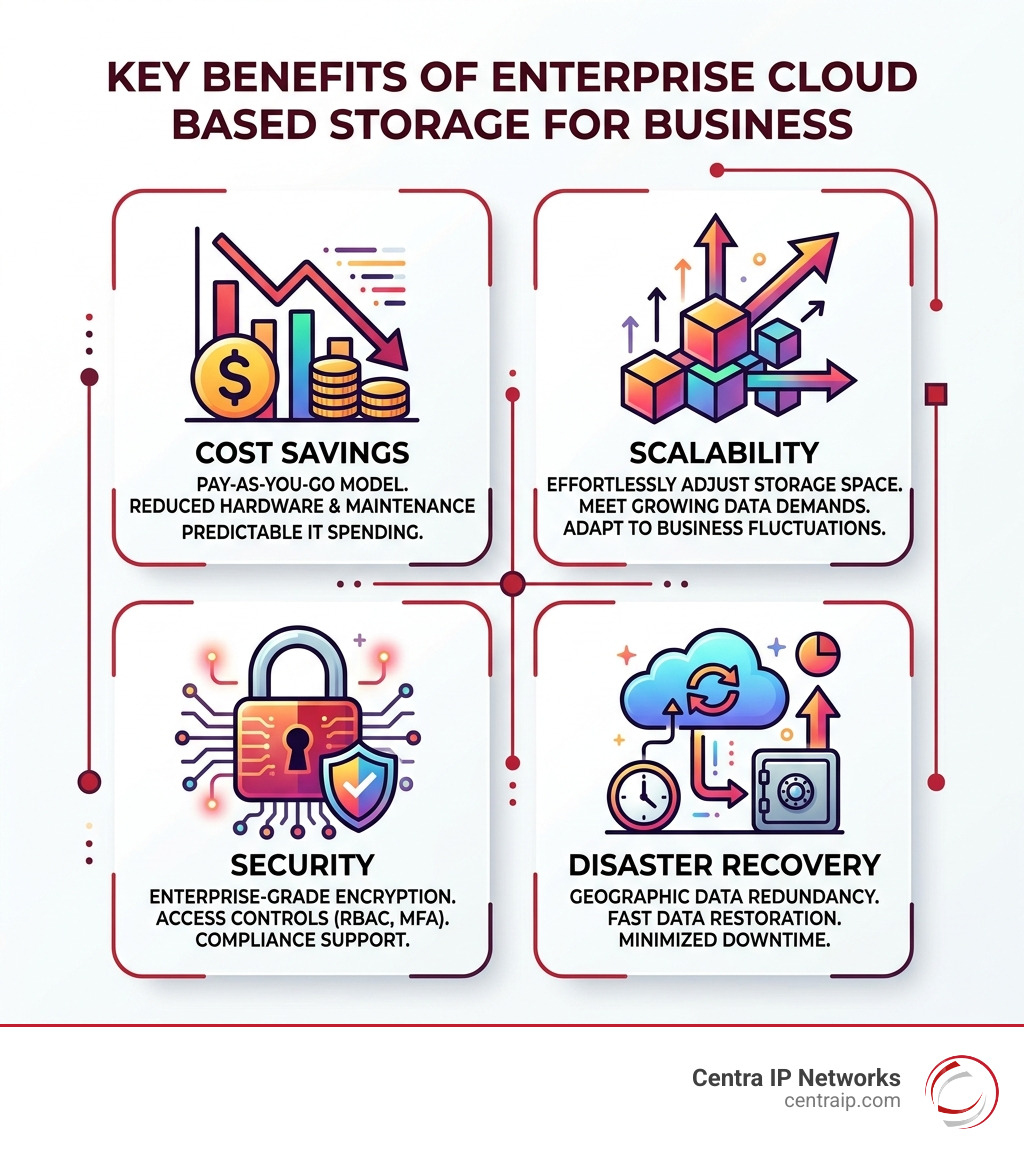
- Cost Savings: Migrating on-premises workloads to cloud infrastructure can reduce compute, networking, and storage costs by up to 66%. You stop paying for “zombie servers” that sit idle and only pay for what you use.
- Disaster Recovery: With features like “Turbo Replication,” we can achieve a 15-minute Recovery Point Objective (RPO). This means if a disaster strikes, you only lose a maximum of 15 minutes of data.
- Enhanced Collaboration: Teams in Dallas and Orlando can co-edit the same massive CAD files or 4K video projects in real-time without the “version conflict” nightmares of the past.
According to industry leaders, these systems are now the foundation for modern media delivery and global content distribution. For a broader overview of cloud storage capabilities, see Cloud Storage | Google Cloud.
Maximizing ROI with Enterprise Cloud Based Storage
To get the most out of your investment, you need to understand the advanced features that drive performance:
- Data Lakes: Instead of siloed databases, a data lake stores all your raw data in one place, ready for AI and machine learning tools to find patterns.
- Anywhere Cache: For AI/ML workloads, this technology provides low latency and high throughput of up to 20 Tbps, ensuring your expensive GPUs aren’t sitting idle waiting for data to load.
- AI/ML Training: Tools like Cloud Storage FUSE can offer up to 2.2x faster training times for machine learning models compared to traditional methods.
Storage Class Comparison Table
| Class | Use Case | Latency | Relative Cost |
|---|---|---|---|
| Standard/Hot | Active apps, website content | Milliseconds | High |
| Nearline/Cool | Monthly backups, old docs | Milliseconds | Medium |
| Coldline/Cold | Quarterly backups, legal files | Milliseconds | Low |
| Archive | Long-term compliance (years) | Minutes/Hours | Lowest |
Security, Compliance, and Risk Management
Is the cloud safe? For most businesses, the answer is: It’s likely more secure than your office. Top-tier providers invest billions annually in security—far more than any single SMB in Sarasota or Clearwater could afford.
Security measures include:
- AES-256 Encryption: Data is encrypted both “at rest” (on the disk) and “in transit” (moving across the web).
- Multi-Factor Authentication (MFA): Ensuring that a stolen password isn’t enough to compromise your data.
- Role-Based Access Control (RBAC): Granular permissions so the marketing intern can’t accidentally delete the accounting department’s tax records.
Compliance is another major driver. Whether it’s SOC 2, HIPAA, or GDPR, leading enterprise storage platforms provide the certifications and “audit logs” needed to prove your data is handled according to the law.
Mitigating Challenges and Security Risks
No system is perfect. We must be honest about the challenges:
- Internet Dependency: If your fiber line in Fort Worth goes down, so does your access to the cloud. This is why we always recommend redundant internet connections.
- Egress Fees: While putting data into the cloud is often free, some providers charge “egress fees” to take it out. We help our clients model these costs to avoid “bill shock.”
- Ransomware Protection: We use immutable retention policies. Even if a hacker gets root credentials, they cannot delete or encrypt files that are locked under an immutable policy.
- Quantum-Resistant Security: As quantum computing advances, traditional encryption may become vulnerable. The next generation of storage is already integrating quantum-resistant algorithms to future-proof your data.
Comparing the Top Market Leaders
The market is dominated by a few “hyperscalers” and several specialized providers. Each has unique strengths:
- AWS S3: The “gold standard” for durability and the largest ecosystem of integrated tools.
- Google Cloud Storage: Best-in-class for AI and ML integration, offering high-performance caching.
- Azure Blob: The natural choice for businesses already deep in the Microsoft 365 ecosystem.
- IBM Cloud Object Storage: Known for high durability (14 nines) and predictable “One-Rate” pricing that bundles egress fees.
- Backblaze B2: A favorite for businesses looking for high performance without the complexity or high egress costs of the big three.

Selecting the Right Enterprise Cloud Based Storage Provider
When we consult with businesses, we use four main criteria for selection:
- Budget: Don’t just look at the per-GB price. Look at API call costs and egress fees.
- Integration: Does it play nice with your existing software? (e.g., SharePoint, Salesforce, or specialized industry tools).
- Scalability: Can it grow from 10TB to 10PB without requiring a total architecture redesign?
- Business Size: A small law firm in Dallas has very different needs than a global logistics company.
For a deeper dive into protection strategies, see The Ultimate Guide to Enterprise Cloud Backup Services.
Cost Models and Selection Criteria for 2026
The days of buying a $10,000 server every five years are over. Enterprise cloud based storage uses a pay-as-you-go model. Small businesses typically spend between $50 to $500 monthly, while larger enterprises can spend thousands.
Key cost factors include:
- Storage Tiers: Using “Archive” storage for data you rarely touch can save you up to 90% compared to “Hot” storage.
- Data Transfer: Moving data between regions or out to the internet.
- Operations: Every time your software “asks” for a list of files or “puts” a new file, there is a tiny fractional cost (e.g., $0.005 per 1,000 requests).
For those just starting, many providers offer Cloud Storage for Small Business tiers with free credits to test the waters.
Emerging Trends in Data Management
As we look toward 2026, several trends are reshaping the industry:
- AI Integration: Storage systems are becoming “smart,” using AI to automatically tag images, summarize documents, and detect security anomalies in real-time.
- Automated Tiering: Systems like “Autoclass” monitor how often you access data and move it to the cheapest possible tier automatically.
- Sovereign Clouds: Ensuring data stays within specific geographic borders to meet local laws.
Frequently Asked Questions about Enterprise Storage
What is the difference between cloud storage and cloud backup?
Think of cloud storage as your active workspace—it’s where you keep the files you use every day for collaboration and operations. Cloud backup is a safety net; it creates periodic copies of your data specifically for disaster recovery. If your main storage is deleted, the backup is what you use to restore it.
How secure is enterprise cloud storage compared to on-premises?
In most cases, the cloud is more secure. Top providers have 24/7 physical security, biometric access to data centers, and specialized teams of thousands of security experts. Most on-premises servers in small offices are vulnerable to simple physical theft or local network breaches that cloud providers have already solved.
What are the average costs for enterprise-level storage?
Costs vary wildly based on usage. Standard storage might cost around $0.02 per GB per month, while archive storage can be as low as $0.00099 per GB. For a typical mid-sized business, monthly spend usually ranges from $200 to $2,000 depending on how much “Hot” vs. “Cold” data they maintain.
Conclusion
Navigating enterprise cloud based storage doesn’t have to be overwhelming. Whether you are looking to secure sensitive data in Dallas, scale your operations in Orlando, or protect your business in Tampa from the next big storm, the cloud offers a level of resilience and flexibility that traditional hardware simply cannot match.
At Centra IP Networks, we specialize in simplifying this complexity. We offer comprehensive Managed IT and Cloud Communications services on a single platform. Our unique advantage is our ability to provide all your services—from internet connectivity and phone systems to advanced cloud solutions—on a single bill with a single point of contact. By leveraging our 35+ partnerships, we tailor cost-effective solutions that fit your specific business size and security needs.
Ready to stop worrying about your data and start using it? Explore our cloud services today and let us help you build a secure, scalable foundation for your business’s future.