Why Enterprise Video Surveillance Systems Are a Smart Business Investment
Enterprise video surveillance systems are networked, AI-powered security platforms that unify cameras, storage, analytics, and access control into a single management interface — giving businesses real-time visibility across every location they operate.
Here’s a quick overview of what sets them apart:
| Feature | Traditional CCTV | Enterprise VMS |
|---|---|---|
| Camera type | Analog | IP / networked |
| Remote access | No | Yes |
| AI analytics | No | Yes |
| Multi-site management | Limited | Centralized |
| Scalability | Low | High |
| Cloud integration | No | Yes |
The numbers back up the investment. The global video surveillance market is on track to grow from $53.7 billion in 2023 to $83.3 billion by 2028. And it’s not hard to see why — 54% of U.S. businesses installed or upgraded their cameras in the past 12 months alone. Security cameras also deter roughly 60% of burglaries, making them one of the most cost-effective tools a business can deploy.
Whether you’re managing a single office or dozens of locations, the right enterprise system does more than record footage. It helps you prevent incidents, respond faster, and protect your bottom line.
I’m Patrick Brangan, and with over 20 years in business technology — including hands-on deployment of enterprise video surveillance systems for SMBs across Dallas, Tampa, and Orlando — I’ve seen what works and what doesn’t. Let’s walk through everything you need to know to make the right call for your business.
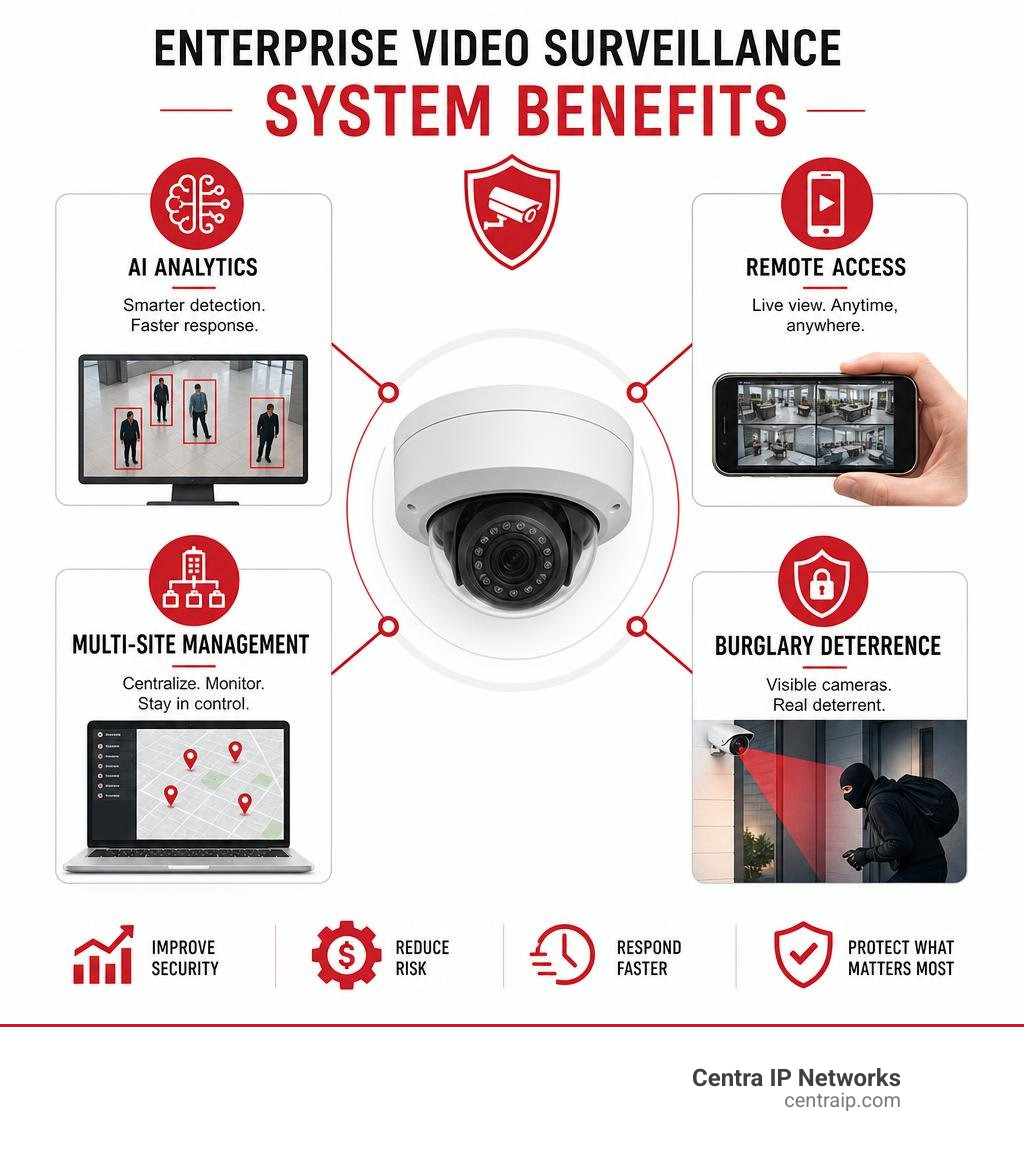
Enterprise video surveillance systems basics:
Understanding Enterprise Video Surveillance Systems
When we talk about securing a large-scale commercial property, we aren’t just talking about hanging a few consumer-grade cameras from the ceiling and hoping for the best. True commercial security requires a coordinated, intelligent ecosystem.
Modern enterprise video surveillance systems rely heavily on a Video Management System (VMS). Think of the VMS as the brain of your security operations. It integrates your cameras, storage devices, network switches, and smart analytics into one cohesive interface.

Unlike standard consumer-grade setups, an enterprise-grade VMS is built to handle hundreds or thousands of high-definition video streams simultaneously without breaking a sweat. For a deeper dive into how these systems are structured, check out our resource on The Ultimate Guide to Business Surveillance Systems.
Traditional CCTV vs. Enterprise Video Surveillance Systems
To understand where we are in 2026, we have to look at where we started. Traditional Closed-Circuit Television (CCTV) systems were analog, closed-loop setups. They recorded footage directly to physical tapes or local Digital Video Recorders (DVRs). If you wanted to view the footage, you had to physically sit in front of the monitor connected to that local machine. If a security incident happened after hours at your facility in Fort Worth while you were at home in Dallas, you were completely in the dark until the next morning.
Modern enterprise video surveillance systems use Internet Protocol (IP) cameras. These cameras are essentially mini-computers that capture, compress, and transmit high-definition video over a standard network. This shift to network connectivity changes everything:
- Remote Access: You can securely monitor live feeds and recorded footage from your smartphone, tablet, or laptop from anywhere in the world.
- Intelligent Search: Instead of scrubbing through 12 hours of static footage, you can search for “red vehicle” or “person carrying backpack” and find the exact clip in seconds.
- Centralization: You can manage security for offices in Tampa, St. Petersburg, Clearwater, and Sarasota from a single, unified dashboard.
For more on transitioning your business to modern IP-based security, read our guide on Business Video Surveillance.
Core Components of a Modern VMS
A robust enterprise VMS is built on several key architectural layers:
- IP Cameras: The eyes of the system. These range from standard dome and bullet cameras to specialized thermal, multi-sensor, and Pan-Tilt-Zoom (PTZ) units.
- Storage Infrastructure: The vault where your data lives. This can be on-premise Network Video Recorders (NVRs), enterprise-grade storage area networks (SANs), direct cloud storage, or hybrid edge storage.
- Video Encoders: Hardware that translates legacy analog camera signals into digital IP streams, allowing you to modernize older systems without replacing every camera.
- Intelligent Analytics: The software algorithms that analyze video in real-time, detecting line-crossings, loitering, license plates, and even flames or smoke.
- Access Control Integration: Connecting your video platform with your physical security gates, turnstiles, and door readers. When someone badges into your Orlando office, the nearest camera can automatically tag the video with their user profile.
To learn more about how these components work together, consult our comprehensive Commercial Video Surveillance System Guide.
Comparing VMS Architectures: On-Premise, Cloud, and Hybrid
Deciding where your video is processed and stored is one of the most critical decisions you will make. Let’s compare the three primary VMS architectures to help you choose the best fit for your operational needs and IT infrastructure.
| Comparison Metric | On-Premise VMS | Cloud-Native (VSaaS) | Hybrid Cloud |
|---|---|---|---|
| Primary Storage Location | Local servers / NVRs | Cloud data centers | Onboard camera storage + Cloud backup |
| Bandwidth Consumption | Low (local network) | High (continuous streaming) | Low (streams only on-demand) |
| Upfront Capital Cost | High (hardware intensive) | Low (mostly subscription) | Moderate |
| Maintenance Burden | High (local IT patching) | Low (automatic updates) | Low (automatic updates) |
| Internet Dependency | Works offline | Requires stable internet | Works offline (re-syncs to cloud) |
Selecting the right architecture can dramatically affect your network performance and monthly costs. For practical deployment advice, refer to our Cloud Video Surveillance Tips to Implement It.
On-Premise Deployments
On-premise systems store and process all video on local servers and NVRs. This is the traditional standard for high-security environments like financial institutions, airports, and large manufacturing facilities.
The biggest benefit of an on-premise system is complete control over your data. Since video data stays on your local area network (LAN), it doesn’t consume your external internet bandwidth. Even if your internet connection goes down during a severe Florida storm, your cameras will keep recording without interruption. Platforms like the Avigilon Unity On-Premise Managed Video Security System provide enterprise-grade, high-availability video management with robust failover capabilities for these exact scenarios.
Cloud-Native and VSaaS Solutions
Video Surveillance as a Service (VSaaS) eliminates the need for on-site recording servers. Your cameras stream video directly to secure cloud data centers, where it is processed, analyzed, and stored.
Cloud-native solutions are incredibly popular for multi-site businesses because they eliminate local hardware maintenance. You don’t have to worry about replacing failed hard drives, patching server operating systems, or managing local network security. Plus, cloud systems offer predictable operational costs and scale effortlessly—adding a new camera is as simple as plugging it in and licensing it. To understand how the cloud is reshaping modern business security, read our article on Cloud Surveillance Solutions Transforming.
Hybrid Cloud Architectures
Hybrid cloud architectures offer the best of both worlds. They combine the reliability of local recording with the flexibility and remote accessibility of the cloud.
In a hybrid system, cameras process and store video on built-in, solid-state storage (edge storage) for 30 to 365 days. The camera only sends video to the cloud when a user is actively viewing a live stream, or when an important security event occurs. This design drastically reduces your internet bandwidth consumption while ensuring that your security footage is safe even if your physical facility is damaged. Discover how this architecture protects your operations in our guide on How Cloud-Based Video Surveillance Adds Security.
Key Features of Enterprise Video Surveillance Systems
Modern security is proactive, not reactive. When evaluating enterprise video surveillance systems, look for advanced capabilities that actively help you prevent incidents and optimize your business operations.
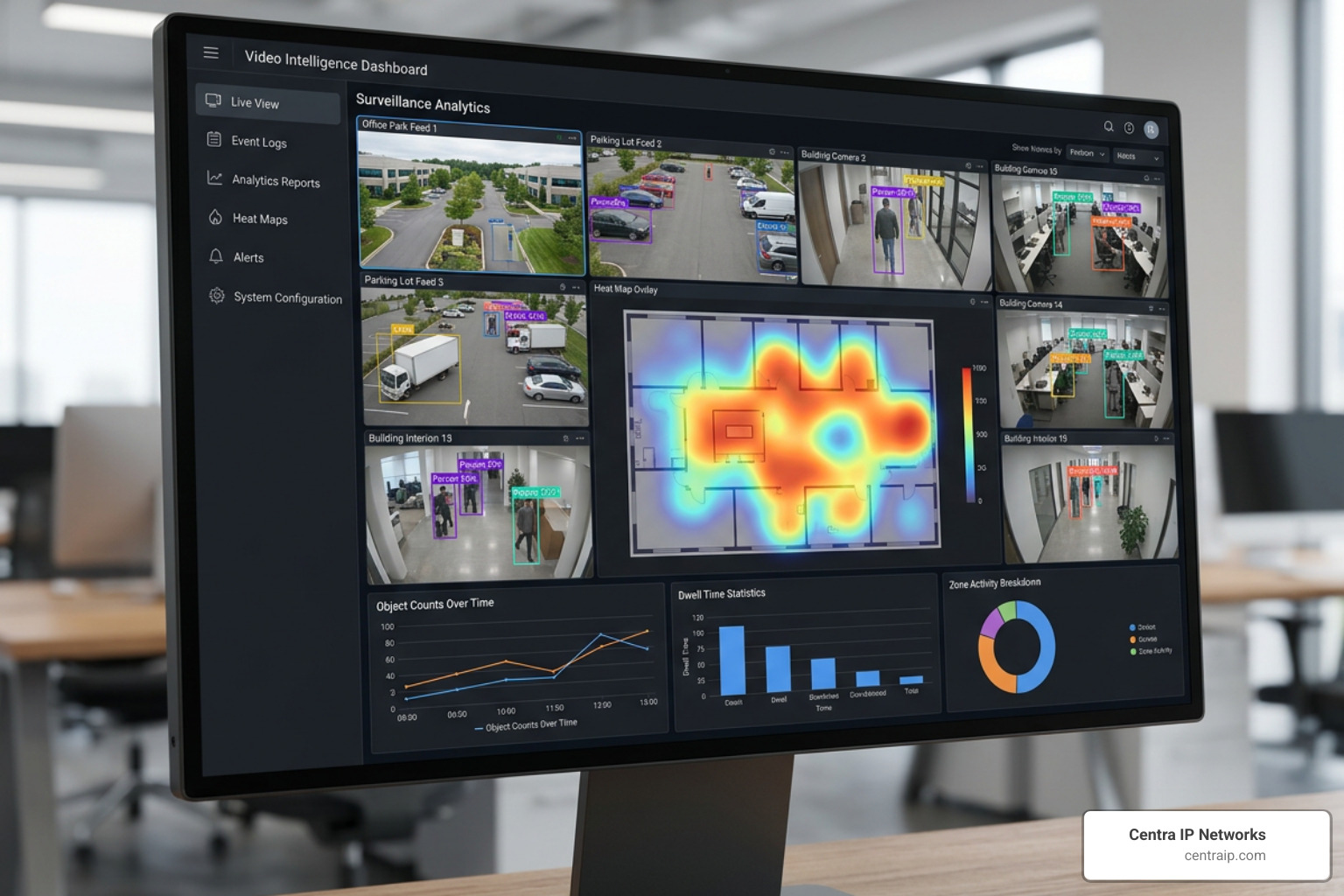
Integrating your cameras with smart sensors and physical access controls turns your video system into an interactive operational tool. Learn more about these emerging technologies in our guide to Security Video Surveillance Technology.
AI-Powered Video Analytics and Search
AI and machine learning have completely transformed how we interact with security footage. Modern cameras do not just detect motion; they categorize objects. They can distinguish between a stray cat, a swaying tree branch, a delivery truck, and a person walking along your perimeter.
This intelligence enables powerful features:
- Generative AI (GenAI) Alerts: Create custom alerts using natural language (e.g., “Alert me if a person enters the loading dock after 10 PM carrying a backpack”).
- License Plate Recognition (LPR): Automatically read and log license plates to open parking gates for authorized employees in your Dallas corporate office.
- Facial Recognition and Appearance Search: Quickly locate a missing person or track a suspicious individual across your entire campus by searching for specific physical characteristics (e.g., “male wearing blue shirt”).
Advanced platforms, such as the SecurOS® Enterprise | ISS · Intelligent Security Systems platform, offer highly specialized, project-based AI analytics designed specifically for complex, high-security environments.
Scalability and Open-Platform Integration
Your security needs will inevitably change as your business grows. That is why future-proofing your system is so critical. You want to avoid getting locked into a proprietary ecosystem that forces you to buy only one brand of camera or software.
Prioritize open-platform VMS solutions that support ONVIF (Open Network Video Interface Forum) standards. This compliance ensures that your software can communicate seamlessly with thousands of different camera models from various manufacturers. Platforms like the Flir Latitude 9.3 Network Video Management System | Flir feature an open-platform architecture that supports virtually unlimited cameras, edge devices, and third-party integrations, giving you complete freedom to design your security ecosystem.
Evaluating Leading Enterprise VMS Platforms
Choosing the right brand and platform is a big step. Let’s look at how the leading players in the enterprise space stack up against each other.
Whether you prefer a traditional on-premise setup or a modern cloud-first model, there is a solution tailored to your operational needs. For a broader look at the market, explore our resource on Video Surveillance Systems for Business.
Open-Platform and On-Premise Leaders
If you require massive on-premise storage, complex local integrations, and complete control over your server hardware, open-platform industry giants are your best bet:
- Milestone XProtect: Widely considered the gold standard for open-platform VMS, Milestone supports over 14,000 different devices. It is highly customizable and perfect for complex, multi-layered security operations.
- Genetec Security Center: Known for its deep integration capabilities, Genetec unifies VMS, access control, and automatic license plate recognition into a single, highly secure interface.
- MOBOTIX HUB: Built specifically for high-security environments and critical infrastructure, the MOBOTIX HUB L5 – Enterprise VMS for Critical Infrastructures offers failover servers, edge storage synchronization, and specialized thermal imaging dashboards to detect anomalies before they become emergencies.
Cloud-Native and Hybrid Innovators
For organizations with distributed offices across Texas and Florida that want to eliminate on-site server hardware, cloud-native and hybrid-cloud platforms are leading the charge:
- Verkada: A pioneer in hybrid-cloud physical security. Verkada cameras process analytics on the edge and store footage on onboard solid-state drives, making installation incredibly simple and scaling effortless.
- Cisco Meraki: Meraki offers highly secure, cloud-managed smart cameras that integrate perfectly with the rest of your Cisco networking stack, providing a clean, single-pane-of-glass management experience.
- Uniview (UNV): For businesses looking for robust, integrated all-in-one hardware appliances that bridge the gap between traditional storage and smart IoT management, systems like the UG-I500-H16-IN – Uniview – Leader of AIoT Solution offer powerful, Linux-based platforms capable of managing up to 2,000 video channels alongside radar and access control devices.
Implementation Considerations: Compliance, Cybersecurity, and TCO
Deploying an enterprise-grade security system is about more than just mounting cameras and running network cables. You must carefully plan for legal compliance, network security, and long-term operating costs.
A well-planned deployment protects your business from physical threats while keeping your digital assets secure. Read more about these benefits in our article on the Benefits of Security Cameras for Businesses.
Regulatory Compliance and Data Privacy
Video surveillance is subject to strict privacy laws and industry regulations. Depending on your industry and location, you must ensure your system complies with guidelines regarding camera placement, public notification, and data retention.
For example, healthcare facilities must comply with HIPAA, while businesses processing credit cards must meet PCI-DSS standards. Modern VMS platforms help you stay compliant by offering granular privacy controls, such as automatic face blurring in public areas, secure audit logs that track who has viewed footage, and strict data retention policies that automatically purge older video.
Cybersecurity Best Practices for IP Networks
Because modern security cameras are network-connected devices, they can become targets for cybercriminals if they aren’t properly secured. A compromised security camera can serve as an entry point into your corporate network.
To keep your system secure, we recommend implementing these cybersecurity best practices:
- End-to-End Encryption: Ensure your video data is encrypted both in transit (as it travels over your network) and at rest (while stored on hard drives or in the cloud).
- Multi-Factor Authentication (MFA): Require double authentication for all users accessing the VMS, especially when logging in remotely.
- Regular Firmware Updates: Keep your cameras and VMS software updated to patch newly discovered security vulnerabilities.
- Secure Exports: Use digital signatures and encrypted files when exporting video clips for law enforcement to prevent tampering.
Total Cost of Ownership (TCO) and ROI
When budgeting for a new system, look beyond the initial cost of the cameras. The Total Cost of Ownership (TCO) includes:
- Hardware Costs: Cameras, mounting brackets, network switches, servers, and storage drives.
- Licensing Fees: VMS software licenses, camera connection fees, and recurring cloud subscription costs.
- Installation and Labor: Professional cabling, camera mounting, system configuration, and user training.
- Maintenance and Support: Hardware replacements, software upgrades, and ongoing technical support.
To get an accurate estimate of what a system would cost for your specific facilities, try our interactive Video Surveillance Pricing Calculator.
Frequently Asked Questions about Enterprise Video Surveillance
What is the average cost of an enterprise video surveillance system?
The cost of an enterprise system varies widely based on the size of your facility, the number of cameras you need, your storage retention requirements, and whether you choose an on-premise or cloud-based architecture.
A small, single-site office needing 8 to 16 cameras might spend a few thousand dollars upfront, while a multi-location enterprise with hundreds of cameras, advanced AI analytics, and multi-year data retention requirements can expect a larger capital or operational investment. Working with an experienced technology partner is the best way to design a system that fits your budget.
How long do enterprise systems retain video footage?
Most standard commercial businesses retain their video footage for 30 to 90 days. However, businesses in highly regulated industries—such as finance, healthcare, cannabis, or government operations—are often required by law to archive their footage for six months, a year, or even longer. Your storage calculation should always account for these specific compliance rules.
Can we integrate existing cameras into a new enterprise VMS?
Yes, in most cases you can. If your existing cameras are ONVIF-conformant IP cameras, they can easily connect to a new open-platform VMS. If you have older analog cameras, we can use hardware video encoders to convert those analog signals into digital streams. This hybrid approach allows you to upgrade your software and backend storage immediately while gradually replacing older cameras over time as your budget allows.
Conclusion
Choosing and deploying an enterprise video surveillance system is a major decision, but you don’t have to navigate it alone.
At Centra IP Networks, we make physical security simple. We offer comprehensive Managed IT and Cloud Communications services, bringing your phone systems, internet connectivity, cloud solutions, and video surveillance onto one platform, with a single provider and one predictable bill. By leveraging our 35+ strategic industry partnerships, we design tailored, cost-effective security solutions that protect your business today and scale with you tomorrow.
Whether you are securing a corporate campus in Dallas, a medical facility in Orlando, or a retail chain across Tampa, St. Petersburg, Clearwater, and Sarasota, we are here to help.
Ready to upgrade your business security with a modern, hassle-free surveillance system? Explore our Cloud Surveillance Services today and schedule a consultation with our team!