
Why Cloud Infrastructure Management is Critical for Business Success
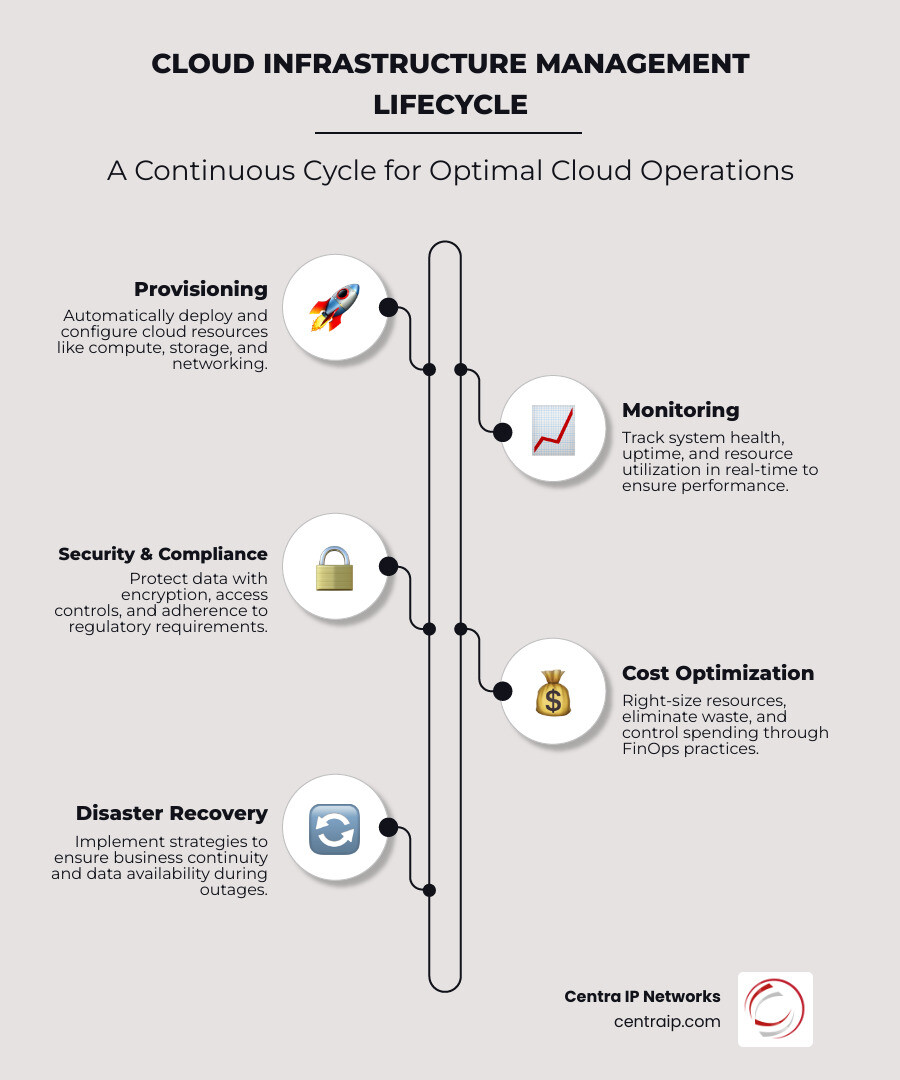
Cloud infrastructure management is the strategic process of overseeing, optimizing, and securing your organization’s cloud-based resources—including compute, storage, and networking—to ensure maximum performance, cost-efficiency, and reliability. Here’s what you need to know:
Key Elements of Cloud Infrastructure Management:
- Resource Provisioning & Orchestration – Automatically deploy and configure cloud resources as needed
- Performance Monitoring – Track system health, uptime, and resource utilization in real-time
- Cost Optimization – Right-size resources, eliminate waste, and control spending through FinOps practices
- Security & Compliance – Protect data with encryption, access controls, and regulatory adherence
- Automation – Use Infrastructure as Code (IaC) to reduce human error and ensure consistency
Today, 88% of cloud breaches are caused by human error, and many organizations struggle with unexpected cost spikes, underused resources, and the complexity of managing multiple cloud environments. Whether you’re running a public, private, or hybrid cloud, effective cloud infrastructure management transforms your IT from a maintenance burden into a competitive advantage.
The challenge is real: businesses are overwhelmed by vendor sprawl, siloed services, and the technical expertise required to keep cloud systems running efficiently. You need visibility into what you’re actually using, control over who accesses what, and confidence that your infrastructure can scale without breaking the bank.
I’m Patrick Brangan, and with over 20 years of experience helping SMBs in Dallas, Tampa, and Orlando optimize their technology, I’ve seen how strategic Cloud infrastructure management consolidates complexity and delivers measurable results. At Centra IP Networks, we specialize in turning fragmented IT ecosystems into unified, manageable platforms that actually work for your business.
Defining Cloud Infrastructure Management (CIM)
To understand Cloud infrastructure management, we first need to look at what’s actually under the hood. In the old days, if you wanted to launch a new application, you had to buy a physical server, find a spot for it in a loud, cold room, and plug in a dozen cables. Today, those “cables” and “servers” are digital.
CIM is the “brain” that controls these digital assets. It encompasses the entire lifecycle of your cloud environment—from the moment you decide you need a new database to the moment you decommission it to save money. This includes resource provisioning (setting things up), performance monitoring (making sure they’re running fast), and lifecycle management (keeping everything updated and secure).
One of the most powerful concepts in modern CIM is What is Infrastructure as Code?. Instead of clicking buttons in a dashboard to create a server, we write a script that describes what the server should look like. This allows us to duplicate environments in minutes, not days, and ensures that your setup in Dallas is exactly the same as your setup in Tampa.

The Role of Cloud Infrastructure Management in Modern IT
In our experience working with businesses in Fort Worth and Clearwater, the biggest threat to a cloud budget is “resource sprawl.” This happens when an engineer creates a “test” environment, forgets about it, and the company keeps paying for it for six months.
Effective Cloud infrastructure management provides the guardrails to prevent this. It’s not just about keeping the lights on; it’s about:
- Cost Control: Identifying underused resources and “right-sizing” them to match actual needs.
- Reliability: Ensuring that if one part of the system fails, another automatically takes over.
- Availability: Keeping your services reachable for your customers 24/7/365.
To dive deeper into the nuts and bolts, you can read more about What is a Cloud Infrastructure? to see how these pieces fit together to support your business goals.
Core Components: Compute, Storage, and Networking
Every cloud environment is built on three main pillars. Think of these as the “Big Three” of your digital real estate:
- Compute: This is the “brainpower” or processing muscle. Whether you are using virtual machines or serverless functions, Cloud-based compute infrastructure provides the CPU and memory needed to run your apps.
- Storage: This is where your data lives. From high-speed block storage for databases to Cloud storage infrastructure for long-term backups, managing storage is about balancing speed with cost.
- Networking: These are the digital highways. Cloud networking infrastructure includes firewalls, load balancers, and virtual private clouds (VPCs) that keep your data moving safely.
To help you decide which management style fits your team, here is a quick comparison of delivery models:
| Model | What You Manage | What the Provider Manages | Best For |
|---|---|---|---|
| IaaS | Apps, Data, OS, Runtime | Virtualization, Servers, Storage, Networking | Maximum control and flexibility |
| PaaS | Apps and Data | OS, Runtime, Middleware, Infrastructure | Faster development and deployment |
| SaaS | Nothing (you just use it) | The entire stack | Standard business tools (e.g., Email) |
Key Pillars of Successful Cloud Infrastructure Management
Success in the cloud isn’t accidental. It requires a solid governance framework—a set of rules that dictate how resources are used. Without these rules, security starts to slip, and costs start to climb. We always tell our clients in Sarasota and St. Petersburg that a good management strategy should be “security-first.”
Governance and Security Posture
A strong security posture means you aren’t just reacting to threats; you’re preventing them. This involves implementing Policies to control resource creation. For example, you might have a policy that says “no database can be created without encryption” or “only employees in the Dallas office can access this specific server.”
Compliance is the other side of the coin. If you’re in healthcare or finance, you need automated audits to prove you’re following HIPAA or PCI-DSS rules. CIM tools can automatically scan your environment and flag anything that doesn’t meet your standards.
Managing Public, Private, and Hybrid Deployment Types
How you manage your cloud depends heavily on where your data lives:
- Public Cloud: Resources are shared with other companies (like AWS or Azure). The provider handles the hardware, but you are responsible for everything else.
- Private Cloud: Dedicated solely to your organization. This offers the highest security but requires more manual management.
- Hybrid Cloud: A mix of both. You might keep sensitive customer data in a private cloud in your Fort Worth data center while using the public cloud for “cloud bursting” when traffic spikes.
- Multicloud: Using multiple providers (e.g., AWS and Google Cloud) to avoid vendor lock-in. This is great for resilience but adds a layer of complexity to your Cloud infrastructure management strategy.
For a broader look at how these services can be custom to your specific needs, check out our Cloud Services page.
Best Practices for Cloud Infrastructure Management Optimization
Optimization is a continuous process, not a one-time task. Here are the “pro moves” we use to keep our clients’ systems lean and mean:
- Right-Sizing: Don’t pay for a 16-core server if your app only uses two. We constantly monitor usage and shrink resources to match.
- Reserved Instances: If you know you’ll need a server for a year, you can commit to it upfront and save up to 70% compared to “on-demand” pricing. Learn more about Reserved instances to see how this impacts your bottom line.
- Spot Instances: For tasks that aren’t time-sensitive (like data processing), you can use Spot instances to bid on unused capacity at a fraction of the cost.
- FinOps: This is the practice of bringing financial accountability to the variable spend of the cloud. It involves tagging every resource so you know exactly which department is spending what.
Understanding these nuances is vital for long-term health. For instance, knowing The Advantages of Cloud Storage Every Business Should Know can help you choose the right storage tier, saving you thousands in unnecessary “hot storage” fees.
Overcoming Challenges with Automation and Tools
The biggest hurdle in Cloud infrastructure management today is the skills gap. There simply aren’t enough cloud architects to go around, and the ones that are available are expensive. This is where automation becomes your best friend.
Automation helps us solve two major headaches:
- Complexity: Managing 500 virtual machines manually is impossible. Automation handles the “busy work” of patching and updates.
- Configuration Drift: This happens when someone makes a “quick fix” manually, and suddenly your live environment doesn’t match your documentation. Tools like Drift detection alert us the second something changes unexpectedly.
We also use Stack dependencies to build workflows. For example, your networking stack must be “up” before your database stack tries to launch. Mapping these dependencies prevents “cascading failures” where one error brings down the whole house.
Essential Technologies for Streamlining Operations
To get the most out of your cloud, you need the right toolbox. For many of our clients, we recommend starting with native tools and then moving to third-party platforms for multi-cloud visibility.
- Infrastructure as Code (IaC): Tools like Azure Bicep or AWS CloudFormation allow you to define your entire data center in a text file.
- Monitoring & Observability: Tools like AWS CloudWatch or Datadog give you the “heartbeat” of your system. They don’t just tell you if a server is up; they tell you why it’s slow.
- Configuration Management: Tools like Ansible or Chef ensure that every server is configured exactly the same way, every time.
If you’re still on the fence about moving away from on-premise hardware, consider these 5 Reasons to Switch to Cloud Hosting to see how modern tools can simplify your life.
Assessing Business Needs and Future Trends
Building a robust Cloud infrastructure management strategy starts with a cold, hard look at your current needs. We recommend a seven-step assessment:
- Assess Business Goals: Are you trying to save money, move faster, or increase uptime?
- Evaluate Current Infrastructure: What can move to the cloud, and what needs to stay local?
- Determine Resource Requirements: How much CPU and storage do your apps actually need?
- Identify Security & Compliance Needs: Do you have specific regulatory requirements in Texas or Florida?
- Consider Disaster Recovery: How long can you afford to be offline? (Hint: usually not very long).
- Establish a Budget: Include the cost of tools and personnel, not just the cloud bill.
- Analyze Team Skills: Do you have the talent to manage this, or do you need a partner?
Looking ahead, we see three major trends shaping the future of the cloud:
- AI-Driven Operations (AIOps): Using machine learning to predict failures before they happen and automatically fix them.
- Sustainability: Major providers are moving toward “Green Computing,” and CIM tools now help you track the carbon footprint of your digital operations.
- Edge Computing: Moving processing power closer to the user (like in Dallas or Orlando) to reduce latency for real-time apps.
For smaller operations, choosing the right foundation is key. Check out our guide on Cloud Storage for Small Business for practical starting points.
Frequently Asked Questions about Cloud Management
What is the difference between cloud management and cloud orchestration?
Think of cloud management as the overall strategy and oversight (the “General”). Cloud orchestration is the technical automation that executes specific tasks in a specific order (the “Soldiers”). Management sets the policy; orchestration follows the script.
How does cloud infrastructure management improve organizational security?
By removing the “human element” from repetitive tasks. Since 88% of breaches involve human error, using automated templates and Policies to control resource creation ensures that security best practices (like encryption and firewalls) are applied every single time without exception.
What are the most important metrics to track for cloud efficiency?
Focus on these four:
- Resource Utilization: Are you using what you pay for?
- Cost per Transaction: How much does it cost to support one customer?
- Uptime/Availability: Is the system reliable?
- Mean Time to Repair (MTTR): How fast can you fix things when they break?
Conclusion
At the end of the day, Cloud infrastructure management is about alignment. It’s about making sure your technology is actually helping you reach your business goals, rather than just being another line item on your expense report. Whether you are in Dallas, Tampa, or Orlando, the complexity of the cloud isn’t going away—but it can be mastered.
By focusing on governance, security, and automation, you turn your cloud environment into a resilient, scalable engine for growth. At Centra IP Networks, we help you bridge that gap. We offer a single platform, a single bill, and a strategic partnership that leverages over 35 industry providers to find the perfect fit for your specific needs.
Ready to take the next step in your cloud journey? Let’s talk about how Advanced SIP Trunking and our unified cloud solutions can streamline your operations and drive your business forward. Together, we can make the cloud work for you—not the other way around.