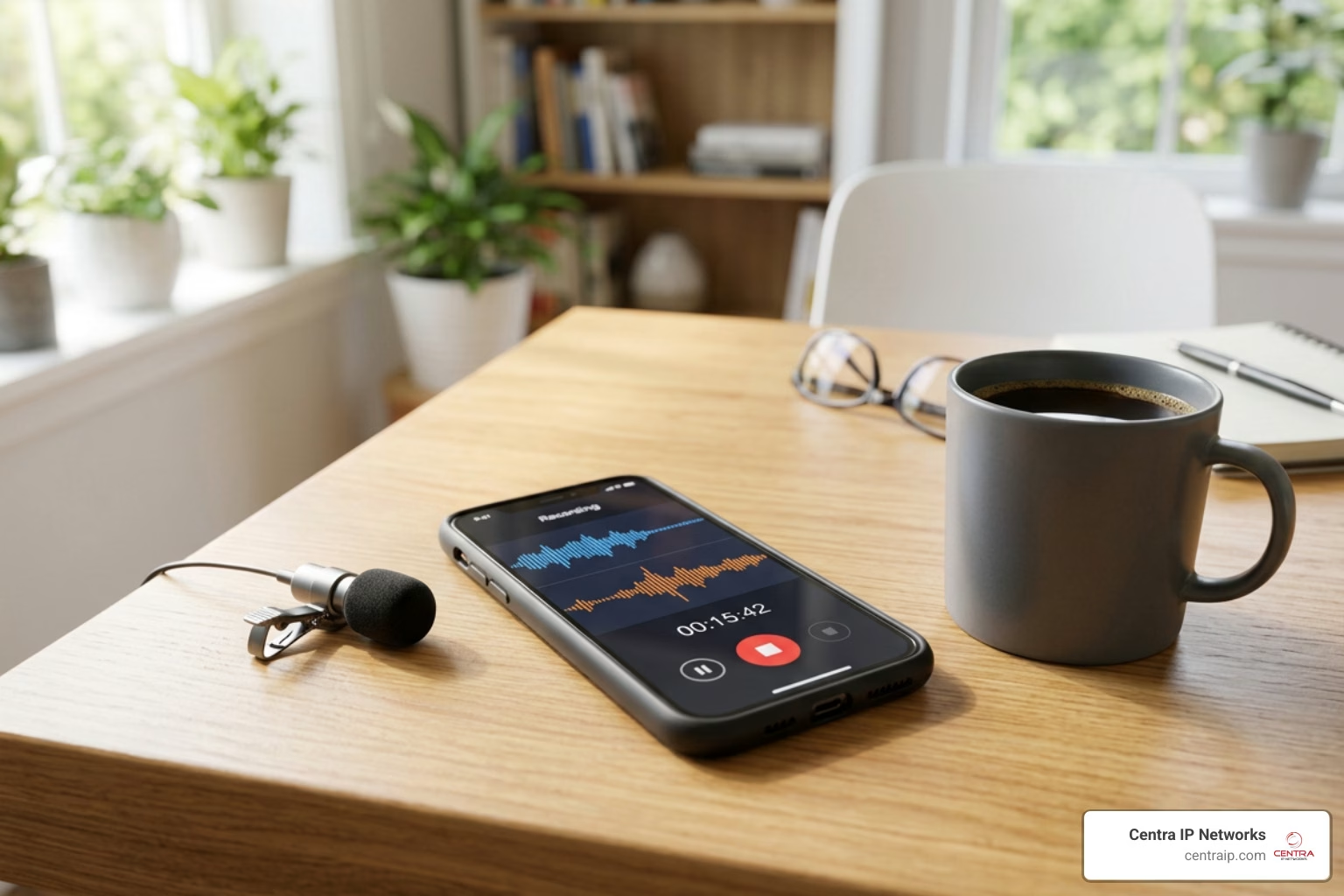
Free Phone Recorder Apps: What Works on iPhone and Android
A free phone recorder can help you save important call details, document customer conversations, or keep a record of unwanted calls – but the best option depends heavily on your phone.
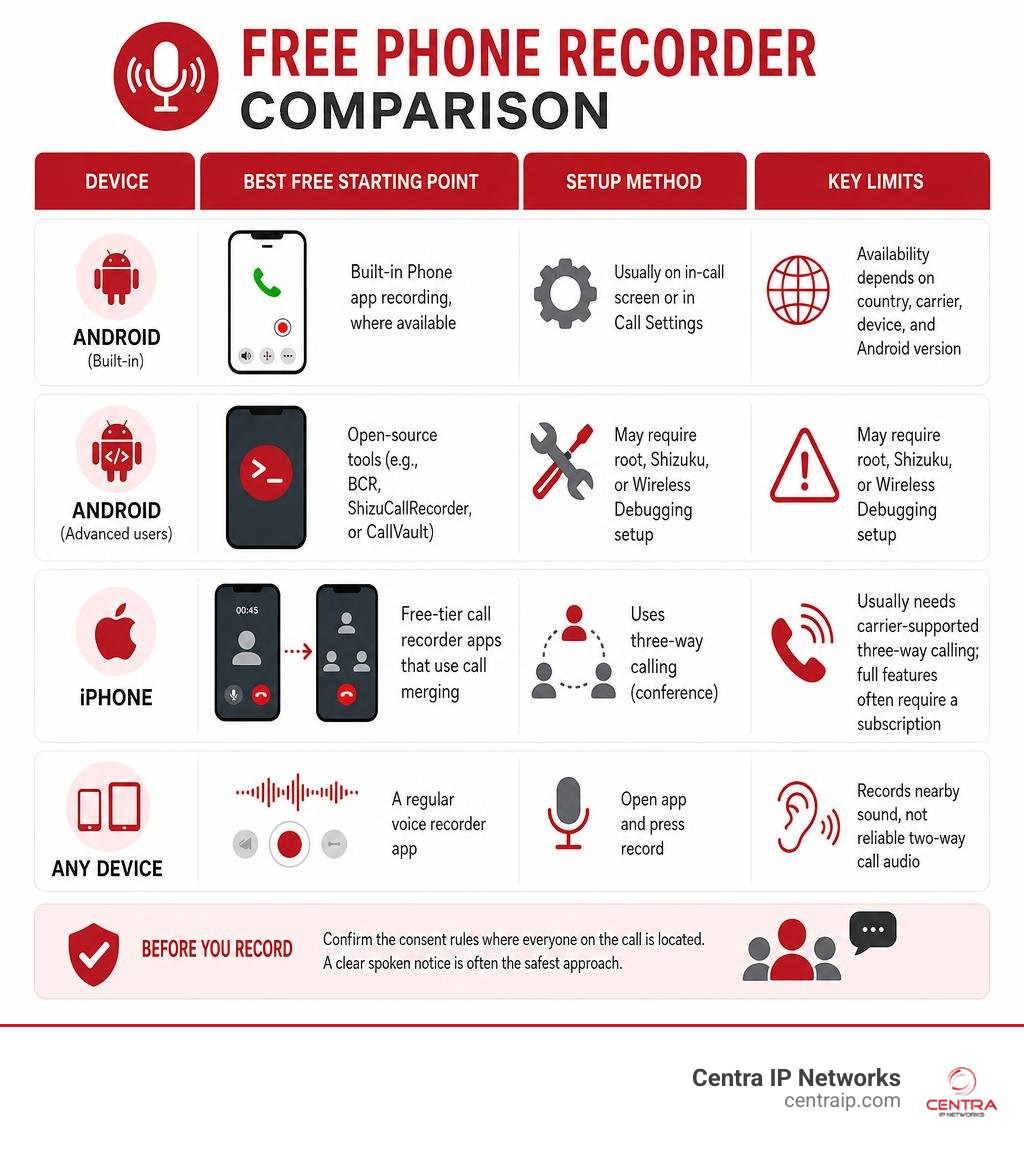
| Device | Best free starting point | Important limitation |
|---|---|---|
| Android | Built-in Phone app recording, where available | Availability depends on country, carrier, device, and Android version |
| Android, advanced users | Open-source tools such as BCR, ShizuCallRecorder, or CallVault | May require root, Shizuku, or Wireless Debugging setup |
| iPhone | Free-tier call recorder apps that use call merging | Usually needs carrier-supported three-way calling; full features often require a subscription |
| Any device | A regular voice recorder app | Records nearby sound, not reliable two-way call audio |
Free does not always mean fully featured. Many apps add ads, cap exports, limit recording time, or put automatic recording and cloud backup behind a paid plan. Android also restricts direct access to call audio on newer versions, which is why some apps capture only your voice or require speakerphone. On iPhone, third-party apps generally cannot access call audio directly and instead use a conference-call recording line.
Before recording, confirm the consent rules where everyone on the call is located. A clear spoken notice is often the safest approach, especially for business calls that may contain customer or employee information.
I’m Patrick Brangan, a business technology professional with more than 20 years of experience helping small and mid-sized organizations simplify communications, IT, and security systems. In this free phone recorder comparison, I focus on practical options that balance cost, reliability, privacy, and the real limits of modern mobile devices.
Free phone recorder terms explained:
Choosing the Best Free Phone Recorder: Top Apps Compared
Finding a reliable free phone recorder feels a bit like shopping for software in a minefield. While storefronts advertise clear audio and automated features, operating system updates from Apple and Google have fundamentally changed how third-party apps capture sound.
On Android devices, Google restricted the background access APIs that third-party apps historically used to record phone lines. On iOS, Apple sandbox restrictions completely prohibit third-party applications from directly tapping live cellular line audio. Consequently, free phone recorders rely on distinct workarounds depending on the platform:
| App / Method | Supported Platform | Primary Method | Best For | Typical Free Limits |
|---|---|---|---|---|
| Native Phone App | Select Android (Android 9+) | Built-in system dialer | Basic call recording | Limited to supported carrier/OEM models |
| Cube ACR | Android & iOS | Accessibility / VoIP helper (Android) or Call Merging (iOS) | VoIP & multi-platform recording | Cloud backup and advanced audio formats behind paywall |
| Call Recorder Automatic | Android | Automated mic capture / speakerphone | Quick local recordings | Ad-heavy, frequent one-sided recording issues on modern OS versions |
| Call Recorder: Voice Recorder | Android | Mic capture with caller ID | Unknown number identification | Video ads, paid upgrades for audio sharing |
| Call Recorder iCall | iOS | 3-Way Conference Bridging | iPhone cellular calls | Trial limits on recording length and export options |
| chenxiaolong/BCR | Android (Rooted) | Magisk / System Module | High-quality 2-way call audio | Requires root access or custom firmware |
| [ShizuCallRecorder | F-Droid](https://f-droid.org/packages/com.kitsumed.shizucallrecorder/) | Android (Android 11+) | Shizuku ADB privileges | Technical manual setup required |
| madkongo/CallVault | Android (Android 11+) | Embedded ADB / Wireless Debugging | Private, offline FOSS call logging | Initial pairing setup needed |
Proprietary Freemium Call Recorders
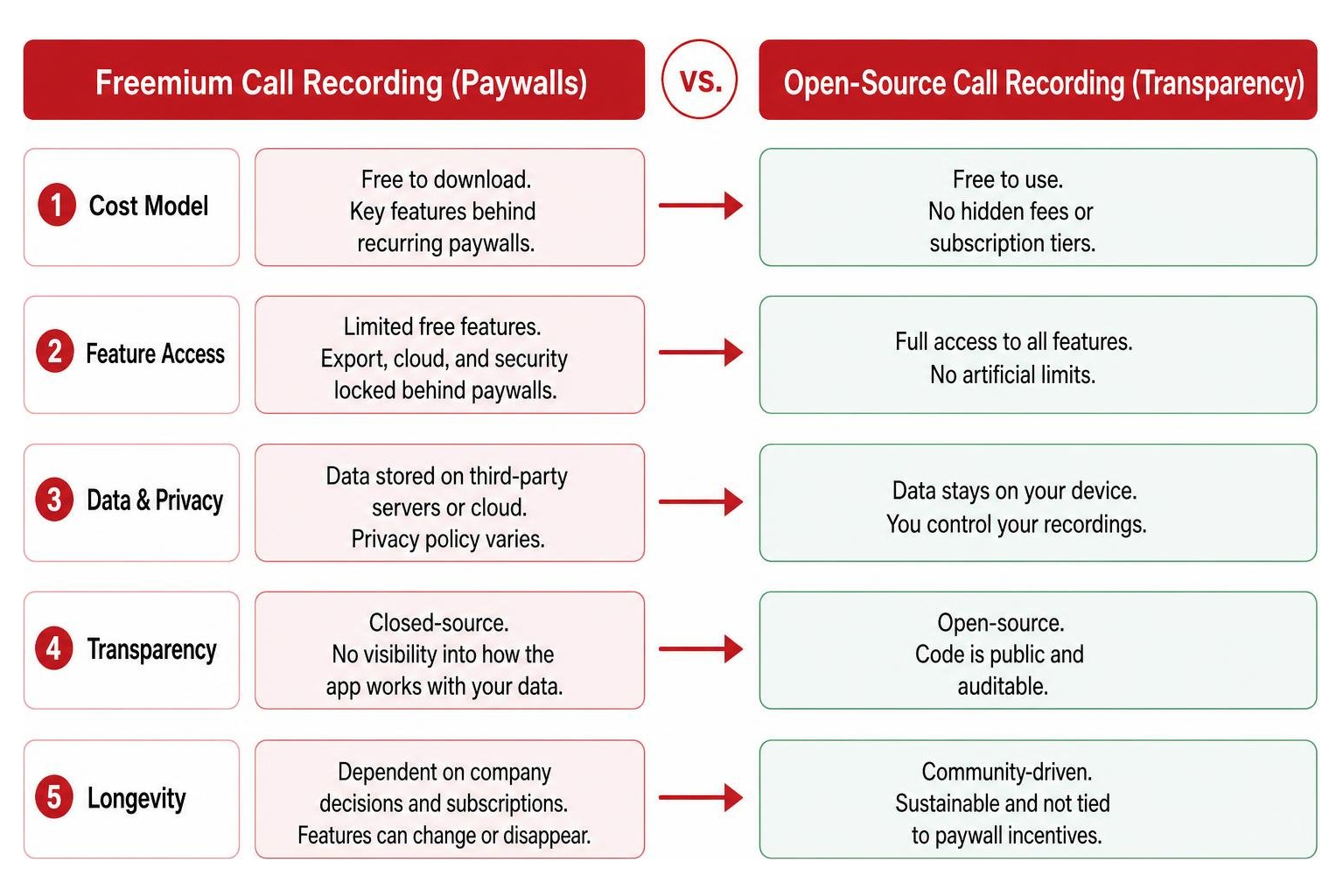
Commercial call recording apps on official application stores usually operate under a freemium model. They are free to download, but essential workflow features—such as exporting high-definition MP3 files, removing caller identity ads, or storing files off-device—are placed behind recurring weekly or annual subscription paywalls.
For example, Cube ACR is one of the most widely recognized utilities on the market, holding a 4.4 out of 5-star rating on the iOS App Store. On Android, Cube ACR stands out for its ability to record both standard cellular calls and popular VoIP communication applications, including WhatsApp, Skype, LINE, Viber, and WeChat. However, while its basic audio capture is accessible, features like PIN protection, biometric locks, geotagging, and cloud sync to Google Drive require premium upgrades (ranging from weekly charges to $49.99 per year).
Other heavily downloaded commercial alternatives tell a similar story:
- Call Recorder Automatic boasts over 50 million downloads on Google Play. Despite its popularity, it carries a 2.5-star user rating across 504,000 reviews. Users frequently cite aggressive full-screen video ads and missing second-party call audio on modern Android releases.
- Call Recorder: Voice Recorder has passed 1 million downloads with a 3.6-star rating across 26,000 reviews. It includes helpful features like real-time caller ID and unknown contact filtering, but suffers when devices restrict background audio access.
- Commercial iOS options like Call Recorder for iPhone or alternative Android tools like Call Recorder – Apps on Google Play offer basic trial usage, but often lock key options behind weekly subscriptions once initial recording minutes expire.
Choosing a Free Phone Recorder for iPhone
Recording phone calls on an iPhone requires navigating Apple’s strict privacy sandboxing, which blocks applications from tapping directly into live phone hardware. Because of this, every third-party free phone recorder for iOS relies on carrier-supported three-way conference bridging.
Here is how the three-way call merging mechanism operates on iOS:

To set up an incoming call recording on iPhone:
- Answer the incoming call from your contact.
- Open your preferred iOS recording utility, such as Call Recorder iCall or Phone Call Recorder Free of Ad (which maintains a 4.4 rating from 10,000 iOS reviews).
- Tap the in-app record button. The app dials its secure local recording line, placing your active caller on hold.
- Tap Merge Calls on your iPhone screen to bridge the three lines into a single conference call.
For outgoing calls, the process is reversed: you initiate the dialer inside the recording app first, call the service bridge, add your destination target, and press merge once they answer.
Critical Requirement: Your mobile service provider must support three-way conference calling on your mobile plan. If your cellular carrier disables call merging or multi-line bridging, third-party iPhone call recording tools will fail to capture audio.
Open-Source Free Phone Recorder Options for Android
For Android users seeking complete privacy, zero telemetry, and an ad-free experience, free open-source software (FOSS) provides the most robust alternative to store-bought commercial tools. Open-source developers bypass Google’s API restrictions using system-level privilege frameworks.
Three primary open-source models exist today for Android:
1. Root-Level Call Recording (BCR)
For rooted Android devices or phones running custom firmware, chenxiaolong/BCR (Basic Call Recorder) is widely considered the gold standard. Supporting Android 9 through modern releases, BCR operates as an installable Magisk or KernelSU module.
- Key Advantages: It requires zero network permissions, guarantees zero data collection, supports Direct Boot (capturing calls before the phone is unlocked after a reboot), and direct-binds to
CAPTURE_AUDIO_OUTPUTto capture crystal-clear two-channel stereo audio in OGG/Opus, M4A, FLAC, or WAV formats.
2. Shizuku-Based Call Recording (ShizuCallRecorder)
If you do not want to root your device, ShizuCallRecorder | F-Droid leverages the Shizuku framework to gain elevated system ADB shell permissions on Android 11+.
- Key Advantages: It operates without keeping a persistent, battery-draining background process running. Instead, it triggers dynamically on active call state changes, recording two-sided audio over cellular connections or Bluetooth headsets while leaving your software security model intact.
3. Embedded ADB & Wireless Debugging (CallVault)
The madkongo/CallVault repository represents an innovative approach to non-root call capture. Operating on Android 11+ (and verified on modern environments like OxygenOS and One UI), CallVault uses an embedded ADB client over Android Wireless Debugging.
- Key Advantages: It does not require a companion PC or external Shizuku app. CallVault launches a lightweight ADB daemon on your phone to duplicate incoming audio policies, seamlessly capturing standard phone calls as well as two-sided VoIP audio from encrypted messaging platforms like WhatsApp, Signal, and Telegram.
Technical Requirements and Troubleshooting Common Issues

Even the most highly rated free phone recorder application will encounter technical hurdles if your mobile operating system restricts its background processes or audio streams.
Overcoming One-Sided Audio and App Process Crashes
The single most common complaint among users downloading a free phone recorder is one-sided recording—where the user’s voice is crystal clear, but the party on the other end is completely silent or barely audible.
This occurs because modern operating systems treat microphone inputs as exclusive single-use resources. When your phone dialer is active, the system assigns the voice microphone directly to the call, preventing third-party apps from tapping that same hardware input stream.
To fix one-sided audio and unexpected app crashes, apply these technical troubleshooting steps:
- Enable Speakerphone Mode: On standard unrooted commercial apps like Call Recorder Automatic, switching your phone call to speakerphone mode allows the external device microphone to physically pick up the incoming caller’s voice coming through the speaker.
- Configure Shizuku Background Watchdogs: If you use non-root FOSS tools like hari161008/Ever-Call-Recorder, install the recommended Shizuku framework and enable its ‘Watchdog’ setting. This prevents Android’s memory manager from terminating background recording daemons during active calls.
- Adjust Default USB & Power Management Settings: On modern devices from manufacturers like Samsung, Xiaomi, and OnePlus, aggressive battery savers kill background apps. Exclude your call recorder from battery optimization, enable auto-launch, and (for ADB tools like CallVault) set your phone’s Default USB Configuration to “Charging only” to prevent screen locking from severing internal debugging bridges.
- Use Privacy-Focused Standalone Voice Recorders for In-Person Memos: If your primary goal is recording face-to-face meetings or ambient voice notes rather than cellular calls, utility tools like Fossify Voice Recorder Beta offer a completely offline, ad-free 4.5-star experience with zero data tracking.
Automatic vs Manual Call Recording Features
Understanding how call recording triggers work helps prevent missed conversations:
- Automatic Call Recording: The app runs continuously in the background. When an incoming or outgoing call connects, the app detects the state change and begins saving audio immediately. Native dialers and tools like BCR support custom exclusion rules (e.g., auto-recording unknown numbers while ignoring saved personal contacts).
- Manual Call Recording: Requires explicit user action during a live call. On iOS third-party apps, manual activation is necessary to initiate the conference bridging dial sequence. Manual controls give you precise control over when audio is saved, avoiding clutter on your device storage.
If you are exploring cost-effective strategies for capturing personal or business conversations without overspending, review our practical guide on how to record phone calls on a budget.
Legal Considerations, Consent, and Data Privacy
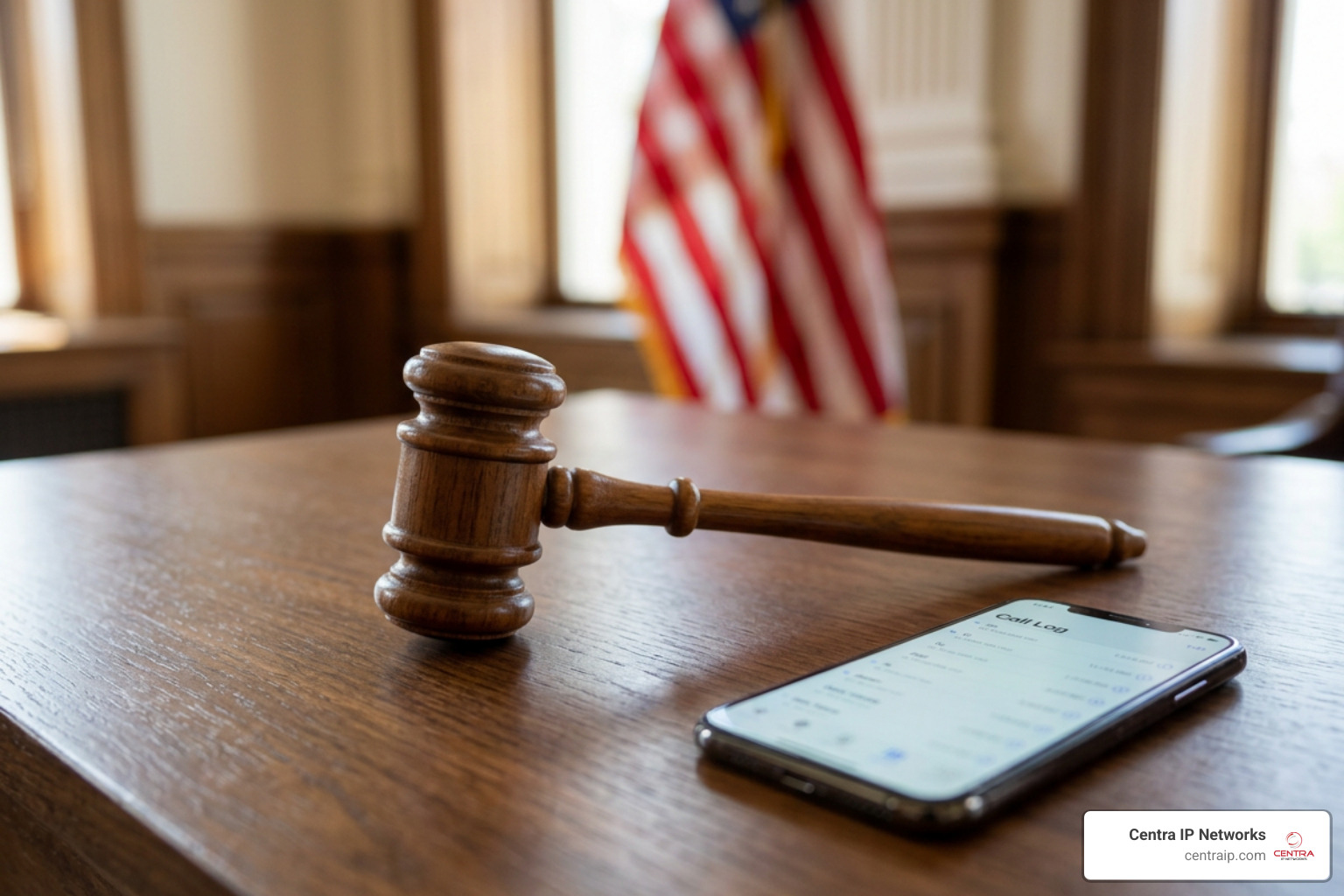
Before downloading or deploying any free phone recorder, understanding the legal framework surrounding wiretapping and electronic surveillance is essential. Software developers explicitly disclaim liability for legal compliance—ensuring that call recordings comply with local laws rests entirely on you.
Within our core service regions across Texas and Florida, call recording consent standards differ significantly:
- Texas (One-Party Consent Jurisdiction): Under Texas legal statutes, you can lawfully record a phone conversation as long as one party to the conversation consents. If you are participating in the call, your own consent is legally sufficient—you are not strictly required to inform the other caller.
- Florida (All-Party / Two-Party Consent Jurisdiction): Florida enforces strict all-party consent standards under Florida Statutes Section 934.03. It is a legal violation to record any private wire or oral communication unless every individual on the call provides explicit prior consent.
When placing interstate or cross-border business calls (for instance, dialing between our offices in Dallas or Fort Worth to locations in Orlando, Tampa, St. Petersburg, Clearwater, or Sarasota), the safest compliance rule is to adhere to the strictest jurisdiction: always inform all parties that the call is being recorded at the start of the conversation.
Beyond legal consent, consider how third-party apps handle your private data:
- Local On-Device Storage: Open-source tools (such as BCR, CallVault, and ShizuCallRecorder) save audio files exclusively to local device storage or private Storage Access Framework (SAF) directories, keeping your sensitive conversations off third-party servers.
- Cloud Privacy & Tracking: Commercial freemium apps frequently store files in remote cloud environments and may include diagnostic tracking or marketing SDKs. Always review an application’s App Privacy label and ensure recorded audio can be protected behind biometric FaceID, TouchID, or PIN encryption locks.
- Public Records Verification: For public administration and local legal filings, official recording standards can be verified through regional government sites like the Records | Sarasota Clerk of the Circuit Court and County Comptroller.
Frequently Asked Questions About Free Phone Recorders
Why does my free phone recorder only capture one side of the conversation?
Modern mobile operating systems restrict third-party software from accessing line audio directly during active phone calls. Unless you use native system recording, root permissions (like BCR), or ADB bridges (like CallVault), third-party apps can only capture sound picked up by your physical microphone. To resolve this on standard commercial apps, turn on your phone’s speakerphone during the call.
Is it legal to record phone calls without informing the other caller?
It depends entirely on the legal jurisdiction of everyone on the line. In one-party consent states like Texas, you can record calls you participate in without notifying the other person. In all-party consent states like Florida, recording without informing all participants is illegal. Playing an automated voice disclosure or giving a clear spoken warning at the beginning of the call ensures legal compliance.
How do I record VoIP phone calls on WhatsApp or Skype for free?
To record VoIP calls for free, choose a tool engineered for app audio policy interception. On Android, Cube ACR offers basic VoIP recording support for WhatsApp, Skype, Viber, and Telegram, while open-source tools like CallVault use privileged ADB daemons to mirror incoming VoIP audio streams without requiring device root.
Conclusion
A free phone recorder app can be a great temporary fix for saving personal voice memos, documenting quick conversations, or testing mobile call capture. However, relying on third-party mobile apps for day-to-day business operations often leads to headaches—including unexpected OS updates that break audio recording, silent one-sided files, intrusive advertisements, and legal compliance risks.
At Centra IP Networks, we eliminate these headaches for growing organizations across Texas and Florida. Instead of asking employees to juggle unpredictable smartphone apps, our enterprise Cloud Communications platforms feature seamless, automated call recording built directly into your business phone system.
Whether your team works out of offices in Dallas, Fort Worth, Orlando, Tampa, St. Petersburg, Clearwater, or Sarasota, Centra IP Networks delivers a single, unified platform for voice, internet connectivity, and IT management—backed by tailored cloud solutions and a single clear bill.
Want secure, high-definition call recording with enterprise compliance archiving and zero app troubleshooting? Explore our specialized Centra IP Voice Recording Services today to learn how we can transform your business communications.