
Why Your Business Needs a Team Messaging Platform
A team messaging platform is a digital workspace where employees can communicate instantly through channels, direct messages, video calls, and file sharing—all in one place. These platforms have replaced email as the primary communication hub for modern workforces, enabling real-time collaboration across offices, remote locations, and mobile devices.
Top team messaging platforms in 2025:
- Slack – Best for chat-powered workplaces with extensive integrations (from $8.75/user/month)
- Microsoft Teams – Best for enterprises already using Microsoft 365 (from $4/user/month)
- Google Chat – Best for Google Workspace users (included from $7/user/month)
- RingCentral – Best for unified communications with AI features (trusted by 500,000+ businesses)
- Discord – Best for always-on voice collaboration (free with premium from $2.99/month)
The shift from email to team messaging isn’t just about speed. Research shows companies using team messaging platforms see 50-70% decreases in email use, enable 100% remote staff productivity, and reduce call abandon rates to under 10%. These tools consolidate multiple communication services—phone systems, messaging, video conferencing—into a single interface that works across every device.
For businesses managing multiple IT vendors, team messaging platforms offer a path to simplification. Instead of juggling separate tools for calls, chats, meetings, and task management, modern platforms integrate everything your team needs to stay connected and productive.
I’m Patrick Brangan, and over 20+ years working with SMB companies in Dallas, Tampa, and Orlando, I’ve helped hundreds of businesses implement unified communications solutions including team messaging platforms that reduce vendor complexity and boost productivity. Whether you’re consolidating from multiple vendors or upgrading from outdated phone systems, choosing the right team messaging platform starts with understanding what’s available and what fits your specific needs.
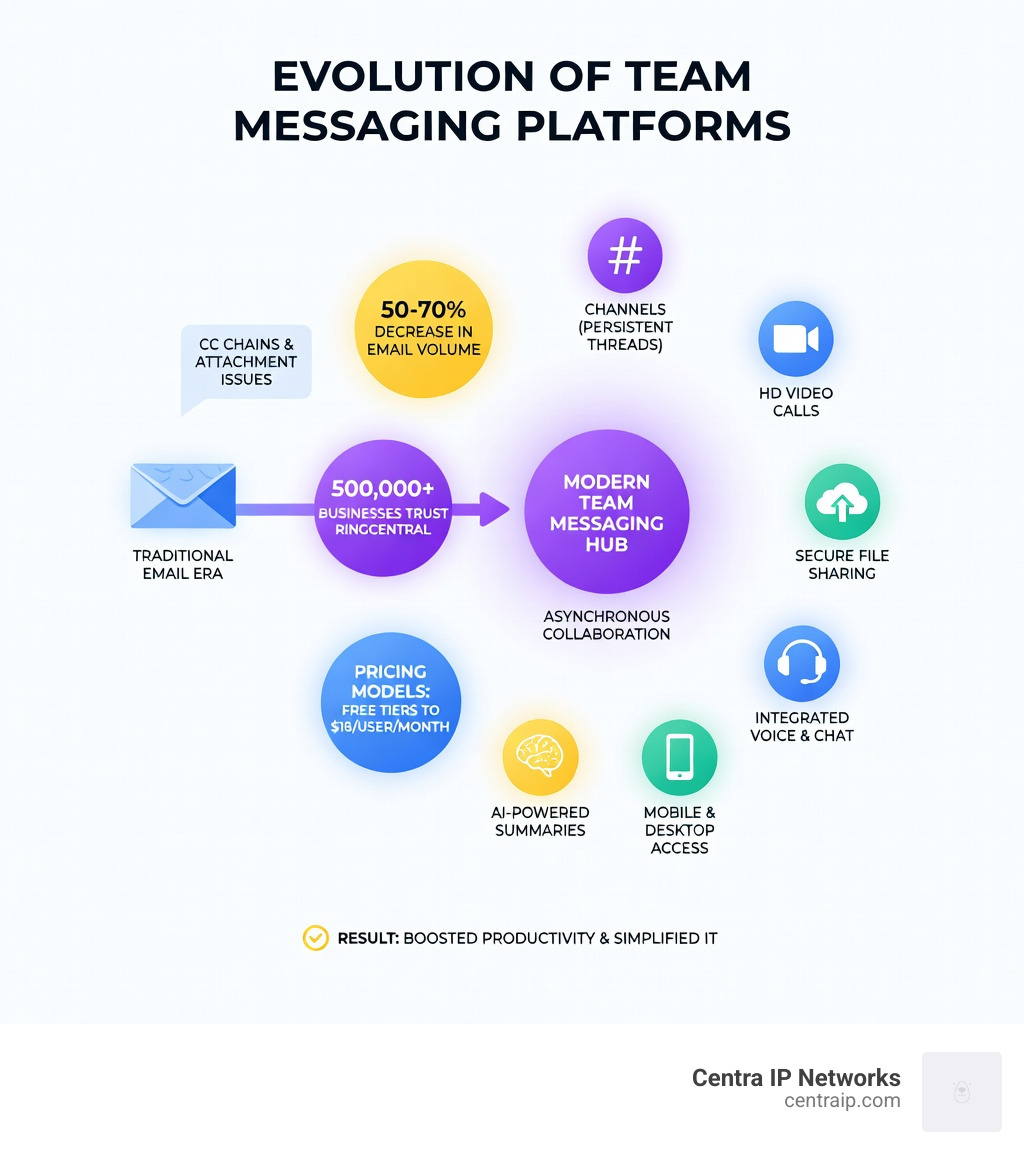
Evolution of the Team Messaging Platform
The way we work has undergone a seismic shift. We remember the days when “collaboration” meant a long CC chain in an Outlook inbox that inevitably led to someone missing a crucial attachment. Today, the team messaging platform has evolved from a simple chat tool into a comprehensive digital hub.
The primary driver for this evolution is the need for asynchronous work. In a hybrid or remote environment—common for many of our clients in the Dallas-Fort Worth metroplex and across Florida—teams aren’t always at their desks at the same time. These platforms allow conversations to live in persistent channels, meaning a developer in St. Petersburg can leave a message for a project manager in Clearwater, and the context is preserved perfectly for when they log in.
Furthermore, these platforms solve the “context switching” nightmare. When your chat, your files, and your video meetings live in different apps, you lose time jumping between them. By centralizing these, you significantly boost workplace productivity. This is a core reason why use Microsoft Teams has become the standard for so many organizations; it turns the “org chart” into a functional, living communication tool.
Top Team Messaging Platforms for 2025
Choosing the right team messaging platform can feel like picking a favorite child—each has its own personality and strengths. In 2025, we’ve seen significant market consolidation. The “big players” have integrated AI so deeply that these tools are no longer just about sending text; they are about managing your entire workday.
| Platform | Best For | Starting Price | Key Strength |
|---|---|---|---|
| Slack | Design & Integrations | $8.75/user/month | User experience & 2,000+ apps |
| Microsoft Teams | M365 Ecosystem | $4.00/user/month | Deep integration & security |
| Google Chat | Workspace Users | $7.00/user/month | Seamless co-editing in Docs |
| RingCentral | Unified Comms | Custom | Phone + SMS + Chat in one |
| Discord | Voice-First Teams | Free / $2.99 | Always-on audio channels |
Whether you are looking for a Microsoft Teams integration to link your PBX or a standalone chat app, the goal is high user adoption. If the tool is too complex, your team will just go back to texting each other on personal phones, which is a security nightmare.
Slack: The Chat-Powered Leader
Slack remains the gold standard for user-centric design. It’s the platform people actually enjoy using. Its “Channels” allow you to organize conversations by project, client, or even social topics like #office-dogs.
One of its most powerful features is the AI-powered message summarization. If you’ve been in meetings all morning in Orlando and come back to 50 messages in a channel, Slack AI can give you a “TL;DR” (Too Long; Didn’t Read) recap so you’re caught up in seconds. Plus, “Huddles” provide a quick way to hop on an audio call without the formality of a scheduled meeting.
Microsoft Teams: The Enterprise Powerhouse
For our clients in Sarasota and Tampa who are already “all-in” on the Microsoft ecosystem, Teams is often the logical choice. It isn’t just a chat app; it’s a productivity layer that sits on top of Word, Excel, and SharePoint.
With the introduction of Copilot, Teams can now visualize and evaluate ideas from meetings in real-time. For businesses needing a professional telephony solution, Microsoft Teams VoIP integration allows you to use the Teams app as your office phone, making and receiving calls on your business line from any device.
Specialized Solutions: Discord and Element
Not every business fits the Slack or Teams mold. Discord, originally built for gamers, has become a favorite for technical teams who value its “always-on” voice channels. It allows for a “virtual office” feel where you can see who is “in the room” and just start talking.
On the other hand, for organizations with extreme security requirements, Element is a standout. It uses the open-source Matrix protocol and offers a self-hosted option. This means your data never lives on a third-party server, providing end-to-end encryption that is vital for legal or medical firms.
Essential Features of a Modern Team Messaging Platform
When evaluating a team messaging platform, don’t just look at the price tag. Look at the features that will actually save your employees time.
- Universal Search: You should be able to find a file or a specific message from six months ago in seconds. Advanced filters (by date, sender, or file type) are a must.
- Presence Status: This tells your team if you’re “In a Meeting,” “Out to Lunch,” or “Deep Work – Do Not Disturb.” It’s essential for managing expectations in hybrid work.
- Mobile Accessibility: Whether your team is on a job site in Fort Worth or commuting in Dallas, the mobile app must be just as powerful as the desktop version.
- Guest Access: Can you invite a contractor or a client into a specific channel without giving them access to your entire company’s data? This is a critical security feature.

Maximizing ROI through Integrations and AI
The real magic happens when your team messaging platform talks to your other tools. We always tell our clients to get the most out of your integrations by connecting their CRM (like Salesforce or HubSpot) and their calendars.
The Power of AI in Messaging:
Modern platforms now offer AI features that were science fiction five years ago:
- Instant Translation: RingCentral and others can translate messages in real-time, allowing a team in Tampa to collaborate seamlessly with partners in Mexico or France.
- Grammar and Tone Checks: AI can help “polish” a message before you hit send, ensuring you sound professional even when you’re typing in a hurry.
- Meeting Recaps: Platforms like Zoom and Teams now automatically generate action items and summaries from your video calls.
Choosing the Right Team Messaging Platform for Your Business
When it’s time to pull the trigger, consider your scalability. A free plan might work for a 3-person startup in Clearwater, but as you grow, you’ll need enterprise-grade security and compliance (like HIPAA or GDPR).
Pricing models usually fall into three buckets:
- Freemium: Great for testing, but usually limits your message history (e.g., you can only see the last 10,000 messages).
- Per-User Monthly: The standard model, ranging from $4 to $20+ per user.
- Bundled: Like an Office 365 Phone System, where the messaging is included in a larger suite of tools.
Frequently Asked Questions about Team Messaging
How do team messaging platforms differ from email?
Email is “one-to-one” or “one-to-many” and often leads to silos where information is buried in private inboxes. A team messaging platform is “many-to-many.” It creates a searchable, transparent record of a project that new team members can join and review instantly. It’s the difference between sending a letter and sitting in a room together.
Are there free team messaging platforms available for small businesses?
Yes! Slack, Microsoft Teams, and Discord all offer robust free versions. However, be wary of “history limits.” For example, Slack’s free version eventually hides older messages. For many small businesses, a platform like Homebase (starting at $20/location) or Connecteam (with a free plan for small teams) might be better if you have field-based employees.
What security features should I prioritize for my organization?
At a minimum, ensure the platform offers Multi-Factor Authentication (MFA) and data encryption. For higher-security needs, look for “burnout” chats (messages that self-delete) like those found in Troop Messenger, or self-hosting options like Mattermost or Rocket.Chat.
Conclusion
The right team messaging platform does more than just stop the “ping” of constant emails; it creates a culture of transparency and speed. Whether you’re a medical group in Sarasota or a payroll service in Dallas, consolidating your communications into one hub is the fastest way to see a return on your IT investment.
At Centra IP Networks, we believe in simplification. We provide Managed IT and Cloud Communications on one platform, with one bill and one point of contact. We leverage over 35 partnerships to find the specific team messaging platform and phone integration that fits your unique business needs.
Ready to stop the app-juggling act? Experience better business messaging with cloud-based phone systems and let us help you build a more productive, connected team.