
Choose VoIP Providers That Simplify Business Communications
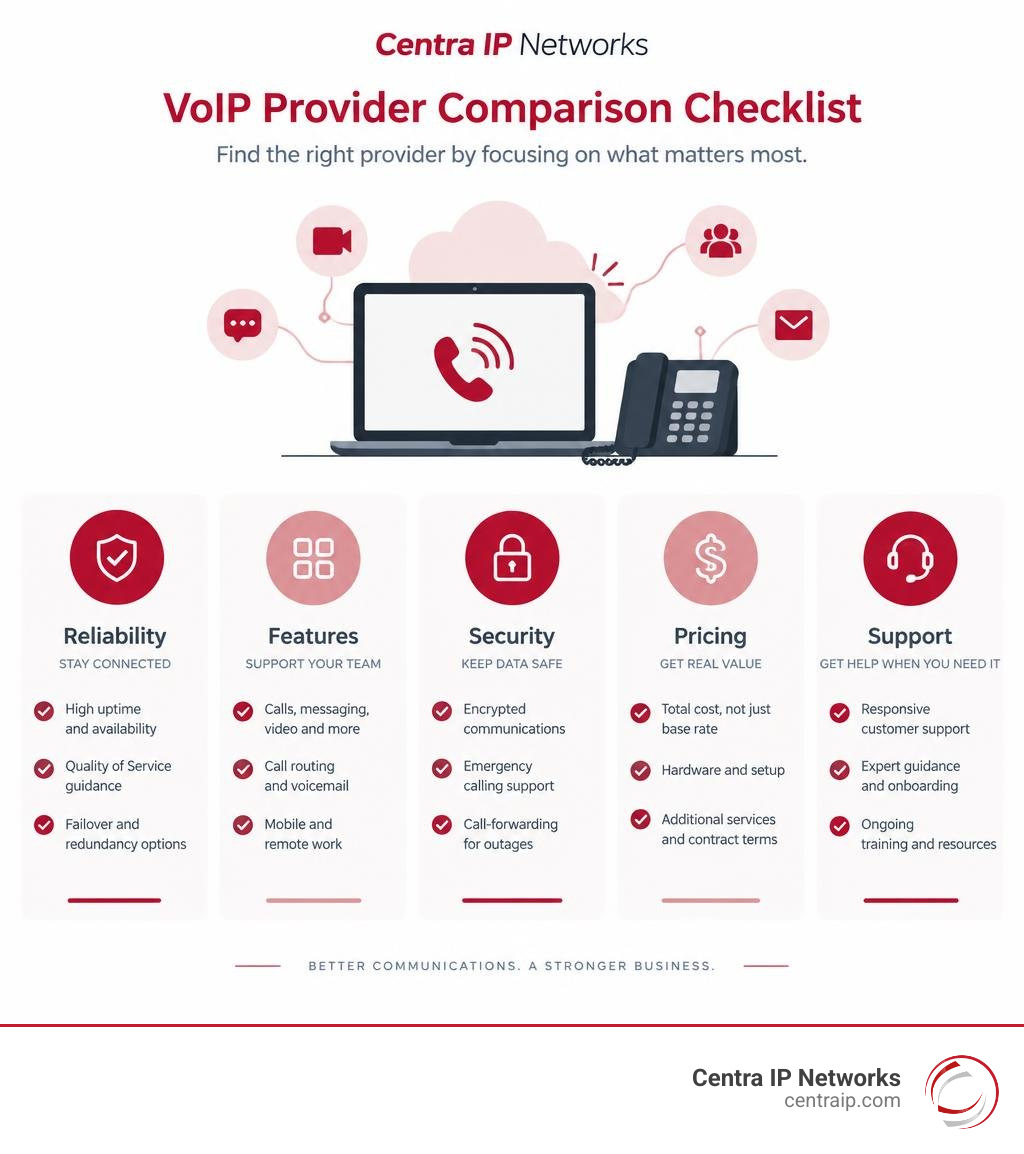
The best VoIP providers replace legacy phone lines with a cloud-based system for calls, messaging, video, and customer support. When comparing options, prioritize five things: reliable uptime, the features your team will actually use, security controls, easy integration with your existing tools, and clear total pricing.
For businesses trying to reduce vendor sprawl, VoIP can bring phone service, mobile calling, SMS, call routing, voicemail, and collaboration into one manageable platform. It can also scale quickly as staff, locations, and call volumes change – without the cost and limits of a traditional on-site phone system.
The lowest advertised per-user rate is not always the best value. Look beyond the base plan for hardware, setup, number porting, support, contact center tools, call recording, international calling, and contract terms. A strong provider should also offer Quality of Service guidance, encrypted communications, emergency calling support, and call-forwarding plans for internet or power outages.
I am Patrick Brangan, a business technology specialist with more than 20 years of experience helping small and midsize organizations evaluate VoIP providers, unified communications, managed IT, and security solutions. This guide will help you compare the options that can make business communications simpler, more secure, and easier to manage.
Simple guide to voip providers:
Introduction
Modern business communication is undergoing a massive shift. The sunset of the public switched telephone network (PSTN) and traditional plain old telephone service (POTS) is forcing organizations to rethink how they manage voice traffic. By December 31, 2026, 96% of North American organizations are expected to use cloud-based or mobile PBX systems.
Carriers are retiring physical copper lines because maintaining them is expensive and inefficient. Copper wires transmit signals at speeds noticeably slower than optical fiber, leaving legacy infrastructure behind. Forward-thinking companies are replacing obsolete systems with intelligent cloud telephony platforms that integrate voice, video, team chat, and customer relationship management into a centralized ecosystem.
Understanding Business VoIP and Cloud Communications
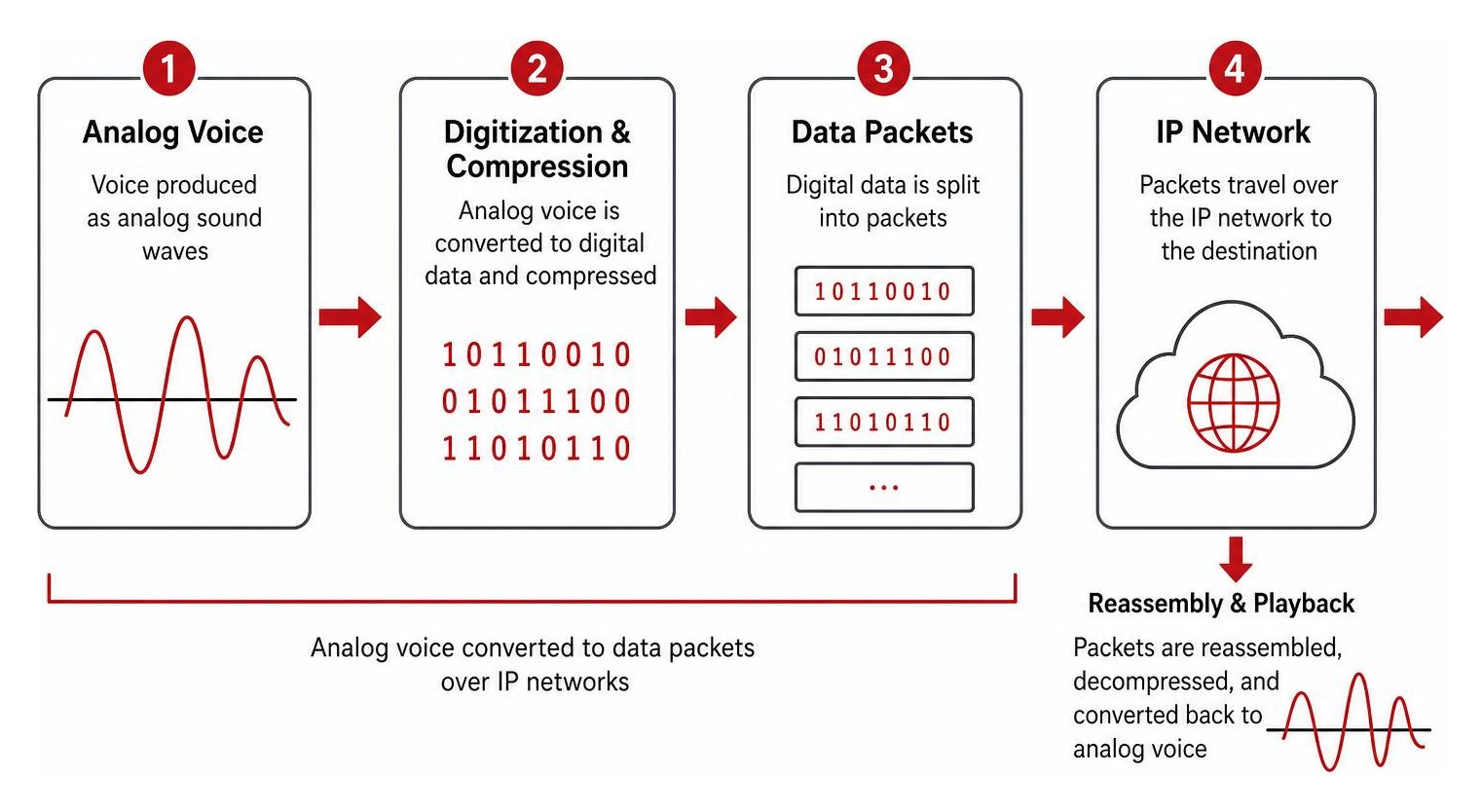
Voice over Internet Protocol (VoIP) converts traditional analog audio signals into digital data packets. Instead of traveling across physical copper phone wires, these packets move across the internet or private data networks. When received, the packets instantly reassemble into clean, high-definition audio.
VoIP relies on advanced digital signal processing and audio compression codecs (like G.711 and G.722) to balance pristine voice clarity with low bandwidth usage. Cloud systems route inbound and outbound calls through hosted data centers rather than physical switchboards located in a back-office closet.
This architecture supports virtual numbers—including local, toll-free, and non-fixed VoIP numbers—that are independent of a physical address. Your team can place and receive calls from anywhere using an office desk phone, a laptop browser, or a mobile app, making hybrid work seamless.
How Modern VoIP Providers Deliver Voice Over IP
Behind every clear VoIP call is a set of standardized network protocols working together:
- Session Initiation Protocol (SIP): Manages the signaling layer, establishing, modifying, and terminating real-time communication sessions between endpoints.
- Real-time Transport Protocol (RTP): Carries the digitized voice and video payload across the network.
- User Datagram Protocol (UDP): Transmits media packets rapidly by minimizing delivery latency.
- Transmission Control Protocol (TCP): Handles signaling tasks where guaranteed packet delivery is critical.

Top providers peer directly with Tier-1 telecommunications carriers, running multiple geographically dispersed data centers with smart failover routing. This carrier-grade backbone ensures that data packets take the shortest path with low latency (often under 40 ms edge-to-edge), preventing jitter, echo, or dropped calls. For a broader technical overview, see the Voice over IP reference on Wikipedia.
VoIP-Only vs. Cloud PBX vs. Unified Communications (UCaaS)
As you explore providers, you will encounter three core types of platforms:
- VoIP-Only Providers: Offer simple internet-based dial tones and basic SIP trunking. They replace traditional phone lines without adding extensive call handling or collaboration tools.
- Cloud Phone Systems (Hosted PBX): Provide enterprise-grade call management without requiring on-site PBX hardware. They include auto-attendants, interactive voice response (IVR), call queues, extension-to-extension dialing, ring groups, and visual voicemail.
- Unified Communications as a Service (UCaaS): Combines voice telephony, high-definition video conferencing, team messaging, business SMS/MMS, digital faxing, and workflow integrations into a single platform. Employees can switch from a chat message to a phone call or video conference with a single click across mobile and desktop softphones.
Key Advantages of Switching from Legacy POTS to VoIP Systems
Switching from legacy landlines to modern cloud telephony offers significant operational and financial benefits:
- Significant Cost Reductions: VoIP can offer cost savings of between 50-70% compared to traditional landline systems by eliminating analog line maintenance, long-distance surcharges, and dedicated on-premise hardware.
- Effortless Scalability: Add new users, provision local virtual extensions, or deploy international phone numbers in minutes without waiting for a technician to run new copper lines.
- Workplace Mobility: Staff can access business phone numbers, company directories, and messaging tools from any device or location.
- Built-in Business Continuity: Calls route through cloud data centers. If an office loses power or internet connectivity, calls automatically roll over to mobile applications or alternate facilities without missing a lead.
Cost Reductions and Scalability
Traditional phone systems require heavy upfront capital expenditures (CapEx) for PBX cabinets, physical line cards, and complex on-site wiring. They also lock companies into rigid maintenance contracts with per-minute long-distance fees.
Cloud communications turn these expenses into predictable operating expenses (OpEx). You pay a flat, per-user monthly fee with unlimited domestic calling and simple tiered licenses. When your business grows or opens a new branch, administrators can provision virtual extensions, assign direct inward dialing (DID) numbers, and adjust user permissions in seconds through an intuitive web portal.
AI-Powered Call Management and Customer Experience
Artificial intelligence is now a core capability in modern VoIP platforms, helping companies enhance customer interactions and automate routine administrative tasks.
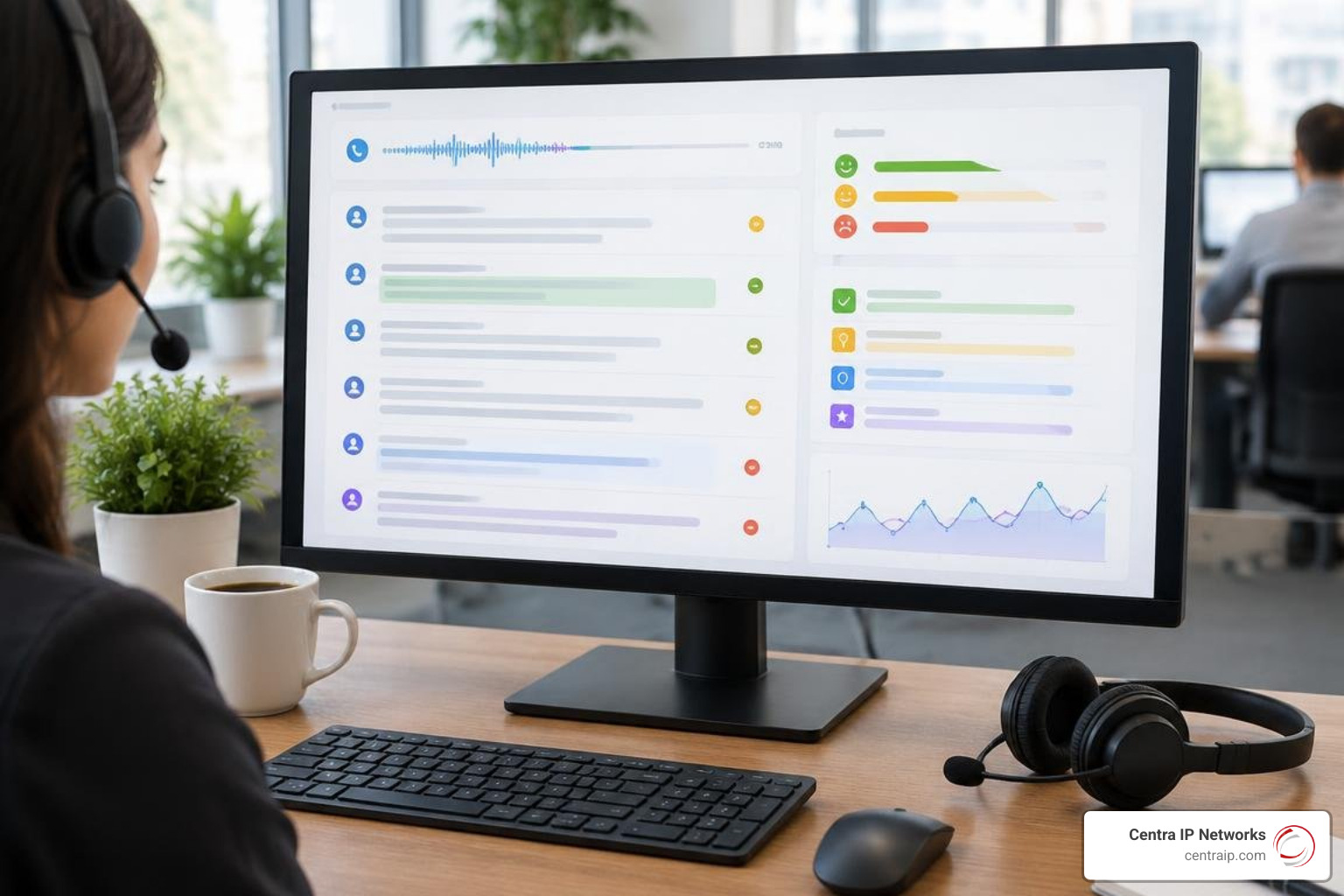
- 24/7 AI Receptionists and Smart IVR: Conversational assistants answer calls immediately, understand caller intent in natural language, resolve simple queries, and route complex calls to the right team.
- Real-Time Transcription and Summaries: Calls are automatically transcribed into readable text with key discussion points, tasks, and follow-ups generated instantly.
- Sentiment Analysis: Machine learning evaluates caller tone and agent interactions, flagging escalated calls for supervisors in real time.
- Automated CRM Logging: Call recordings, transcripts, and duration metrics synchronize directly with systems like Salesforce, HubSpot, or Zoho, saving teams valuable time.
How to Evaluate and Compare the Top VoIP Providers
Finding the right communications platform requires evaluating features, integrations, vendor support, and long-term costs.
Feature Checklist and Integration Capabilities
Review prospective providers against this core checklist:
- Call Routing & IVR: Multi-level auto-attendants, time-based call rules, skill-based routing, and hunt groups.
- Omnichannel Messaging: Centralized handling of voice calls, SMS, MMS, WhatsApp, and web chat.
- Emergency E911 Compliance: Automated transmission of accurate physical address data to emergency responders.
- Software Integrations: Native plugins for Microsoft Teams, Google Workspace, CRM systems, and help desks (such as Zendesk).
- Management & Analytics: Live admin dashboards, historical reporting, call detail records (CDRs), and quality metrics.
Pricing Tiers, Hardware Requirements, and Hidden Costs
Base subscription prices rarely reflect the total cost of ownership. When comparing proposals, look closely at:
- Hardware Needs: Can your team use their existing computers and smartphones with softphones, or do you need to purchase or lease dedicated IP desk phones?
- Analog Telephone Adapters (ATAs): If you still rely on analog fax machines, door buzzers, or overhead paging systems, factor in the cost of ATAs.
- Implementation & Porting Fees: Clarify whether number porting, admin setup, and user training are included or billed separately.
- Usage Allowances: Review allocations for toll-free minutes, outbound SMS/MMS campaigns, and international calling rates.
- Contract Terms: Ensure pricing is transparent, whether you select annual billing discounts or month-to-month flexibility.
Leading Business VoIP Providers at a Glance
| Provider | Starting Price (Per User/Mo) | Uptime SLA | Best For | Standout Features |
|---|---|---|---|---|
| RingCentral | $20 – $35 | 99.999% | Medium-to-large businesses needing UCaaS | Trusted by 500,000+ companies; deep AI transcription, omnichannel messaging, 300+ integrations. |
| Nextiva | $15 – $75 | 99.999% | Teams focused on customer experience | Built-in CRM tools, contact management, visual call flow builder, excellent support. |
| Vonage | $19.99+ | 99.999% | Custom setups & developer integration | Extensive communication APIs, customizable feature stack, broad global calling. |
| Zoom Phone | $10.50 – $29 | 99.999% | Businesses heavily using Zoom meetings | Low entry price, clean user interface, seamless escalation from audio calls to video meetings. |
| 8×8 | $15 – $44 | 99.999% | International businesses | Unlimited calling to up to 48 countries, integrated contact center, strong compliance. |
| Dialpad | $15 – $35 | 99.999% | Teams prioritizing AI features | Built-in conversational intelligence, live sentiment analysis, real-time coaching prompts. |
| Ooma Office | $19.95 – $29.95 | 99.99% | Small offices and retail shops | Straightforward setup, no complex contracts, includes free virtual fax and mobile apps. |
Technical Requirements, Reliability, and Network Security
Because VoIP relies entirely on your data network, having proper network setup and security measures in place is essential for clear calls and reliable service.
Quality of Service (QoS) and Bandwidth Optimization
Voice traffic requires a consistent data stream. When voice packets compete with large file downloads or 4K video streams on an unmanaged network, users experience packet loss, jitter, and latency.
To ensure consistent call quality:
- Bandwidth Planning: Allocate approximately 100 kbps of symmetrical bandwidth per active concurrent call.
- QoS Traffic Prioritization: Configure network routers with Quality of Service (QoS) rules that prioritize voice data (RTP packets) above standard web traffic.
- Low Latency Connections: Keep overall network latency below 150 ms and packet jitter under 30 ms.
- Commercial Hardware: Use enterprise-grade firewalls and switches capable of handling Session Border Controller (SBC) routing without causing packet delays.
Uptime Guarantees, Failover, and Enterprise Security Standards
Leading providers back their platforms with 99.999% (five-nines) uptime service level agreements, translating to less than six minutes of unplanned downtime per year.
Security is equally important. Ensure your provider uses:
- Signaling & Media Encryption: Transport Layer Security (TLS) to encrypt call connections and Secure Real-time Transport Protocol (SRTP) to encrypt the voice audio stream.
- Compliance Certifications: Third-party validation for HIPAA, PCI-DSS, SOC 2 Type II, and ISO/IEC 27001 standards.
- Carrier Redundancy: Multi-carrier routing and geographically diverse data centers with automated failover to keep your system online.
Frequently Asked Questions About VoIP Providers
What equipment is required to switch to a VoIP phone system?
To get started, you only need high-speed internet and an internet-connected device. Employees can make calls using software applications on their existing computers, laptops, tablets, or smartphones paired with a quality headset.
If your team prefers traditional hardware, you can deploy dedicated IP desk phones (such as Poly, Yealink, or Cisco). If you want to keep existing analog handsets, door phones, or fax machines, simple Analog Telephone Adapters (ATAs) can connect them directly to your modern network.
Can my business keep existing phone numbers when migrating to VoIP?
Yes. Under FCC regulations, businesses retain legal ownership of their telephone numbers and have the right to port them to any provider.
This process includes your primary business lines, direct inward dialing (DID) numbers, fax numbers, and toll-free lines. A dedicated onboarding team coordinates the number transfer behind the scenes, ensuring the old service remains active until the new cloud routing takes over, resulting in zero downtime or missed customer calls.
What happens to VoIP phone calls during an internet or power outage?
Because cloud VoIP platforms live in off-site data centers rather than on a physical switchboard in your building, an outage at your physical office does not bring down your phone system.
When an outage occurs, automated failover rules immediately route inbound calls to predetermined backup destinations. Calls can ring employee mobile apps, bridge to remote branches, route to external backup numbers, or send callers directly to visual voicemail delivered by email.
Conclusion
Migrating from outdated copper phone lines to a modern cloud communications platform helps lower operating costs, improves mobility, and modernizes your customer experience. However, managing separate vendors for business internet, voice systems, IT management, and network security often introduces unnecessary complexity and higher overall expenses.
We help organizations eliminate vendor sprawl by providing business internet connectivity, cloud communications, and complete IT management under a single, unified service model. We evaluate your network requirements, configure your Quality of Service rules, manage number porting, and deploy modern business phone systems tailored specifically to your operational needs.
Contact our team today to review your current infrastructure, explore modern cloud communication platforms, and build a unified system designed for your business.