The Fastest Ways to Get Home Internet Without a Phone Line
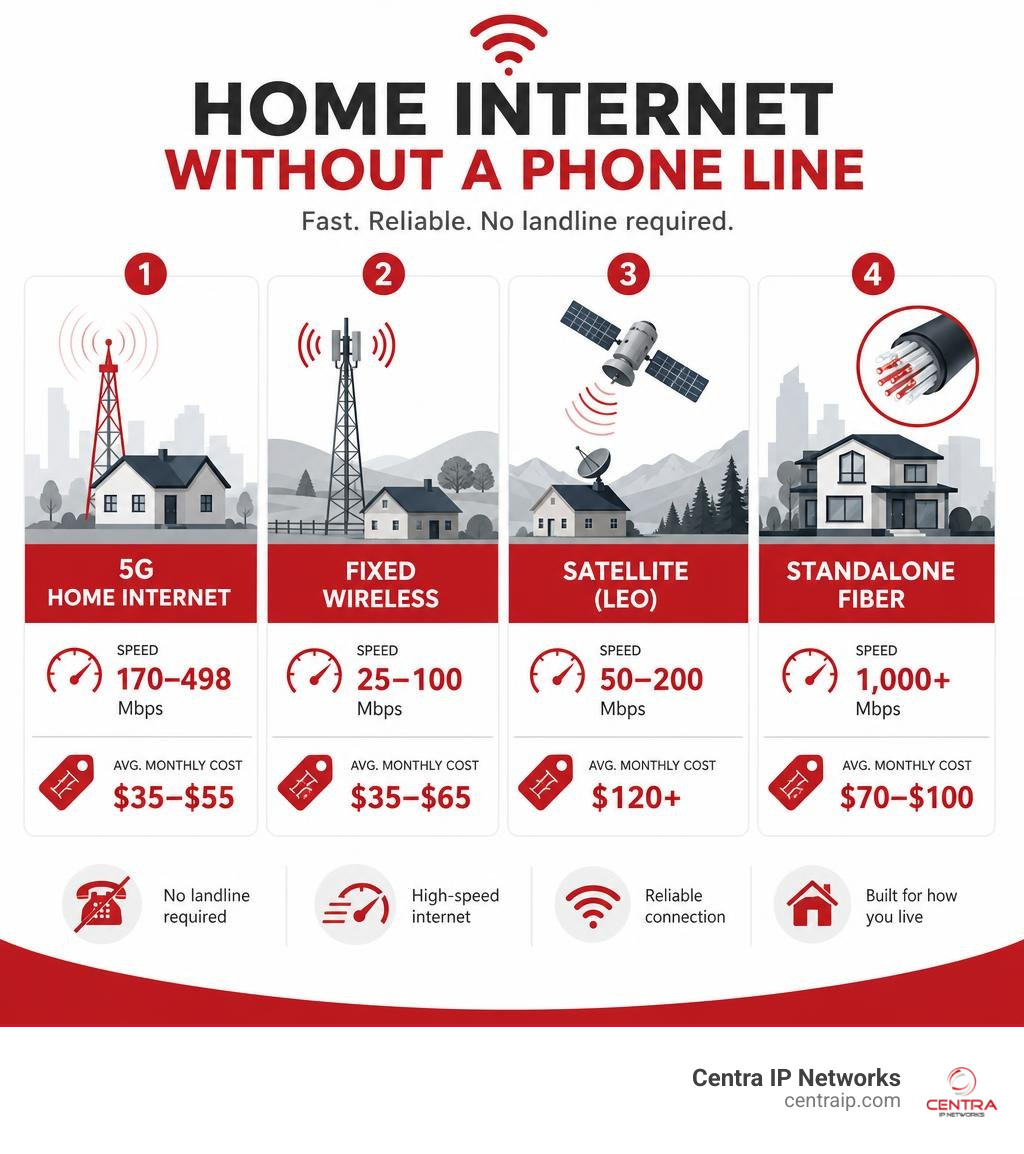
If you’re looking for home internet without a phone line, here are your best options right now:
| Option | Best For | Typical Speed | Avg. Monthly Cost |
|---|---|---|---|
| 5G Home Internet | Urban/suburban | 170–498 Mbps | $35–$55 |
| Fixed Wireless | Rural/suburban | 25–100 Mbps | $35–$65 |
| Satellite (LEO) | Remote/rural | 50–200 Mbps | $120+ |
| Standalone Fiber | Urban | 1,000+ Mbps | $70–$100 |
You don’t need a landline to get fast, reliable internet at home. All of the options above work without one.
Not long ago, getting broadband meant paying for a phone line you never used. That deal made sense in the 1990s. It doesn’t anymore.
Today, millions of households are cutting the cord entirely. Traditional copper phone lines are being retired across the U.S. and U.K. — AT&T, for example, stopped accepting new copper orders in October 2025. Meanwhile, 5G fixed wireless now reaches 70 million U.S. homes, and satellite coverage extends to nearly 100% of the country.
The result? You have more choices than ever for getting fast home internet — no landline required, no bundle forced on you.
I’m Patrick Brangan, and over my 20+ years in business technology I’ve helped hundreds of companies and households cut through exactly this kind of complexity — including finding the right home internet without phone line solution for their specific location and needs. Let’s walk through everything you need to know to make the right call.
Home internet without phone line terms to know:
Why You Should Switch to Home Internet Without Phone Line Options
If you are still paying a monthly fee for a traditional landline just to keep your home Wi-Fi active, we have some excellent news: those days are officially over. The telecommunications industry is undergoing a massive shift, and legacy copper networks are rapidly being retired.
Carriers find maintaining aging, physical copper infrastructure incredibly expensive. Because of this, major providers are actively phasing out Plain Old Telephone Service (POTS) lines. This shift is not just happening in the United States; in the United Kingdom, Openreach is leading a digital switchover that will completely phase out traditional copper networks by 2027. The technology replacing it, often referred to as Single Order Generic Ethernet Access (SoGEA) or simply “broadband-only” connections, delivers high-speed internet directly to your home without requiring an active analog telephone service.
For consumers, this transition is a massive win. When you opt for a standalone internet plan, you eliminate the “line rental” fees that traditional providers historically tacked onto your monthly bill. You also avoid the hassle of waiting for a field technician to drill holes in your walls just to install a physical jack.
However, before you completely cut the cord, it is helpful to weigh the pros and cons of making the switch:
The Pros:
- Substantial Cost Savings: You only pay for the data connection you actually use. No hidden landline maintenance fees or redundant phone packages.
- Rapid, DIY Setup: Most wireless and modern broadband options utilize self-installation kits that get you online in under 30 minutes.
- Streamlined Billing: One provider, one bill, and zero complex bundles to manage.
- Future-Proof Technology: Modern standalone connections offer cleaner, faster, and more reliable data routing.
The Cons:
- Emergency Location Challenges: Traditional copper landlines send exact physical location data to emergency dispatchers even during a power outage. Cellular and digital voice alternatives depend on battery backups and active network towers.
- Legacy System Conflicts: Older home security systems, medical alert devices, and elevator phones may still rely on physical dial tones. (Fortunately, cellular bridge devices can easily solve this).
When deciding on a modern connection, it is also important to understand the hardware delivering your data. Knowing the Difference Between Fiber and Cable Providers can help you choose between physical lines and wireless networks. If you prefer a clean setup without physical cables running to your property, going entirely landline-free is the logical choice. Many providers now design their packages specifically for households that rely entirely on mobile phones and digital applications for communication.
The Main Types of Wireless Home Internet
If you want to avoid physical cables entirely, wireless home internet is your best path forward. Instead of relying on copper or fiber lines running under your street, wireless broadband uses radio frequencies to connect your home to the global web.

Here are the primary wireless technologies keeping homes connected in 2026:
1. 5G Home Internet
This is the fastest-growing residential internet option in the country. It works by capturing the same powerful 5G cellular signals used by your smartphone and converting them into a local Wi-Fi network inside your house. Using a single plug-and-play gateway device, providers can deliver high-speed coverage to millions of households.
2. Fixed Wireless Internet
Commonly confused with 5G, traditional fixed wireless is a slightly different beast. It requires a local service provider to install an antenna on your roof. This antenna must have a direct, unobstructed line-of-sight to a nearby transmission tower. While it is less common in dense urban centers, fixed wireless is a lifeline for suburban and semi-rural communities where cable and fiber lines do not reach.
3. Satellite Internet (LEO vs. GEO)
Satellite internet is available to virtually 100% of the population, provided you have a clear view of the sky.
- Legacy Geostationary (GEO) Satellites: Positioned 36,000 km above the equator, these satellites cover massive areas but suffer from high latency (lag), making real-time video calls and online gaming difficult.
- Low-Earth Orbit (LEO) Satellites: Newer systems use constellations of thousands of small satellites orbiting much closer to Earth. This dramatically lowers latency and provides speeds that rival traditional cable.
To help you choose the right fit for your household, let’s look at how these wireless options compare:
| Feature | 5G Home Internet | Fixed Wireless | LEO Satellite |
|---|---|---|---|
| Typical Download Speeds | 100–498 Mbps | 25–100 Mbps | 50–200 Mbps |
| Average Latency | 30–50 ms | 30–60 ms | 40–90 ms |
| Installation Difficulty | Very Easy (DIY) | Professional Required | Moderate (DIY/Pro) |
| Weather Interference | Minimal | Low | Moderate |
| Best Suited For | Urban & Suburban | Rural & Suburban | Remote & Off-grid |
When weighing these options against traditional wired infrastructure, it is helpful to look at the underlying structural differences. For a deeper dive into how these technologies stack up, read our analysis on Cable vs Wireless Networks.
Speed, Reliability, and Performance Expectations
Can a wireless, landline-free connection actually handle a busy household’s data demands? The short answer is yes — but your experience will depend on which technology you choose and how close you are to the nearest transmitter.

5G home internet has closed the performance gap with cable broadband. Because 5G can be up to ten times faster than older 4G LTE networks, premium wireless plans easily handle high-bandwidth activities. For instance, high-tier 5G plans deliver typical download speeds between 170 Mbps and 498 Mbps, with upload speeds ranging from 12 Mbps to 55 Mbps. Even prepaid alternatives, like Straight Talk Home Internet, offer reliable download speeds of 20 to 200 Mbps, which is more than enough for everyday web browsing and streaming.
To put these numbers into perspective, here is what you actually need for common online activities:
- HD Streaming: 5 Mbps per device.
- 4K UHD Streaming: 25 Mbps per device.
- Video Conferencing (Zoom/Teams): 3–5 Mbps per device.
- Online Multiplayer Gaming: 10–25 Mbps (though low latency is more critical than raw speed here).
If your household has multiple remote workers or students, reliable bandwidth does more than just stop video buffering — it keeps everyone focused and calm. To see how seamless data flow impacts daily operations, read about How Reliable Connectivity Can Boost Team Productivity.
Costs, Equipment, and Installation Requirements
One of the best parts of choosing a home internet without phone line setup is how simple the hardware and pricing models are. Traditional broadband often comes with a confusing mess of modems, routers, splitters, and line filters. Modern wireless internet simplifies this down to a single device.
The Hardware: The Gateway Hub
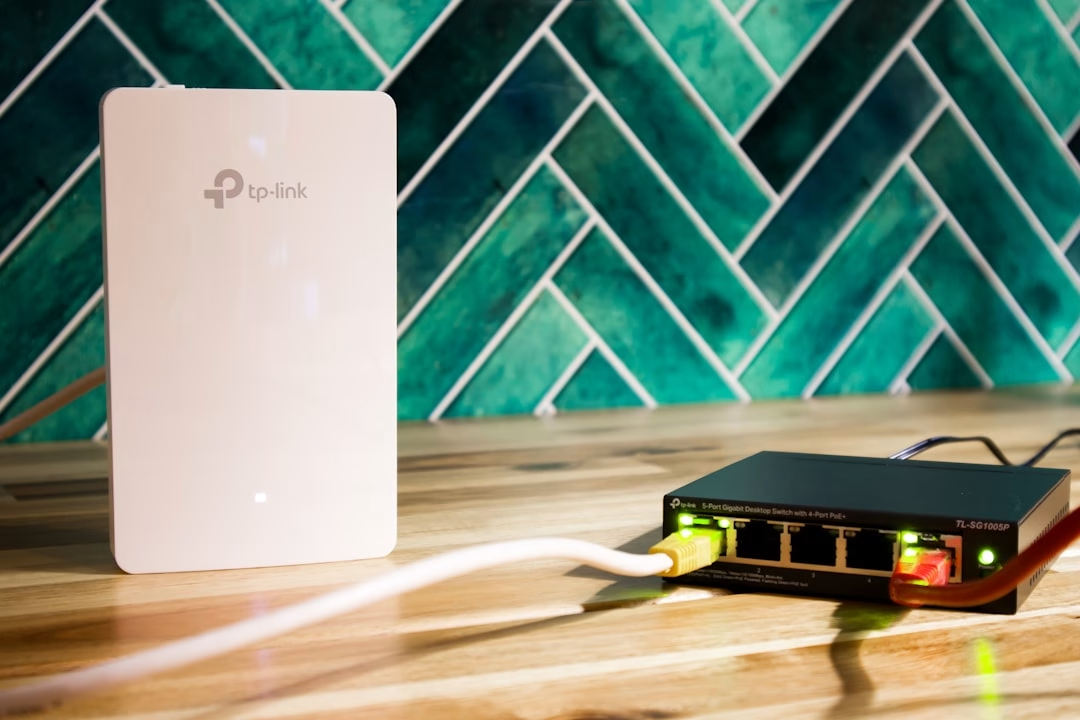
Instead of separate modems and routers, most 5G and fixed wireless providers send you an all-in-one “Gateway” or “Hub.” This compact, plug-in device contains cellular antennas to capture the outdoor signal and a built-in Wi-Fi router to distribute that signal throughout your home.
What Will It Cost?
Pricing for landline-free internet is highly competitive, especially since providers do not have to maintain physical copper lines.
- 5G Home Internet: Typically runs between $35 and $55 per month. Many providers offer a $10 to $15 monthly discount if you bundle the service with an active mobile phone plan.
- Prepaid Wireless Internet: Options like Straight Talk cost around $45 per month, plus a one-time hardware purchase of $70 to $100 for the gateway.
- No Hidden Fees: Unlike legacy cable providers, major wireless carriers rarely charge monthly equipment rental fees, and they generally offer unlimited data with no overage caps.
The 15-Minute Self-Installation
Forget about taking a half-day off work to wait for an installation technician. Setting up a 5G gateway is incredibly easy:
- Unbox the Gateway: Plug the power cord into a wall outlet.
- Find the Best Window: Place the device near a window facing the nearest cell tower (the provider’s mobile app will help you find the strongest signal).
- Connect Your Devices: Use the default Wi-Fi network name and password on the bottom of the device to connect your phones, TVs, and laptops.
Because these setups do not require external engineering work, they are perfect for renters, students, and frequent movers.
How to Get Set Up and What to Do If Coverage Is Limited
Ready to make the switch? Let’s look at how to verify coverage at your address and choose the best setup for your home.
How to Check Availability for Home Internet Without Phone Line Services
Wireless network capacity is managed at the individual street address level, not just by ZIP code. This means your next-door neighbor might have access to blazing-fast 5G home internet, while your home is just outside the active coverage zone.
To find out what is available at your exact location, use the online address checkers provided by major carriers.
Choosing the Best Home Internet Without Phone Line Provider
If you have multiple options at your address, compare these key factors:
- Contract Terms: Look for contract-free, month-to-month plans.
- Trial Periods: Many wireless providers offer a 15-day risk-free trial so you can test real-world speeds inside your home before canceling your old service.
- Bundling Discounts: Check if your current mobile carrier offers home internet discounts.
For those living in our primary service areas, you can find localized plans and retail support through these direct resources:
- Dallas-Fort Worth Metroplex: Check local 5G options or explore regional wired broadband options.
- Tampa Bay & Central Florida: Find localized coverage checkers and store locations for fiber and wireless internet across Orlando, Tampa, St. Petersburg, and Clearwater.
If you are setting up a home office or managing a remote workforce across these regions, ensuring a stable connection is critical for business continuity. Learn how to optimize your remote setup by reading our guide on Business Internet Service Remote Teams.
Frequently Asked Questions About Landline-Free Internet
Do I need to be an existing mobile customer to get 5G home internet?
No. While mobile carriers offer attractive monthly discounts (often saving you $10 to $15 per month) if you bundle your home internet with an active post-paid mobile line, anyone can purchase standalone 5G home internet. Prepaid options are also widely available without credit checks or existing accounts.
What happens to my home security system if I cancel my landline?
Many older home security panels and fire alarms connect directly to physical telephone lines to dial emergency monitoring centers. If you cancel your landline, these systems will lose connection.
Fortunately, you do not need to replace your entire security setup. You can install a small cellular bridge device (often called a cellular POTS replacement). This hardware plugs into your existing security panel, captures the analog signal, and transmits it securely over local cellular networks.
Is fiber internet available without a phone line?
Yes, absolutely. Modern fiber-to-the-premises (FTTP) networks are built purely for digital data transmission. When you sign up for fiber, you receive a dedicated optical connection that delivers symmetrical gigabit speeds without any copper phone line requirements. For businesses and high-demand households, fiber represents the gold standard of modern connectivity. To see if fiber is the right choice for your specific needs, check out our article: Is Fiber Internet the Right Choice for Your Business?.
Conclusion
Cutting the cord and switching to home internet without a phone line is a great way to simplify your monthly bills, eliminate outdated hardware, and enjoy fast, modern speeds on your own terms. Whether you choose 5G home internet, a local fixed wireless provider, or a standalone fiber connection, you have plenty of reliable options to choose from.
At Centra IP Networks, we believe that modern communication should be simple, reliable, and tailored to your lifestyle. We specialize in bringing cloud communications, managed IT, and high-speed connectivity solutions together on a single platform. If you are ready to upgrade your home office or business communications to a modern, cloud-powered system, we are here to help.
Learn more about our cloud-based phone systems and discover how easy it is to stay connected without legacy landline hassles.