Is Online Faxing Right for Your Small Business?
Small business fax online services let you send and receive faxes from any device — no fax machine, phone line, or paper required. Here’s a quick look at the top options:
| Provider | Starting Price | Pages/Month | Best For |
|---|---|---|---|
| MyFax | $5/mo | Up to 600 | Low-volume startups |
| eFax | Free trial | Varies | Global reach & compliance |
| Nextiva vFAX | $7.95/mo | 500 | Scalable small business |
| Zoom Phone | Bundled | 50/user | Unified communications |
| FaxDeck | Low monthly | Varies | Mobile-first teams |
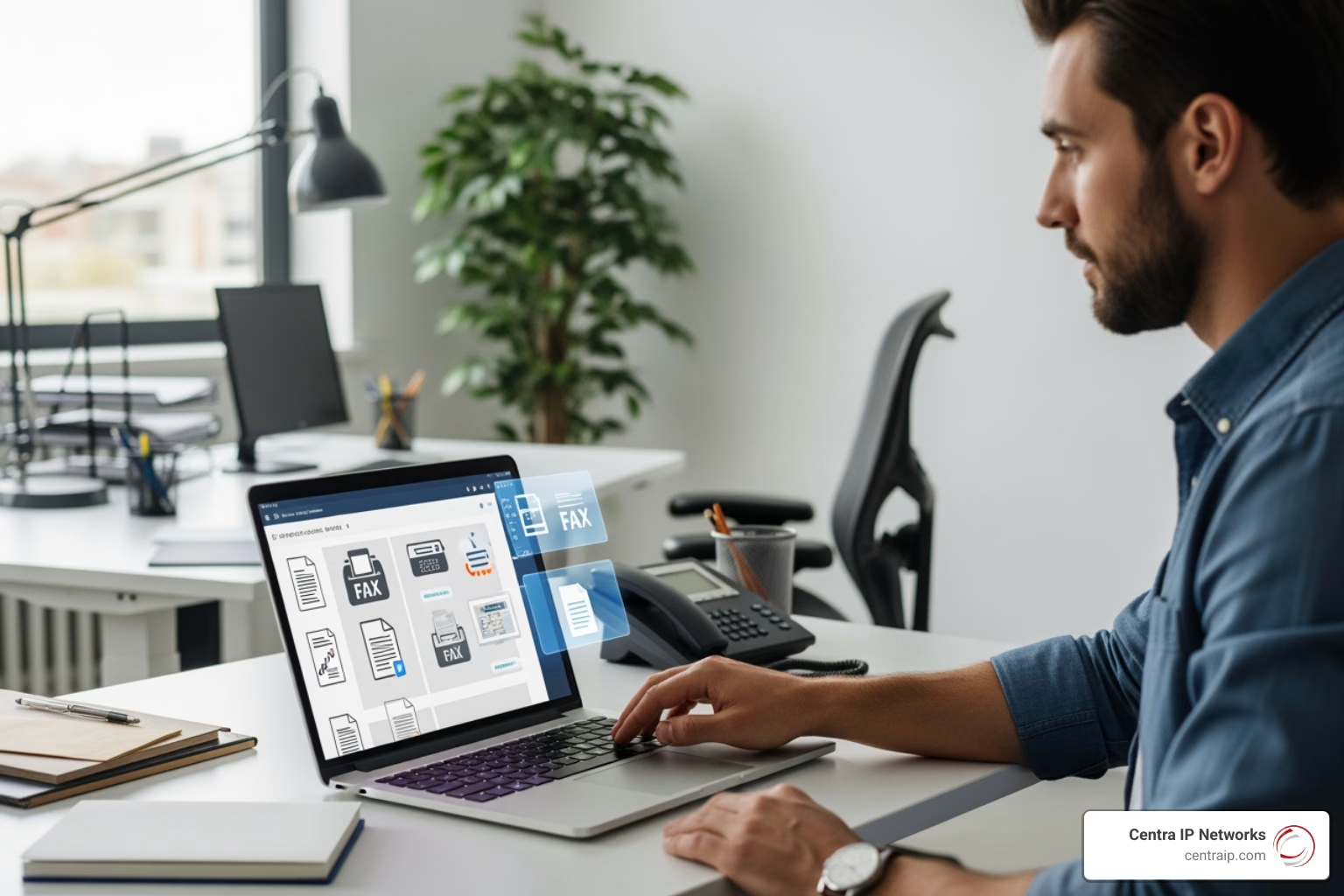
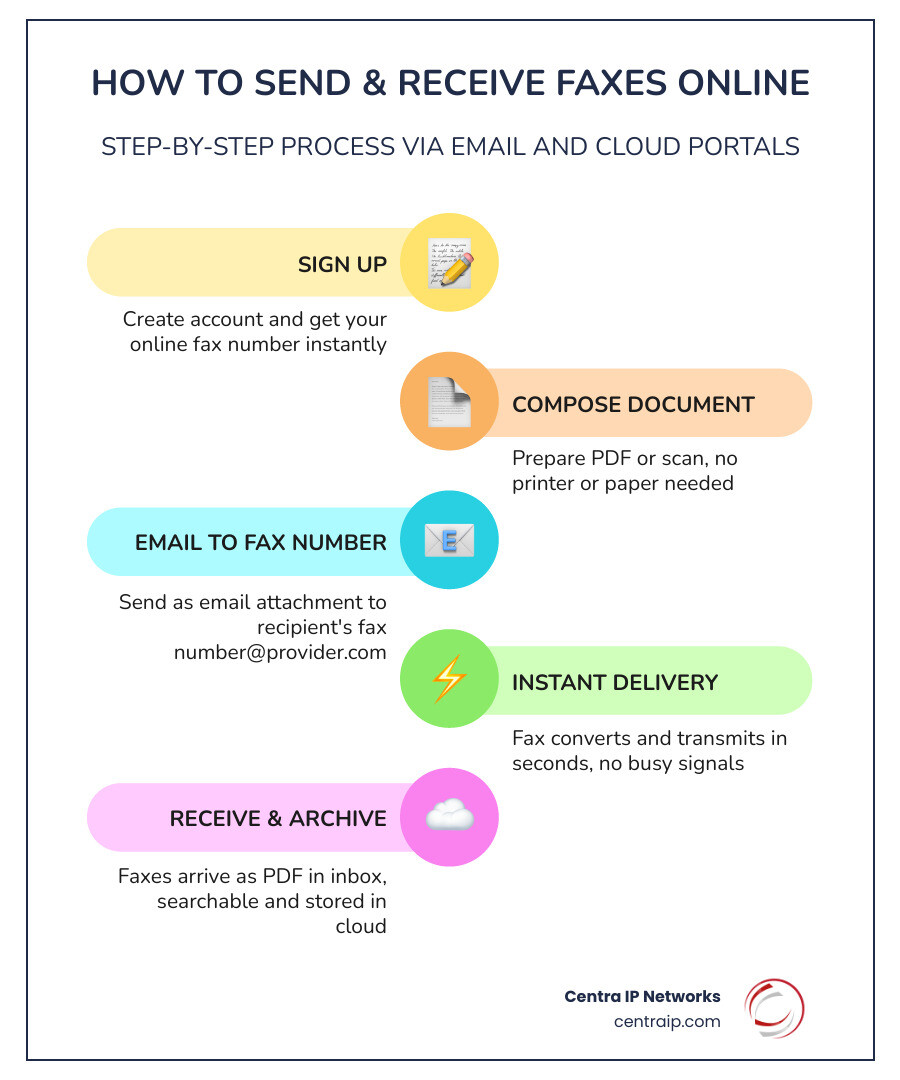
Online faxing works simply: you email a document to a fax number, and it’s delivered instantly — to a traditional fax machine or another online fax inbox. No busy signals. No toner. No dedicated phone line.
Yet many small businesses are still paying for clunky fax hardware they rarely use. Or worse, they’re piecing together multiple vendors for phone, fax, and messaging — and overpaying for all of it.
The good news? Switching to an online fax service can cut costs, free up desk space, and let your team fax from anywhere — including a smartphone or laptop.
I’m Patrick Brangan, a business technology consultant with over 20 years of experience helping SMBs consolidate their communication tools — including small business fax online solutions — into one streamlined, cost-effective setup. In the sections below, I’ll walk you through the best services available and how to choose the right one for your team.
Why Your Small Business Should Switch to Online Faxing
If your office still has a corner dedicated to a humming, clunky fax machine, you’re essentially paying rent for a dinosaur. For small businesses in Dallas, Orlando, or Tampa, the shift toward a paperless office isn’t just a “green” trend—it’s a massive boost to the bottom line.

Drastic Cost Reduction
Traditional faxing is a hidden money pit. You aren’t just paying for the machine; you’re paying for a dedicated analog phone line, expensive toner cartridges, reams of paper, and the occasional repair technician. By switching to Faxing Solutions, you eliminate these overheads. Low-cost plans for small business fax online start as low as $5 per month, which is a fraction of what a single landline costs.
Mobility and Remote Work Flexibility
In the modern era of hybrid work, your team needs to be able to send a signed contract from a coffee shop in Clearwater or a home office in Fort Worth. Online faxing lives in the cloud. Whether you are using a mobile app, a web portal, or your standard email client, you can send and receive documents on the go. This level of mobility is one of the core benefits and best practices for businesses looking to stay agile.
The Green Initiative
Going paperless is one of the easiest ways to reduce your company’s environmental impact. No more discarded cover sheets or “junk faxes” wasting paper and ink. Digital faxes are stored as PDFs, allowing you to print only what is absolutely necessary.
Better Organization and Searchable Archives
Ever tried to find a fax from three years ago in a physical filing cabinet? It’s a nightmare. With online services, faxes are automatically archived. Many providers allow you to tag faxes with keywords, making your entire history searchable in seconds.
Comparing the Best Small Business Fax Online Providers
Choosing the right provider depends on your volume and specific industry needs. We’ve broken down the heavy hitters to help you see where your business fits.
| Feature | MyFax | eFax | Nextiva vFAX | FaxDeck | Zoom Phone |
|---|---|---|---|---|---|
| Best For | Startups | Compliance | Scalability | Mobile Teams | Unified Comms |
| Security | SSL | HIPAA/SSL | 256-bit SSL | SSL | TLS Encryption |
| Setup Fee | $0 | $0 | $0 | $0 | $0 |
| Page Limits | 100-600 | Variable | 500-1000 | Pooled | 50/user (pooled) |
MyFax: Best for Low-Volume Startups
If you are an entrepreneur or a small team that only needs to fax occasionally, MyFax is a fantastic entry point. You can start for only $5 and get a professional fax number instantly.
We love their “Home Office User” plan for those on the go. It allows you to send and receive faxes directly through a mobile app or email. If your needs grow, they offer Small Business User plans and even a Power User tier that handles up to 600 pages a month.
eFax: Best for Global Reach and Compliance
For businesses in the legal or healthcare sectors, security isn’t optional. eFax is a heavyweight in the industry, offering robust HIPAA compliance features. They make it easy to start a free trial to test their interface.
One of their biggest draws is the ability to port your existing number, ensuring business continuity. They also excel at international coverage and allow for large file sharing that standard email might reject.
Nextiva vFAX: Best for Scalable Small Business Fax Online
Nextiva is a favorite for growing teams because of its reliability and professional image. Their Essential plan starts at $7.95 per month for 500 pages, while the Professional plan offers 1,000 pages for $13.95.
What sets them apart is the “never busy” technology. You won’t have to worry about clients getting a busy signal when trying to send you documents. Plus, they offer text alerts for incoming faxes and 256-bit SSL encryption for every transmission.
Zoom Phone: Best for Unified Communications
If you already use Zoom for meetings, adding Zoom Phone can simplify your life by putting your calls, SMS, and faxes into one app. Their US/CA Unlimited plan includes 50 inbound or outbound fax pages per user, which are pooled at the account level. It uses TLS encryption to keep your data secure across all devices.
Key Features to Look for in a Small Business Fax Online Service
When you’re shopping for a small business fax online service, don’t just look at the price tag. Look at how the service fits into your existing workflow.
Security and Compliance
If you handle sensitive data, 256-bit SSL encryption is the gold standard. For those in healthcare (Florida’s medical hubs like Sarasota or St. Petersburg come to mind), HIPAA compliance is a must-have feature to ensure patient privacy.
Cloud Integrations
Efficiency happens when your tools talk to each other. Look for services that offer integrations with platforms like Google Drive, Dropbox, and Zapier. This allows you to automatically save incoming faxes to a specific folder or trigger a notification in Slack when a new document arrives.
Number Options
Do you want a local presence in Dallas or a toll-free number that works nationwide? Most providers offer both. If you have an existing number that your clients have used for a decade, ensure the provider supports number porting so you don’t have to update your business cards.
Multi-User Access and API
For teams, you’ll want a service that allows multiple users to share a single fax number or account. If you’re a tech-forward company, check if the provider offers API access. This lets your developers bake faxing functionality directly into your own custom software or CRM.
Managing Volume, Costs, and Setup for Your Team
Understanding the “fine print” of billing will save you from nasty surprises at the end of the month.
Overage Rates and Page Pools
Most plans come with a set number of pages. For example, Nextiva charges about $0.03 per page once you exceed your monthly limit. Some providers offer business plans specifically designed for SOHO (Small Office/Home Office) users that provide a shared pool of minutes or pages across multiple lines. This is great for businesses with fluctuating volumes.
Billing and Contracts
We generally recommend month-to-month contracts. This gives you the flexibility to scale up during busy seasons or switch providers if your needs change. Some services, like FaxDeck, offer instant activation with no setup fees, meaning you can be faxing in minutes.
Setup and Support
The setup process for most online fax services is remarkably simple. Usually, it involves:
- Choosing your fax number.
- Linking your email address.
- Downloading the mobile or desktop app.
If you hit a snag, look for providers that offer phone support or extensive video libraries. At Centra IP Networks, we pride ourselves on helping our local clients through these transitions so they never feel left in the dark.
Frequently Asked Questions about Small Business Fax Online
Can I keep my existing fax number when switching?
Yes! This process is called “number porting.” Most major providers allow you to move your current analog fax number over to their digital service. This is critical for business continuity, especially with the upcoming PSTN/ISDN switch-off making traditional lines obsolete.
Is online faxing secure enough for legal or medical documents?
Absolutely, provided you choose the right tier. Look for services that specify 256-bit SSL or TLS encryption. These protocols ensure that your document is encrypted while it travels across the internet, making it much more secure than a physical piece of paper sitting on a shared office fax machine.
How do I send a fax from my email or mobile app?
It’s as easy as sending an email. Usually, you:
- Open a new email.
- Enter the recipient’s fax number followed by the provider’s domain (e.g.,
1234567890@send.myfax.com). - Attach your document (PDF or Word).
- Hit send. You’ll receive a confirmation receipt in your inbox once the transmission is successful.
Conclusion
The transition to small business fax online is one of those rare business decisions where you get more features for less money. Whether you’re a startup in Tampa or an established firm in Dallas, ditching the hardware for a cloud-based solution is a win for efficiency, security, and the environment.
At Centra IP Networks, we specialize in making these transitions seamless. We offer comprehensive Managed IT and Cloud Communications services that bring your phone systems, internet, and Faxing Solutions onto one platform. With a single provider and a single bill, we leverage over 35 partnerships to find the most cost-effective solution for your specific needs.
Ready to modernize your communication? Let’s get your business out of the “paper age” and into the cloud.