
How to Find Secure File Storage in Orlando
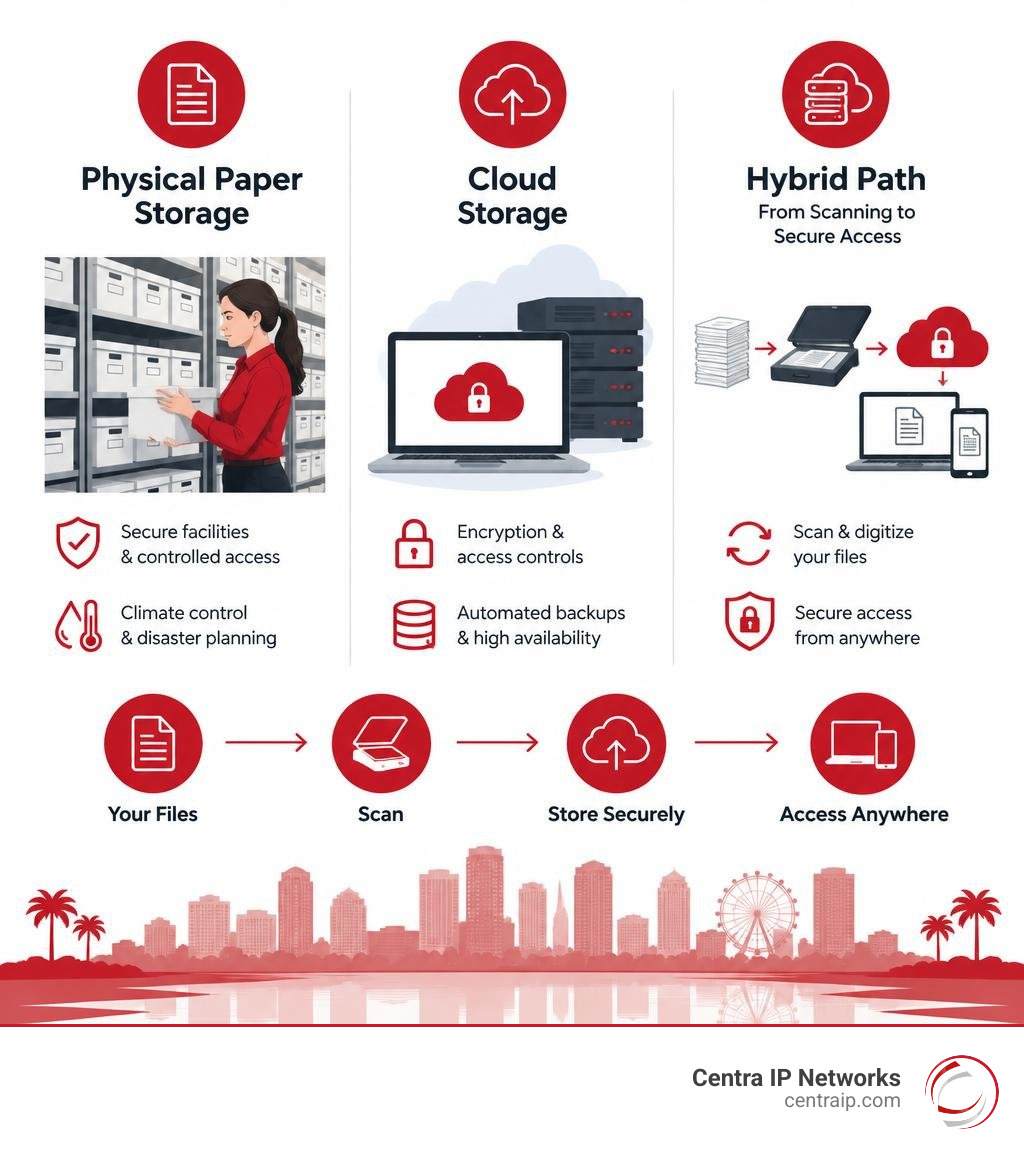
For secure file storage in Orlando, start with the type of files you have: a local records facility for paper, cloud storage for digital files, or a hybrid service if you need both. Before choosing a provider, ask how it protects files, how quickly you can retrieve them, and what storage, scanning, and retrieval will cost.
If you handle sensitive records, check your retention rules before moving or destroying anything. For paper files, ask about humidity control and storm plans. For cloud files, ask about encryption, access controls, and backups.
I’m Patrick Brangan. For more than 20 years, I’ve helped small businesses with managed IT and technology decisions, including the security needs behind a secure file storage Orlando search.
Quick secure file storage Orlando definitions:
Managing corporate records today is about balancing physical space, digital security, and regulatory compliance. The average worker uses 10,000 sheets of paper annually, quickly overcrowding valuable office space with filing cabinets and storage boxes. Leaving those files sitting in unsecured supply closets creates major compliance liabilities: roughly 60% of office storage setups experienced a data breach in 2020.
Furthermore, Central Florida businesses face unique environmental risks. When severe weather hits, paper records stored on-site are easily compromised. Studies indicate that 40% of businesses that suffer a catastrophic disaster never reopen. Moving files to dedicated external systems not only protects against environmental loss, but offsite storage can also reduce overall document management expenses by up to 50%.
Whether your team is organizing legal case files in downtown Orlando, archiving medical records near Lake Nona, or managing operational data across Winter Park, choosing the right combination of physical vaulting and cloud architecture safeguards your business continuity.
1. Top Options for Secure File Storage in Orlando
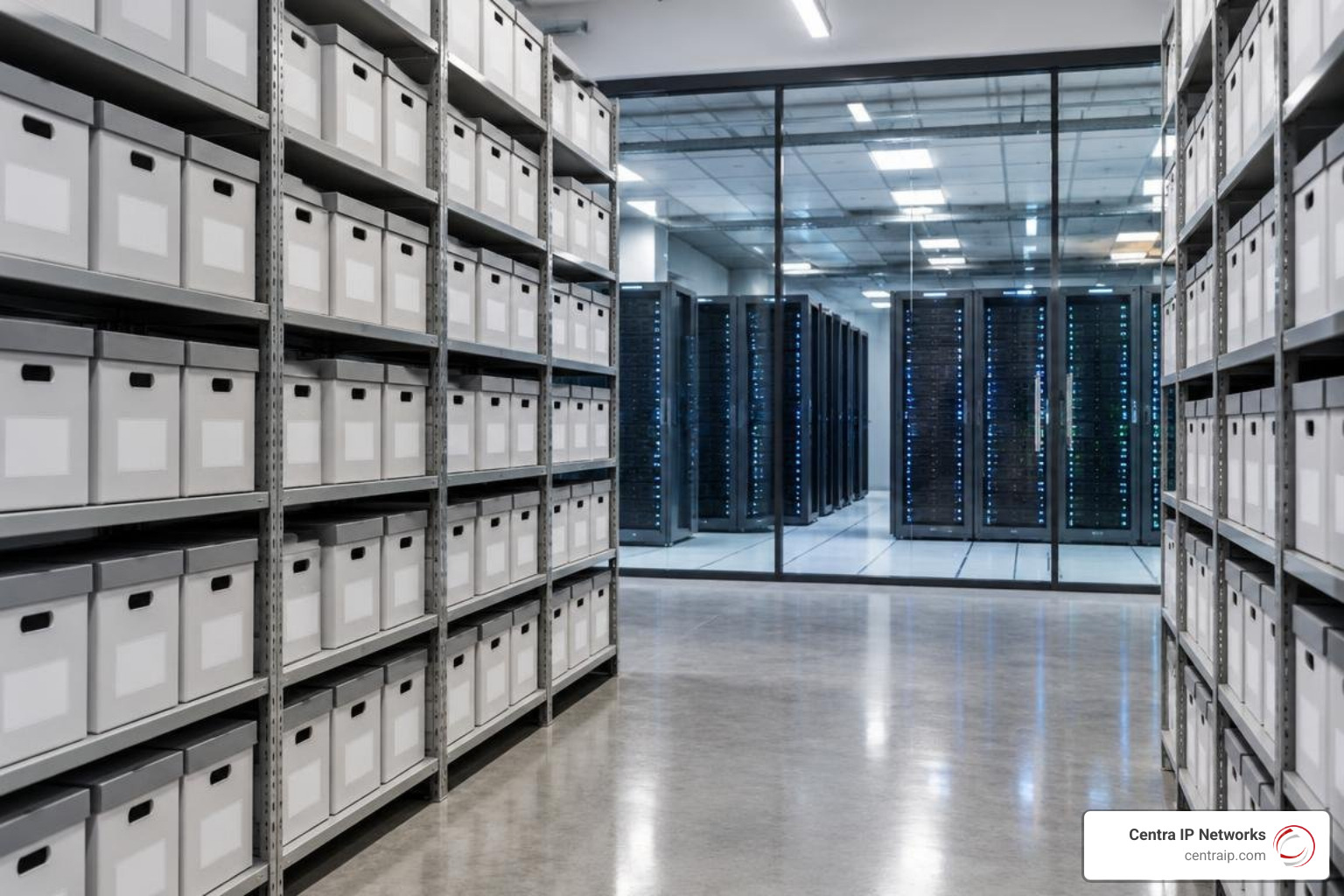
Finding the right storage setup depends on your operational pace, physical space requirements, and regulatory mandates. Modern businesses generally choose between three models: physical archiving, secure cloud repositories, or a blended hybrid model.
| Storage Model | Best For | Typical Retrieval Time | Key Advantage |
|---|---|---|---|
| Physical Offsite Vaults | Long-term archiving of physical paper, deeds, and biological/media records | 2 to 24 hours (Courier) | Reduces high office real estate costs; strict chain of custody |
| Cloud Repositories | Daily collaboration, remote teams, dynamic datasets | Instant (< 1 second) | High scalability, automated offsite redundancy, zero hardware maintenance |
| Hybrid Systems | Regulated industries balancing original paper retention with fast digital workflows | Under 4 hours (Scan-on-Demand) | Combines defensible physical retention with real-time digital access |
Physical Records Vaults and Document Warehouses
For organizations holding legacy paper archives, blueprint prints, or physical evidence, dedicated warehouse vaults provide specialized offsite preservation. Top-tier facilities feature climate-regulated storage bays, advanced fire suppression, perimeter security, and barcode tracking systems that assign individual boxes to specific warehouse locations rather than mixing client inventories. For smaller collections of critical corporate paper documents or physical master keys, local financial facilities like Orlando Credit Union safe deposit options offer secure lockbox environments behind fortified branch vault doors. Businesses managing extensive document collections frequently rely on dedicated warehouse operations such as FileVault offsite document storage options to securely manage bulk paper archives.
Cloud Repositories and Hybrid Storage Systems
Purely digital systems eliminate physical filing bottlenecks entirely. By transitioning shared network drives to managed cloud environments, your staff can access critical records securely from any device without worrying about hardware failures. When evaluating digital architectures, comparing cloud storage options helps pinpoint whether your business benefits most from object storage, managed file shares, or hybrid solutions.
Deploying an enterprise cloud file server allows you to implement zero-trust access controls, client-side encryption, and automated permission audits across all departments. Hybrid models bridge both worlds: original physical documents remain in a secure offsite facility, while active files are scanned, indexed, and synchronized to the cloud for immediate daily use.
2. Essential Security and Facility Features for Central Florida
Central Florida’s humid climate, high summer temperatures, and seasonal storm activity require specialized protection standards. Securing business information across Orlando, Tampa, Clearwater, and Sarasota means verifying that physical and digital facilities meet strict environmental and operational safeguards to prevent business data leaks in Central Florida.
Climate Control and Hurricane-Resilient Architecture
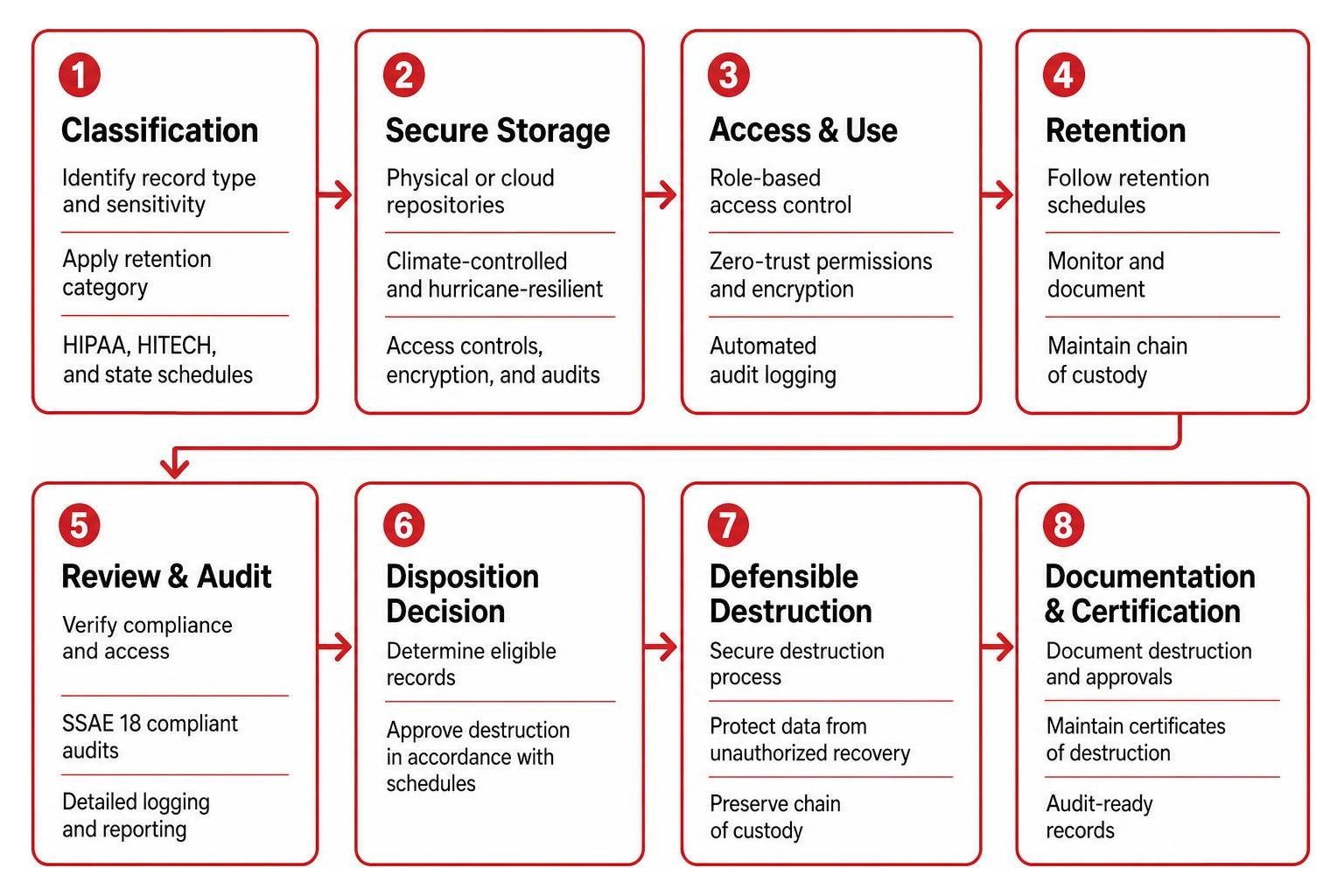
Paper records, film, X-rays, and backup magnetic tapes degrade rapidly when exposed to humidity spikes and fluctuating temperatures. Unregulated storage can lead to organic deterioration, mold, and brittleness. Quality document facilities maintain constant climate control between 60°F and 80°F with active relative humidity regulation.
Facilities built specifically for Central Florida should feature:
- Foundations raised at least 3 feet above ground level to protect assets against flash flooding and storm surge.
- Structural engineering designed to withstand sustained hurricane winds of up to 130 mph.
- Clean-agent, waterless fire suppression systems that protect delicate paper and digital media from fire without causing secondary water destruction.
Access Security, Chain of Custody, and SSAE 18 Audits
Both physical document centers and digital cloud repositories must prove that security protocols are actively enforced. Look for facilities operating under verified SSAE 18 compliance standards, which confirm that strict internal controls and auditing frameworks govern data operations.
Physical storage centers should enforce single-entry access points, round-the-clock digital video surveillance, biometric or badge-verified entry gates, and detailed visitor logging. High-security providers track assets using RFID tags and end-to-end barcode scanning at every transition point, assigning cartons to dedicated bays to maintain an unbroken chain of custody. Many leading facilities also provide private on-site audit rooms, allowing your legal or accounting teams to review sensitive records without removing files from the secure perimeter.
3. Regulatory Compliance: HIPAA, HITECH, and Florida Retention Schedules

Around 70% of organizations consider meeting regulatory compliance standards their top operational priority. Managing corporate records requires strict adherence to federal mandates and state-specific statutory schedules.
Evaluating Secure File Storage in Orlando for Regulated Records
Healthcare organizations, medical clinics, and legal practices face rigorous privacy expectations under HIPAA and HITECH. These frameworks mandate strict administrative, physical, and technical safeguards for Protected Health Information (PHI). Digital storage systems must offer role-based access control, end-to-end encryption (AES-256 for data at rest and TLS for data in transit), automated audit logging, and formal Business Associate Agreements (BAAs).
To ensure your digital repositories withstand strict regulatory audits, consult our comprehensive guide to secure enterprise cloud storage.
Florida Public Records Schedules and Section 257.36 Compliance
Florida public agencies, municipalities, educational institutions, and contractors operating under state agreements must adhere to the retention mandates established under Chapter 119 and Section 257.36 of the Florida Statutes. The Division of Library and Information Services establishes specific schedules dictating how long administrative, financial, personnel, and operational records must be preserved before disposal.
You can reference the full state retention requirements directly via the Florida Department of State General Records Schedules. Adhering to these schedules ensures that your organization establishes defensible disposition workflows, preventing premature destruction penalties while avoiding the legal liabilities of holding expired records indefinitely.
4. Digital Conversion, Scan-on-Demand, and Document Destruction
Complete document lifecycle management guides files seamlessly from initial creation to secure digital conversion and eventual certified destruction.
Backfile Imaging and 4-Hour Scan-to-Digital Delivery
Modern document management eliminates the need to manually browse thousands of physical archive boxes. Through backfile conversion, legacy archives, microfilm, microfiche, and large-format architectural blueprints are scanned in bulk, run through Optical Character Recognition (OCR), and tagged with structured metadata. Day-forward scanning integrates ongoing inbound physical paperwork into your active cloud workflow.
When your team needs an archived physical file urgently, scan-on-demand services bridge the physical-digital divide. Storage technicians retrieve the requested file box from the warehouse, scan the specific document, and securely upload the encrypted digital copy to your portal—often in under 4 hours—saving you the transit time and cost of physical courier delivery.
Certified Shredding and Electronic Media Sanitization
Data protection obligations do not end until retired assets are permanently destroyed. Implementing defensible disposition protects against data theft and privacy liabilities:
- Mobile and Offsite Paper Shredding: Locked security consoles (such as deskside containers and executive consoles) capture sensitive daily office paper. Mobile shredding vehicles or secure destruction centers reduce paper to unrecoverable cross-cut fragments, which are 100% recycled into new paper products.
- Electronic Media Destruction: Simply reformatting or wiping old solid-state drives (SSDs), hard disk drives (HDDs), and backup tapes does not prevent forensic data extraction. Certified destruction services physically shear or degauss drives in compliance with NIST 800-88 guidelines.
- Certificates of Destruction: Following every paper purge or electronic media disposal, providers issue a formal Certificate of Destruction detailing the date, time, volume, and method of destruction to maintain an audit-ready compliance trail.
5. Cost Breakdown and Implementation Strategies
Budgeting for document and data storage requires understanding how providers bill for physical space, scanning services, and cloud compute infrastructure.
Key Factors Influencing Secure File Storage Orlando Pricing
Physical records pricing is generally determined by:
- Carton Volume and Storage Fees: Billed as a monthly fee per standard storage box (typically 1.2 cu ft). Bulk volumes lower the per-box rate.
- Intake and Retrieval Charges: Fees for initial indexing, barcode application, transport pick-up, and subsequent carton or file pulling.
- Scanning and Digitization Rates: Per-page pricing for high-volume conversion, OCR text indexing, and scan-on-demand fulfillment.
- Permanent Destruction and Carton Purge Fees: Costs associated with certified shredding and box disposal upon retention maturity.
For digital storage, predictable monthly pricing replaces upfront server capital expenditures. By integrating reliable enterprise cloud data backup, businesses eliminate the maintenance costs, warranty renewals, and energy overhead of on-premise server rooms.
Phased Migration and Cloud Data Protection
Migrating enterprise data to the cloud requires a structured, phased rollout rather than an abrupt cutover.
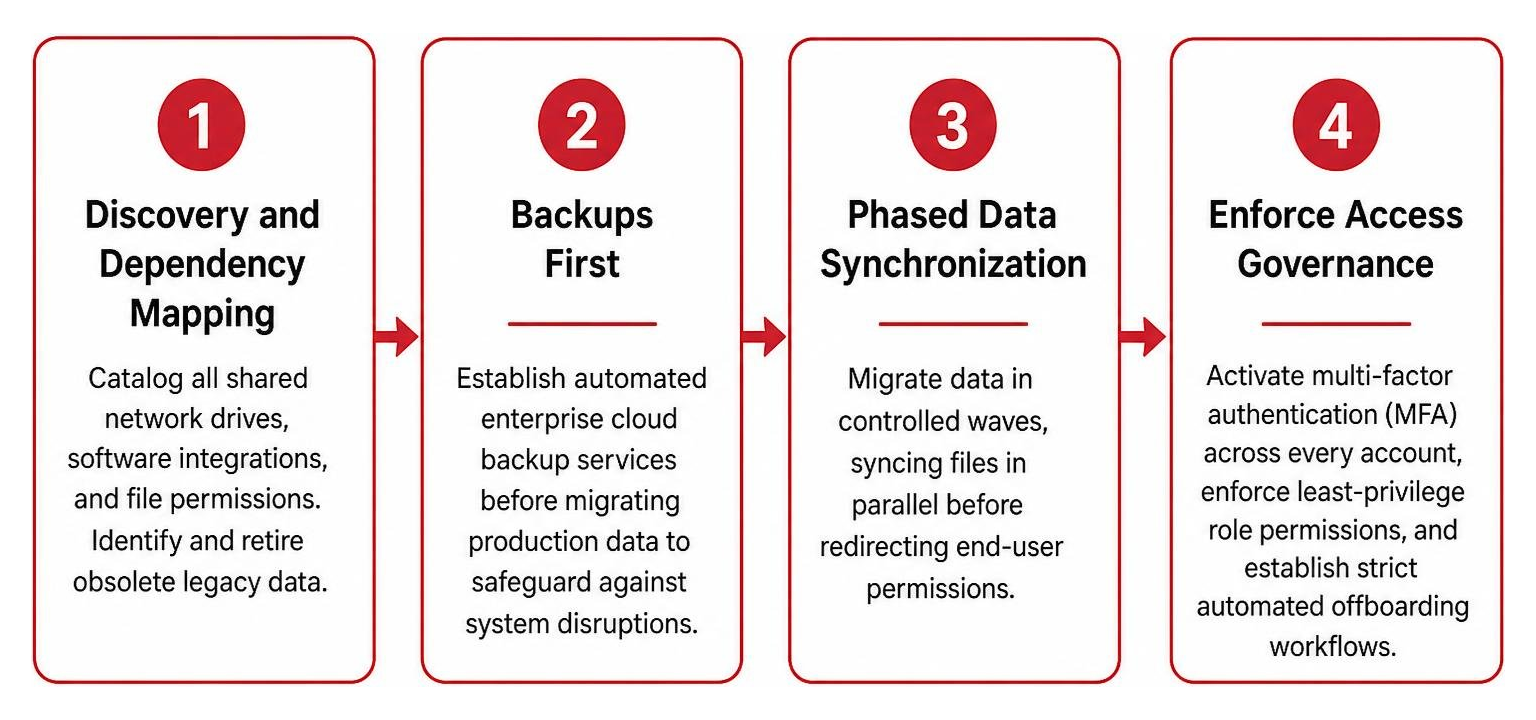
- Discovery and Dependency Mapping: Catalog all shared network drives, software integrations, and file permissions. Identify and retire obsolete legacy data.
- Backups First: Establish automated enterprise cloud backup services before migrating production data to safeguard against system disruptions.
- Phased Data Synchronization: Migrate data in controlled waves, syncing files in parallel before redirecting end-user permissions.
- Enforce Access Governance: Activate multi-factor authentication (MFA) across every account, enforce least-privilege role permissions, and establish strict automated offboarding workflows.
Under the Cloud Shared Responsibility Model, cloud infrastructure providers secure physical data centers and hypervisors, but your organization remains responsible for user access permissions, data governance, and credential security.
Frequently Asked Questions About Secure File Storage in Orlando
What is the difference between offsite physical archiving and cloud file storage?
Offsite physical archiving stores hard-copy paper files, biological media, or magnetic tapes inside secure, climate-controlled warehouse vaults with continuous physical security and barcode tracking. Cloud file storage digitizes data, hosting it across encrypted, redundant cloud environments for real-time collaboration and access from anywhere. Many businesses use both: physical vaults protect vital original records for legal compliance, while cloud systems power everyday operations.
How do local storage facilities protect paper records from Florida weather hazards?
Top-tier Central Florida records facilities are engineered specifically to resist extreme regional weather. Protective measures include raised foundations (often 3 or more feet above grade) to prevent flood damage, commercial structures rated to withstand 130 mph hurricane winds, clean-agent fire suppression systems that do not rely on damaging water, and active climate controls that keep humidity and temperature levels stable to prevent mold and paper decay.
How quickly can businesses retrieve physical files stored offsite?
Standard offsite physical retrieval typically delivers original cartons or files via secure GPS-tracked couriers within 24 hours, with expedited same-day courier options available for urgent needs. For faster turnaround, hybrid scan-on-demand services allow warehouse personnel to pull, digitize, and securely deliver encrypted electronic copies of requested documents directly to your online portal in under 4 hours.
Simplify Your Business Data Security
Balancing physical archives, active digital file shares, and regulatory retention schedules does not have to overwhelm your internal team. Securing your corporate data while maintaining real-time access comes down to choosing modern, fully integrated infrastructure.
At Centra IP Networks, we simplify technology for businesses across Dallas, Fort Worth, Orlando, Tampa, St. Petersburg, Clearwater, and Sarasota. By providing comprehensive Managed IT, cloud phone systems, high-speed Internet connectivity, and secure cloud environments on a single unified platform, we eliminate vendor finger-pointing and deliver predictable, cost-effective solutions backed by over 35 technology partnerships.
Discover how our unified Centra IP Networks managed cloud services can modernize your file infrastructure, protect your business continuity, and keep your critical operations running smoothly.